Business.com aims to help business owners make informed decisions to support and grow their companies. We research and recommend products and services suitable for various business types, investing thousands of hours each year in this process.
As a business, we need to generate revenue to sustain our content. We have financial relationships with some companies we cover, earning commissions when readers purchase from our partners or share information about their needs. These relationships do not dictate our advice and recommendations. Our editorial team independently evaluates and recommends products and services based on their research and expertise. Learn more about our process and partners here.


A professional website remains one of the most valuable assets a business can own. Unlike a social media profile or a marketplace listing, a website is a channel you control completely. Your site shapes first impressions, helps customers find you through search, and works around the clock to answer questions, generate leads and close sales. Even as social platforms and third-party marketplaces compete for attention, they rent you an audience on borrowed terms; a website is digital real estate you own.
The good news is that building one is more approachable than many entrepreneurs expect. Modern website builders and content management systems have removed nearly all of the technical barriers, and you can launch a polished, mobile-friendly site without writing a single line of code. The following 10 steps walk you through the process from initial planning to ongoing growth, whether you build it yourself or hand off the work to a professional.
Before choosing a platform or sketching a website design, get clear on what the website is actually for. The purpose drives every decision that follows, from the tools you select to the pages you build. Most business websites fall into one of a few categories:
Tie each goal to a measurable outcome so you can judge whether the site is working. A lead-gen site might target a number of monthly form submissions; an e-commerce site, a conversion rate or revenue figure; a booking site, completed reservations. These targets become the benchmarks you optimize against later in step 10.
Your domain name is your address on the web (for example, business.com). A strong domain is short, memorable, easy to spell and closely tied to your brand. The .com extension remains the most trusted and widely recognized, so it’s usually worth prioritizing if it’s available. However, newer extensions like .co, .io, or industry-specific options can work when your preferred .com is taken.
A few practical checks before you choose a domain name: confirm the name isn’t trademarked by another company and verify that matching social media handles are available so your branding stays consistent across channels. Domains are registered through a registrar, and registration is separate from web hosting; the domain is the address, while hosting is the space where your site’s files actually live.
Many website builders bundle a free domain for the first year when you sign up for an annual plan — big names like Squarespace, Wix and others follow this model — which can simplify setup since the domain, hosting and site are managed in one place. After the first year, domains typically renew for roughly $10 to $20 annually for common extensions, though specialty extensions can cost more.
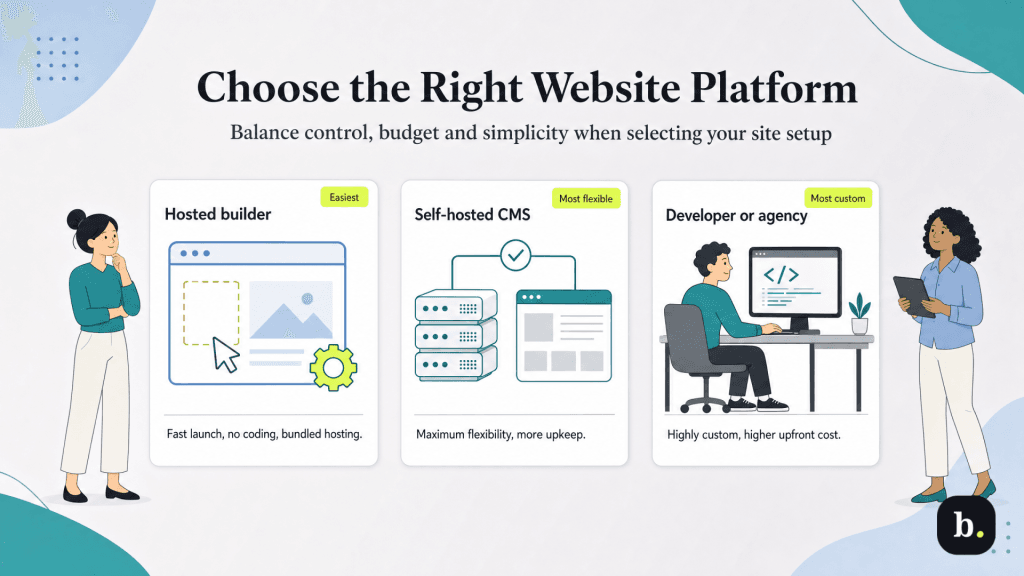
This is the decision that shapes your day-to-day experience of building and running the site. There are three main paths, and the right one depends on the goals you set in step 1, your budget and how much hands-on control you want.
Hosted builders generally start in the low tens of dollars per month for a basic business plan, with higher tiers unlocking advanced commerce and analytics features. Because builder pricing and plan structures change frequently, confirm current rates on the provider’s site before deciding. Match the platform to your goal: a service business with a simple brochure site has very different needs from a growing online store.
If you go with a hosted builder, you can skip this step; hosting is included in your subscription, which is part of what makes builders so convenient. If you choose a self-hosted CMS like WordPress, you’ll need to select a hosting provider separately. The main types of hosting are:
Whatever the type, weigh four factors: uptime reliability (look for strong guarantees), page-load speed, quality of customer support and built-in security features such as backups and SSL.
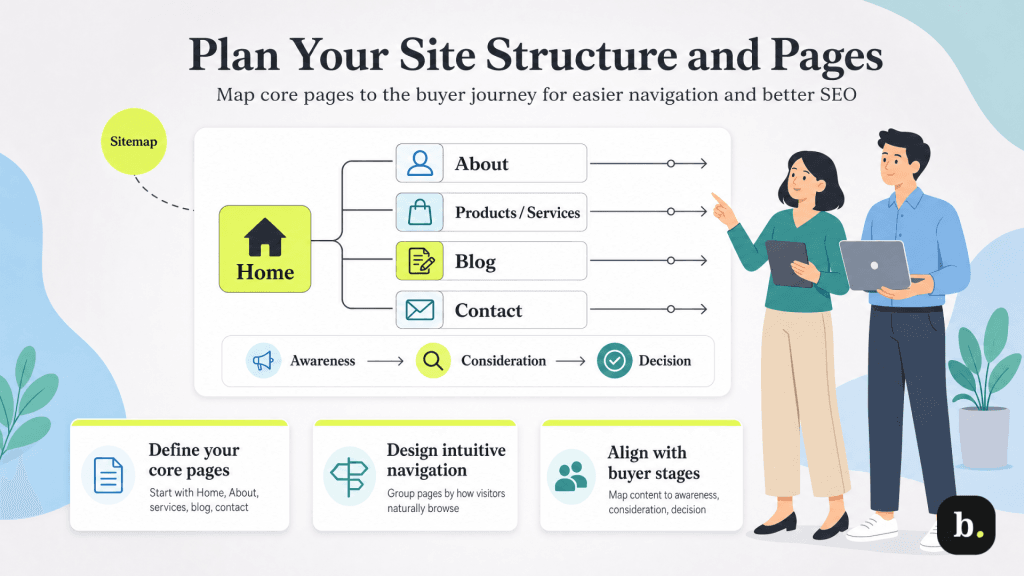
A clear structure helps both visitors and search engines navigate your site. Start by mapping out the core pages most business websites need, then organize them into logical navigation. Common essential pages include:
Sketch a simple sitemap that shows how pages connect, and design your navigation menu around the paths visitors are most likely to take. Mapping pages to the buyer’s journey (awareness, consideration and decision) ensures each stage has content that moves prospects toward becoming customers.
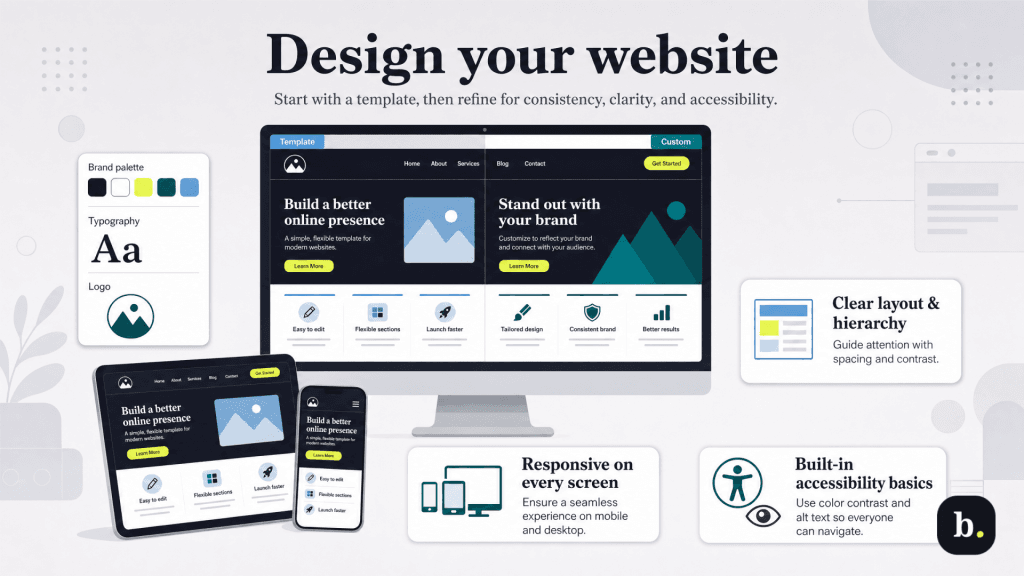
Design shapes how easily visitors understand and trust your business. Most builders and CMS platforms offer professionally designed templates you can customize, which is the practical starting point for the vast majority of businesses. Fully custom design is an option when you need something distinctive and have the budget for it.
Whichever route you take, keep branding consistent: use your logo, a defined color palette and a small set of complementary fonts across every page. Apply visual hierarchy and generous white space so the most important elements stand out and pages don’t feel cluttered. Two design considerations are non-negotiable today: responsive design that adapts seamlessly to phones and tablets (since much of web traffic is mobile) and accessibility basics like sufficient color contrast and descriptive alt text so all visitors can use your site.
Content is what turns a visitor into a customer. Write clear, benefit-focused copy that speaks to what your audience actually wants, and pair it with strong, specific calls to action (“Get a free quote,” “Book a consultation”) that tell readers exactly what to do next.
At the same time, build in on-page SEO fundamentals so search engines — and increasingly, AI-powered answer tools — can understand and surface your pages:
Round out your pages with high-quality, appropriately sized images, and keep an eye on page speed. Large, unoptimized files are one of the most common causes of slow load times, which frustrate visitors and hurt search rankings.
With your content in place, layer in the functionality that makes the site useful and measurable. Which features you need depends on your goals from Step 1, but common ones include:
One feature is mandatory regardless of your goals: an SSL certificate, which enables HTTPS and encrypts data between your site and its visitors. It’s essential for security, customer trust and SEO, and most modern hosts and builders include it. Hosted builders typically offer these features natively or through an app marketplace, while WordPress relies on plugins that are powerful but worth vetting for quality and keeping updated.
Before going live, test thoroughly so visitors don’t encounter problems you could have caught. Work through a pre-launch checklist:
Some businesses prefer a soft launch, quietly publishing the site to a limited audience to gather feedback and fix issues. Others go live straightaway with accompanying promotions, announcements and advertisements to drive traffic. Either way, launching is a milestone, not the finish line.
A website is a living asset that needs ongoing attention. Routine maintenance keeps it secure and reliable: install software and plugin updates, run regular backups, apply security patches and refresh content so information stays accurate and current.
Use your analytics to understand how visitors find and use the site, then act on what you learn. Note which pages convert, where visitors drop off and which content draws traffic. SEO and marketing are continuous efforts, not one-time tasks, so plan to publish new content, refine existing pages and adjust based on performance over time. The sites that succeed are the ones that keep improving.
