Business.com aims to help business owners make informed decisions to support and grow their companies. We research and recommend products and services suitable for various business types, investing thousands of hours each year in this process.
As a business, we need to generate revenue to sustain our content. We have financial relationships with some companies we cover, earning commissions when readers purchase from our partners or share information about their needs. These relationships do not dictate our advice and recommendations. Our editorial team independently evaluates and recommends products and services based on their research and expertise. Learn more about our process and partners here.
You can’t control what others write about your business, but you can protect your brand by influencing what shows up in search engines.


This article is sponsored by Erase.com
A single negative search result can reshape how customers see your business. According to research from BrightLocal, the vast majority of consumers read online reviews before visiting a local business, and roughly one-third won’t consider buying from a business with below a 4.5-star review. When a damaging article, complaint-site listing, or unfair review dominates page one, revenue and trust take the hit.
Fortunately, Google provides free tools that let you remove or suppress certain types of unwanted content yourself. The catch is that these tools only cover specific categories, and the vast majority of negative business content doesn’t qualify. This guide walks you through every DIY option available so you know exactly what you can handle on your own, and where you’ll likely need professional support.
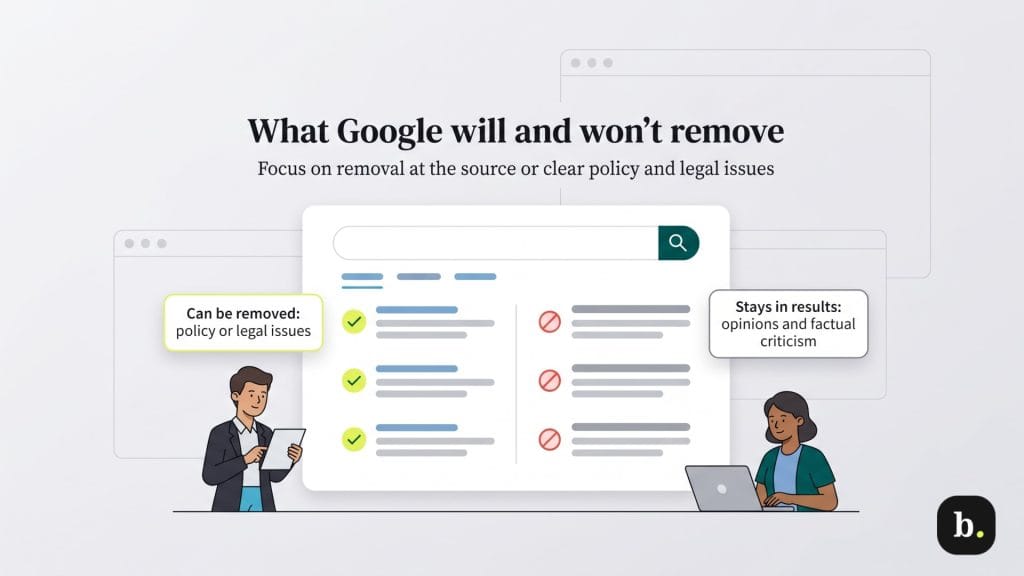
The most common misconception about Google is that it has a “delete” button for anything that appears in search results. It doesn’t. Google indexes content that lives on other websites, it doesn’t own or host the vast majority of what it displays. That distinction is critical, because it means most content removal starts at the source, not at Google.
There are three general paths to getting unwanted content out of Google’s search results:
Here’s the hard truth for most small business owners: Google will not remove negative opinions, bad reviews, critical news articles or unflattering but factual content. If a customer leaves a one-star review describing a genuinely poor experience or a local news outlet publishes an unfavorable story based on public records, Google considers that part of the open web. Its policies prioritize lawful publication and public interest over personal discomfort.
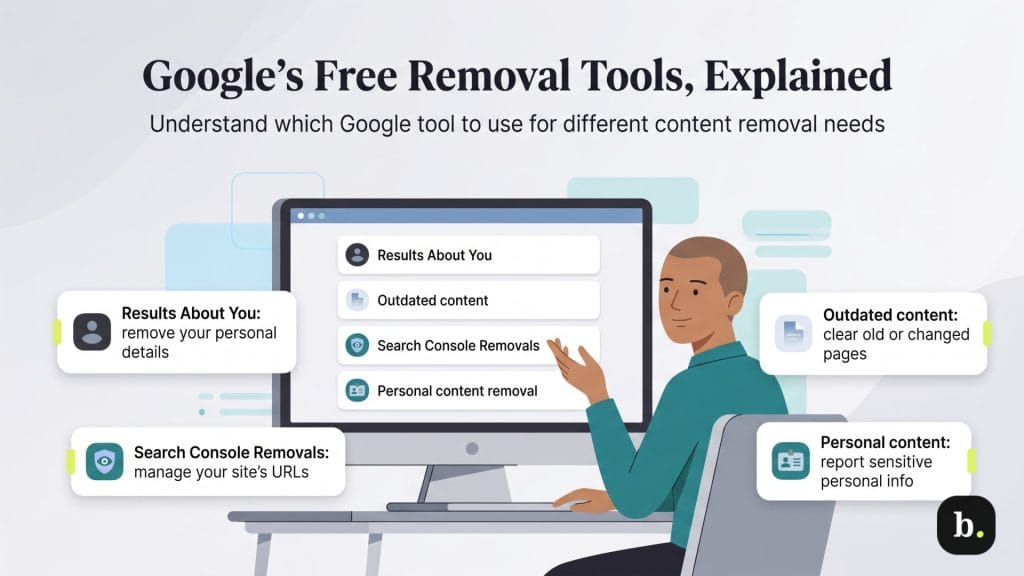
Google offers several self-service tools for requesting content removal. Each one serves a different purpose, and using the wrong tool is one of the most common reasons requests get denied. Here’s a breakdown of each.
This is Google’s privacy monitoring hub. Once you set it up, it proactively scans search results for your personal contact information, including your phone number, email address and home address. The dashboard alerts you when matches appear. In February 2026, Google expanded the tool to also detect government-issued ID numbers, including Social Security numbers, driver’s licenses and passports.
To set it up, open the Google app, tap your profile photo and select “Results about you.” First-time users add the personal information they want monitored. Google then scans its index, sends notifications when results are found and lets you submit removal requests directly from the dashboard. You can track the status of each request – pending, approved or denied – in the same interface.
This tool removes results from Google Search only. It does not delete your data from the websites that host it. It’s a search-visibility tool, not a comprehensive data-removal service.
This tool is designed for a specific scenario: a page has been deleted or significantly changed on its original website, but Google’s cached version still shows the old content in search results. Anyone can use it, so you don’t need to own the website in question.
To use it, visit Google’s Refresh Outdated Content page, log in with your Google account and submit the URL showing outdated information. If the original page still exists but has been updated, you’ll be asked to provide one or two words that used to appear on the page but are no longer present. Google typically processes these requests within a few days.
The most common reason for denial is straightforward: the content is still live and unchanged on the host website. If that’s the case, this tool can’t help; you’ll need to contact the site owner first and request that they update or remove the material. Once the source page actually changes, you can resubmit.
This tool is exclusively for verified site owners and is available inside Google Search Console. It lets you temporarily suppress URLs on your own site from appearing in search results for approximately six months. During that window, Google continues to crawl the page but won’t display it in results.
This is not a permanent solution on its own. After six months, the suppressed URL can reappear in search results unless you take additional steps. To make the removal permanent, you need to either delete the page entirely, return a 404 or 410 HTTP status code, add a noindex meta tag or password-protect the page. Think of the Removals Tool as a six-month head start to implement a lasting fix.
For sensitive content that doesn’t fit neatly into the other tools, Google provides a dedicated removal request form. This covers personally identifiable information (PII) such as financial account details, confidential medical records and handwritten signatures. It also handles non-consensual explicit imagery, content involving minors and material from exploitative pay-to-remove websites.
The form walks you through a series of questions to classify the type of content you’re reporting, and you can upload supporting evidence. Google reviews each submission and, if approved, deindexes the URL from search results. As with the other tools, this removes visibility in Google Search only — the content itself remains on the host website unless the site owner takes it down.
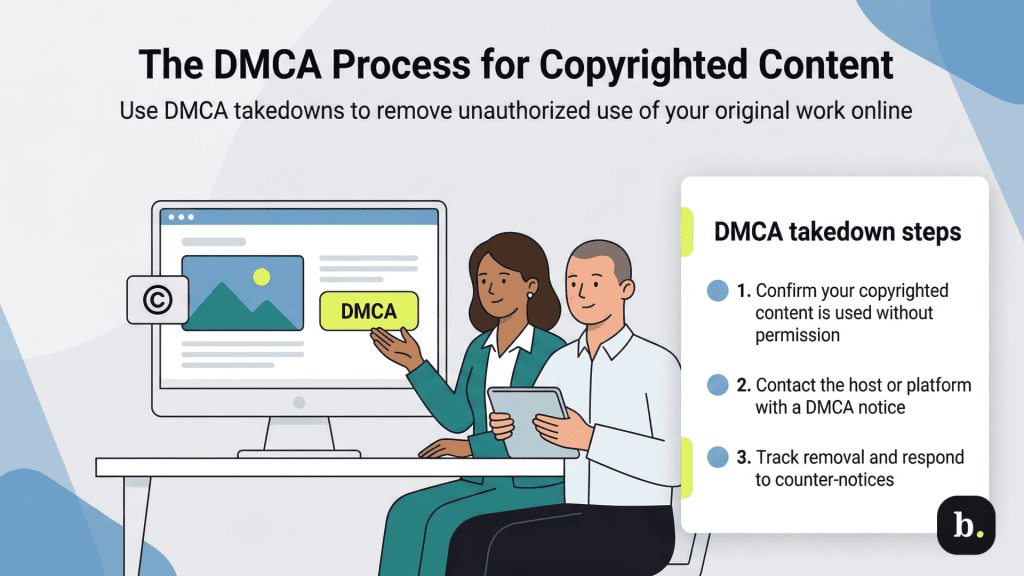
If someone has copied your original work – a blog post, product photo, marketing video or website design, for example – and published it without your permission, the Digital Millennium Copyright Act (DMCA) gives you a legal mechanism to request removal. This is one of the most effective tools available because it carries legal weight and Google processes valid requests quickly.
When DMCA applies:
DMCA only covers copyrighted material. It does not apply to factual information about your business, customer reviews or news coverage, even if you find it damaging. Filing a false or frivolous DMCA claim can expose you to legal liability, so be sure the content genuinely infringes on your copyright before proceeding.
If you’ve worked through the tools above and still have damaging content dominating your search results, you’re not alone. The reality is that most negative business content, like bad press, complaint-site posts, forum threads or unflattering but factual articles, doesn’t qualify for any of Google’s removal tools. It’s not a policy violation. It’s not a copyright issue. It’s just content that exists on the open web.
This is where DIY efforts typically hit a wall. You can try contacting publishers directly, but response rates are low and the process is time-intensive. If the negative content appears on multiple sites, the problem compounds; each publisher needs a separate outreach effort, and coordinated suppression or removal strategies require resources and expertise that most small business owners don’t have on hand.
Professional reputation management services exist specifically for this gap. Erase.com, for example, operates on a pay-for-success model: you only pay when content is actually removed, not for attempts that don’t deliver. Their team assesses your specific situation during a free initial consultation and identifies what’s realistically removable through direct platform engagement, what requires legal pathways and what’s best addressed through content suppression (building positive, authoritative content that pushes damaging results off page one.)
For small businesses dealing with a single problematic result, the DIY tools in this guide may be all you need. But if you’re facing persistent, multi-site reputation damage that falls outside Google’s removal policies, a professional assessment can save months of frustration and help you understand the full range of options available.
Start here and follow the path that matches your situation:
Question | If yes … | If no … |
|---|---|---|
Has the content been deleted or changed on the original website? | Use the Outdated Content Tool to refresh Google’s cached results. | Continue to question 2. |
Does the content expose your personal information (phone, email, address, government ID)? | Set up Results About You or submit a Personal Content Removal Form. | Continue to question 3. |
Is the content on a website you own? | Set up Results About You or submit a Personal Content Removal Form. | Continue to question 3. |
Does the content use your copyrighted material without permission? | File a DMCA takedown with the hosting site and with Google. | Continue to question 5. |
Does the content violate Google’s other policies (doxxing, non-consensual imagery, exploitative site)? | Submit a request through Google’s Legal Help Center or Personal Content Removal Form. | The content likely doesn’t qualify for Google’s free tools. Consider contacting the publisher directly or consulting a professional reputation management service like Erase.com for a free assessment. |
Managing your online reputation starts with understanding what’s within your control. Google’s free tools are genuinely useful for removing personal information, refreshing outdated search results and addressing copyright violations. But they have clear boundaries, and most negative business content falls outside those boundaries.
For content that Google’s tools can handle, the step-by-step instructions in this guide give you everything you need to take action today. For everything else, a professional service with a results-based pricing model can provide the expertise and persistence that DIY methods can’t match.
