Business.com aims to help business owners make informed decisions to support and grow their companies. We research and recommend products and services suitable for various business types, investing thousands of hours each year in this process.
As a business, we need to generate revenue to sustain our content. We have financial relationships with some companies we cover, earning commissions when readers purchase from our partners or share information about their needs. These relationships do not dictate our advice and recommendations. Our editorial team independently evaluates and recommends products and services based on their research and expertise. Learn more about our process and partners here.
Explore how cloud computing can help your business work more efficiently, reduce costs and scale as it grows.


As a business owner, you’re always looking for smarter ways to keep operations efficient and profitable. One of the most powerful tools available today is cloud computing, which helps companies scale faster, cut costs and innovate more easily.
If you’re wondering just how much of an impact the cloud can make, consider how quickly businesses are adopting it. According to Flexera’s 2026 State of the Cloud Report, 63 percent of SMB workloads now run in the public cloud, up from 55 percent a year earlier. Here’s what cloud computing is, how it works and what it can mean for your bottom line.
Cloud computing is the on-demand delivery of IT resources over the internet using a pay-as-you-go model. Instead of maintaining physical servers or data centers, businesses can access computing power, storage and applications as needed from a cloud provider. This approach helps organizations of all sizes streamline operations, cut business costs and scale more efficiently.
Companies use cloud computing for a wide range of tasks, including data management, data backup, email, virtual desktops, software development and testing, big data analytics and customer-facing web applications.
Although the term “cloud computing” came into widespread use in the 2000s, the ideas behind it go back decades. Advances in networking, virtualization and internet technology eventually made it possible for businesses to access computing resources remotely instead of relying entirely on their own hardware.
Today’s major cloud platforms and cloud storage services include Amazon Web Services (AWS), Microsoft Azure, Google Cloud, IBM Cloud and Oracle Cloud Infrastructure.

There are three main types of cloud services — private, public and hybrid — that differ based on where the infrastructure is hosted and who can access it.
Cloud computing works by delivering computing resources, like servers, storage, databases and software, over the internet instead of through on-site hardware. These resources live in data centers managed by cloud providers, which handle much of the underlying infrastructure and maintenance for you.
If your company needs more computing power or storage, you can tap into the cloud through a secure business internet connection and get instant access. You can add resources when business picks up and scale back when things are quieter, so you’re only paying for what you actually need.
For example, you might use the cloud to back up data, host your website or run applications that employees can access from anywhere, all without having to buy or maintain your own servers.
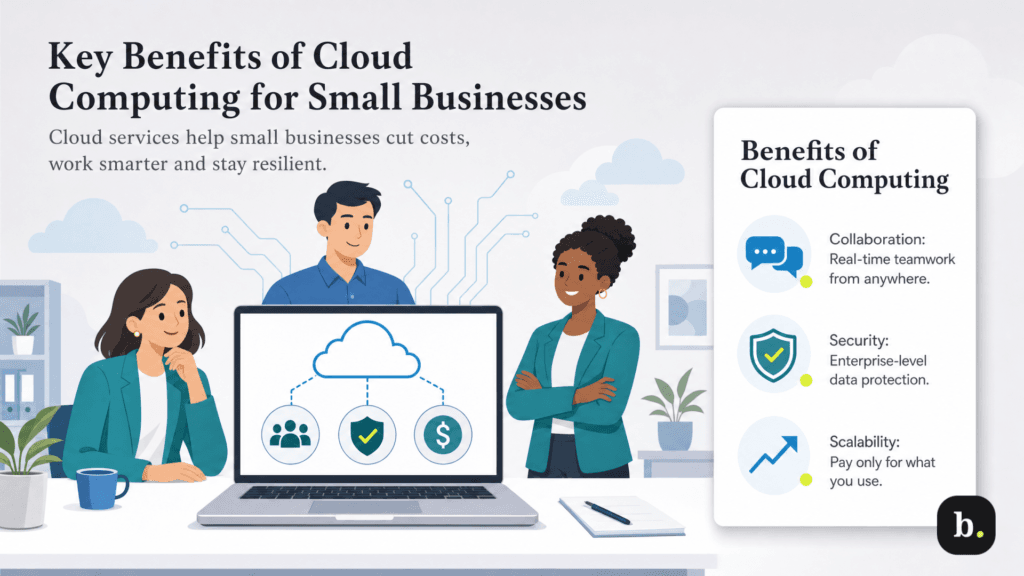
As a small business owner, you’ll find that cloud computing offers real, measurable benefits that can boost your bottom line. Beyond lowering costs, the cloud can drive business growth by enabling you to work smarter, collaborate better and scale your business faster.
Cloud-based tools can make workplace teamwork easier, especially when employees aren’t all in the same place. Platforms like Google Workspace and Microsoft 365 let teams edit documents, manage projects and share updates in real time from wherever they’re working.
That kind of access can save employees from emailing files back and forth or wondering whether they’re working from the latest version. It also simplifies communication across teams in remote work plans by keeping information consistent and accessible. That flexibility is especially important, as 78 percent of U.S. employees with remote-capable jobs work hybrid or exclusively remote schedules, according to Gallup’s Hybrid Work Indicator.
Some business owners hesitate to move to the cloud because they assume keeping IT operations in-house is the best way to protect their business’s sensitive information. In reality, major cloud providers invest heavily in security infrastructure — far more than most small businesses could ever match on their own.
Major providers like Oracle, AWS and Microsoft Azure maintain extensive security and compliance programs, including certifications and attestations such as ISO 27001 and SOC 2. They also offer services designed to help customers maintain HIPAA compliance and meet other regulatory requirements. These providers employ dedicated security teams and use advanced threat detection systems to monitor for vulnerabilities around the clock. Our Oracle NetSuite accounting software review highlights just one example of how a cloud-based platform can help protect sensitive financial data while supporting your business’s compliance efforts.
Every business aims to make a profit, and cutting operational costs wherever possible can help. One of the most tangible cloud computing benefits is its financial impact.
Cloud services eliminate the need for heavy upfront investments in hardware. Instead, you can choose flexible pricing, from flat-rate monthly fees per user to pay-as-you-go bandwidth options, and scale usage up or down as your needs change.
Switching from legacy servers to cloud infrastructure also reduces the need for continual hardware refreshes, lowers demand for IT support staff and cuts energy costs. Altogether, these efficiencies can translate into real savings that go straight to your bottom line. In fact, a 2026 Forrester study commissioned by Microsoft found that a composite organization using Azure VMware Solution achieved a 341 percent return on investment over three years, with payback in less than six months.
Cloud computing can be a more sustainable option than running your own on-site infrastructure. Large cloud providers can keep servers working at higher capacity and use more efficient hardware, power and cooling systems, which can reduce the energy needed to run business workloads.
For example, a 2024 Accenture study commissioned by AWS found that running workloads on AWS can be up to 4.1 times more energy-efficient than typical on-premises infrastructure. When workloads are optimized on AWS, the study found that their associated carbon footprint can be reduced by up to 99 percent.
Sustainability is also becoming a bigger concern for the cloud industry. According to CloudFest’s July 2026 State of the Cloud Report, 35.3 percent of respondents said they were more concerned about sustainability than they were a year earlier, up from 25 to 27 percent in the previous three quarterly surveys.
In today’s fast-moving business world, agility is more than a buzzword — it’s a necessity. According to Deloitte’s 2026 Global Human Capital Trends report, seven in 10 business leaders say their primary competitive strategy for the next three years is to be fast and nimble so they can quickly adapt to changing business, customer or market needs.
Understanding how cloud computing works makes it easier to see why it’s such a powerful tool for that kind of adaptability. At its core, cloud computing delivers computing resources — storage, processing power and software — over the internet on demand, so businesses can respond quickly to changing market conditions without being constrained by physical, on-site systems.
Beyond reacting to external shifts, cloud technology also enables rapid responses to internal demands. Cloud services can scale your resources up or down automatically based on demand — sometimes in just minutes. That kind of flexibility helps you avoid system overloads and wasted capacity, keeping things running smoothly no matter how busy your business gets.
Losing important data to a fire, flood or other disaster can be devastating for any business. The Federal Emergency Management Agency (FEMA) estimates that about 40 percent of businesses never reopen after a major disaster, underscoring the need for strong data protection and recovery plans.
Cloud computing can make that recovery easier because your data and applications don’t have to live solely on equipment inside your office. Cloud backup and disaster recovery services can store copies of critical data in geographically separate data centers, giving you another way to access or restore information if your primary systems go down. Depending on the service and setup you choose, you may also be able to restore applications and data quickly enough to keep downtime to a minimum.
Cloud computing isn’t just a tech upgrade: It can help your business keep pace with competitors and respond faster when the market changes. The cloud makes it easier to roll out new products, services and technology without waiting for new hardware or other infrastructure to be purchased and installed. That speed matters: According to Flexera’s report (cited above), 73 percent of organizations use delivery speed as a metric for measuring their cloud performance.
Business cloud computing also gives companies the flexibility to respond to customer needs and scale operations more efficiently, without the overhead of maintaining costly on-premises infrastructure. In other words, it’s the engine that helps modern businesses bring ideas to market quickly and stand out from the competition.
Your business collects data from all kinds of places, from sales and customer interactions to website traffic and day-to-day operations. The challenge is turning all that information into something useful. Cloud-based data analytics platforms give small businesses access to the storage and computing power needed to analyze large amounts of data without investing in expensive on-site infrastructure. That can help you spot customer trends, identify problems and make better-informed business decisions.
The cloud also makes it easier to organize and interpret unstructured data so you can act on it faster. And built-in security layers and regular updates help keep your business data protected while you focus on turning information into smart decisions.
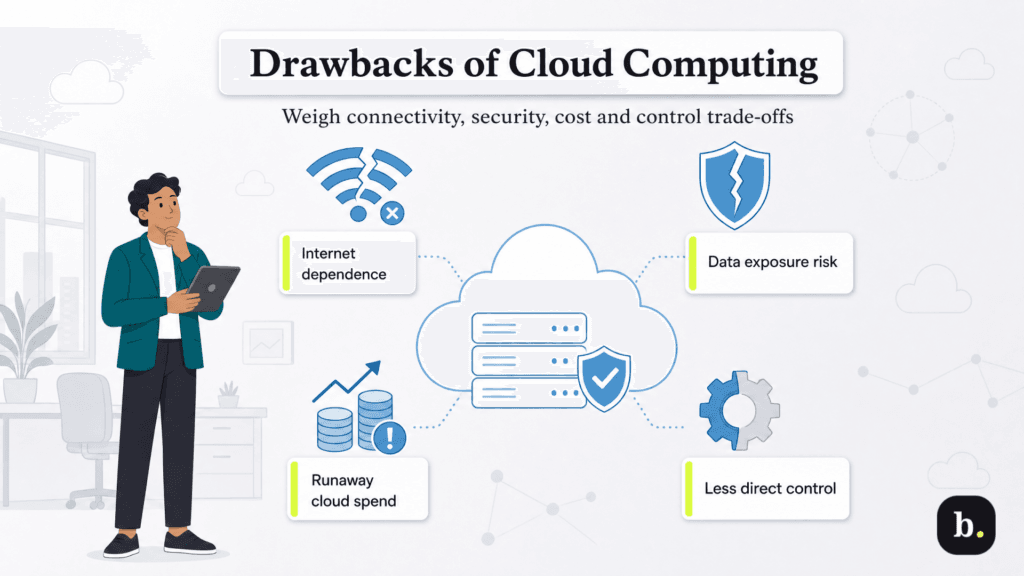
Although cloud computing can benefit your business, it can also pose challenges. Here are four disadvantages of cloud computing to consider.
Because cloud computing services run through the internet, your business depends on a reliable connection to stay up and running. If your internet goes down, your access to cloud tools and data could be interrupted. The cost of that disruption can add up quickly. A 2026 Splunk study conducted with Oxford Economics found that downtime costs Global 2000 companies an average of $15,000 per minute. Having a backup business broadband connection or automatic failover system can help minimize disruption and keep operations moving.
Storing data in the cloud doesn’t eliminate the risk of a breach. In fact, IBM’s 2026 Cost of a Data Breach Report found that 23 percent of breached organizations had compromised data stored in the public cloud, while another 20 percent had compromised data in private clouds.
Although top cloud providers maintain rigorous security standards, protecting your data is a shared responsibility. Your business still needs to secure its applications, user accounts and access points and properly configure the cloud services it uses. Strong encryption, access controls and other safeguards can help lower the risk.
Cloud computing can reduce upfront hardware costs because businesses don’t need to maintain as much IT infrastructure in-house. However, that doesn’t mean cloud operations are automatically low-cost. Without oversight, expenses can quickly add up.
According to the Flexera report cited earlier, organizations estimate that 29 percent of their cloud spending is wasted on unused or underutilized resources, while managing cloud costs remains their top cloud challenge. Businesses should also factor in migration expenses when moving legacy applications to the cloud, as many older systems weren’t originally built for cloud environments.
Moving to the cloud means giving up some direct control over the infrastructure your business relies on. Your cloud provider manages the underlying hardware and other parts of the service, while your level of control over operating systems, applications and configurations depends on the type of cloud service you use.
You’ll also depend on your provider for service availability and certain maintenance decisions. Service level agreements (SLAs) spell out expected uptime and what happens when those targets aren’t met, but terms vary by provider and service. Before choosing a cloud provider, review its SLA carefully so you understand its availability commitments, maintenance policies and your own responsibilities.
The cost of cloud computing varies widely depending on what your business needs. Some cloud software is priced per user each month, while infrastructure services may charge based on the computing power, storage and bandwidth you actually use. Your provider, region and service configuration can also affect the final cost.
For an idea of what that looks like, Amazon Web Services lists Amazon S3 storage at $0.023 per GB per month for the first 50 TB, with the per-GB price dropping at higher usage levels. Microsoft Azure’s storage pricing similarly varies based on factors such as the amount of data stored, storage tier, region and redundancy option. These are just examples, but they show why there isn’t a single average price for moving to the cloud.
You’ll also want to look beyond the advertised price. Data transfers, premium storage, additional computing capacity and migrating legacy applications can all add to your bill. Costs can also creep up when businesses pay for resources they aren’t actually using. Most major cloud providers offer pricing calculators to help estimate expenses based on your expected usage, and regularly reviewing those resources can help keep cloud spending under control.