Business.com aims to help business owners make informed decisions to support and grow their companies. We research and recommend products and services suitable for various business types, investing thousands of hours each year in this process.
As a business, we need to generate revenue to sustain our content. We have financial relationships with some companies we cover, earning commissions when readers purchase from our partners or share information about their needs. These relationships do not dictate our advice and recommendations. Our editorial team independently evaluates and recommends products and services based on their research and expertise. Learn more about our process and partners here.


This article is sponsored by Intuit.
If your company’s enterprise resource planning (ERP) system still runs on servers in a back office, you’re increasingly in the minority. For years, on-premise ERP software was the default: companies bought servers, hired IT staff to manage updates and accepted the trade-offs of limited remote access and expensive upgrade cycles. That model made sense when business operations were centralized and cloud computing was still unproven. Today, cloud-based ERP systems dominate new deployments, and the gap is widening every year.
Businesses of all sizes are discovering that cloud ERP delivers better security, easier scalability, lower total cost of ownership and the kind of anywhere-access that distributed teams demand. This guide breaks down the key differences between cloud and on-premise ERP, explains why cloud has become the standard for growing businesses, and walks through practical considerations for making the switch.
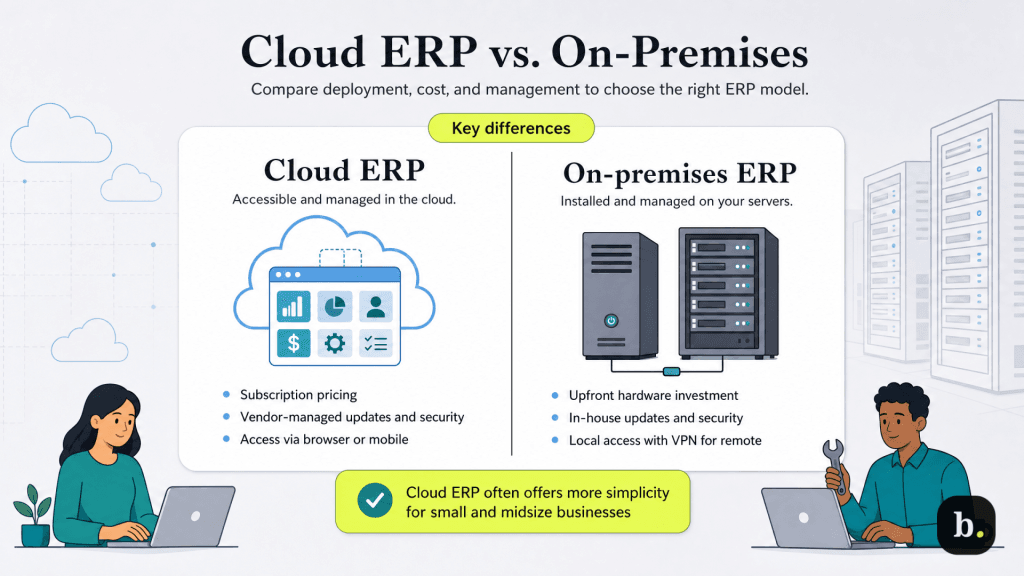
Cloud-based ERP systems | On-premise ERP systems | Hybrid ERP systems | |
|---|---|---|---|
Infrastructure | Software-as-a-Service (SaaS) | Company-owned servers | Core modules on-premise; secondary functions in the cloud |
Pricing | Monthly subscription per user | Upfront equipment and licensing costs | Upfront costs for on-premise core, plus subscription fees for cloud-based modules |
Fees | Add-on fees for additional features or modules | Ongoing maintenance, hardware and update costs | Maintenance for on-premise components; subscription for cloud components |
Support | Included in subscription plan | Requires in-house IT department or managed service provider (MSP) | Vendor support for cloud modules; in-house or MSP support for on-premise core |
Data Control | Vendor-managed; data resides off-site | Full control; data stays on-site | Sensitive data on-premise; general data in the cloud |
Customizability | Limited (platform dependent) | High | High for on-premise core; moderate for cloud-based modules |
Best For | Small- and mid-sized businesses prioritizing speed and low upfront costs | Enterprise businesses with complex, custom requirements and regulatory needs | Mid-market to enterprise companies balancing customization with scalability |
Cloud ERP is enterprise resource planning software delivered as a service (SaaS). Instead of installing software on your own servers, you access the platform through a web browser or mobile app. The vendor manages the underlying infrastructure like servers, security, updates and data backups, while you focus on running your business. Pricing follows a subscription model, typically billed monthly or annually based on the number of users and features you need.
On-premise ERP is software installed directly on company-owned servers within your physical location. Your IT team is responsible for everything: hardware maintenance, software updates, security patches, data backups and troubleshooting. Remote access typically requires VPN configuration, and the system represents a capital expense—large upfront costs for hardware, licenses, and implementation followed by ongoing maintenance fees.
Some organizations take a hybrid approach, hosting on-premise software in a private or public cloud environment. This model can make sense for large enterprises with specific regulatory requirements or deeply customized legacy systems, but for most small and midsize businesses, a fully cloud-native ERP delivers greater simplicity and value. Hybrid configurations add complexity without the full cost and scalability benefits of a true SaaS solution.
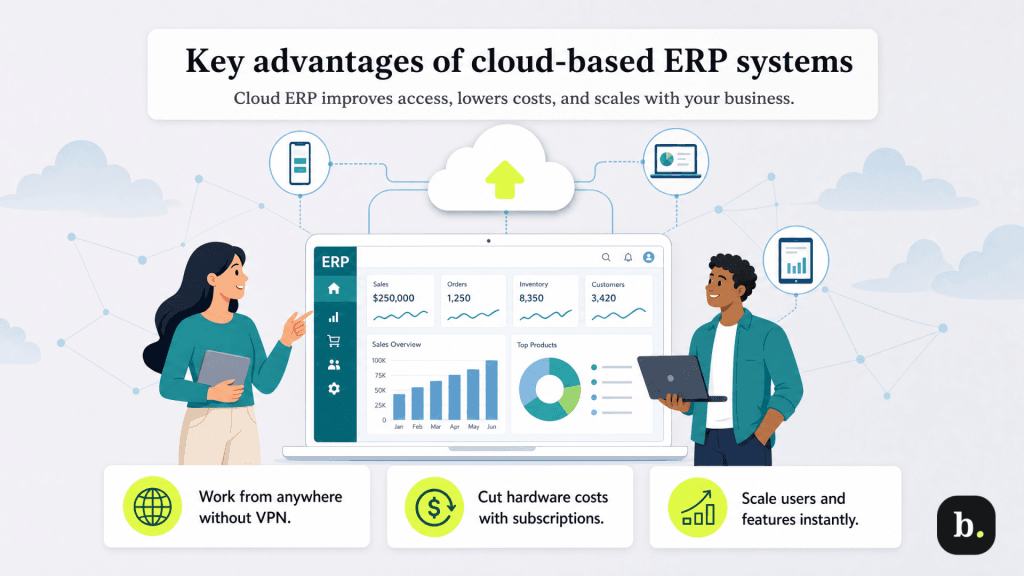
Cloud ERP eliminates the geographic constraints of on-premise systems. Team members can access financials, inventory data, project dashboards and reporting tools from any device with an internet connection — no VPN configuration required. Mobile apps extend that access further, allowing managers to approve purchase orders, review cash flow or check project status from a phone or tablet.
Intuit Enterprise Suite, for example, is built entirely in the cloud, enabling real-time collaboration across teams and giving accountants or bookkeepers secure remote access without file transfers or VPN headaches.
One of the most underappreciated advantages of cloud ERP is the elimination of manual update cycles. On-premise systems typically operate on 18- to 24-month upgrade cycles that require IT projects, budget approvals and scheduled downtime. According to Aberdeen Group research, companies using on-premise accounting systems allocate 28% more IT resources to routine maintenance versus strategic projects.
Cloud ERP flips this model. Updates deploy automatically, security patches apply immediately and new features appear without disruption. You always run the latest version of the software.
For example, Intuit Enterprise Suite delivers quarterly feature releases, including AI-powered report insights, automated accounting agents and enhanced multi-entity tools, all deployed seamlessly without any action from users.
The cost structure of cloud ERP is fundamentally different from on-premise. There are no servers to purchase or maintain, no dedicated server rooms requiring cooling and electricity, and no hardware refresh cycles every three to five years. Your subscription covers infrastructure, maintenance and security.
Research from Nucleus Research found that migrating from on-premise to cloud ERP systems returned $3.43 for every dollar spent on the migration. Additionally, for growing businesses, the predictable monthly cost of a cloud subscription is far easier to budget than the lumpy capital expenditures of an on-premise system.
Cloud ERP scales with your business in a way that on-premise systems cannot match. Adding users, expanding storage or activating new modules happens almost instantly with no need for hardware purchases, capacity planning or waiting for IT to provision resources.
For businesses with seasonal fluctuations, this elasticity is especially valuable. And as companies add entities, locations or product lines, cloud platforms accommodate that growth without the disruptive re-implementation projects that on-premise systems typically require.
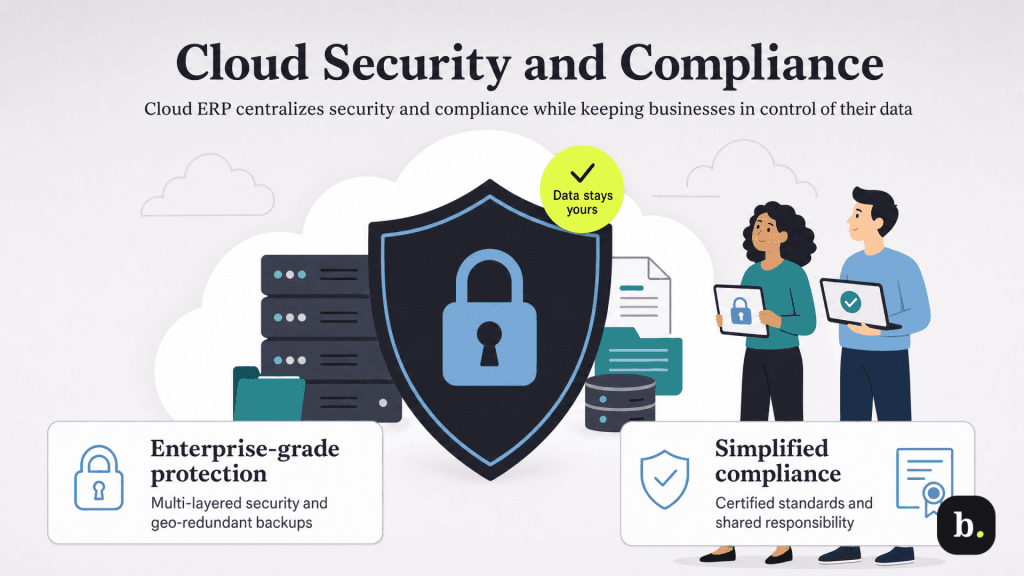
A common misconception is that keeping data on your own servers is inherently safer than storing it in the cloud. In reality, major cloud providers invest billions of dollars annually in security infrastructure, employing dedicated cybersecurity teams, multi-layered defenses, DDoS protection and continuous threat monitoring. Most small and midsize businesses cannot replicate this level of protection in-house.
Cloud ERP vendors specialize in security because their entire business model depends on it. Encrypted data transmission, geo-redundant backups and modern security protocols represent the standard, not premium features. Intuit, for example, maintains PCI DSS, SOC, and ISO 27001 certifications across its platform, providing a level of security assurance that would be prohibitively expensive for most SMBs to achieve independently.
Cloud ERP provides automatic, redundant backups across geographically distributed data centers. If one location experiences a failure – whether from hardware malfunction, natural disaster, or power outage – your data remains accessible from backup locations with minimal disruption.
On-premise disaster recovery typically requires manual intervention that extends downtime, and a single server failure or office flood can result in permanent data loss. Cloud-based failover is automatic, and the cost of redundancy is built into your subscription.
Regulatory compliance is an increasingly complex burden for businesses of all sizes. Cloud ERP vendors maintain compliance certifications on your behalf, including SOC 2, ISO 27001, PCI DSS, GDPR, and in some cases industry-specific standards like HIPAA. These certifications require regular third-party audits, which the vendor often manages and funds. For businesses evaluating cloud ERP, this effectively shifts a significant portion of the compliance burden from your internal team to a vendor whose core competency includes maintaining those standards.
Moving to cloud ERP does not mean surrendering ownership of your data. You retain full ownership; the vendor provides hosting and infrastructure. Reputable platforms offer robust data export capabilities so you can retrieve your information if you ever decide to switch providers. When evaluating cloud ERP contracts, look for clear language around data ownership, export formats and the process for retrieving your data at the end of a contract term.
Major cloud ERP providers offer uptime service level agreements (SLAs) of 99.9% or higher, backed by redundant infrastructure that minimizes the impact of any single point of failure. For context, 99.9% uptime translates to less than nine hours of downtime per year, a threshold that most small business on-premise systems cannot reliably meet, especially when accounting for hardware failures, power outages and maintenance windows.
Modern cloud ERP platforms are built on optimized infrastructure with content delivery networks that ensure fast performance for global teams. They also use API-first architecture, which makes integration easier with other business tools, like CRM systems, e-commerce platforms, payment processors and marketing automation platforms. With cloud ERPs, you can usually skip the custom integration work typically required with on-premise systems.
Intuit Enterprise Suite exemplifies this approach with its expanding integration ecosystem, allowing businesses to connect third-party CRM and workforce tools directly into their financial data without manual workarounds. The platform’s February 2026 update further reduced latency for hosted environments through enhanced API integrations.
This is the most frequently raised objection, and it’s understandable. But the data consistently shows that cloud environments are more secure than on-premise setups for the vast majority of businesses. Cloud providers employ dedicated security teams, conduct regular penetration testing, and apply patches far more rapidly than most internal IT departments can manage. The security concern that once justified on-premise deployments has largely inverted: the question today is whether your in-house IT capabilities can match what a specialized cloud provider delivers.
Internet dependency is a legitimate consideration, but on-premise systems are not immune to connectivity issues — remote users still need network access and server failures create similar disruptions. Modern businesses have backup connectivity options like mobile hotspots, and internet outages are increasingly rare and short-lived compared to the days-long recovery that on-premise server failures can require.
Cloud ERP shifts infrastructure management to the vendor, and that’s the point. You retain full control over your data, business processes, user permissions and workflows. What you give up is the responsibility for server maintenance, security patching and hardware management. For most growing businesses, this trade-off frees internal resources to focus on strategic work rather than keeping the lights on.
Subscription pricing can feel uncomfortable for businesses accustomed to perpetual license models, but total cost of ownership analysis consistently favors cloud over five-year horizons. When you factor in hardware, maintenance contracts, IT staffing, electricity, cooling and periodic version upgrades, on-premise ERP is almost always more expensive. Cloud subscriptions provide predictable monthly costs with no surprise capital expenditures.
With cloud ERP now the dominant deployment model, businesses have no shortage of options. When evaluating platforms, focus on:
Leading cloud ERP platforms for growing and midsize businesses like Intuit Enterprise Suite are particularly well-suited for businesses that have outgrown QuickBooks but don’t need the complexity (or cost) of a full enterprise ERP. For small businesses that are leveling up, a cloud-based ERP system could be exactly the right choice.
