Business.com aims to help business owners make informed decisions to support and grow their companies. We research and recommend products and services suitable for various business types, investing thousands of hours each year in this process.
As a business, we need to generate revenue to sustain our content. We have financial relationships with some companies we cover, earning commissions when readers purchase from our partners or share information about their needs. These relationships do not dictate our advice and recommendations. Our editorial team independently evaluates and recommends products and services based on their research and expertise. Learn more about our process and partners here.
How you post a job online can influence both the quantity and quality of applicants. This guide covers everything you need to know to successfully create a job posting.


This article is sponsored by ZipRecruiter.
To post a job online, simply choose a hiring platform, create an employer account, enter the job details and decide how candidates should apply. Then review your posting, select a free or paid option and submit it for publication.
The process is easier when you have the information ready before opening an account. A clear title, accurate pay range and working application link give candidates what they need to consider the opportunity. Setting up notifications and assigning someone to review applications helps you act when resumes arrive.
Follow these steps to turn an open position into a published listing and begin reviewing candidates.
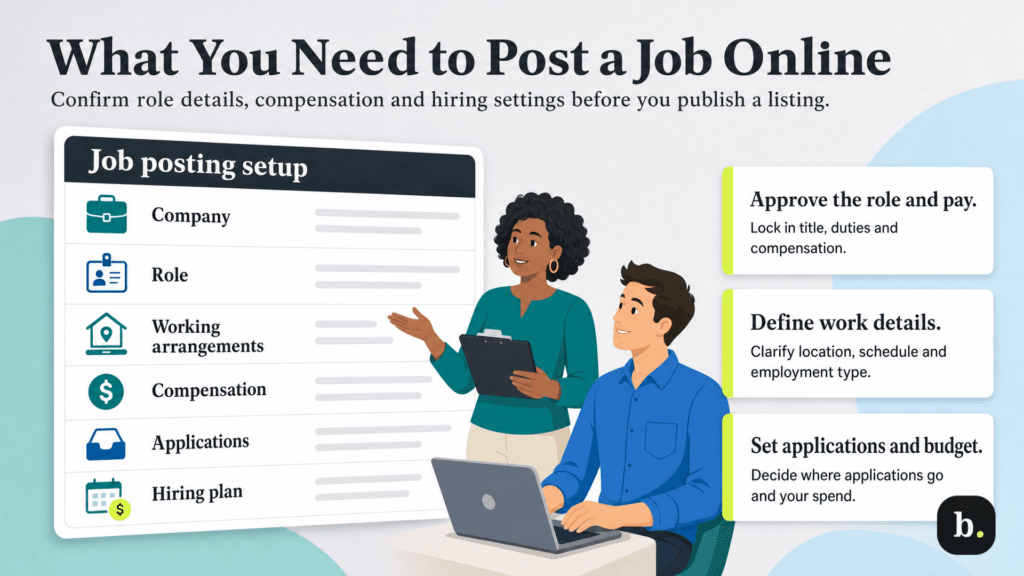
Before you start, confirm that the hiring manager has approved the position, compensation and essential requirements.
For example, a local retailer hiring a customer service representative should settle its hourly pay range and Saturday coverage requirement before posting. These details belong in the listing and may also be requested in separate fields.
Gather the following information:
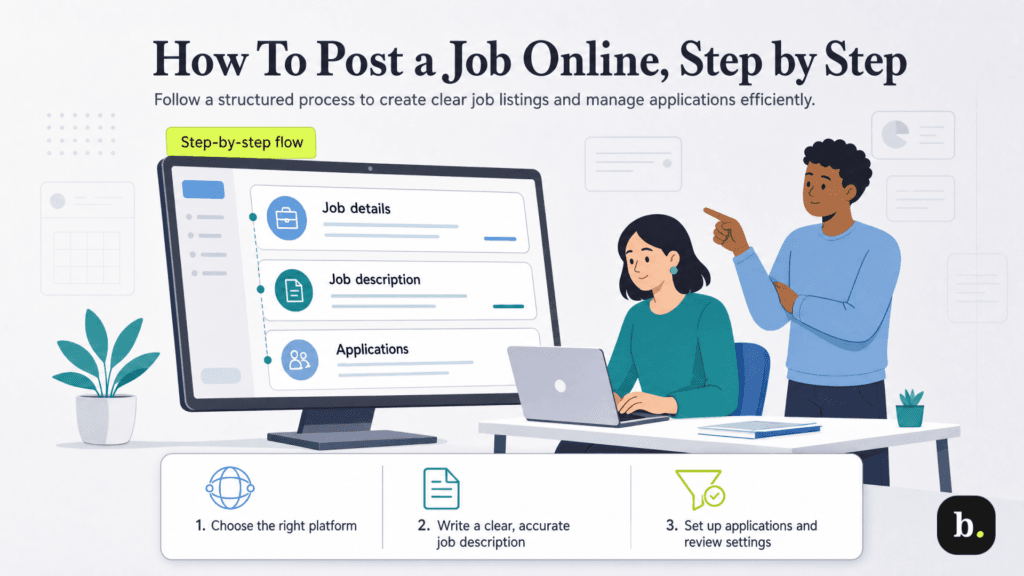
The exact flow of posting a job varies by platform, but the main decisions are similar. Keep a separate copy of your job description so you can reuse accurate information and save your work.
Start with a platform that reaches people who could do the work. A general job board can suit a customer service opening, while an industry-specific board may be useful for a specialized position. Professional networks offer another option, especially when candidates use them to showcase their experience.
Compare application tools as well as reach. Can candidates apply through the platform? Can you filter submissions and message applicants? Our guide to the best job posting sites can help you compare options.
You can also publish the opening on your company careers page. If you use hiring software that distributes listings to multiple sites, check its destinations before creating separate posts. This helps prevent duplicate listings and scattered application records.
Select the platform’s employer or hiring option and register with a work email. Enter the company information requested and check the name candidates will see. If your business already has an account, ask its administrator to add you rather than creating another.
Complete any email, business or identity verification requested through the platform’s official process. Some sites require employer-account verification before jobs can go live. Starting the listing does not necessarily complete account approval.
Set up available account security features and give colleagues individual access where supported. Confirm who can edit jobs, view applications and authorize spending.
Use a recognizable title, such as Customer Service Representative, that accurately describes the position. Enter the actual work location and select the correct employment type and work arrangement.
For the retailer in our example, the fields might specify an on-site role, 40 hours per week and a $20 – $24 hourly pay range. The description should explain which days the employee will work and whether Saturday coverage rotates.
Keep these fields consistent with the written posting. A listing marked remote should not later reveal that employees must report to a store every morning. If remote work is limited to certain locations, make that restriction clear.
Check pay units carefully. An hourly amount entered as an annual salary can make an otherwise complete listing misleading.
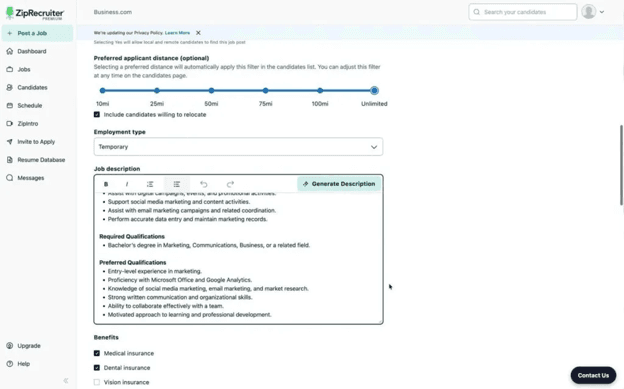
Begin with a short explanation of the role and its contribution to the business. Follow with the main responsibilities, essential qualifications, preferred qualifications, benefits and a brief company introduction. Use short paragraphs and bullets where they help candidates scan duties or requirements.
Describe the work specifically. For the customer service opening, replace generic information like “Handle customer needs” with specifics, such as “Answer order questions by phone and email, process returns and document unresolved issues for the store manager.”
Separate necessary qualifications from skills you can teach. For example, requiring experience with your exact order-management software may exclude someone who has used a comparable system and could learn yours quickly.
If you start with a template or AI-generated description, review every detail. AI generated job descriptions often get information wrong, and the copy can be flat and generic, so treat it as a jumping off point and not a finished product. Remove invented benefits, incorrect schedules and requirements that the hiring manager has not approved. Include only compensation and working arrangements your business can offer.
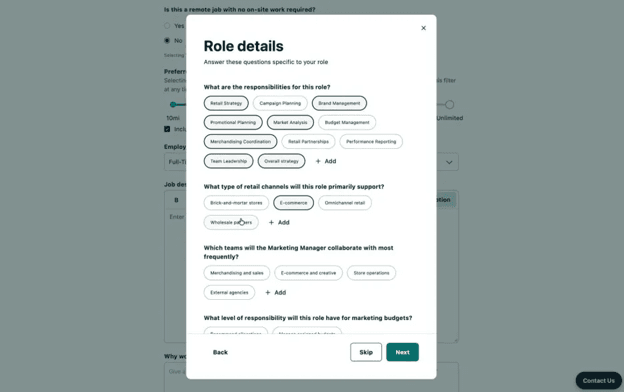
Choose how people will apply. Depending on the platform, applications may arrive in its dashboard, through an integrated applicant tracking system (ATS) or on an external application page. Confirm that your selected method is supported by the service and plan.
Keep the application focused on the first review. Request a resume when relevant, along with contact information and a few questions about essential requirements. For our example role, you might ask whether the applicant can work the advertised Saturday schedule and invite a brief description of their customer service experience.
Some platforms allow you to decide whether certain answers to screening questions trigger automatic rejection. Review those settings carefully so a poorly configured question does not screen out suitable people. Assign a reviewer and enable application notifications before submitting the listing.
Review the available free, sponsored or subscription options. A sponsored listing pays for additional visibility; a subscription may cover access to posting tools or a set number of active jobs. Free trials provide temporary access and may convert to paid plans.
Before entering billing details, establish what the service charges for, how long the listing or subscription runs and how to control spending. Check renewal terms, trial deadlines and whether closing a job also ends the subscription or other charges.
Set a budget you can monitor. A paid option may help expand reach, but it cannot resolve an inaccurate listing or an application link that does not work.
Read the preview as a candidate would. Check the title, pay, location, schedule and qualifications. Confirm that pasted text retains its formatting and that the application link opens the correct position. Review the mobile version if a preview is available.
Check applicable job-advertising requirements, including compensation disclosures. Review the wording for discriminatory preferences or exclusions—the Equal Employment Opportunity Commission’s (EEOC) guidance on job advertisements explains prohibited practices.
Submit the listing, then check its status. It may be live, scheduled, awaiting verification or under review. Save the confirmation and job identifier so you can find the posting again. Publication timing varies by platform and account status.
Open the public listing when it becomes available and check the application path. Confirm that applications reach the intended dashboard or system and that the assigned reviewer can access them.
Set aside time to review incoming resumes against the same essential criteria. Record which applicants need follow-up and respond promptly to people you want to interview. Our guide to recruiting new employees explains the broader process after candidates enter your pipeline.
Monitor application quality as well as volume. Once you’ve filled the opening, close the listing and check any related advertising or subscription settings separately.
For a small business with one opening, a practical starting point is a guided employer posting form that also collects applications. Prepare your job details first, choose a suitable platform and keep candidate records in one place.
If you want distribution to multiple sites, a hiring platform can reduce the need to enter the same information repeatedly. For example, ZipRecruiter distributes jobs to more than 100 job sites and provides a dashboard for managing and rating applicants. Its matching technology also identifies candidates and invites them to apply. Those features can help a small team expand its recruiting activity while keeping applications organized. Read our ZipRecruiter review for a closer look at its tools and plans.
Choose the workflow that fits your hiring needs. A single dashboard may be sufficient for an occasional hire; several reviewers or recurring openings may justify a more structured applicant tracking system.
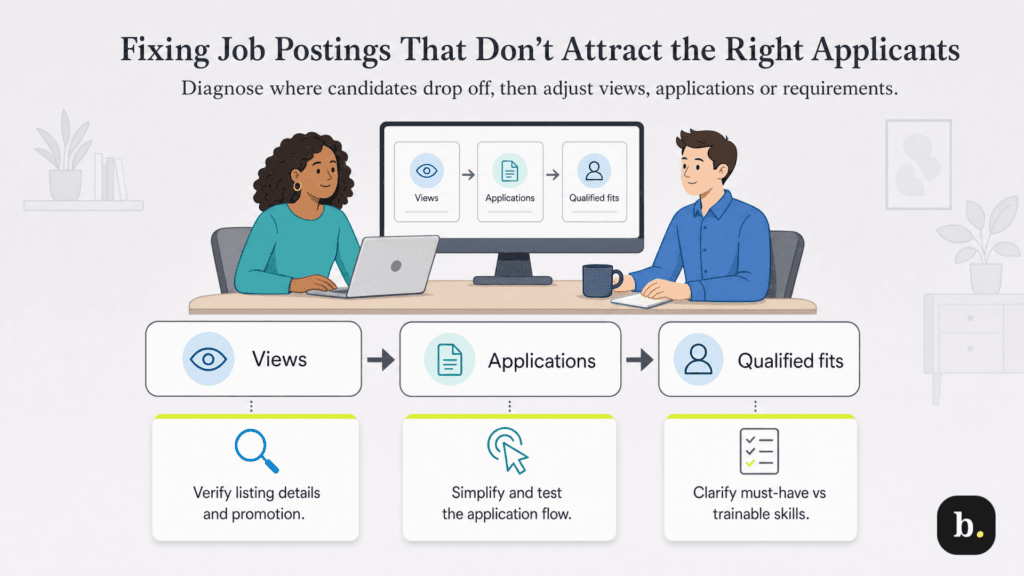
Look at where candidates stop moving forward before changing the listing or increasing spending. The right adjustment depends on whether people are seeing the opening, applying or meeting its requirements.
Some services offer free listings, subject to eligibility rules and limits. You can also advertise on a company website or social account you manage. Check whether a platform's offer is an ongoing free option or a trial that becomes paid.
Some platforms let you create a listing without your own careers page. Check their employer verification requirements before choosing one. Provide accurate company information and use the platform's application tools if you don't have an external application page.
Timing depends on the platform, account verification and listing review. Completing the form and submitting it are separate from publication. Check the dashboard status and any requests for additional information.
You can begin receiving applications once the listing is live and the application method works. The arrival of suitable candidates depends on demand, compensation, requirements and reach. There is no guaranteed timeline for an individual opening.
Most hiring platforms provide controls to edit, pause or close a listing. Check whether updates require review or take time to reach partner sites. When removing an opening, confirm the status of any paid promotion and subscription too.
Publishing a job starts the conversation with potential employees. Give candidates accurate information, make applying straightforward and be ready to follow up when someone suitable responds.
