Business.com aims to help business owners make informed decisions to support and grow their companies. We research and recommend products and services suitable for various business types, investing thousands of hours each year in this process.
As a business, we need to generate revenue to sustain our content. We have financial relationships with some companies we cover, earning commissions when readers purchase from our partners or share information about their needs. These relationships do not dictate our advice and recommendations. Our editorial team independently evaluates and recommends products and services based on their research and expertise. Learn more about our process and partners here.
Approval workflows can save your business from costly errors or falling victim to scams. Here’s how to create approval workflows for your business.


This article is sponsored by Intuit.
An employee enters a vendor invoice, a bookkeeper prepares the payment and each assumes the owner checked it. The money leaves the account before anyone confirms that the invoice is correct. Even a small team can lose track of responsibility when payment approvals depend on informal conversations.
A payment approval workflow gives your team a clear sequence for checking bills and authorizing payments. It can help catch errors and suspicious requests while keeping ordinary purchases moving. Start with a few rules that fit your team, then use your accounting software to make those rules easier to follow.
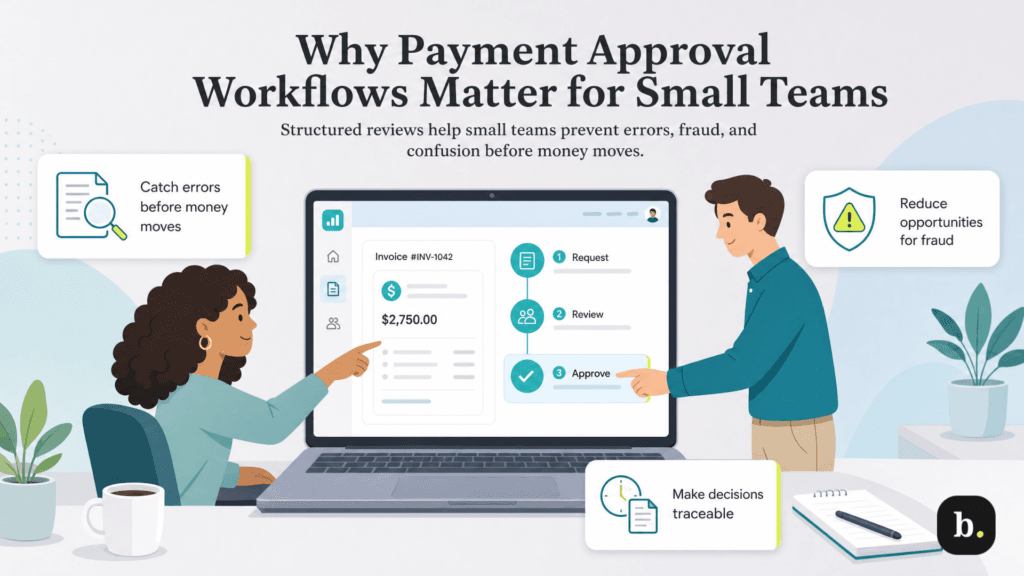
Small teams often share responsibilities out of necessity. The person who orders supplies may also enter invoices or prepare payments. Clear review steps help you manage the risks created by those overlapping duties.
An approver can spot an incorrect amount, a duplicate invoice or a charge for work that hasn’t been completed. Comparing the request with purchase records also helps identify expenses the business never authorized.
Review should be part of your accounts payable process, not a task someone remembers after scheduling the payment. Fixing an error beforehand avoids the work of seeking a refund or credit later.
An invoice that looks familiar can still contain fraudulent payment instructions. Business email compromise involves messages that appear to come from trusted sources, such as a vendor or executive, to induce a payment to a criminal.
The FBI recommends verifying payment requests and changes to account numbers or payment procedures independently. A workflow can make that verification a required step rather than leaving it to whoever happens to open the email.
A recorded approval establishes who reviewed the request and what they authorized. When a vendor asks about a payment or an employee questions an expense, your team has a record to consult.
Approval is useful only when the reviewer checks the relevant details. Two people clicking approve on the same unverified request provides less protection than one person conducting a meaningful review.
Separate the decision to accept an expense from the decision to release funds. Then determine who should have access to each action. These controls work together, but they answer different questions.
Control | Question it answers | Review focus |
|---|---|---|
Bill approval | Is this a legitimate, accurate expense? | Invoice, purchase authorization and delivery records |
Payment release approval | Should this payment leave the business? | Recipient, amount, timing and funding |
User permissions | Who can perform each action? | Access to entering, editing, approving and paying bills |
A bill may be valid even when the proposed payment details need correction. Likewise, an employee who can enter invoices may not need authority to pay them. Review both decisions without adding more approval layers than the risk warrants.
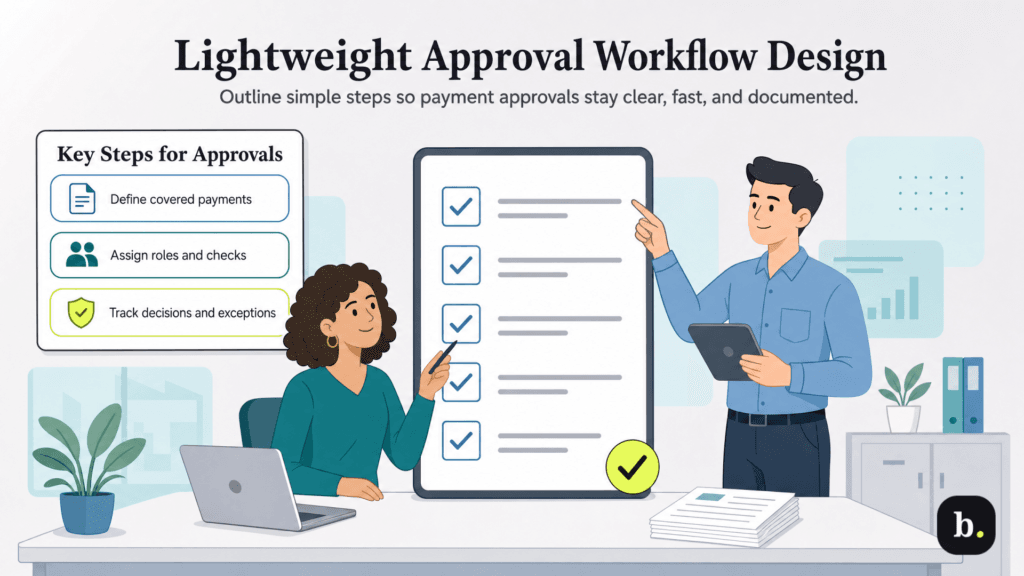
Write the process in a short policy your team can refer to. It should identify covered payments, approval rules, responsibilities and the evidence needed to make a decision. You can refine it after seeing where requests stall.
Start with vendor invoices, contractor bills and other payments handled through accounts payable. State whether payroll, employee reimbursements and card purchases follow separate processes.
Avoid gaps between systems. If an employee can send a payment directly through online banking, decide how the same review requirements will apply there.
Identify who gathers the invoice and supporting records, who checks the expense and who initiates payment. Where possible, use a reviewer other than the person who prepared the request. This separation gives someone an opportunity to question errors or unauthorized actions.
In a two-person business, a bookkeeper might prepare bills while the owner approves and releases payments. A sole owner may need to perform every step; use a documented checklist and periodic independent bookkeeping review where practical. A later review can identify problems, but it doesn’t replace checks before payment.
Choose dollar thresholds that reflect your spending patterns and the financial impact of a mistake. You might require owner review above a particular amount while assigning routine bills to a designated manager.
Amount alone isn’t enough. Require additional review for new vendors, changed payment details, unfamiliar purchases and requests to bypass normal procedures. Prevent employees from splitting a purchase into smaller payments to avoid an approval threshold.
Give reviewers a brief checklist so approval means the same thing across your team:
Keep evidence of these checks with the request. An approver should be able to find the information without reconstructing the transaction from several email threads.
An approval that arrives after the payment deadline doesn’t help your vendor. Set an internal review deadline that leaves room for payment processing and delivery. Include pending approvals in your cash flow planning so upcoming withdrawals remain visible.
Name an authorized backup for absences and an escalation contact for stalled requests. Preserve individual accounts and permissions rather than sharing an approver’s login to keep work moving.
Retain who approved the request, when approval occurred and the amount and recipient covered. For rejected requests, record what must be corrected before resubmission.
If a material detail changes after approval, such as the amount or destination account, require another review. Document urgent exceptions with the reason and authorization. An emergency process should still verify the transaction.
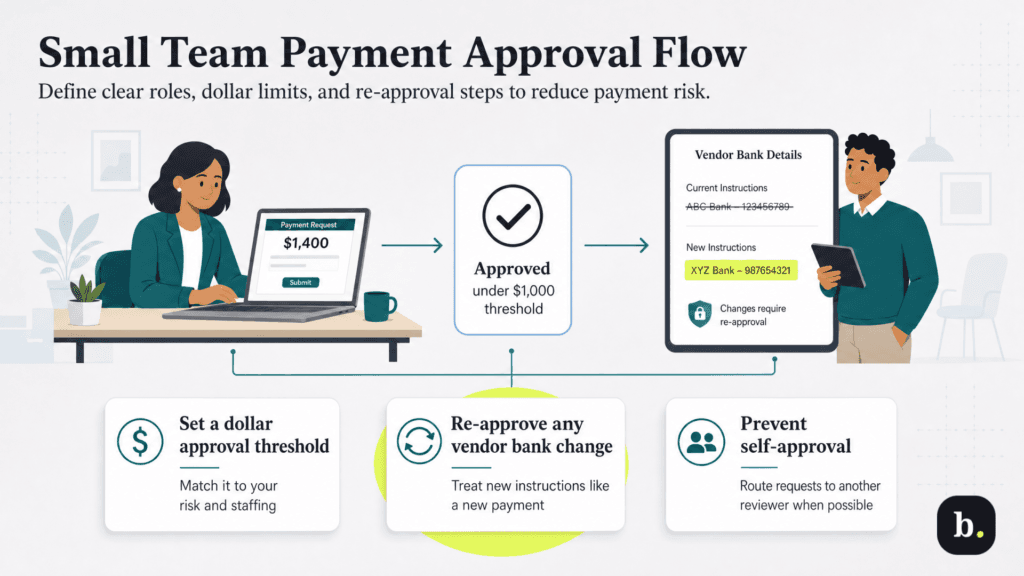
The following example uses an illustrative $1,000 threshold. It is a starting point for discussion, not a recommended amount for every business. Adjust the threshold to your payment volume, staffing and exposure to loss.
Payment situation | Illustrative approval rule |
|---|---|
Routine bill of $1,000 or less from an established vendor | Designated reviewer checks supporting records before payment |
Bill above $1,000 or outside normal purchasing patterns | Owner reviews the expense and proposed payment |
New vendor or changed payment instructions, at any amount | Verify vendor details independently and obtain owner authorization |
Urgent payment request | Complete required checks and document the exception before release |
Suppose an office manager prepares a $1,400 equipment repair payment. The owner reviews the invoice and service record, confirms the vendor information and authorizes payment. If the vendor then requests a different bank account, the earlier approval doesn’t cover that change: The team verifies the new instructions and obtains fresh authorization.
The policy should also state who can approve their own requests. Where another reviewer is available, route those requests to that person. Access permissions should support the policy rather than leave employees free to bypass it.
QuickBooks Bill Pay offers a way to manage approvals within the QuickBooks environment. Intuit documents workflow access for QuickBooks Bill Pay Elite or QuickBooks Online Advanced. An eligible subscription is required, so check your plan when assessing whether you can implement the process without a separate approval application.
According to Intuit’s permissions guide, predefined Bill Pay roles divide responsibilities as follows:
Role | Documented access |
|---|---|
Bill clerk | Add bills, mark bills as paid, and add or edit vendors; cannot approve or pay bills |
Bill approver | Approve bills; cannot pay bills |
Bill payer | View and pay bills, and edit vendor details; cannot add bills |
Bill Pay Elite provides predefined bill-specific permissions, while QuickBooks Online Advanced supports custom roles. Check the actual permissions before assigning a role. In particular, both clerk and payer roles include vendor-editing access, so your process must still address independent verification of changes.
Intuit’s workflow documentation describes a bill approval template with conditions such as amount, vendor or location. Set the supported conditions to match your policy and assign the appropriate approver or approvers.
Keep the first version simple. A small team may need one reviewer for routine bills and owner involvement for selected transactions. Add layers when they serve a defined purpose.
Payment release approval is a separate workflow that can use amount or vendor conditions. Intuit currently specifies that payment release approvers must be administrators. Approving a bill doesn’t substitute for that release decision when your policy requires both.
Use the bill approval tasks and pending payment approval views to follow up on outstanding decisions. Include this review in your regular payment routine so requests reach the right person before the deadline.
Built-in workflows can reduce the need to coordinate approvals in another application. Your written policy should still cover verification and exceptions that aren’t enforced by a particular software rule. When comparing the best accounting software, evaluate both the available controls and their subscription requirements.
Before relying on the process, use test scenarios or carefully supervised transactions to confirm a routine request reaches its reviewer, a payment above the threshold receives the required approval and a rejected request cannot proceed through the intended workflow. Also check what happens when payment details change or an approver is absent.
Review user access when employees join, leave or change duties. Recheck approval settings before changing subscriptions. Intuit warns that downgrading from Bill Pay Elite without QuickBooks Online Advanced can remove approval controls.
Use your bank reconciliation process to compare completed payments with their records, and periodically examine exceptions and approval delays. Broader business data security practices help protect the accounts used to manage those payments.
A useful workflow makes responsibility clear and gives reviewers enough information to act. Keep it manageable, check that the software supports your rules and update the process as your team and spending change.
