Business.com aims to help business owners make informed decisions to support and grow their companies. We research and recommend products and services suitable for various business types, investing thousands of hours each year in this process.
As a business, we need to generate revenue to sustain our content. We have financial relationships with some companies we cover, earning commissions when readers purchase from our partners or share information about their needs. These relationships do not dictate our advice and recommendations. Our editorial team independently evaluates and recommends products and services based on their research and expertise. Learn more about our process and partners here.
Business software often includes per-user pricing, but this can be a serious bottleneck for scaling businesses, resulting in a tough choice between costs and capabilities.

This article is sponsored by Xero.
Your business just landed its biggest quarter yet. You’re onboarding three new hires, your part-time bookkeeper needs access to reconcile accounts and your operations manager wants to pull expense reports before next week’s planning session. Then you open your accounting software dashboard and realize that adding all of them as users is going to cost you.
For many small and midsize businesses, this moment arrives quietly. Software that was affordable at two or three users starts to feel like a growth penalty as the team expands. Per-user pricing is one of the most underexamined costs in the business software stack, and how you evaluate it during the buying process can have real downstream effects on operations, overhead and how freely your team can collaborate around financial data.
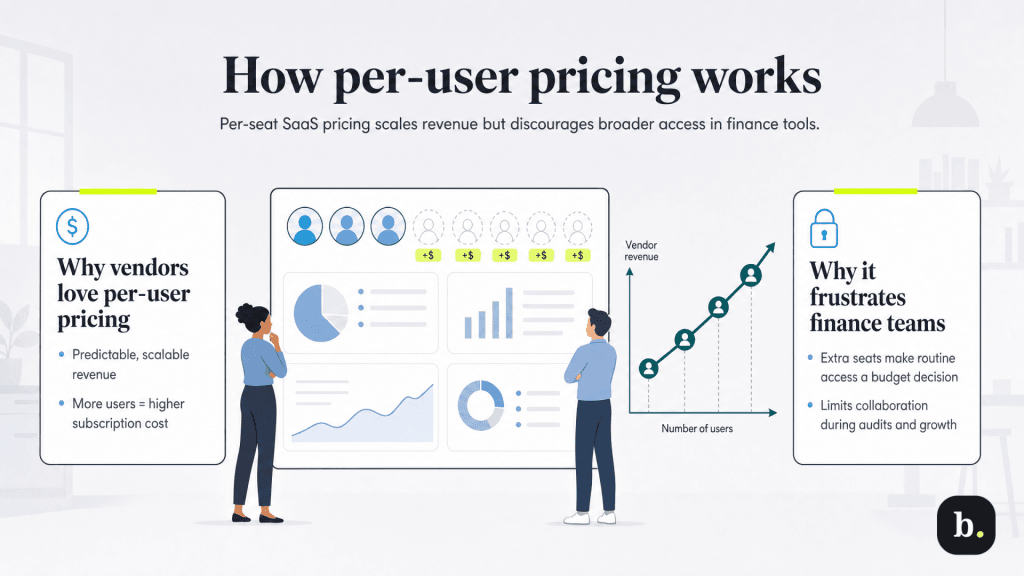
Per-seat pricing became the dominant model in SaaS for a simple reason: it creates predictable, scalable revenue for vendors. The more a customer’s business grows, the more they pay.
Per-user pricing isn’t unique to accounting software. It’s the dominant structure across CRM software, project management platforms, HR software and collaboration tools. Unfortunately, in accounting and financial management software, businesses regularly need to involve outside accountants, grant view access to non-finance managers or provision temporary users during audits or high-growth periods. Each of those legitimate access needs becomes a line-item decision rather than a routine operational one.
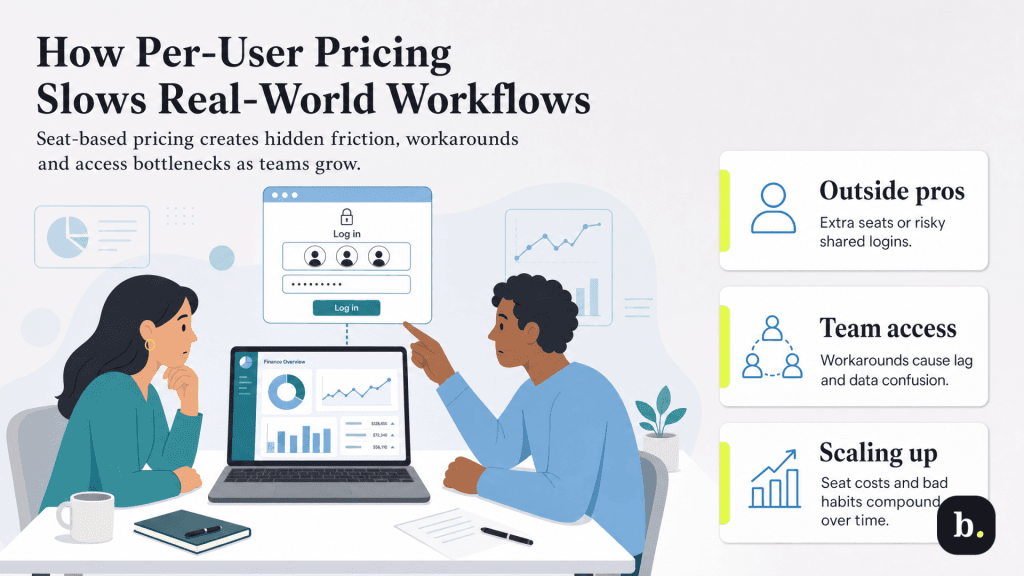
The costs of per-seat pricing aren’t always visible on the invoice. More often, they show up in the friction they introduce to everyday operations.
Most SMBs work with an external accounting professional at some point, such as a CPA at tax time, a bookkeeper for quarterly reconciliations or an auditor doing a periodic review. Under per-seat pricing, giving that person their own login often means paying for a seat they’ll occupy for a matter of weeks. The workaround many businesses turn to is sharing credentials, which introduces security vulnerabilities and breaks audit trail integrity.
Neither option is good.
Operational efficiency increasingly requires that non-finance leaders can access financial data directly, from pulling budget reports to checking expense trends to reviewing actuals before a planning meeting. When adding a manager as a user has a price tag attached, businesses often default to workarounds: exported spreadsheets, screenshots or a shared “reporting” login that multiple people use.
Each of those workarounds introduces data lag, version control confusion and potential compliance issues. The information reaches people later, in a less reliable form, with less context.
Rapid hiring phases mean frequent access provisioning. When every new employee who needs to touch financial data represents an incremental seat cost, businesses sometimes delay granting access or opt for lower-permission roles that don’t quite fit the job. Both patterns create workflow bottlenecks: either people are waiting on access that should already be set up or they’re working with less visibility than the role actually requires.
The per-user cost that was negligible at two or three people looks materially different at 10 or 15. For businesses operating on tight margins, the cumulative seat cost across accounting software (and across the broader SaaS stack) becomes a real budget line, not a rounding error. More importantly, the organizational habits formed to avoid those costs (shared logins, data exports, permission workarounds) tend to calcify even after the business grows past the point where it could absorb the fees.
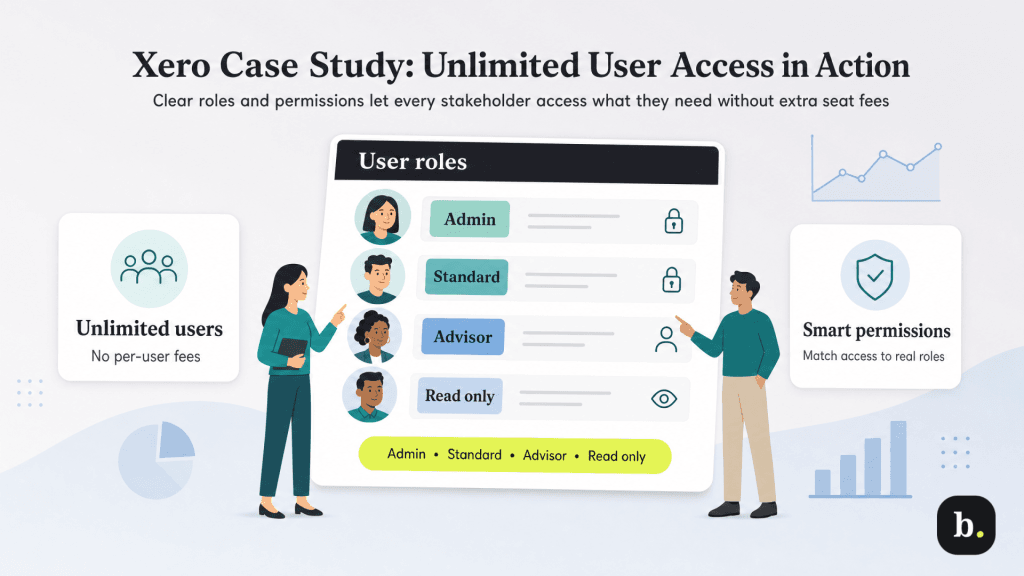
Xero takes an approach to accounting software that doesn’t involve per-user pricing. All three of its plans – Early ($25 per month), Growing ($55 per month) and Established ($90 per month) – include unlimited users at no additional cost. Access decisions are driven by role and operational need, not by how many seats the budget can absorb.
Critically, unlimited users doesn’t mean uncontrolled access. Xero’s permission system includes distinct roles that map to real organizational contexts:
The scenarios that create friction under per-user pricing resolve cleanly under this model. The part-time bookkeeper gets an Advisor login with their own credentials and appropriate permissions at no incremental cost. The operations manager gets Read Only access and pulls their own reports before the planning session. New hires are provisioned on day one with Standard access. The CPA has full visibility at tax time and loses access when the engagement ends, without anyone having to calculate whether a temporary seat is worth buying.
Whether you’re evaluating Xero or any other accounting platform, the user access question deserves to be on your checklist, alongside core feature evaluation. A few questions worth asking any vendor:
These questions don’t just apply to accounting software — they’re relevant any time you’re evaluating a SaaS tool that multiple people will touch. Pricing structures that create access friction tend to create operational friction too, and it’s worth identifying them before you’re locked into a contract.
Software pricing structures are operational decisions, not just budget ones. The choice between per-user and unlimited-user models shapes how freely financial information flows through an organization, and that flow has downstream effects on speed, accuracy, security and collaboration.
Businesses that think carefully about access needs when selecting accounting software (not just at their current headcount, but at the headcount they’re planning for) will avoid the seat-limit wall that catches many growing companies off guard. For businesses that want to eliminate that variable entirely, an unlimited-user model across all plans is worth evaluating as part of the selection process.
