Previously reserved for celebrities and public figures, a social media verification badge was once a coveted status symbol. Today, verification has evolved into a vital tool for brands, influencers and personalities to demonstrate their credibility. Read ahead to learn why social media verification is important, how your business can get verified, and why Meta Verified is one of the best tools out there to make it happen.
This article is sponsored by Meta.
What is verification and why is it important?
Verification in social media signals the authenticity of a personal or business social media profile. Essentially, a verified profile tells your audience that they can trust you as a credible source. Typically indicated with a blue checkmark, verification means you’ve answered a series of questions or provided documentation to prove you are who you say you are.
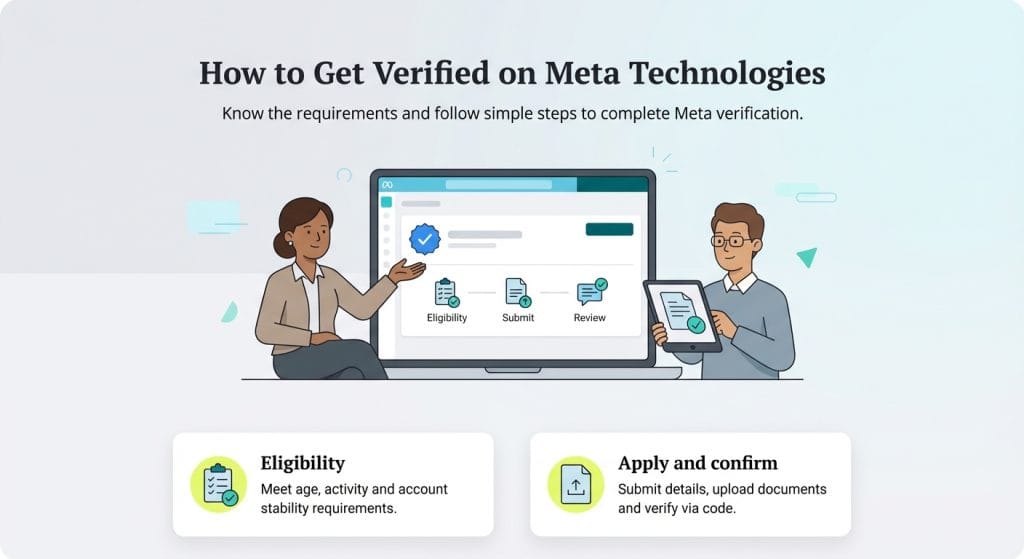
With Meta Verified, you get more than just a blue checkmark. You’ll have the option to cover both your Instagram professional account and Facebook business page when you sign up for the robust subscription bundle. Meta Verified offers five subscription plans depending on your budget and business needs. Once you provide all required information and documentation, you’ll get access to useful features to boost your business’s online presence.
The verification process varies by social media platform. TikTok requires you to have a fully completed public account that’s been active for at least six months for you to apply. Other platforms, such as X (formerly Twitter) require a subscription fee for verification.
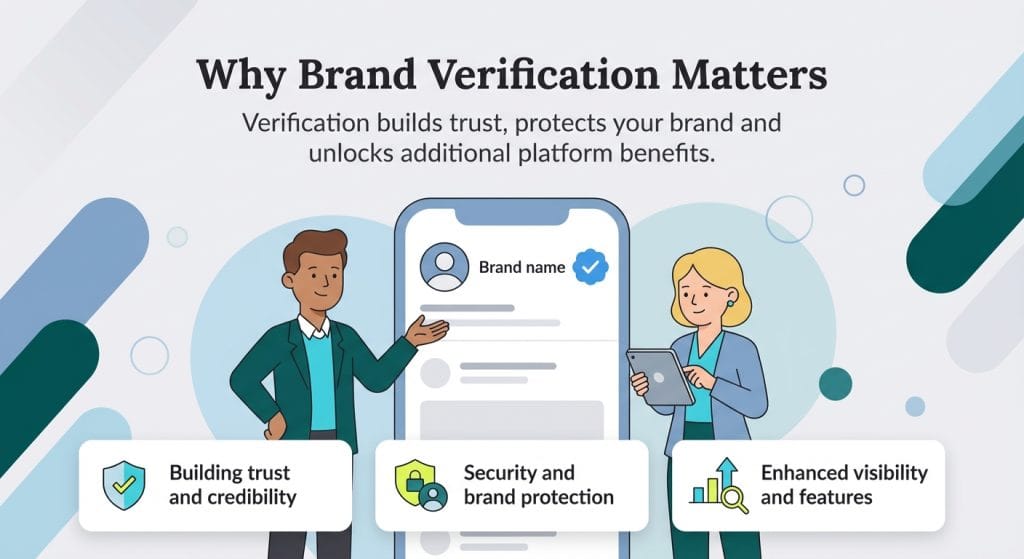
Why brand verification matters
Wondering if verification is really worth it? Here are the reasons why that answer is yes.
Building trust and credibility
When prospective customers or clients make their way to your social media pages, a verification badge can give them instant peace of mind. With millions of fake profiles across platforms, consumers need to know that they won’t encounter scammers when making a purchase.
Proof of verification shows that your brand is authentic and credible, giving you an instant advantage over unverified businesses in your industry. Customers can be confident that they’re buying from a real brand, helping you overcome that initial hurdle to conversions.
Security and brand protection
Preventing imposters from posing as your brand is vital to maintaining a positive reputation. Potential customers that have a negative experience from engaging with a profile impersonating your business may forever be soured on your brand if they don’t know it was a fraudulent account. Verification shows that you’ve made an effort to protect both your brand and your audience.
In some cases, verification can mean getting proactive support against imposters. When you get verified by Meta, you can enjoy additional impersonation protection. Meta consistently monitors potential fraud and will remove fake accounts claiming to represent your business.
Enhanced visibility and features
Getting verified often includes access to additional benefits. With Meta Verified, for example, you get enhanced customer support with 24/7 priority help. Plus, when you get verified, your profile will show up higher in search results, helping you better reach a wider audience.
Best practices for verified accounts
Once you’re verified, it’s important to follow these best practices to ensure your verification remains in good standing.
Maintaining your verified status
Meta can remove your verification badge at any time if you add false or misleading details to your profile. When your verification is approved, you’re agreeing to adhere to the Community Guidelines and Terms of Service, so it’s essential to make sure you’re not in violation of these rules. This includes if you’re found to have used a third party service or made any other attempt to evade Meta’s full review process during your application.
Content strategy for verified brands
With Meta Verified, your content is automatically optimized for search on Facebook and Instagram, so it’s essential that your content grabs viewers when it reaches the top of those search results. Verified brands need to produce content that reflects the high quality customers expect of a verified brand. Your content strategy should be polished, engaging and authentically capture your unique brand voice.
Discuss how to approach your marketing strategy across Meta technologies with your dedicated advisor when it’s time for your six-month check in. Come to your session thoroughly prepared with specific business goals and ideas on how you want your audience to grow. Are you looking to target new demographic segments or increase reach in a certain location? These are the kinds of questions you should have answers to before meeting with your advisor.
Common verification mistakes to avoid
Was your Meta Verified application denied or existing status revoked? It might be because of one or more of the following mistakes.
Application errors
If your initial application was rejected, it’s possible you submitted incomplete or inaccurate information. For instance, you may have filled in a business name that doesn’t match the legal name listed on your documents or filed a document that doesn’t have the same business address listed.
In many cases, you’ll have the chance to appeal the rejection, so you can correct all of your application information. To avoid this issue in the first place, confirm that you’ve got everything in place before applying:
- Make sure that you meet every single eligibility requirement, including minimum account activity.
- Check that all of your documents are in an accepted format, in a supported language with all text clearly legible and without a past expiration date.
- File only the official document itself, not your self-filed application, for example for your business license.
Post-verification missteps and managing expectations
Following Meta’s Community Guidelines and adhering to all verification requirements after you’ve been approved is just one aspect of proper post-verification protocol. Maintaining your account at a high standard and setting realistic expectations are crucial for post-verification success. It’s important to understand that while Meta Verified gives you a significant visibility edge in the algorithm, it’s up to you and your team to produce content worthy of high search result placement.
You also shouldn’t expect to see results overnight. It’s likely that your reach will increase gradually and incrementally. Make a habit of regularly checking your account engagement metrics, including profile activity and accounts reached. This way, you can track your progress over time and measure the impact Meta Verified has had on audience growth.