Business.com aims to help business owners make informed decisions to support and grow their companies. We research and recommend products and services suitable for various business types, investing thousands of hours each year in this process.
As a business, we need to generate revenue to sustain our content. We have financial relationships with some companies we cover, earning commissions when readers purchase from our partners or share information about their needs. These relationships do not dictate our advice and recommendations. Our editorial team independently evaluates and recommends products and services based on their research and expertise. Learn more about our process and partners here.
Just because you can automate a bookkeeping task doesn’t mean you should. Here’s which ones are safe to automate and which you should keep in manual review.


This article is sponsored by Intuit.
Small business owners have largely settled the question of whether AI belongs in the back office. The harder question is where to let it run unsupervised.
In the Federal Reserve’s 2025 Small Business Credit Survey, 46 percent of small employer firms said they or their employees already use AI, and another 15 percent planned to start within the year. Yet only 7 percent of those users had fully integrated the technology into their business processes, and 46 percent cited accuracy issues as a major obstacle to expanding their use of the technology.
When it comes to your bookkeeping tasks, some are safe to hand off, some need a person reviewing the exceptions, and a few should remain firmly in the manual review queue. Below is a framework to help you understand which tasks fall into which buckets so you can streamline your bookkeeping without introducing errors into your year-end close.
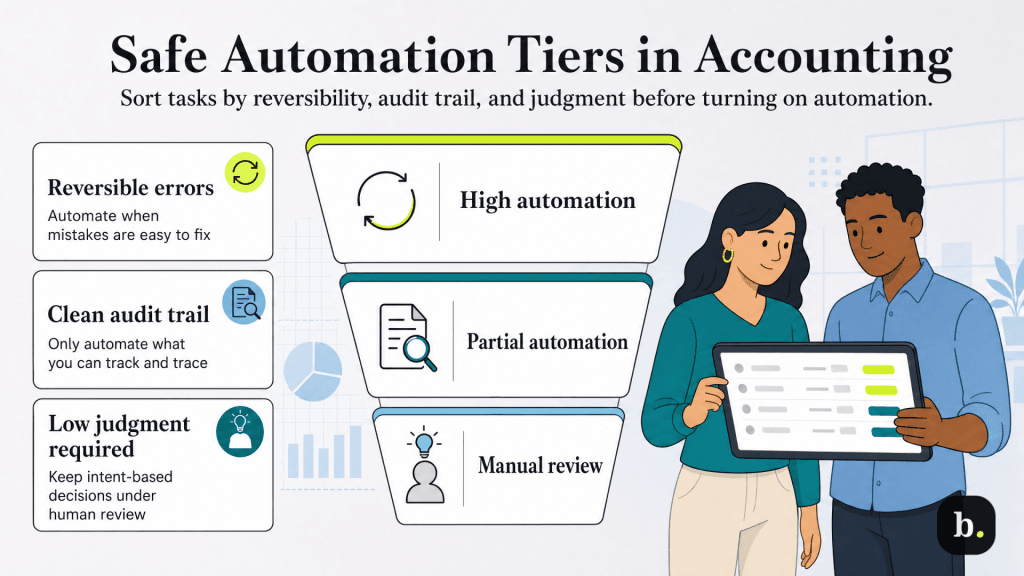
All the best accounting software platforms now offer plenty of automation features, but simply turning them on without a plan produces an inconsistent set of rules with little oversight. Instead, sort tasks against the following three questions, then let the answers place each task in a tier.
Some mistakes only require a few clicks to undo. For example, if a utility payment lands in the wrong expense account, you can recategorize it and move on. Other mistakes have knock-on effects into things like sales tax filings, payroll liabilities or a balance sheet that require an accountant to spend hours fixing.
Consider the cost of being wrong, even if you think the error is unlikely to occur often. If it’s difficult or expensive to undo the mistake, it’s a task that probably shouldn’t be fully automated.
Anything that’s automated should also be auditable. If no one is manually reviewing tasks that are completed, you’ll at least want a log of changes that occurred in the system in case you need to hunt down an error or find a specific transaction later.
Before automating anything, confirm you can answer the question “what changed, when, and why” months after the fact.
Pattern-matching software is very good at inferring what a transaction looks like, but it has no real concept of human intent. A $4,000 transfer out of your operating account looks identical whether it was an owner’s draw, a loan repayment or an equipment purchase. The software sees the amount and the accounts, but not the rationale behind it.
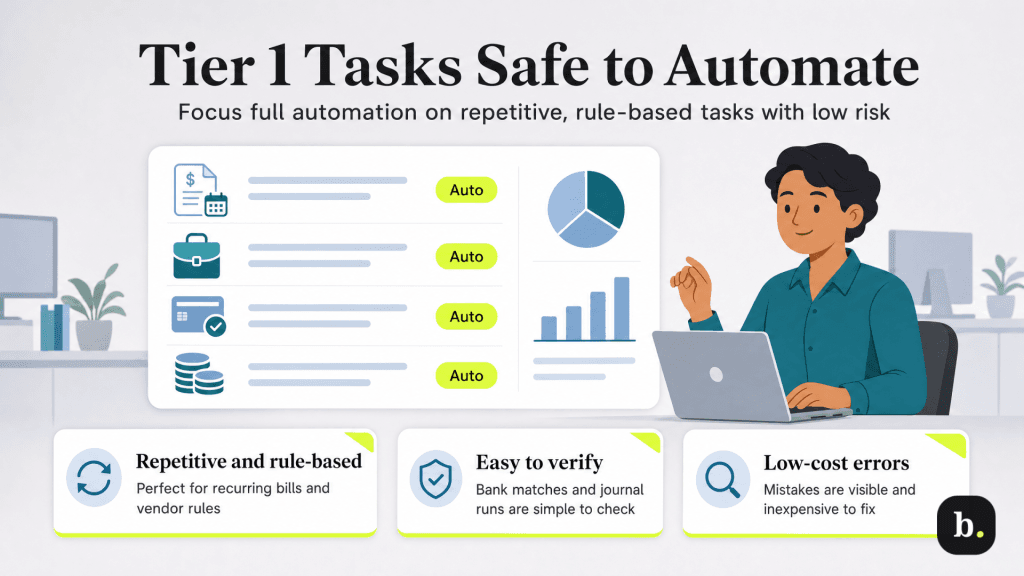
Tier 1 tasks are the ones that pass all three tests. They’re repetitive, they follow patterns the software can learn reliably and a mistake is both visible and cheap to fix.
Bank reconciliation belongs in this tier too, at least in its matching stage, which is why it has become one of the most commonly automated tasks in small business accounting. We’ve covered that process in more detail in our guide to AI-powered bank reconciliation.
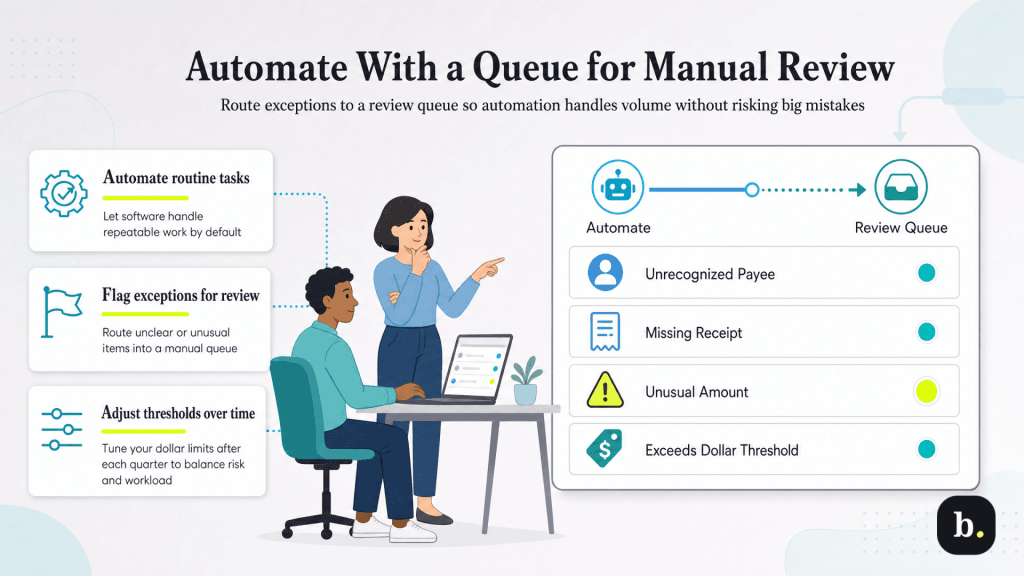
Tier 2 tasks should be automated, and doing them by hand is a waste of an owner’s time, but the automation needs a defined path for the cases it can’t confidently resolve. These tasks need a manual review queue where someone takes a look at the tasks an automation isn’t quite sure how to handle.
The tasks in this tier require manual decision-making. They have no pattern and the correct choice depends on human intent the software cannot observe. Automating them creates real risk of errors that someone will have to spend billable time cleaning up later on.
A review step is only effective if someone actually checks the queue and clears it. Commonly, small businesses start off strong but then the practice laps and the queue overflows with unapproved tasks. We recommend building these three habits to avoid that all-too-common problem.
Five minutes per day is all it takes. It might seem like an easy task to push off when you’re “too busy”, but waiting on it makes things messy. You remember your recent transactions and the rationale behind them. The longer you wait, the more likely you are to either accept the software’s guess or waste more time hunting through old records.
Reconciliation against a partly reviewed ledger produces a distorted image of your books. Transactions sitting in review aren’t in your books yet, so a reconciliation that balances without them doesn’t work. Empty the queue first, then reconcile.
Rules go stale over time as circumstances evolve. Once a quarter, pull up your categorized transaction history and spot-check what your rules have been doing. The errors you find will almost always be in rules you set up and forgot.
Tiering only works if your software supports it. Before you commit to a platform, or before you assume yours supports this, check for three capabilities:
QuickBooks Online does all of the above. Its rules engine supports conditions on the description, the bank text or the amount, with a per-rule toggle governing whether matching transactions post automatically or land in a review queue first. Transactions the software recognizes come through with a suggested category you can accept or change, and the categorized history stays available for the quarterly rule audit described above. For a fuller look at how the platform handles this, see our QuickBooks Online review.
Automation and oversight aren’t opposed. The businesses that get the most out of automated bookkeeping are the ones that know which tasks they’ve automated and why. Take a look at how AI and human oversight work together in accounting for more examples of how to strike this balance well. The businesses that do will enjoy the competitive advantage emerging AI technologies offer, and the ones that don’t may end up dealing with a big mess that’s expensive and time-consuming to resolve.
