Business.com aims to help business owners make informed decisions to support and grow their companies. We research and recommend products and services suitable for various business types, investing thousands of hours each year in this process.
As a business, we need to generate revenue to sustain our content. We have financial relationships with some companies we cover, earning commissions when readers purchase from our partners or share information about their needs. These relationships do not dictate our advice and recommendations. Our editorial team independently evaluates and recommends products and services based on their research and expertise. Learn more about our process and partners here.
Is Free Accounting Software a Good Choice for Your Business?
Free plans are legitimate accounting systems now. They're also built around limits designed to be outgrown.
Business.com earns commissions from some listed providers. Editorial Guidelines.
Table of Contents
This article is sponsored by Intuit.
Free accounting software used to mean stripped-down, ad-supported tools that were free because they weren’t very good. That’s no longer a fair description. Several established vendors now offer permanent $0 plans that meet the needs of certain businesses quite well—but will require more sophisticated businesses to upgrade. Here’s how to work out which side of that line you’re on.
What free accounting software usually includes
Most permanent free plans include the core features accounting software needs to be considered functional. Look for free plans with the following:
One connected bank account
Automatic transaction import and categorization
A small monthly allowance of invoices
Expense tracking
Standard reports, including profit and loss
Many add receipt capture and mileage tracking with monthly caps, as well. A solo consultant with a dozen transactions and two invoices a month can keep legitimate books on a free plan and hand a clean profit and loss statement to a tax preparer in the spring. Ten years ago that wasn’t true, but the assumption that free means unusable is now out of date.
Where free plans require an upgrade
Free tiers are legitimate plans, but they’re designed to be outgrown. They are a way to offer your business a place to start, but ultimately the vendor’s hope is that you’ll upgrade to a paid plan. The constraints on a free plan tend to be as follows:
User seats. Free plans almost always offer a single seat. They don’t allow for access by a business partner or bookkeeper.
Accountant access. Accounts are frequently excluded outright, sometimes even as a read-only invitation.
Invoice and estimate volume. Monthly caps in the low single digits are typical.
Connected accounts. These are often capped at one, so a second business card will require manual tracking on a free plan.
Report depth. Free plans include two or three standard reports rather than a full library, and usually no budgets, class tracking or project profitability.
Integrations and mobile access. These are sometimes withheld from the free tier even when the vendor’s paid plans include them.
Support. Support is typically chat or self-service only, with phone support reserved for subscribers.
Bottom Line
Free accounting software plans are usually intended for one-person access, a low volume of transactions, a simple structure and no one else in the file.
Free plan vs. free trial
A free plan is permanent; you can use it indefinitely at no cost, with caps on volume. A free trial offers full access to a paid tier for a fixed window (usually 30 days) after which you subscribe or lose the features.
Choose the free plan if you want to start at no cost and grow into more later. Choose the trial if you already know you need unlimited invoicing or multiple users and you want to test the specific plan you’d actually buy. Starting a trial when what you needed was a free plan just gives you a month of features you can’t keep.
Did You Know?
Some vendors offer both, with names similar enough that owners routinely sign up for the wrong one. A lapsed trial can leave your books behind a paywall until you subscribe. Confirm which product you're creating before you enter a month of transactions into it.
Who free accounting software is good for
Free is the right call for a lot of small businesses. You’re likely a good fit if most of the following describe you:
You’re the only person who needs access to the books.
You send a handful of invoices a month, not dozens.
You run one business bank account, or one account and one card you’re willing to reconcile manually.
You don’t carry inventory and don’t have employees on payroll.
Your structure is simple: you’re a single entity operating in one state with no complex sales tax exposure.
You’re pre-revenue or early enough that every subscription matters.
That profile covers an enormous number of American businesses. Census figures put the number of nonemployer establishments (businesses with no paid employees) at 30.4 million in 2023. Most of these businesses fit the profile outlined above.
Who should skip it
Free is the wrong starting point if:
You have employees or expect to within the year. Payroll changes your needs considerably.
You work with an accountant or bookkeeper who needs to get into the file. Paying for a seat is cheaper than paying a professional to work from exports.
You carry inventory, bill by project or need job costing.
You bill enough invoices that a monthly cap would force you into a second tool.
You operate more than one entity, or sell into enough states that sales tax needs automating.
Your books are already behind. A free plan won’t fix a cleanup problem; it will just host it.
Bottom Line
Free plans are built for one person running a simple business at low volume. The moment a second person needs access — a partner, a bookkeeper, an accountant — you've usually left the profile the free tier was designed to serve.
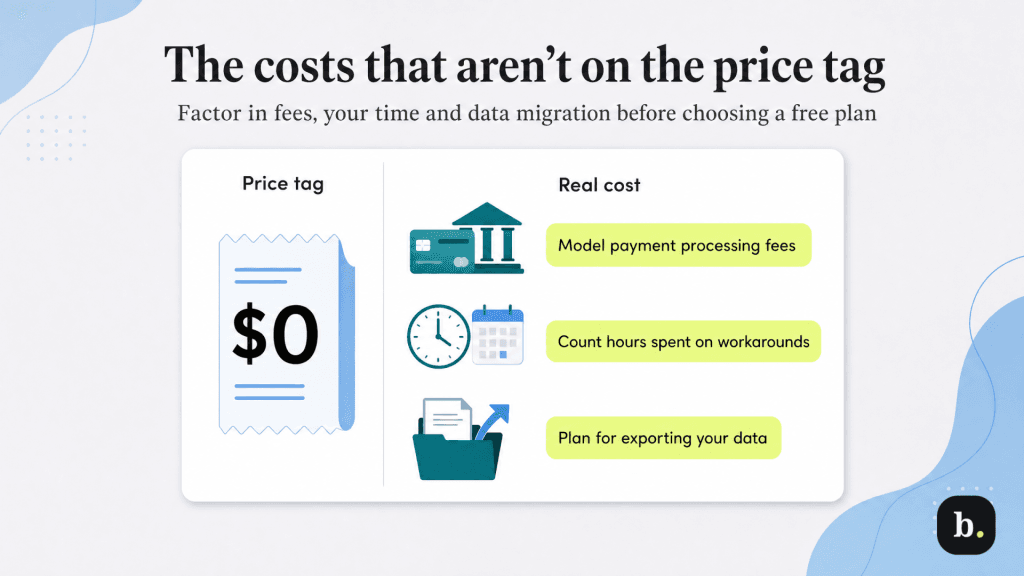
The costs that aren’t on the price tag
“Free” describes the subscription, not the total cost of running your books. Three expenses tend to surprise people.
Payment processing.Accepting card payments or bank transfers carries per-transaction fees on free and paid plans alike. If getting paid electronically is central to how you work, model those fees before you treat the plan as costless.
Your own time. Every cap becomes a manual workaround. A one-account limit means hand-entering a card statement each month. A two-invoice cap means invoicing out of a separate tool and reconciling twice. An hour a week is roughly 50 hours a year, which is more than most subscriptions cost in billable terms.
Getting out. The real risk isn’t the caps, it’s what happens when you outgrow them. If history doesn’t transfer, you either re-enter a year of transactions or start over with no comparatives.
How to choose a free plan you won’t regret
If free fits your profile, judge the options on what happens next rather than what’s included today. Ask yourself the following:
Does your data carry forward? Confirm that upgrading preserves transaction history and your chart of accounts.
Is there a real ladder above you? A free tier attached to a full product line beats a free tool with nothing above it.
Are the caps ones you’ll actually hit? Map the limits against your real monthly volume, not your average month.
QuickBooks Free is a reasonable illustration of the built-to-upgrade model. It’s a $0-per-month plan with no credit card required, aimed at solo and new business owners. You get one connected bank account, up to two invoices a month — or unlimited invoices if you qualify for and enable QuickBooks Payments — income and expense tracking, capped receipt capture and mileage tracking, and three core reports including profit and loss and a balance sheet. Intuit states that what you build there carries over if you move to a paid plan.
It’s also a clear example of the limits described above. It is single-user with no accountant access and no mobile app or third-party integrations on the free tier. Whether that ceiling is comfortable or constraining depends entirely on which of the two profiles above you recognized yourself in. If you’re closer to the second, it’s worth comparing the best accounting software options on features you’ll need in year two rather than month two.
Tip
Before you enter a full month of transactions anywhere, run an export. If you can't get your data out in a format another platform can read, treat that as a cost of the free plan and price it accordingly.
Chad Brooks is the author of "How to Start a Home-Based App Development Business," drawing from over a decade of experience to mentor aspiring entrepreneurs in launching, scaling, and sustaining profitable ventures. With a focused dedication to entrepreneurship, he shares his passion for equipping small business owners with effective communication tools, such as unified communications systems, video conferencing solutions and conference call services.
As business.com's managing editor, over the years Brooks has covered everything from CRM adoption to HRIS usage to evolving trends like pay transparency, deepfakes, co-working and gig working.
A graduate of Indiana University with a degree in journalism, Brooks has become a respected figure in the business landscape. His insightful contributions have been featured in publications like Huffington Post, CNBC, Fox Business, and Laptop Mag. Continuously staying abreast of evolving trends, Brooks collaborates closely with B2B firms, offering strategic counsel to navigate the dynamic terrain of modern business technology in an increasingly digital era.