Business.com aims to help business owners make informed decisions to support and grow their companies. We research and recommend products and services suitable for various business types, investing thousands of hours each year in this process.
As a business, we need to generate revenue to sustain our content. We have financial relationships with some companies we cover, earning commissions when readers purchase from our partners or share information about their needs. These relationships do not dictate our advice and recommendations. Our editorial team independently evaluates and recommends products and services based on their research and expertise. Learn more about our process and partners here.
Late payments are costly, both in terms of late fees and interest as well as in damaging otherwise healthy relationships. Here’s what you can do to avoid them.


This article is sponsored by Intuit.
Your supplier still accepts your orders, but the arrangement has changed. Rush requests are harder to accommodate, and your next purchase requires a deposit. After several late payments, the vendor is less willing to extend the flexibility your business once relied on.
The consequences of paying late can emerge well before a vendor ends the relationship. Accounts payable, the money your business owes for purchases on credit, affects how suppliers assess your reliability. A consistent payment process helps preserve trust, while early communication gives you a better chance of finding a workable solution when cash is short.
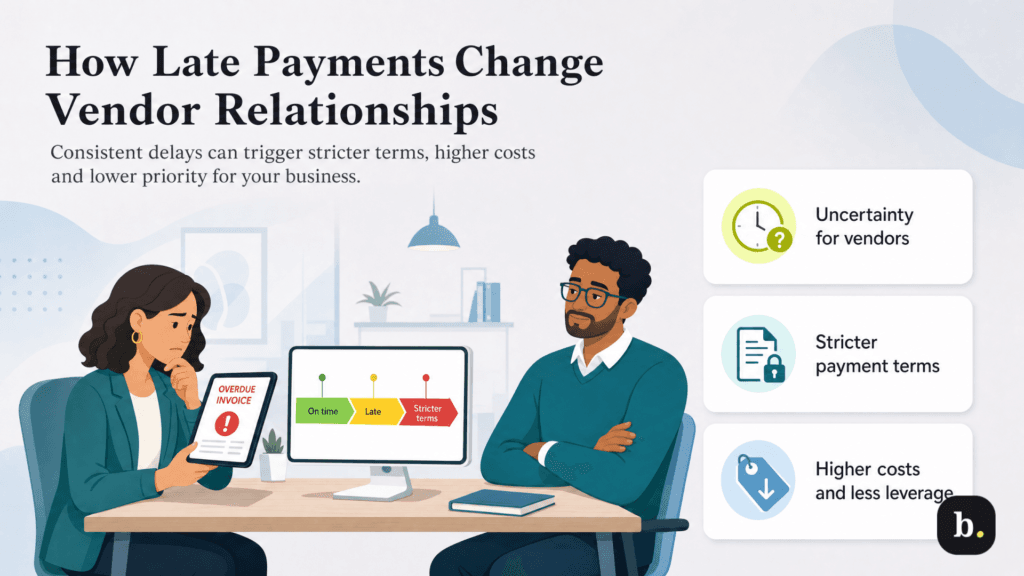
Vendors plan around the money they expect to receive, just as you do. An overdue invoice can leave them balancing their own payroll, supplies and other obligations. Repeated delays also give them a reason to reconsider the terms of doing business with you.
A late payment creates uncertainty about when money will arrive. If a vendor must send repeated reminders or receives a different promise each time, the collection effort becomes part of the cost of serving your account.
An isolated problem handled promptly is different from a pattern of missed commitments. A clear explanation and a payment date you can meet give the vendor something to plan around. Silence leaves the vendor to make its own assumptions.
A supplier may respond to repeated delays by shortening payment windows, reducing your credit limit or requiring a deposit on future orders. Some may require payment before delivery. The response depends on your agreement, payment history and the vendor’s willingness to continue extending credit.
That shift can make your own cash position more difficult. Suppose a hypothetical supplier previously gave you 30 days to pay a $4,000 inventory invoice but now requires payment before shipping. You need the money earlier, potentially before you sell the inventory and collect from customers.
Payment history can also matter beyond one relationship when it is reported. Reported slow payments can affect business credit scores and ratings, which may influence access to trade credit and other opportunities. Not every vendor reports payment experiences, so this is a possible consequence rather than an automatic one.
Late charges may apply under your agreement. You can also lose an early-payment discount by missing its deadline, even if the invoice hasn’t yet become overdue. Review both the final due date and any separate discount deadline.
Pricing effects can be less visible. A vendor may be less willing to offer a concession, absorb an extra delivery cost or extend promotional terms when collecting from your business already takes additional work.
When inventory or staff time is limited, a vendor may be less inclined to accommodate extra requests from an unreliable payer. That can affect rush deliveries, scarce materials or service appointments outside the normal schedule.
For example, a hypothetical repair company that repeatedly pays its parts supplier late might find that its next urgent order requires payment confirmation before release. The added step could delay a customer’s repair. The relationship cost reaches your operations even if the supplier continues selling to you.
Before changing your process, identify what causes the delay. An invoice overlooked in an inbox calls for a different fix from a bill your business cannot currently fund.
Common causes include:
Review a few recent late bills and trace where each stalled. An organized accounts payable process should make those handoffs visible, from receipt and approval through payment completion.
A scheduled payment has not necessarily reached the vendor. Intuit’s Bill Pay guidance explains that the delivery timeline begins from the selected withdrawal date. Plan around expected receipt as well as initiation.
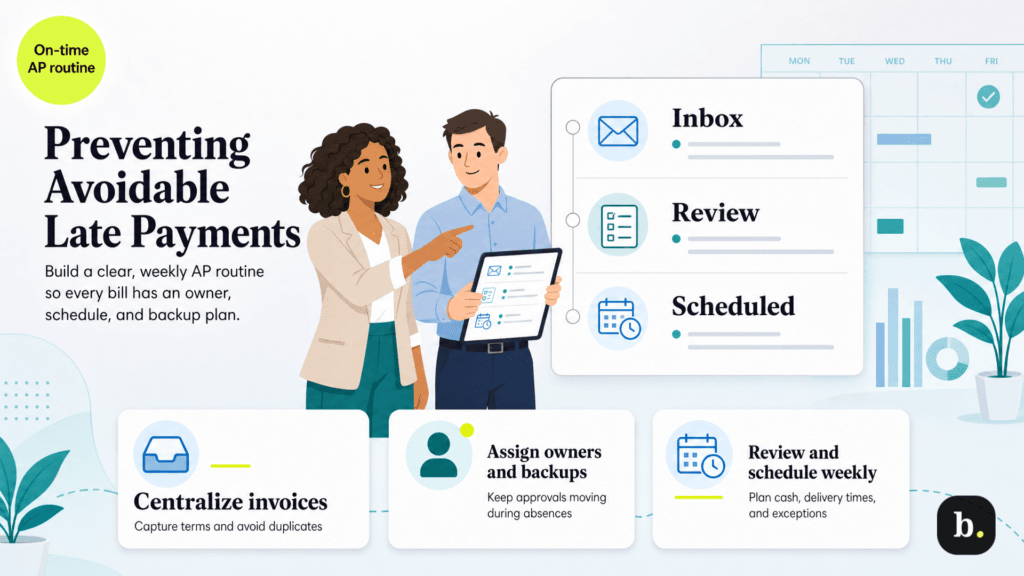
A reliable AP routine gives each bill a clear owner and a planned payment date. Keep it simple enough that your team can follow it during busy weeks and staff absences.
Use a dedicated invoice inbox or another consistent intake process. Record the vendor, invoice number, amount, due date and payment terms, along with the information needed for approval. Check for duplicate submissions before creating another payable.
If you’re searching for the best accounting software for your business, look at how each platform supports bill intake, outstanding balances and payment records. The system should help your team see what is waiting for review and what is ready to pay.
Identify who verifies the purchase, who approves the expense and who initiates payment. In a small business, one person may handle several steps, but the responsibilities should still be clear.
Set an internal approval deadline that leaves enough time to send the payment. Arrange backup coverage within your payment controls so one person’s absence doesn’t leave every invoice waiting.
Look at unpaid bills and scheduled payments together. Review what is overdue, what will come due soon and what cash needs to be available when payments are withdrawn.
Include approved purchases that haven’t yet been invoiced when forecasting upcoming spending. Otherwise, your available cash may appear greater than the amount you can safely commit.
Check the estimated arrival date for the payment method you select. Allow for processing time, weekends, holidays and any other conditions your provider identifies.
Confirm what your agreement requires for timely payment. A vendor expecting cleared funds by the due date may not consider a check mailed that day sufficient. Resolve uncertainty before the deadline.
Monitor payments that are pending, rejected or delayed. Verify their status before sending replacements so you don’t accidentally pay the same bill twice.
Connect the payment record with your bank reconciliation process. If a vendor says an invoice remains unpaid, use the payment details to investigate and communicate what you’ve confirmed.
Before ending your weekly AP review, confirm that upcoming bills have approval owners, planned withdrawal dates, expected delivery dates and sufficient funding. Assign someone to resolve each exception.
Scheduling helps prevent missed steps, but a funding shortage requires decisions about cash and commitments. Start early enough to discuss alternatives with vendors before an invoice becomes overdue.
Map your opening cash balance, expected receipts and upcoming obligations week by week. Separate confirmed receipts from uncertain customer payments, and account for payments already scheduled.
Use the forecast to identify the amount and timing of the shortfall. Effective cash flow planning gives you a basis for discussing a realistic payment arrangement rather than promising a date because you hope sales will improve.
Explain the situation briefly, acknowledge the obligation and propose specific amounts and dates. A request to change terms should be a conversation, followed by written confirmation of whatever you agree.
For example, if a $3,000 invoice is due Oct. 30, a hypothetical proposal could read: “A customer receipt we expected this week has been delayed. Can we pay $1,500 by Oct. 30 and the remaining $1,500 by Nov. 6? Please confirm whether that arrangement is acceptable and whether any charges would apply.”
Make the proposal only if your forecast supports it. If the vendor declines, discuss other options rather than assuming the request extended your deadline.
A partial payment reduces the balance owed, but it doesn’t automatically change the due date for the remainder. Confirm the revised arrangement with your vendor.
Review contractual commitments, essential supplies and potential service interruptions alongside the effect of a delay on the vendor. A small supplier may have little room to absorb an unexpected gap in receipts.
This review helps you decide where urgent conversations are needed. It doesn’t remove your obligations or justify leaving other vendors uninformed. If you cannot meet several commitments, address the broader cash problem with your accountant or financial adviser.
Review payables and receivables together to see where customer payment delays are affecting your ability to pay vendors. Follow up on overdue customer invoices, review discretionary purchases and avoid placing orders your forecast cannot support. Where vendors agree, negotiate future payment dates that better align with your customer receipt cycle.
Longer terms negotiated in advance are different from unilaterally paying late. Agree on an arrangement both parties can plan around, then follow it consistently.
QuickBooks Bill Pay brings vendor bill payments into QuickBooks. Its scheduling and recurring autopay features can help turn an approved payment plan into a consistent routine. Your team still needs to verify bills, maintain accurate vendor information and ensure the funding account can cover withdrawals.
According to Intuit’s scheduling guidance, businesses can select bills, choose a funding account and send payments by ACH transfer or mailed check. They select the withdrawal date and review payment details before scheduling.
Build the expected delivery time into that decision. Scheduling ahead gives you a planned action date; it doesn’t guarantee receipt by a particular deadline. Faster payment options may involve fees and eligibility requirements.
QuickBooks Bill Pay supports autopay for recurring bills. Intuit’s May 2026 product update describes the feature for fixed-amount bills received on a recurring basis. Predictable obligations are useful candidates because the amount and schedule can be reviewed in advance.
Creating a recurring bill and authorizing automatic payment are separate actions. Confirm that autopay is enabled where appropriate and check the funding account, interval and payment method. Review the arrangement when a contract changes or a service ends.
Bill Pay also lets businesses review scheduled payment status. Use that visibility during your AP review and follow up on exceptions instead of assuming every scheduled payment completed successfully.
For a hypothetical landscaping company, a fixed monthly equipment service bill could use recurring autopay, while varying nursery invoices receive individual review and scheduled payments. The owner checks both groups against available cash each week. Feature availability and payment processing remain subject to the applicable account terms and eligibility requirements.
Acknowledge the missed commitment and agree on a catch-up plan you can support. Give the vendor one reliable contact and keep that person informed if anything threatens the next promised date.
Then demonstrate improvement through completed payments. Once you establish a consistent record, you can ask whether the vendor is willing to revisit deposits or tighter terms. Restoring flexibility may take time and remains the vendor’s decision.
Treat reliable payment as part of delivering on your business commitments. Clear approvals, realistic cash planning and early communication help vendors know what to expect, giving both sides a stronger foundation for continued work.
