Small business owners wear many hats, but the administrative hat often consumes a disproportionate amount of time. Data entry, invoicing, payment follow-ups, expense tracking—these necessary but repetitive tasks can easily consume a big chunk of your workweek. That’s time that could be spent on business development, customer relationships or strategic planning.
This article is sponsored by Intuit.
Fortunately, automation technology has evolved to handle most routine administrative work, and reclaiming even 10 hours per week can transform your business outcomes. Those hours represent the difference between treading water and moving forward, between reacting to problems and proactively building your business. Let’s explore which administrative tasks are consuming your time and how to reclaim those hours for higher-value work.
What counts as “administrative burden”?
Administrative burden encompasses the repetitive, necessary but non-revenue-generating tasks that keep your business running. These include manual data entry into accounting systems, creating and sending invoices, following up on late payments, processing payroll, categorizing expenses and tracking receipts, and generating financial reports. While essential, none of these activities directly generate revenue or build customer relationships.
The hidden costs extend beyond the obvious time investment. Context-switching between administrative tasks and strategic work reduces productivity across the board. Each interruption costs mental energy and focus. The opportunity cost is perhaps most significant; every hour spent on data entry is an hour not spent on activities that grow your business.
Fortunately, technology has reached a point where automation can handle the majority of routine administrative work. The question isn’t whether you should automate, but which tasks to prioritize and how to implement systems effectively.
High-impact automation opportunities
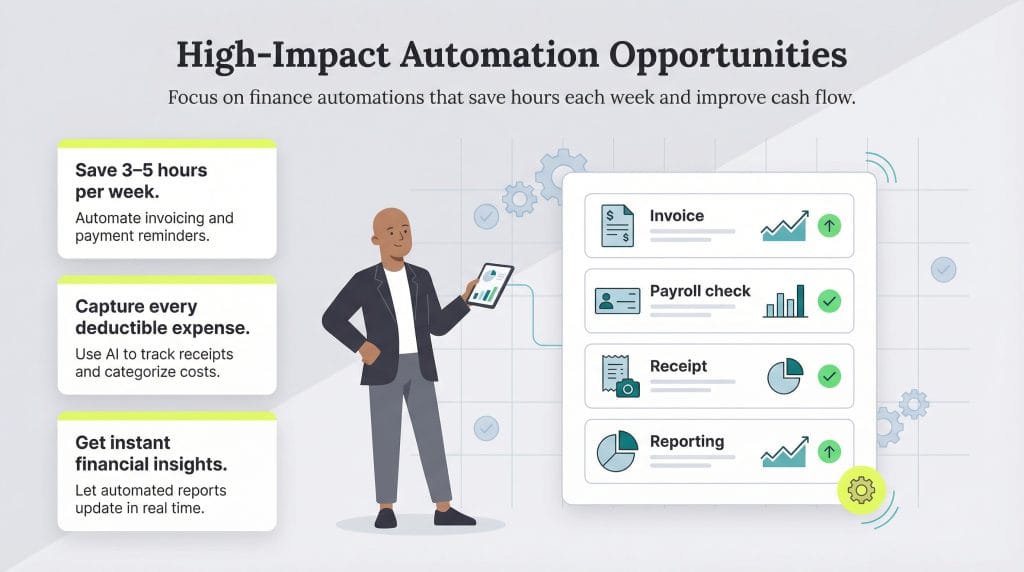
When implementing automation workflows, consider where they may be most impactful. The following opportunities are among the most common high-impact areas for small businesses.
Automated invoicing and payment collection
- Time saved: Three to five hours per week on invoice creation and follow-up.
- Additional benefit: Businesses using automated payment reminders get paid five days faster on average, improving cash flow without any additional effort.
Eliminate manual invoice creation through templates and automation. For clients on retainer or subscription, set up recurring invoices that generate and send automatically. Schedule payment reminders at optimal intervals: typically one week before the due date; on the due date; and one week after. Platforms like QuickBooks offer automated invoicing, which allows you to customize reminder schedules based on client payment patterns and offers multiple payment options that make it easy for customers to pay immediately.
Enable multiple payment methods on your invoices, including credit card, ACH transfer and digital wallets. Customers are more likely to pay immediately when their preferred method is available.
Hands-off payroll processing
- Time saved: One to two hours per week.
- Additional benefit: Automated systems eliminate compliance risk by ensuring tax withholdings and filings are correct and timely.
Automated payroll systems handle salary calculations, tax withholdings and filing requirements without manual intervention. Direct deposit eliminates time spent cutting checks and distributing them. Year-end tax form generation happens automatically, removing the annual stress of W-2 and 1099 preparation. QuickBooks Payroll, for instance, handles calculations, payments, and tax filings automatically, reducing a task that might take two to three hours down to 15 minutes of review and approval.
Expense tracking and categorization
- Time saved: Two to three hours per week on expense tracking and organization.
- Additional benefit: You’ll never miss deductible expenses because everything is captured and categorized automatically.
Mobile receipt capture allows you to photograph receipts immediately rather than collecting paper that gets lost or damaged. AI-powered categorization automatically assigns expenses to the correct category based on merchant, amount patterns and historical data. Integration with bank feeds means transactions appear in your system automatically, requiring only confirmation rather than manual entry. Mileage tracking automation uses your phone’s GPS to log business miles without manual logging.
Modern systems learn from your corrections; when you recategorize a transaction, the system remembers for future similar transactions. You might spend 30 seconds photographing a receipt, while the system handles the rest.
Financial reporting automation
- Time saved: One to two hours per week on report preparation.
- Additional benefit: Real-time access to accurate financial data enables better, faster decision-making.
Real-time dashboards display key metrics without manual compilation. Profit and loss statements, cash flow reports, and balance sheets generate automatically from your transaction data. Schedule report delivery to stakeholders—yourself, partners, or investors—so everyone stays informed without you manually preparing and sending updates. QuickBooks Intuit Assist can generate reports on demand through simple conversational requests, eliminating the need to navigate complex software interfaces.
Bank reconciliation automation
- Time saved: One to two hours per week.
- Additional benefit: Catching errors immediately prevents them from compounding over time, maintaining clean books year-round.
Automated systems match transactions from your bank feed to entries in your books, flagging any discrepancies. Smart categorization suggests the correct category based on past transactions with the same merchant. Anomaly detection highlights unusual transactions that might indicate errors or require attention. What used to require careful line-by-line comparison now happens automatically, with you only needing to address exceptions.
How to use time savings to build your business
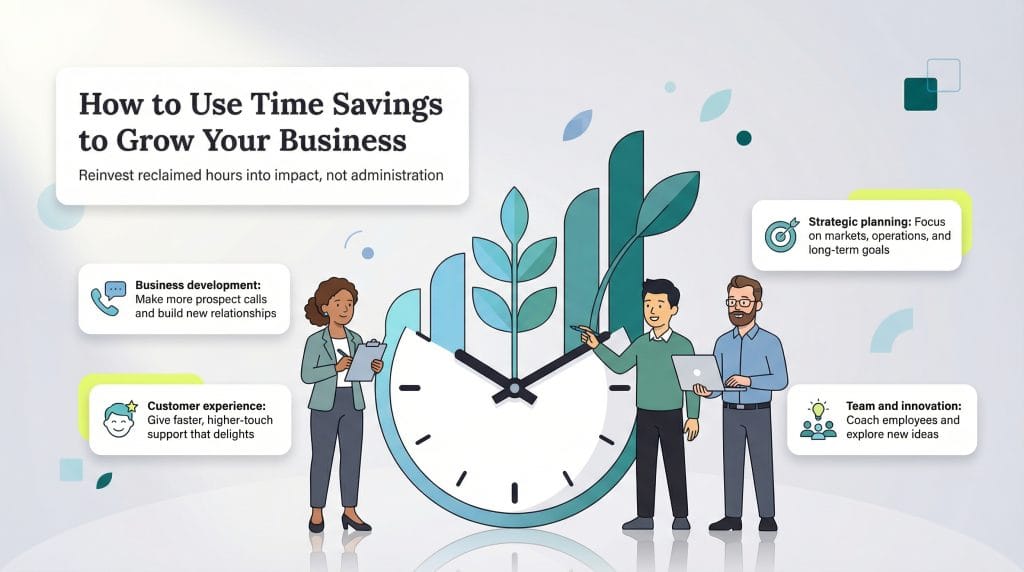
- Business development: 10 additional hours per week provides time for 20+ prospect calls, five to eight client meetings, or meaningful networking that generates new opportunities.
- Strategic planning: Finally address the big-picture thinking that gets perpetually postponed, including tasks like evaluating new markets, improving operations or developing new service offerings.
- Customer experience: More responsive service builds stronger relationships. With time freed from administration, you can provide the white-glove attention that turns customers into advocates.
- Team development: If you have employees, reclaimed time allows for coaching, training and building the company culture that retains top talent.
- Innovation: Explore new offerings, test improvements to existing services, or experiment with different approaches to common problems.
Getting started: Your automation roadmap
Audit your time
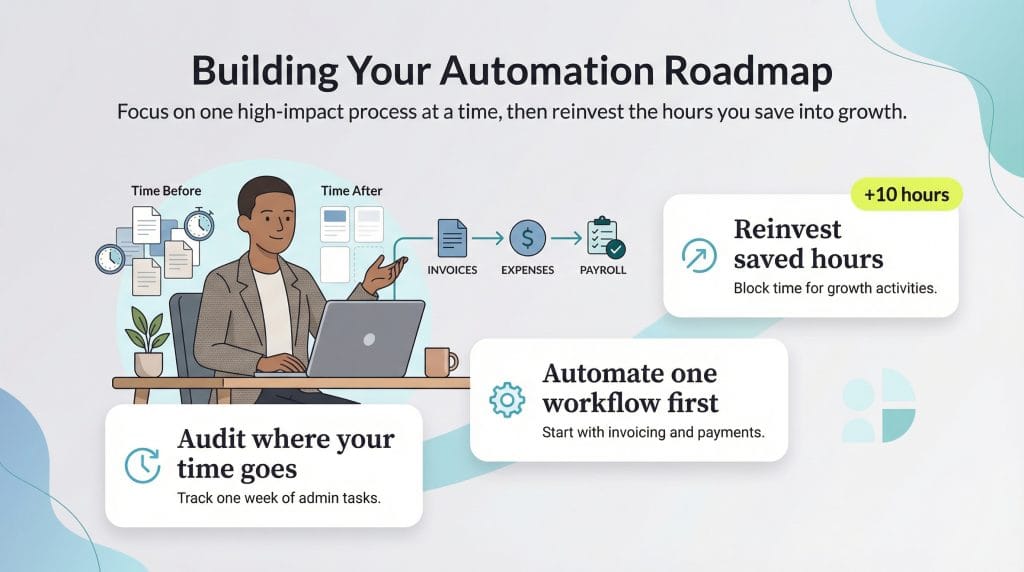
Before automating, understand where your time actually goes. Track your activities for one week, noting how many minutes you spend on each administrative task. Many business owners are surprised to discover they’re spending 15 to 20 hours weekly on tasks they thought took only five to 10 hours. This baseline measurement helps you identify the highest-value automation opportunities and measure improvement.
Identify highest-value opportunities
Which tasks consume the most time and are most amenable to automation? Invoice creation and payment follow-up often tops the list because it’s both time-consuming and highly automatable. Expense categorization offers immediate time savings with minimal setup. Payroll is critical if you have employees. Prioritize based on both time consumption and how much you personally dislike the task; automating tasks you hate creates psychological benefits beyond pure time savings.
Choose integrated solutions
A single platform that handles multiple functions beats juggling several disconnected tools. When your invoicing, payments, payroll, and bookkeeping exist in one ecosystem, data flows automatically between functions without duplicate entry. The QuickBooks platform, for example, connects all these financial functions. When a customer pays an invoice, your accounts receivable updates automatically, your cash balance adjusts, and your financial reports reflect the change—all without you entering data multiple times.
Start with one area
Don’t try to automate everything simultaneously. Master one system before adding another. Most businesses see the biggest immediate return from automating invoicing and payment collection because it both saves time and improves cash flow. Once that’s running smoothly, add expense tracking, then payroll if applicable, then reconciliation, and finally advanced reporting.
Measure results
Track the time savings you’re actually experiencing. Are you meeting your 10-hour reclamation goal? Which automations delivered the biggest impact? Use these insights to guide further automation decisions and to justify the cost of automation tools.
Reinvest reclaimed time
Perhaps most importantly, deliberately allocate your saved hours to high-value activities. Without intentional reallocation, reclaimed time has a way of disappearing into general busyness. Block the saved time on your calendar for specific growth activities, like business development calls, strategic planning sessions, customer relationship building or whatever moves your business forward most effectively.
Administrative burden doesn’t have to be an inevitable cost of running a small business. With strategic automation of routine tasks, you can reclaim 10, 15 or even 20 hours per week, which is time that can be redirected toward activities that actually grow your business. The technology exists, the ROI is clear and the implementation is more straightforward than ever. The question is: what will you do with those reclaimed hours?