Business.com aims to help business owners make informed decisions to support and grow their companies. We research and recommend products and services suitable for various business types, investing thousands of hours each year in this process.
As a business, we need to generate revenue to sustain our content. We have financial relationships with some companies we cover, earning commissions when readers purchase from our partners or share information about their needs. These relationships do not dictate our advice and recommendations. Our editorial team independently evaluates and recommends products and services based on their research and expertise. Learn more about our process and partners here.
This comparison guide reviews the similarities and differences between Stripe and Authorize.net and how each credit card processor measures up in terms of price and features.

No matter what type of business you run, the ability to accept online payments in a variety of methods, like credit and debit cards, electronic wallets and prepaid cards, is crucial. The best payment processors allow you to do just that by collecting financial data from the customer, verifying that information with the bank or payment provider and processing the transaction.
A full payment processing system needs a payment processor, a payment gateway and a merchant account. We’ve compared Stripe and Authorize.net to help you decide which online payment processor is best for your business.
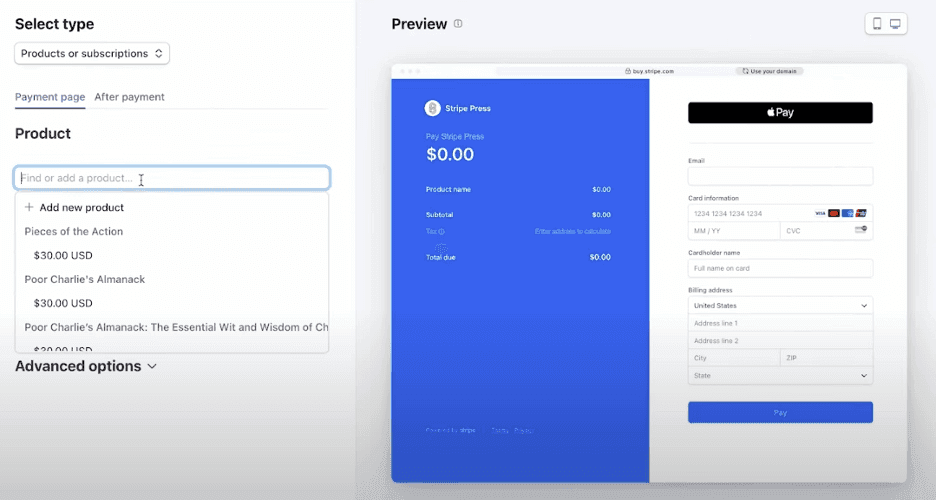
Stripe is a payment processing platform built for businesses that primarily sell online. It supports payments through websites, mobile apps, invoices, subscriptions and in-person transactions, giving businesses multiple ways to accept payments through a single system.
One of Stripe’s biggest strengths is flexibility. Businesses can start with prebuilt tools like Stripe Checkout and Payment Links, then move to more customized payment experiences using Stripe’s APIs and developer tools as their needs evolve. Stripe also supports more than 100 payment methods, including cards, digital wallets, bank payments and buy now, pay later options.
Stripe is especially well-suited for e-commerce businesses, subscription-based companies and organizations that sell internationally. The platform supports payments in more than 135 currencies and offers a wide range of local payment methods, helping businesses create a more familiar checkout experience for customers around the world.
Here are some of the main benefits of using Stripe:
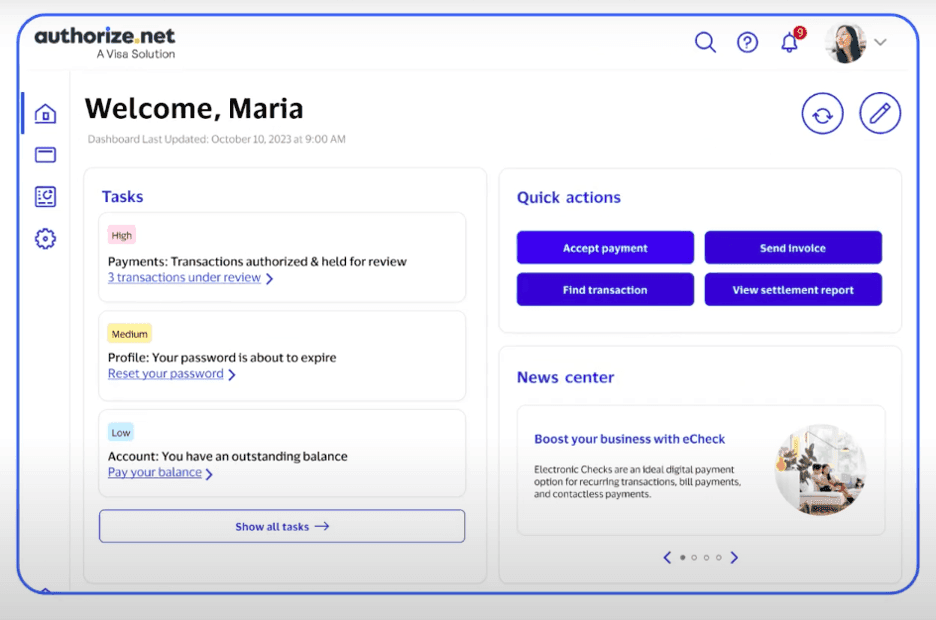
Authorize.net is a payment gateway service that’s a great option if you’re looking for something to integrate with your existing e-commerce platform and have an existing merchant account. If you do need a merchant account, the company’s All-in-One plan adds this capability.
We found that Authorize.net is easier to understand and integrate from start to finish. Because you’re not tied to a merchant account at lower tiers, if you decide to switch, you can still keep using Authorize.net. This makes it a great choice for businesses that prioritize simplicity and flexibility, especially those with a growing sales volume looking to shop around for lower credit card processing fees.
Businesses that need to send a lot of invoices or are subscription-based might save money with Authorize.net as it offers recurring billing and invoicing features at no extra cost. It also includes excellent fraud detection tools and 24/7 customer service.
Here are the main benefits of using Authorize.net:
Are you still on the fence about which service is best for your business? Let’s go into more detail about these comparisons.
Stripe
Stripe keeps pricing relatively simple. There are no monthly fees, setup fees or long-term contracts on its standard pricing plan. Instead, businesses pay a flat transaction fee when they process payments, with additional charges applying only for certain payment types, international transactions or optional products and services.
We like that Stripe is transparent about its pricing and publishes rates for its core services online. Here are some of the most common costs businesses should expect:
Businesses with high processing volume, unique payment requirements or international operations may qualify for custom pricing, including volume discounts and alternative rate structures.
Authorize.net
Authorize.net offers three plans, all with a monthly fee of $25. There are no contracts, setup or cancellation fees. Each plan sets you up with Authorize.net’s payment gateway and gives you access to features like digital invoicing and recurring payments. The All-in-One plan is for businesses that don’t already have a merchant account, while the other plans are for businesses that already have a merchant account.
Here’s how the three plans break down:
Criteria | All-in-one | Payment gateway and e-check | Payment gateway |
|---|---|---|---|
Monthly fee | $25 | $25 | $25 |
Processing rate | 2.9% plus 30 cents | e-Check: 0.75% Credit card: Plus 10 cents Daily batch fee: 10 cents | Credit card: Plus 10 cents Daily batch fee: Plus 10 cents |
While Authorize.net charges competitive fees, the flat monthly plan rate can make it a bit pricier than the competition. However, you can get access to Authorize.net as a payment gateway through a package deal when signing up for a merchant account and you may end up paying less than if you go through Authorize.net’s sign-up page.
Stripe
Stripe combines payment processing, a payment gateway and online checkout tools in a single platform. Businesses can get started quickly with Payment Links, Stripe Checkout and support for more than 100 payment methods, including cards, digital wallets, bank payments and buy now, pay later options. Stripe also offers extensive developer tools and APIs that allow businesses to customize checkout experiences and build payment workflows around their specific needs.
We also like that Stripe supports buy now, pay later payment methods such as Klarna and Afterpay. Stripe supports payments in more than 135 currencies and offers a wide range of local payment methods, helping businesses create a more familiar checkout experience for international customers.
Authorize.net
Authorize.net only includes a payment gateway service, as well as a simple checkout solution, invoicing controls and automated recurring billing. You can upgrade to the company’s All-in-One plan if you need a merchant account, too.
You can accept credit cards from all major companies, Apple Pay, PayPal and e-check. You can also send payment links and quick response codes. Authorize.net isn’t as powerful for international payments as Stripe. Businesses located in the U.S., Canada or Australia can accept payments from anywhere in the world. However, U.S.-based companies can only receive payments in U.S. and Canadian dollars.
Stripe
Stripe is easy to get started with. Businesses can begin accepting payments quickly using Payment Links, Stripe Checkout and other prebuilt tools, while the Dashboard makes it easy to manage payments, customers, invoices and subscriptions from one place.
The platform becomes more complex as you move beyond Stripe’s out-of-the-box tools. Businesses that want highly customized checkout experiences, advanced automations or API-based integrations may need technical expertise or developer support. That said, Stripe’s documentation is among the best we’ve seen, making it easier to implement and manage advanced features than many competing payment platforms.
Authorize.net
Authorize.net is much easier to use and set up. The service easily integrates with your existing merchant account or payment processing service. Additionally, if you want to be set up with one of its partnered payment processors for merchant accounts, the company can walk you through the process.
The only downside is that Authorize.net cannot guarantee how long a new merchant account might take to grant approval. You might be able to start taking payments within the hour, but you also might need to wait a few days.
Stripe
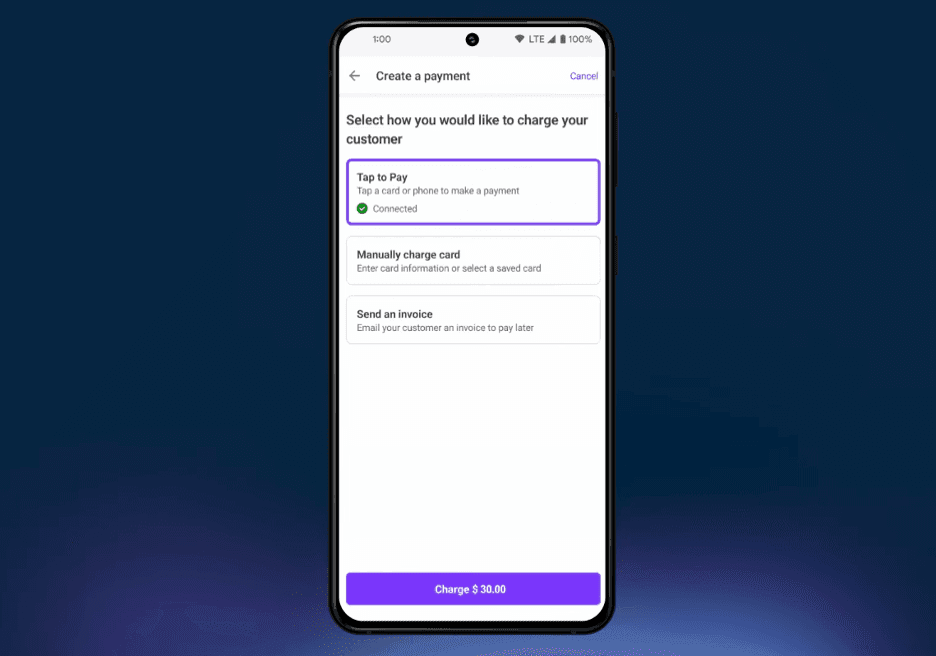
Stripe offers several ways to accept in-person payments. Businesses can process card-present transactions through Stripe Terminal at 2.7% plus 5 cents per transaction or enable Tap to Pay on compatible iOS and Android devices for an additional 10 cents per authorization. Stripe Terminal includes several certified payment devices, including the $59 Reader M2 and the $299 Reader S700 and Reader S710 smart readers. Because in-person transactions are connected to the same Stripe account, businesses can manage online and in-store payments from a single platform.
Authorize.net
Authorize.net charges the same rate for all payments, which makes it a more expensive choice if you plan to take payments in person. It doesn’t offer any of its own card readers or POS devices, but Authorize.net’s homepage does link to a third-party seller that offers a compatible card reader for $189. We were disappointed that Authorize.net doesn’t offer Tap to Pay functionality as it can help businesses save money while processing in-store payments.
Stripe
Stripe offers a broad range of business tools beyond payment processing. For example, businesses can manage subscriptions and recurring billing with Stripe Billing, screen transactions for fraud with Radar and create custom reports with Sigma. Stripe also offers additional products for invoicing, tax collection, identity verification, card issuing and marketplace payments.
We also like Stripe’s extensive integration ecosystem. The platform connects with hundreds of third-party applications across e-commerce, accounting, CRM and business management categories, helping businesses automate workflows and keep payment data synchronized across their systems.
Authorize.net
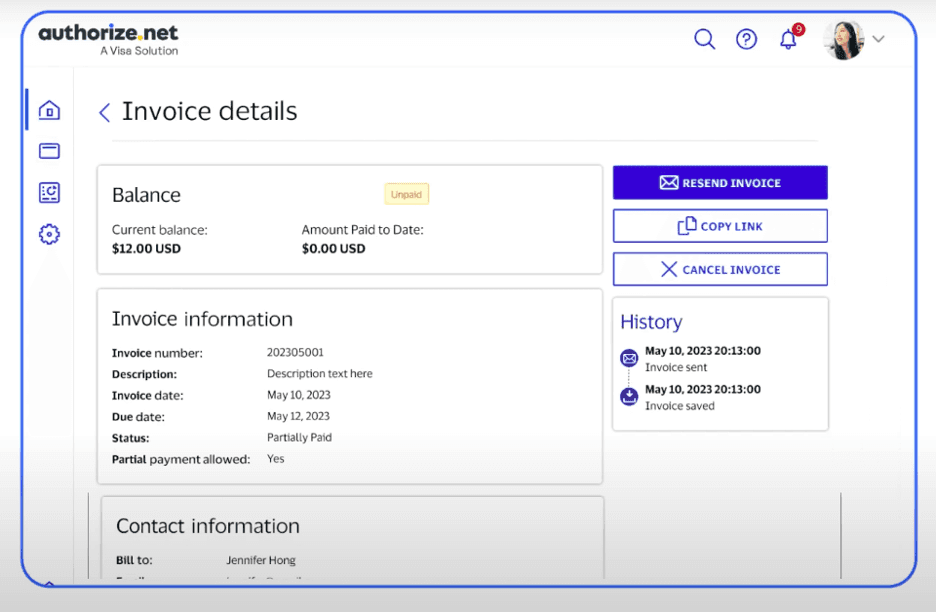
Authorize.net offers a handful of services beyond its basic payment gateway. That includes a full customer information manager (CIM) suite, where you can store customer information and pull it up at any time. This could be helpful for employees at your brick-and-mortar store or allow you to access sensitive information online. Plus, you can connect Authorize.net with nearly 150 external integrations, like Commerce Sync and Chargify.
You can also process e-checks, send invoices, accept recurring payments, update credit card information automatically with Account Updater and get advanced fraud detection. The advanced fraud detection suite is included for free with your account and comes with 13 filters you can customize to block fraudulent transactions. Account Updater and e-check processing cost extra.
Stripe
Stripe provides 24/7 support via phone, email and live chat. We were particularly impressed by the company’s support center, which includes searchable documentation, setup guides, API references, troubleshooting articles and FAQs covering both payments and developer topics. Stripe also maintains a developer Discord server, which is a useful resource for businesses building custom integrations.
Businesses that need additional assistance can purchase managed support plans that include technical account management and other advanced support services. For most small businesses, however, Stripe’s standard support options and extensive self-service resources should be sufficient.
Authorize.net
Authorize.net offers a 24/7 support center, which you can contact via online chat or by phone. You can also open a support ticket if you have a more complex question or if a customer service representative isn’t immediately available to help you. You can also search the online support center for articles to help troubleshoot common problems. Authorize.net also runs a blog that covers information on running a business and customer success stories.
