Business.com aims to help business owners make informed decisions to support and grow their companies. We research and recommend products and services suitable for various business types, investing thousands of hours each year in this process.
As a business, we need to generate revenue to sustain our content. We have financial relationships with some companies we cover, earning commissions when readers purchase from our partners or share information about their needs. These relationships do not dictate our advice and recommendations. Our editorial team independently evaluates and recommends products and services based on their research and expertise. Learn more about our process and partners here.
Before you compare prices, know what you can't operate without. These seven functions are the minimum any business needs.


This article is sponsored by Intuit.
Most first-time accounting software buyers start in the wrong place, comparing monthly prices and scanning long feature lists to try to work out which platform offers the most for the money. But the more useful question is: what can’t you operate without?
A one-person consultancy and a 30-person contractor need very different systems, but both depend on the same handful of core functions. The seven below are the minimum you should start with, and a lot of them can be secured on a free plan. Treat them as a checklist you can hold any platform against before you start paying for capabilities you won’t touch for another two years.
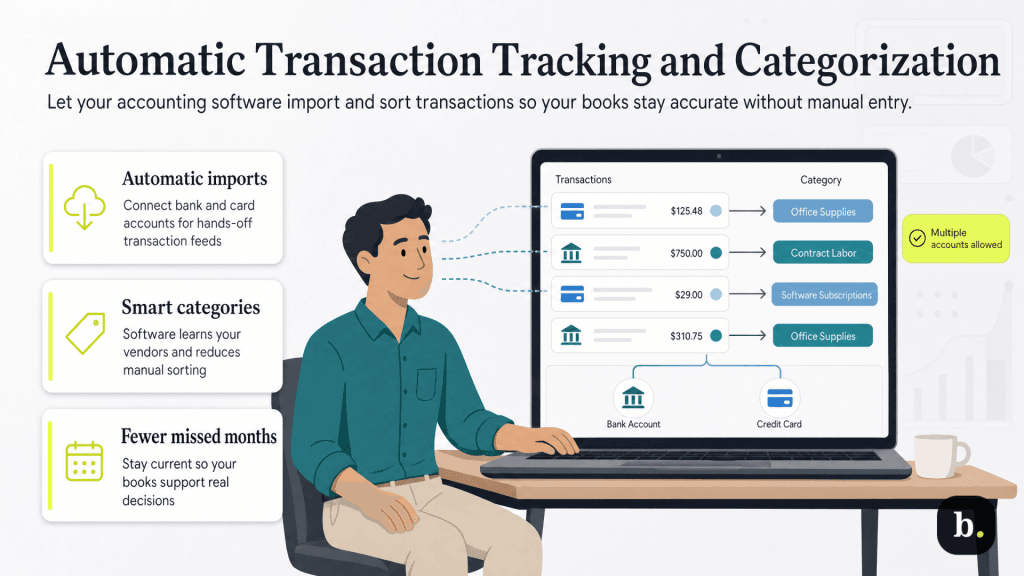
This is the function that separates accounting software from a spreadsheet. When you connect a business bank account or credit card, the platform imports transactions on its own and assigns each to a category, such as office supplies, contract labor or software subscriptions.
Manual entry is where small business books tend to die. It isn’t that owners can’t do it, but most stop doing it in month three. By month nine the books are far enough behind to be useless for any real decision making.
Look for a platform that learns your patterns and starts categorizing recurring vendors for you. Also check how many accounts you can connect, because entry-level and free plans frequently cap this at one. If you run a business checking account and a business credit card, a one-account limit means half your transactions still get entered by hand.
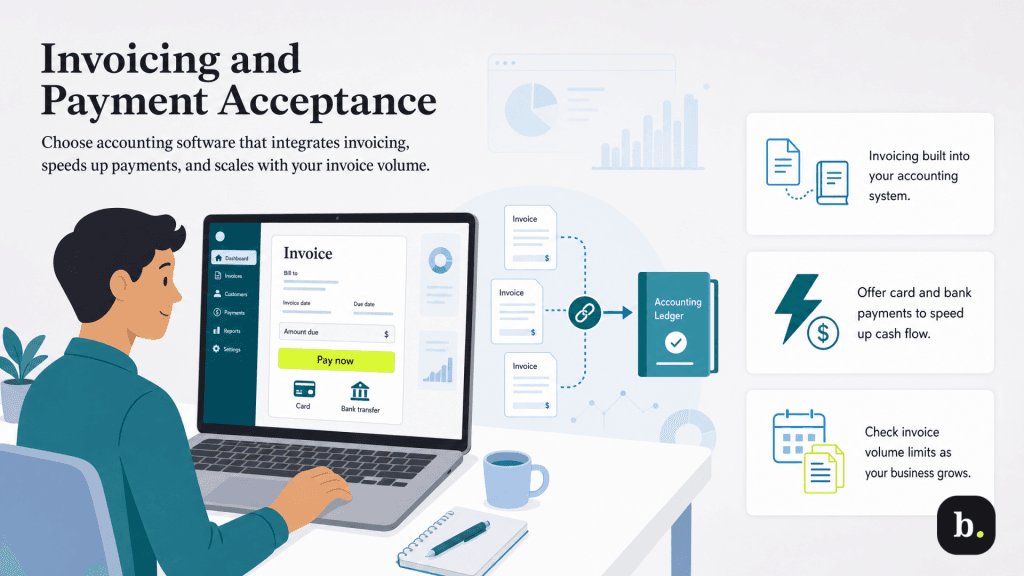
Invoicing needs to be a tool within your accounting system. When it isn’t, you end up recording the same revenue twice: once in the invoicing tool and once in the accounting tool. That opens the door for errors that need to be reconciled, creating more manual work.
Payment acceptance matters for a separate reason. Getting paid is a cash flow problem before it’s an accounting problem, and an invoice a client can pay by card or bank transfer the moment they open it closes faster than one that requires them to write a check. Look at what payment methods the platform supports and what it charges per transaction, since processing fees are usually separate from the subscription.
Check invoice volume caps carefully. Entry and free tiers often limit you to a small number of invoices per month, which is fine for a consultant on retainer and immediately disqualifying for anyone billing per project.
Software marketing tends to advertise report counts, suggesting that more is better. But early on you only need three reports, and many times these are available in free plans.
Any platform that offers these three reports provides you with enough detail to get started. If you want a fuller picture of what the category offers beyond the basics, our guide to accounting software features and benefits walks through the more advanced tooling.
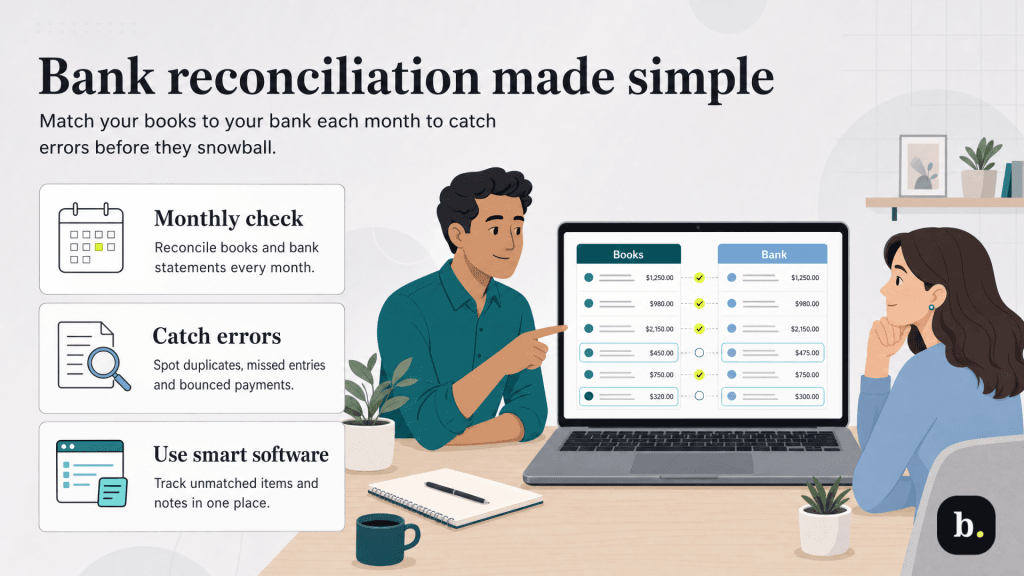
Bank reconciliation means matching what your books say against what your bank says and resolving the differences. This process catches duplicate entries, transactions you never recorded, payments that bounced and the occasional bank error.
It’s also the step owners skip most often, which is why it belongs on a minimum list rather than an advanced one. Unreconciled books look fine until you need them for a loan application, a tax filing or a sale.
Good software makes this a monthly task rather than a project. Look for a running list of unmatched items, the ability to attach a note explaining a discrepancy and a clear record of which periods have been closed.
Receipt capture — photographing a receipt with your phone and attaching it to the matching transaction — allows you to maximize tax deductions for your business, and to prove they’re legitimate should the IRS come asking.
Check the monthly caps here too. Free and entry tiers commonly limit how many receipts you can upload, and a cap of a few per month won’t cover a business that buys materials weekly.
Your software won’t file for you, and it isn’t a substitute for a tax professional. But good software does help you arrive at tax time with your year already organized in a way a preparer can use.
At minimum that means expense categories that map to the way you actually file, some handling of sales tax if you sell taxable goods, and a way to track payments to contractors so 1099s aren’t a January emergency.
This is where free and paid plans differ the most. A free tier may let you add sales tax to an invoice manually while a paid tier calculates rates and flags filing obligations for you. If your business operates in one state, you can probably get away with the manual process. But if you sell across state lines, it’s a bigger commitment than it sounds.
Even if you start with a free plan that only includes the core features on this list, consider how well the platform can scale alongside your business. Does it have options to easily upgrade as your business (and your accounting needs) grow?
Three questions worth asking before you commit to anything:
QuickBooks Free is one example of the starter-tier-on-a-ladder approach. It’s a $0-per-month plan aimed at solo and brand-new businesses, with no credit card required to start. It covers most of the categories above at low volume: one connected bank account, up to two invoices a month, income and expense tracking, receipt capture and mileage tracking with monthly caps and the three core reports. Plus, the data you build there carries forward if you move to a paid plan.
However, it won’t be right for everyone. The free tier is single-user with no accountant access, and Intuit’s pricing page notes that mobile app access and third-party integrations aren’t currently available with it. If those are dealbreakers, you may be better off starting with a paid plan. If you want to see how the paid tiers compare on features, our QuickBooks Online review breaks the plans down in detail.
Feature lists are written to be compared favorably, but many won’t stand up to a weeklong test in the real world. Rather than reading specifications, run your own business through a trial or free plan for a few days and see what breaks.
Connect your actual accounts, send one real invoice to a real client, run all three core reports, reconcile a single month against a real statement and photograph five receipts. If the platform handles that without a workaround or a surprise cap, it will be able to handle your business’s accounting for real.
If it doesn’t, you’ve learned that in a week instead of a fiscal year. From there you can compare the best accounting software options against the same seven-item test and make the decision on evidence rather than marketing copy.
