Business.com aims to help business owners make informed decisions to support and grow their companies. We research and recommend products and services suitable for various business types, investing thousands of hours each year in this process.
As a business, we need to generate revenue to sustain our content. We have financial relationships with some companies we cover, earning commissions when readers purchase from our partners or share information about their needs. These relationships do not dictate our advice and recommendations. Our editorial team independently evaluates and recommends products and services based on their research and expertise. Learn more about our process and partners here.
Enterprise resource planning software helps businesses manage operations efficiently. Here’s what ERP does and when you need it.


This article is sponsored by Intuit.
If you’re running a growing business, you’ve probably hit a familiar wall: Your accounting software handles finances, a separate tool manages inventory, someone on your team maintains a spreadsheet to track orders and pulling together a monthly report means toggling between half a dozen systems. Every manual handoff introduces the risk of errors, delays and decisions made on incomplete information.
Enterprise resource planning (ERP) software was designed to solve exactly this problem. An ERP system integrates your core business processes – finance, operations, inventory and human resources – into a single platform with a shared database. Instead of managing a patchwork of disconnected tools, you get real-time visibility across your entire operation.
In this guide, we’ll explain what ERP is, how it works and which modules matter most for different types of businesses. We’ll also cover the warning signs that you’ve outgrown your current tools and what to consider when evaluating ERP solutions for a mid-market business.
ERP stands for Enterprise Resource Planning. The term was coined by the Gartner Group in the 1990s, but the concept has roots stretching back to the 1960s.
Early versions of the technology started as Material Requirements Planning (MRP) systems designed to help manufacturers manage inventory and production schedules. By the 1980s, MRP had evolved into Manufacturing Resource Planning (MRP II), which added capabilities for capacity planning and shop floor scheduling. When these systems expanded beyond manufacturing to encompass finance, human resources and other back-office functions, the modern ERP was born.
Today, ERP systems serve businesses of virtually every type and size, from mid-market distributors and professional services firms to large-scale manufacturers and multi-location retailers.
At its core, an ERP system centralizes your business data in a single database and integrates your key operational processes so they communicate with one another automatically. Rather than entering a sales order in one system, then manually updating inventory in another and creating an invoice in a third, an ERP handles the entire chain in real time.
The practical benefits include:
ERP systems share characteristics with other business software, but go further than individual types often used by smaller businesses.
For businesses with straightforward needs – a handful of employees, a single location and uncomplicated finances – basic accounting software and a few standalone tools may be sufficient. But as complexity grows, the gaps between disconnected systems start to cost real time and money.
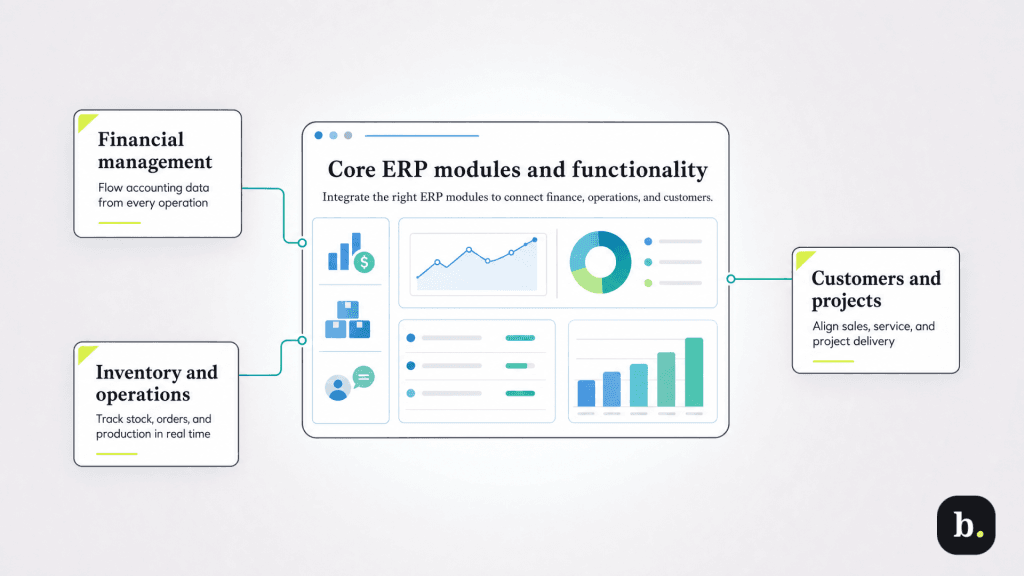
Most ERP systems are modular, meaning businesses can implement the components most relevant to their operations. Here are the modules you’ll encounter most frequently.
Financial management is the backbone of every ERP system. This module handles general ledger accounting, accounts payable and receivable, cash management, bank reconciliation and financial reporting. For multi-entity businesses, it also supports intercompany transactions and consolidated reporting, capabilities that become critical once a company operates more than one legal entity.
Most growing businesses already use standalone accounting software for these functions. The difference in an ERP is that financial data flows directly from operational modules. For example, when a sales order ships, the invoice generates automatically, inventory adjusts and revenue recognition updates in real time.
For product-based businesses, this module tracks inventory quantities and values across multiple warehouses and locations in real time. It manages purchase orders, sales orders, fulfillment workflows, and reorder points. Businesses that rely on spreadsheets or standalone inventory tools to supplement their accounting software often find that this module alone justifies the move to ERP.
Procurement modules manage the full purchasing lifecycle: vendor selection and management, purchase requisitions and approval workflows, receiving, and supplier performance tracking. Integration with inventory ensures that purchasing decisions are based on actual stock levels and demand forecasts rather than manual counts or guesswork.
Manufacturers and assemblers need modules that handle bills of material (BOM), production planning and scheduling, work order management, and shop floor control. Manufacturing-focused ERPs also provide cost accounting for produced goods, giving finance teams visibility into the true cost of each product. This module is essential for custom fabricators, make-to-order businesses and any company that transforms raw materials into finished products.
HR modules manage employee records, onboarding, time and attendance tracking, payroll processing, benefits administration, and performance management. Integration with project costing modules allows businesses to allocate labor costs to specific jobs or clients, which provides a significant advantage for professional services firms and project-based businesses.
Consulting firms, agencies, contractors and other project-based businesses need functionality for project setup and budgeting, resource allocation, time and expense tracking, milestone billing, and revenue recognition. Profitability analysis at the project level helps leadership understand which engagements are generating margin and which are consuming it.
Built-in CRM modules handle lead and opportunity tracking, quote generation, customer service and support, and integration with sales orders. The advantage over standalone CRM tools is a unified customer view; sales teams can see order history, outstanding invoices, support tickets and inventory availability without leaving the platform.
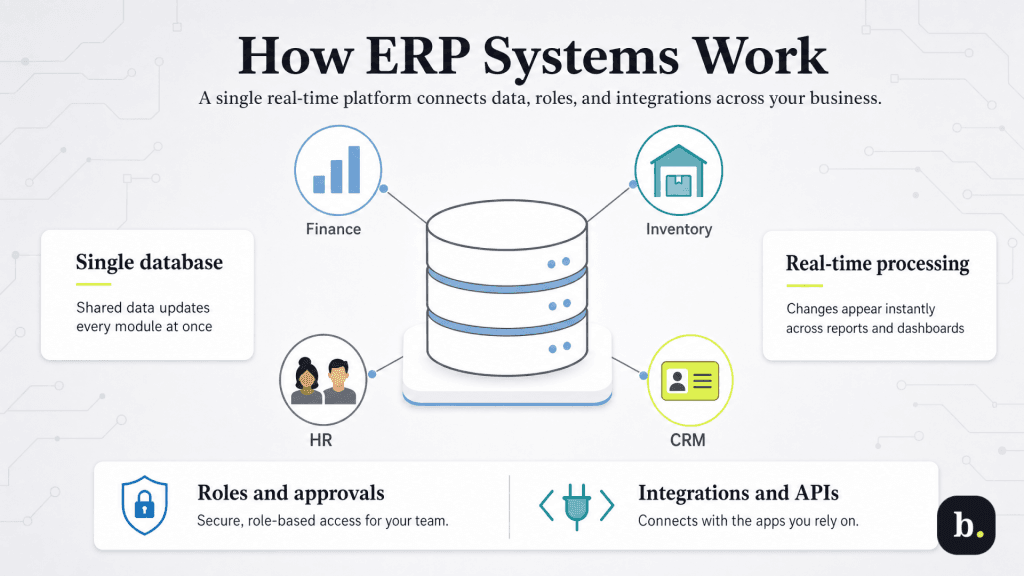
The defining feature of an ERP system is its shared database. All modules—finance, inventory, HR, CRM—read from and write to the same data source. When a sales rep creates a customer order, the system automatically commits inventory, schedules fulfillment, updates revenue projections, and generates an invoice. There’s no need to synchronize data between separate applications because every module is already working from the same information.
Modern cloud-based ERPs process transactions in real time. The moment a warehouse receives a shipment, inventory counts update across the organization. This is a significant departure from legacy on-premise systems, which often relied on overnight batch processing—meaning reports and dashboards reflected yesterday’s data at best. For growing businesses making time-sensitive decisions about purchasing, pricing, or resource allocation, real-time data is a meaningful competitive advantage.
ERP systems use role-based access control to ensure employees see only the data and functions relevant to their responsibilities. A warehouse manager might have full access to inventory modules but view-only access to financial reports, while a controller might have the reverse. Approval workflows—for purchase orders, expense reports, or journal entries—can be configured to route automatically based on dollar thresholds, departments, or organizational hierarchy.
No ERP operates in complete isolation. Businesses typically need to connect their ERP to e-commerce platforms, shipping carriers, payment processors, and specialized industry tools. Modern ERP systems offer pre-built integrations for the most common connections and open APIs for custom needs. Intuit Enterprise Suite, for example, connects natively with QuickBooks Payments, Intuit Payroll, and Mailchimp while supporting third-party integrations through its API ecosystem.
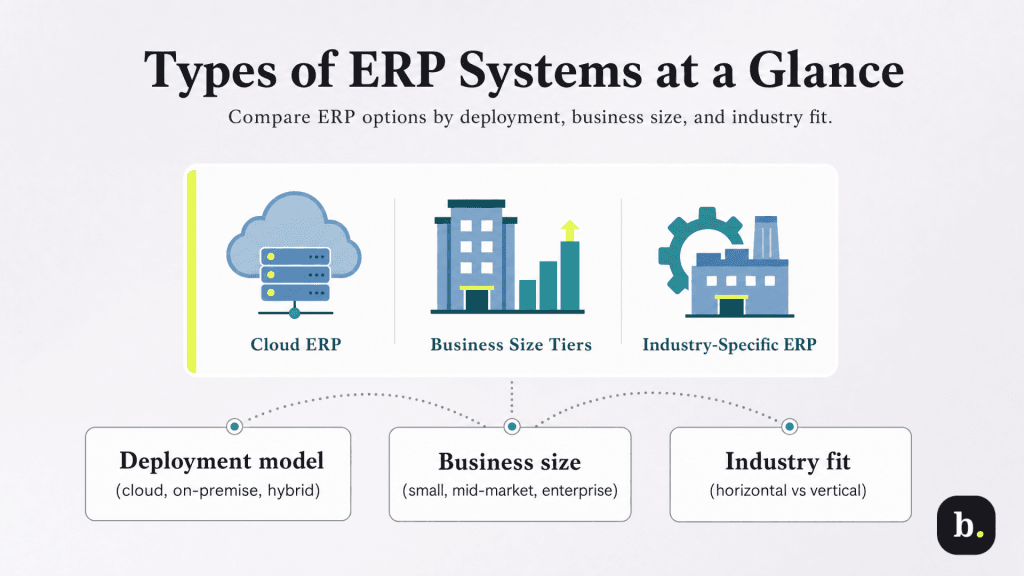
The ERP market segments broadly into three tiers:
Some ERP systems are built for specific industries (vertical ERPs), while others take a horizontal approach with optional industry modules. Manufacturers may need production planning and shop floor control. Distributors require multi-warehouse management. Construction companies need project costing with AIA-style billing. Professional services firms prioritize resource management and project profitability.
When evaluating ERP options, the question is whether your industry’s unique requirements are well served by a general-purpose platform with add-on modules or whether you need a purpose-built solution. Intuit Enterprise Suite recently launched a construction edition – its first industry-specific variant – which suggests a trend toward offering both horizontal and vertical capabilities within a single platform.
The most immediate benefit of ERP is the elimination of manual, repetitive work. Data entry that previously happened in multiple systems now happens once. Order-to-cash and procure-to-pay cycles accelerate because handoffs between departments are automated rather than email-driven. Month-end close processes that once consumed weeks can shrink to days.
Intuit Enterprise Suite’s automated multi-entity close workflows, introduced in its Spring 2026 release, are a concrete example of how modern ERPs reduce time spent on recurring processes.
When all business data lives in a single system, reporting becomes dramatically more useful. Instead of pulling numbers from five different sources and reconciling them in a spreadsheet, finance leaders can generate consolidated reports in real time. Dashboards tailored to different roles (a CFO sees cash flow and margin trends while an operations manager sees fulfillment performance and inventory turns) make it possible to act on data rather than intuition.
ERP enables faster order processing, more accurate delivery estimates, and better responsiveness to customer inquiries. When a customer calls to ask about an order, any team member can pull up real-time status, from order entry to warehouse pick to shipment tracking, without chasing down information across departments.
One of the strongest arguments for implementing ERP before you desperately need it is scalability. Adding new users, locations, product lines, or business entities within a well-architected ERP is dramatically simpler than trying to bolt more complexity onto a collection of disconnected tools. Businesses that invest in ERP at the right stage avoid the disruption and cost of replacing inadequate systems under pressure.
Cloud-based ERP systems reduce IT infrastructure costs by eliminating the need for on-premise servers and dedicated IT staff to maintain them. Automation reduces administrative labor. Better inventory management lowers carrying costs and reduces stockouts. And fewer manual processes mean fewer errors that require costly rework.
Most businesses don’t wake up one morning and decide they need an ERP. Instead, they accumulate pain points over months or years until the cost of the status quo becomes impossible to ignore. Common warning signs include:
While there’s no universal threshold, certain milestones frequently correlate with the need for ERP:
Implementing an ERP system is a significant undertaking, but modern cloud platforms have substantially reduced both cost and complexity compared to traditional on-premise deployments. Here’s what to expect:
When evaluating vendors, prioritize platforms that align with your current and projected business complexity, offer transparent pricing and provide implementation support. Ask vendors for references from businesses similar to yours in size, industry and operational structure.
