Business.com aims to help business owners make informed decisions to support and grow their companies. We research and recommend products and services suitable for various business types, investing thousands of hours each year in this process.
As a business, we need to generate revenue to sustain our content. We have financial relationships with some companies we cover, earning commissions when readers purchase from our partners or share information about their needs. These relationships do not dictate our advice and recommendations. Our editorial team independently evaluates and recommends products and services based on their research and expertise. Learn more about our process and partners here.
Considering how fast technology evolves, here's how often established and growing businesses should upgrade their phone systems.


Business owners and professionals need their phone systems to be reliable, fast and up to date, just like the rest of their tools and technology. It’s important to review your phone system regularly to ensure it’s still efficient and aligned with your company’s changing needs.
Here’s everything you need to know about upgrading your business phone system, including when to update, what to look for and how to ensure your upgrade goes smoothly.
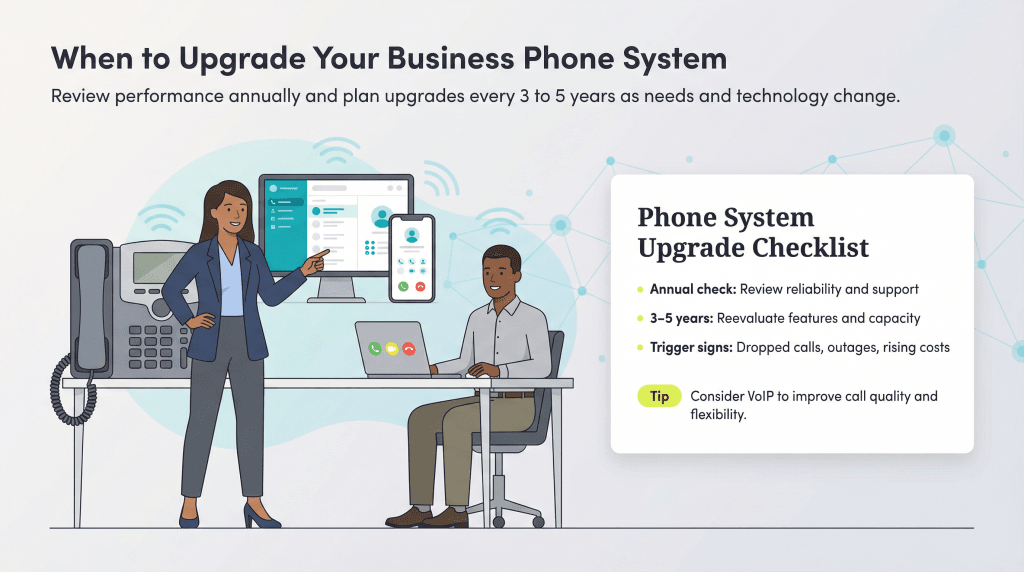
Upgrading timelines will differ depending on your business, industry and other factors. However, at a minimum, you should perform full maintenance checks every 12 months and reevaluate your communications setup every three to five years as technology continues to evolve quickly.
Many companies are proactive about modernizing as new capabilities emerge and customer expectations shift. That’s because older phone systems eventually hit a limit, especially when your business starts relying on tools or features your current setup wasn’t built to handle.
Recent research reflects this push to modernize. According to Sinch’s The State of Customer Communications report, 46 percent of business leaders plan to improve how their communications integrate with tools like CRMs and support platforms, and 97 percent are already using or preparing to use AI in their communication systems.
If you’re not sure whether it’s time to upgrade, start by asking yourself a few key questions.
If you answered “yes” to several of the questions above, your current phone system may be holding your business back. The next step is determining whether the issue is your system’s age, its configuration or its underlying technology. In many cases, the answer points to switching from a traditional landline or on-premise PBX to a cloud-based VoIP system.
According to the FCC’s 2025 Voice Telephone Services report, VoIP now accounts for roughly 78 percent of all wireline voice connections in the U.S., while traditional landlines make up only 22 percent. That shift reflects the cost, flexibility and feature advantages VoIP offers over legacy systems, especially for small and midsize businesses.
Here’s how the three main system types compare:
| Traditional Landline | On-Premise PBX | Cloud VoIP | |
| Monthly Cost | $50 – $100+ per line | Low monthly; high upfront ($500 – $1,500 per handset + installation) | $15 – $55 per user/month |
| Setup | Carrier installation; copper wiring required | On-site hardware installation and IT configuration | Self-service or guided setup; works on existing internet |
| Scalability | Requires new physical lines for each addition | Limited by hardware capacity; expansion requires new equipment | Add or remove users instantly; no hardware needed |
| Features | Basic voice calling only | Call routing, voicemail, conferencing (hardware-dependent) | Full UC suite: video, messaging, mobile app, AI tools, CRM integrations |
| Reliability | Works during power outages; dedicated copper line | High reliability with on-site maintenance; no internet dependency | Dependent on internet; providers offer 99.99% uptime SLAs and automatic failover |
| Best For | Businesses in areas with unreliable internet or minimal phone needs | Enterprises with dedicated IT staff and high call security requirements | Most small and midsize businesses, remote/hybrid teams, growing companies |
If your legacy system is costing more to maintain than it would cost to replace, or if you’re missing critical features like mobile access, video conferencing or CRM integration, switching to VoIP is typically the most practical upgrade path.
One of the most common reasons businesses delay an upgrade is uncertainty about which features actually matter. Legacy systems often lack the capabilities that modern teams rely on daily, and if your current setup doesn’t offer the following, it’s likely holding your business back.
Cost is often the biggest factor in an upgrade decision, but the real question isn’t just what a new system costs — it’s what staying on your current system is costing you right now.
Legacy landline and on-premise PBX systems carry ongoing expenses that tend to increase over time: hardware repairs, service contracts, technician visits and per-line charges for long-distance and international calling. Older hardware also consumes more energy and requires replacement parts that become harder and more expensive to source as manufacturers discontinue support.
By contrast, modern cloud-based VoIP systems operate on predictable, per-user monthly pricing. Here’s what businesses can generally expect to pay in 2026:
| Plan Tier | Typical Cost (per user per month) | What’s Usually Included |
| Entry-level | $15 – $20 | Unlimited domestic calling, voicemail, basic mobile app |
| Mid-tier | $25 – $40 | Call recording, CRM integrations, video conferencing, analytics |
| Enterprise/Premium | $40 – $55+ | AI tools, advanced routing, contact center features, premium support |
| On-premise PBX (for comparison) | $500 – $1,500 per handset upfront + ongoing maintenance | Varies by vendor; typically fewer built-in features than cloud systems |
Businesses that switch from traditional systems to VoIP typically see communication costs drop. That savings compounds when you factor in the productivity gains from features like mobile access, integrated messaging and AI-powered call handling that legacy systems simply don’t offer.
When evaluating the cost of an upgrade, consider the total cost of ownership: monthly subscription fees plus any hardware (IP desk phones typically range from $50 to $200 per unit, though many businesses skip hardware entirely by using softphone apps on existing devices.) Also factor in any number porting fees and a brief onboarding period. For most small and midsize businesses, the payback period for a VoIP migration is six to 12 months.
An upgraded phone system may cost anywhere from $20 to $60 per user per month for cloud-based options, while on-premise systems often range from $500 to $1,500 per handset, plus installation and ongoing maintenance. Most mid-tier VoIP plans that include advanced features — like video conferencing, CRM integrations and AI-powered tools — typically fall in the $25 to $40 per-user range, according to recent cost guides and industry pricing data.
When you’re determining whether it’s time to upgrade and evaluating the best options on the market, keep the following considerations in mind.
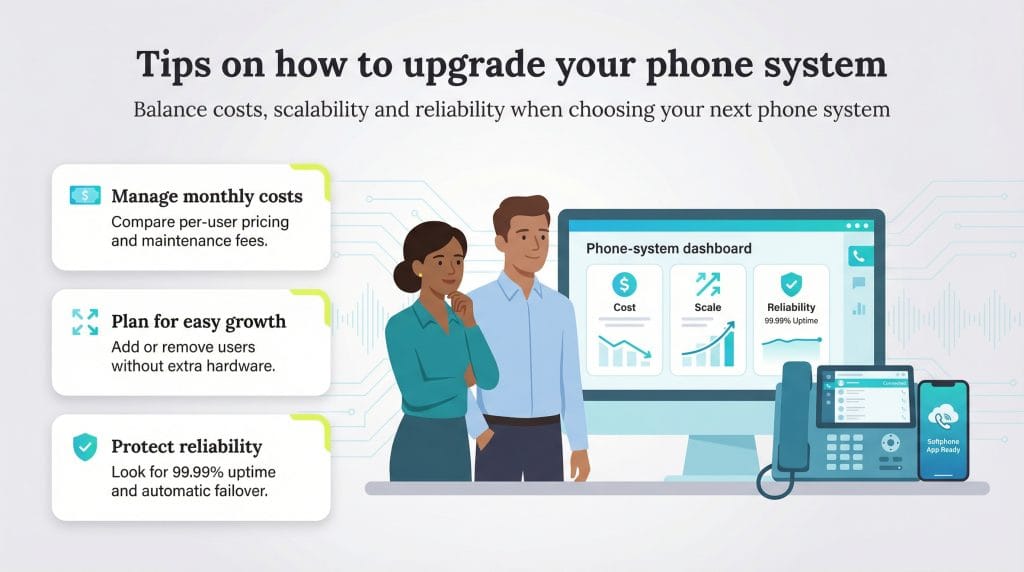
If you’re like most established businesses, you want to grow and evolve, which usually means adding new employees who will need phone access. That’s why it’s important to choose a system that’s easy to scale. Cloud-based phone systems offer the greatest flexibility here, letting you add or remove users instantly without investing in new hardware. Many providers also offer flexible month-to-month contracts, allowing you to adjust your user count based on seasonal demand or business growth.
Modern VoIP systems only need about 100 kbps of bandwidth per concurrent call, according to common industry standards. The FCC’s Broadband Speed Guide also notes that VoIP requires less than 0.5 Mbps for a single high-quality call. Businesses simply need enough available bandwidth to cover all simultaneous calls plus normal internet activity.
A good rule of thumb is to reserve 100 kbps per active VoIP line and ensure your business broadband connection still has enough capacity for everyday business apps, video calls and file transfers.
Make sure you understand exactly what’s included in any phone-system package you’re considering and what each feature might cost. Today’s essential capabilities often include mobile app access, video conferencing, team messaging, call analytics, integrations with the best CRM software and AI-powered tools like transcription or automated call summaries. Many providers bundle these into tiered plans, with entry-level options starting around $20 per user per month and premium packages with advanced AI, analytics and collaboration features reaching $60 or more per user, per month.
Knowing which features matter most to your business ahead of time makes it easier to compare plans and communicate your needs to sales reps. It’s also important to understand any ongoing maintenance costs. And if you’re evaluating refurbished or older on-premise equipment, keep in mind that repairs can add up, especially as parts become harder to source.
It’s important to know how your phone system performs in an emergency and how quickly you can get back online if something goes wrong. Most modern systems run on VoIP, which means an internet outage can temporarily disrupt your service, unless you have safeguards in place. Leading providers now include automatic failover, which instantly reroutes calls to mobile phones or alternate locations if your connection drops.
When comparing systems, look for providers that offer 99.99 percent uptime guarantees and geographic redundancy across multiple data centers. These protections help ensure business continuity and minimize downtime during storms, outages or other unexpected events.
Once you’ve decided to upgrade, a structured migration plan helps ensure the transition goes smoothly and minimizes disruption to your team and customers. While the specifics vary by provider, most VoIP and cloud phone system setups follow these core steps.
The setup process for a cloud VoIP system is significantly faster than deploying traditional on-premise hardware. Most small and midsize businesses can complete the full migration in one to three weeks, though larger organizations or those with complex call flows may need 30 to 90 days. Planning ahead, starting the number porting process early and scheduling the cutover during a low-traffic period will help ensure a seamless transition.