Business.com aims to help business owners make informed decisions to support and grow their companies. We research and recommend products and services suitable for various business types, investing thousands of hours each year in this process.
As a business, we need to generate revenue to sustain our content. We have financial relationships with some companies we cover, earning commissions when readers purchase from our partners or share information about their needs. These relationships do not dictate our advice and recommendations. Our editorial team independently evaluates and recommends products and services based on their research and expertise. Learn more about our process and partners here.
As your team expands beyond 50 employees, manual expense reports and timesheets become unsustainable. Here’s how to automate effectively.


This article is sponsored by Intuit.
There’s a moment in every growing company’s trajectory when the systems that got you here start holding you back. For many businesses, that moment arrives when expense reports and timesheets – once manageable with spreadsheets, email chains and good intentions – begin consuming more time than they save. The tipping point usually hits somewhere between 25 and 75 employees, depending on the complexity of your operations, the number of projects you’re running and how many locations or entities you manage.
The costs of clinging to manual processes go beyond inconvenience. Finance teams lose hours each week chasing receipts and reconciling data. Employees wait weeks for reimbursements, which erodes morale and trust. Project managers operate with outdated cost data, making it harder to assess profitability in real time. And the compliance risks, from incomplete IRS documentation to labor law violations, grow with every new hire.
This guide walks through the key elements of building scalable expense and time tracking systems: what breaks down as you grow, what features matter most and how to implement automation without disrupting daily operations. Whether you’re evaluating your first dedicated platform or replacing a patchwork of disconnected tools, the goal is to spend less time on administrative overhead and more time on the work that actually drives your business forward.
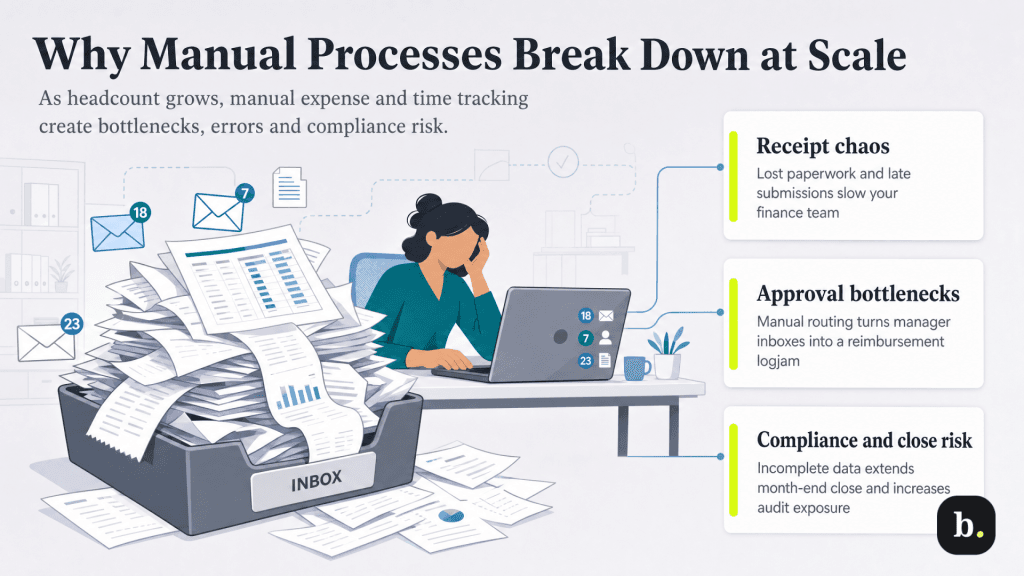
Manual expense and time tracking can work when your team is small. A dozen employees submitting receipts via email and a shared spreadsheet tracking hours may not be elegant, but it’s functional. The problems compound as headcount grows, though, and they tend to hit several areas simultaneously.
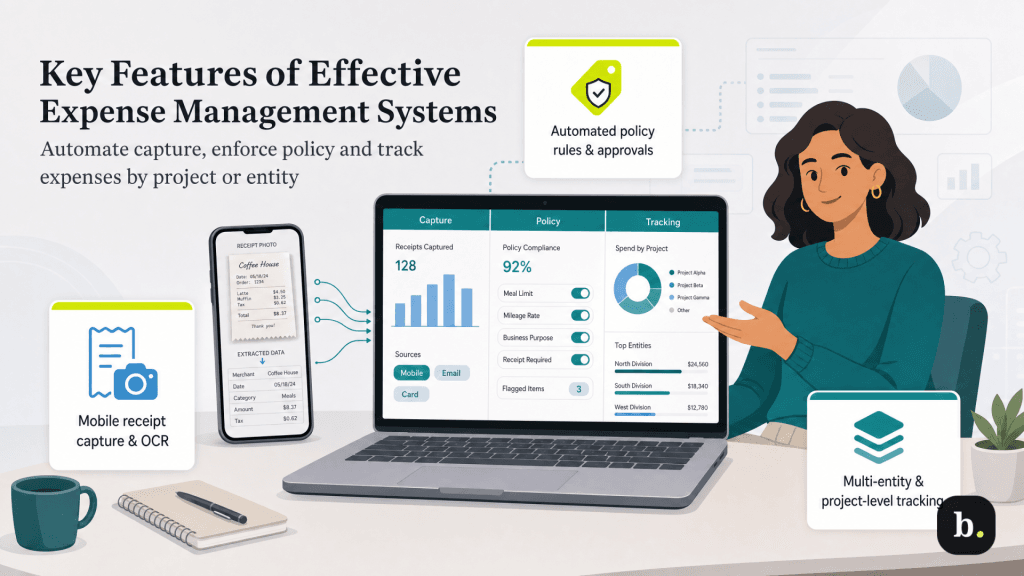
Not all expense management platforms are created equal, and the features that matter most depend on the complexity of your operations. That said, there are several capabilities that consistently distinguish effective systems from those that simply digitize a broken process.
Modern expense platforms use optical character recognition (OCR) to extract data from receipt photos taken on a smartphone. The system reads the vendor name, transaction amount, date and category, then populates an expense entry automatically. This eliminates the most common failure point in manual systems: the gap between when an employee incurs an expense and when they actually report it.
The best implementations go further by integrating directly with corporate credit card feeds, automatically matching card transactions to submitted receipts and flagging discrepancies. This reduces the reconciliation burden on finance teams and creates a more complete audit trail.
Intuit Enterprise Suite, for example, connects expense data directly to its accounting and project tracking modules, so captured expenses flow into financial statements and project cost reports without manual reentry.
Automated policy enforcement is arguably the most impactful feature for growing businesses. Rather than relying on managers to memorize and enforce spending rules, the system applies them automatically: spending limits by category, approved vendor lists, required documentation thresholds and flagging for out-of-policy submissions before they reach an approver’s queue.
Multi-level approval routing adds another layer of control. Low-value, routine expenses can be auto-approved or require only a single sign-off, while larger or unusual expenditures route through additional reviewers based on configurable rules. This prevents the two extremes that plague manual systems: rubber-stamping everything to clear the backlog or creating bottlenecks by requiring the same approval chain for a $15 lunch and a $5,000 conference registration.
Different platforms handle policy automation differently. Integrated ERP solutions like Intuit Enterprise Suite build policy rules into the same system that manages accounting, payroll and project tracking, which means policy exceptions and approvals are immediately reflected in financial data. Standalone tools like Expensify or SAP Concur offer deep policy customization but may require integration work to sync approved expenses back into your accounting software.
For businesses that manage multiple subsidiaries, departments or client projects, expense allocation is a critical capability. A single business trip might generate expenses that need to be split across three client projects, charged to two different entities and partially billed back to a customer. Manual systems handle this poorly, if at all.
Effective expense platforms allow users to tag expenses with project codes, cost centers and entity designations at the point of entry. This data then flows through to project accounting, job costing and consolidated financial reports. Intuit Enterprise Suite supports up to 20 custom dimensions for categorizing expenses, which allows businesses to track profitability across combinations of project, department, location and other relevant categories without creating an unwieldy chart of accounts.
Customer-reimbursable expense tracking is a particularly valuable feature for professional services firms. When billable expenses are tagged correctly at the time of capture, they can flow directly into client invoices, eliminating the manual process of reconciling expense reports against billing records.
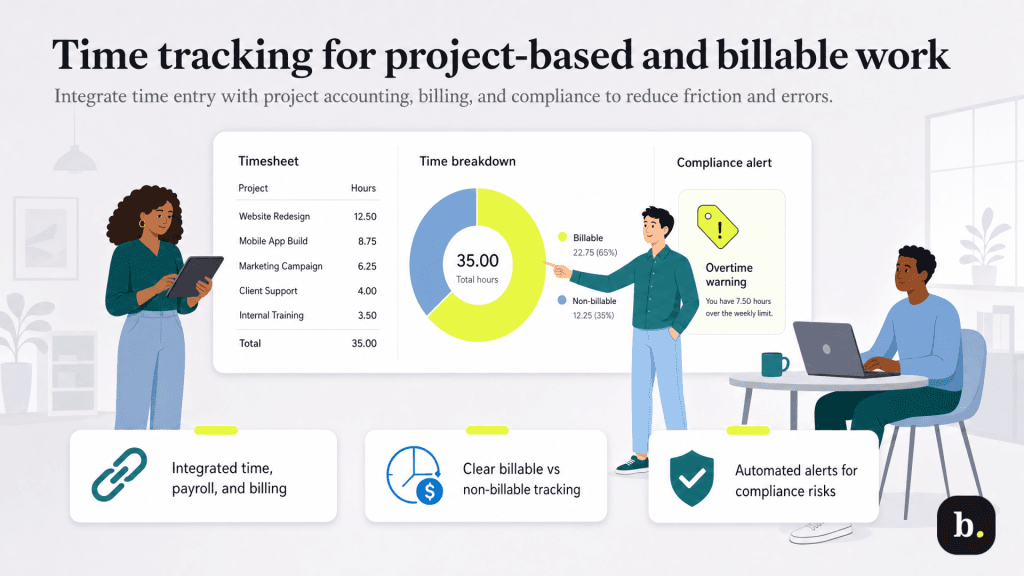
Time tracking is often treated as a standalone function; it’s considered a tool employees clock into and out of, disconnected from the systems that actually use the data. This creates unnecessary friction and data quality problems. The most effective approach is integrating time tracking directly into the platforms that manage project accounting, payroll and invoicing, so time data moves seamlessly across workflows without manual handoffs.
When time tracking lives in the same ecosystem as project management and billing, several things improve simultaneously. Employees enter time once, against specific projects or tasks, and that data automatically feeds into payroll calculations, project cost reports, and client invoices. There’s no exporting a CSV from one system and importing it into another, no reconciliation step where finance discovers that 40 hours of billable time never made it from the timesheet app to the invoicing system.
Mobile and desktop time entry options are essential for teams that split their work between the office, client sites, and remote locations. The goal is to make time entry as frictionless as possible—the more barriers you create, the less likely employees are to log time accurately and promptly.
Intuit Enterprise Suite takes a unified approach here, linking time tracking, expenses, and project accounting on a single platform. Time entered against a project automatically factors into project profitability calculations, and approved timesheets flow directly into payroll processing. This eliminates the double-entry problem that plagues businesses using separate systems for time tracking and accounting. For businesses that prefer specialized time tracking tools, QuickBooks Time (formerly TSheets) integrates with a range of accounting and payroll platforms, and its data syncs automatically with Intuit Enterprise Suite for businesses using that system.
For professional services firms (consulting, legal, accounting, engineering, IT services) the distinction between billable and non-billable time directly impacts revenue and profitability. An effective time tracking system allows employees to categorize each entry as billable or non-billable and apply the correct billing rate based on the employee’s role, the client agreement or the project type.
Utilization reporting then becomes possible: What percentage of each employee’s time is generating revenue? Which projects are consuming more internal overhead than planned? Where are there opportunities to improve margins? These questions are nearly impossible to answer without clean, integrated time data, and the answers directly inform staffing decisions, pricing strategies and project scoping for future engagements.
Time tracking is also a legal requirement. The Fair Labor Standards Act (FLSA) requires employers to maintain accurate records of hours worked for all non-exempt employees, and many states layer additional requirements on top of federal rules. Overtime calculations, mandatory break tracking and meal period documentation all require precise time data.
Automated time tracking systems help by flagging potential compliance issues in real time: an employee approaching overtime thresholds, a missed break period or hours that don’t align with scheduling rules. This is significantly more reliable than discovering compliance problems after the fact during a payroll audit. The system also creates the audit trail that employers need to defend against wage-and-hour disputes, which remain one of the most common and costly categories of employment litigation.
The single biggest argument for an integrated approach to expense and time tracking is what happens downstream. When expense data and time data live in separate systems from accounting and payroll, you create reconciliation gaps that consume finance team hours and introduce errors into financial statements.
In a disconnected environment, approved expense reports need to be manually entered or imported into the accounting system. Timesheet data needs to be exported from the time tracking tool and mapped to payroll. Accruals are estimated rather than calculated from actual data. And when something doesn’t match, someone has to trace the discrepancy across multiple systems.
Integrated platforms eliminate most of this friction. When an expense is approved, it’s immediately reflected as an accrual in the general ledger. When a timesheet is approved, payroll calculations happen automatically. Month-end close becomes a verification exercise rather than a data collection marathon.
ERP systems like Intuit Enterprise Suite are designed around this integration principle, connecting expenses, time tracking, project accounting and payroll in a single platform with shared data. The platform’s intercompany allocation features allow businesses with multiple entities to distribute expenses across subsidiaries directly from bank feeds, expense forms or bills, without creating manual intercompany journal entries for each transaction.
The return on investment for expense and time tracking automation comes from several sources, and the cumulative impact is typically significant enough to justify the investment within the first year.
