Business.com aims to help business owners make informed decisions to support and grow their companies. We research and recommend products and services suitable for various business types, investing thousands of hours each year in this process.
As a business, we need to generate revenue to sustain our content. We have financial relationships with some companies we cover, earning commissions when readers purchase from our partners or share information about their needs. These relationships do not dictate our advice and recommendations. Our editorial team independently evaluates and recommends products and services based on their research and expertise. Learn more about our process and partners here.
Payment processing fees may include several different costs, and what ends up on your statement isn’t always the same as the headline rate processors advertise.


This article is sponsored by Intuit.
Your payment processor advertised a percentage rate, yet your statement also lists transaction charges, adjustments and fees you don’t recognize. How do you know whether you’re paying what you agreed to? Understanding your processing statement helps you answer that question and evaluate other providers. Learn how your pricing works, which charges apply to your business and how to calculate the total cost of accepting payments.
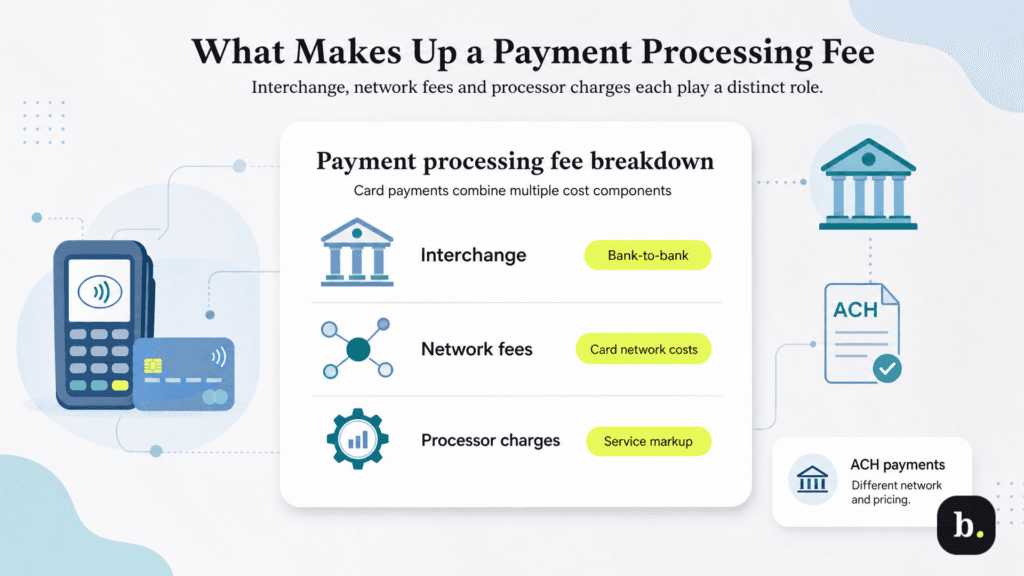
When a customer pays by card, several organizations help authorize the payment and move the money. Your processing charge covers costs associated with that system, along with the services your provider supplies. The main components are interchange, network fees and processor charges.
Interchange is a fee transferred from the acquiring bank, which serves the merchant, to the bank that issued the customer’s card. Card networks set interchange schedules, and the applicable category can depend on factors such as card type and how the transaction is processed.
Interchange is a bank-to-bank transfer fee. A business pays its financial institution a merchant discount, or processing charge. Interchange costs are reflected in that charge, whether they appear separately on your statement or are bundled into your rate.
Card networks also charge fees associated with transactions on their systems. Your statement may call some of these “assessments” or “network charges”. Depending on your pricing arrangement, they may be listed individually or included in a bundled rate.
Your processor charges for providing payment services. Its compensation may be built into a flat rate or listed as a separate markup. Account maintenance, payment gateways and other services can carry additional charges under some agreements.
Bank payments work differently. Automated Clearing House (ACH) payments move money between bank accounts through the ACH network rather than through card networks. They have their own pricing and return policies. Understanding ACH payment options can help you evaluate whether they suit customers who pay recurring or larger invoices.
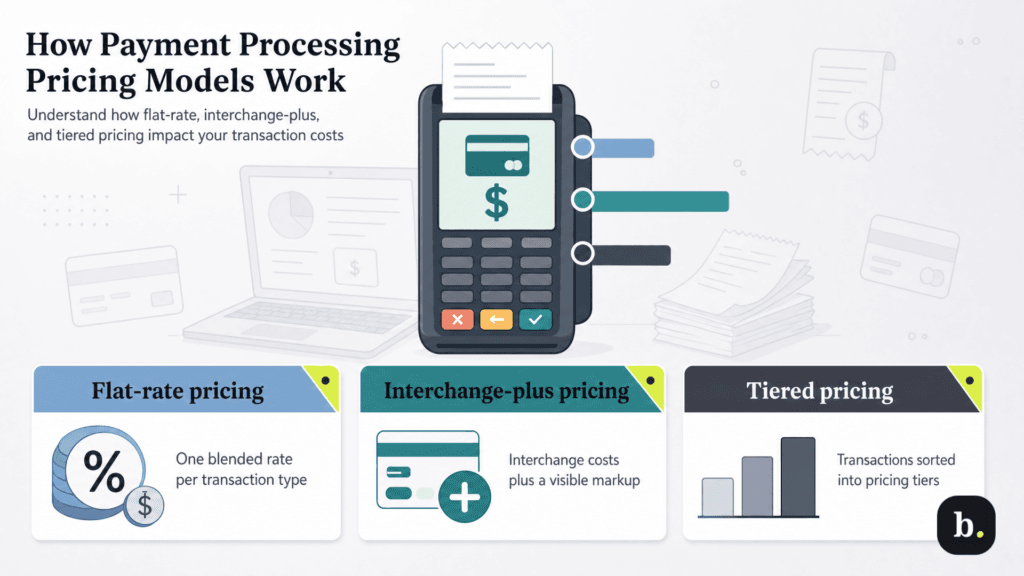
Providers package these costs in different ways. Before comparing percentages, identify the pricing model behind each offer and what its quoted rate includes.
Pricing model | How costs are presented | What to verify |
|---|---|---|
Flat rate | A stated rate for each payment category | Included costs, fixed transaction charges and additional fees |
Interchange plus | Interchange plus a stated provider markup | Network charges, markup and recurring account fees |
Tiered | Different rates for transaction categories | Qualification rules and the share of payments in each tier |
With flat-rate pricing, you pay a stated rate for a defined transaction category. The provider bundles underlying card processing costs into that rate, which may be a percentage alone or a percentage plus a fixed transaction charge.
For example, a hypothetical rate of 2.9% plus 30 cents would cost $3.20 on a $100 payment: $2.90 from the percentage charge and 30 cents from the fixed charge. Different rates may apply to in-person transactions, online payments and cards you enter manually.
Flat-rate pricing makes transaction costs easier to forecast. However, you still need to check for account fees, international payment charges and optional services.
Interchange-plus pricing separates the underlying interchange cost from the provider’s markup. The markup might be expressed as a percentage plus a fixed amount per transaction. Ask whether network fees are passed through separately and which additional account charges apply.
Your total cost can vary with the cards customers use and the transactions you process. An offer of interchange plus 0.3%, for example, does not mean you pay 0.3% overall. You also pay the applicable underlying costs and any other agreed charges.
Tiered pricing groups transactions into categories, often called qualified, mid-qualified and nonqualified. Each tier has its own rate, based on the provider’s eligibility rules.
The lowest advertised rate may apply only to transactions that qualify for that tier. Before accepting an offer, request the criteria for each category and an estimate of how your actual payments would be distributed among them.
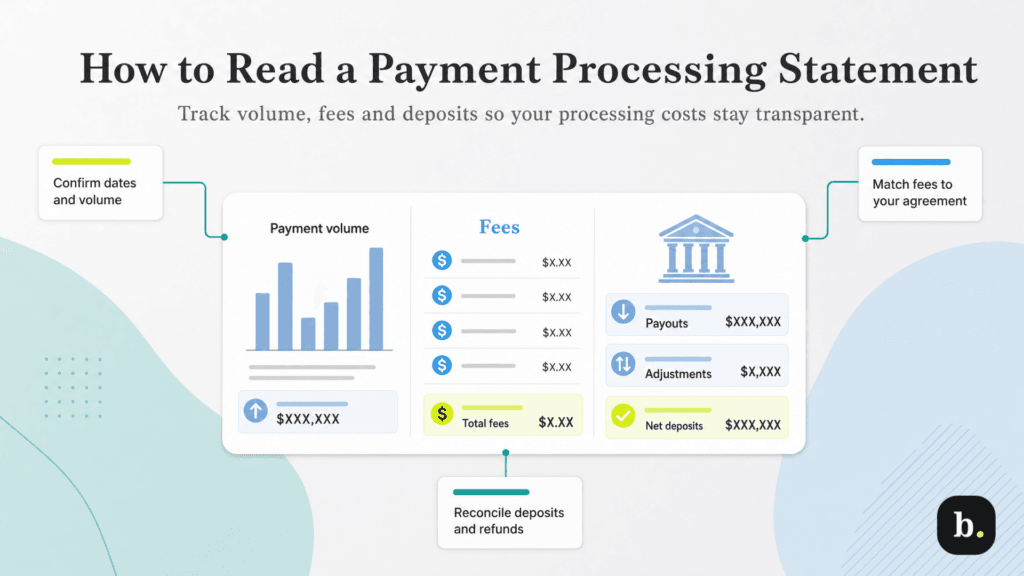
Start with your merchant statement or payment activity report, your agreement and your bank statement. Our credit card processing guide provides more information, but your specific agreement determines the pricing you should check against your statement.
Identify the dates covered, the gross amount processed and the transaction count. Look for separate totals for cards and ACH payments, as well as breakdowns by payment channel or card type.
Make sure you know whether a reported volume is gross payments or a figure reduced by refunds. Month-end payments may settle after the reporting period closes, so your sales records and bank deposits won’t always line up by date.
Find the rates and fees applied to payments, then compare them with your agreement. If you use flat-rate pricing, underlying interchange and network costs may not appear separately. Under interchange-plus pricing, a longer fee breakdown is expected.
Use this glossary to investigate unfamiliar entries. Labels vary by provider, and not every statement includes every item.
Line item | What it means | What to check |
|---|---|---|
Discount rate or discount fee | The processing rate or resulting charge | Whether it bundles costs or represents one component |
Interchange | Card-related costs passed through under some plans | Applicable categories and transaction totals |
Assessment or network fee | A card network charge | Whether it is included in your quoted pricing |
Authorization fee | A charge for requesting approval of a payment | Whether unsuccessful attempts also incur charges |
Batch fee | A charge associated with submitting a group of payments for settlement | How often batches are submitted |
Gateway fee | A charge for payment gateway services | Whether it is recurring, transaction-based or both |
Monthly minimum | A charge when specified fees fall below a contractual minimum | Which charges count toward meeting the minimum |
PCI compliance or noncompliance fee | A charge related to Payment Card Industry security requirements | What it covers and whether required steps are complete |
Chargeback fee | A fee associated with a disputed card payment | The fee separately from the disputed payment amount |
Expedited funding fee | A charge for faster access to funds | Whether the service was selected and how the fee is calculated |
Look beyond the transaction section for monthly service charges, equipment costs and fees triggered by particular events. Ask how annual fees, cancellations and refunds are handled, even if those items don’t appear this month.
For refunds, confirm whether the original processing fee is returned and whether another fee applies. For chargebacks, separate the disputed payment from the administrative fee associated with the dispute.
A refund reduces the money you receive, but the refunded sale amount isn’t a processing fee. Neither is the principal amount of a chargeback. A reserve withheld to cover potential losses also affects available cash without necessarily being a fee.
For example, suppose a hypothetical provider withholds all fees and adjustments from a payout:
Item | Amount |
|---|---|
Gross customer payments | $10,000 |
Customer refunds | −$200 |
Disputed payment amount | −$100 |
Processing and account fees | −$300 |
Dispute fee | −$25 |
Net deposit | $9,375 |
The difference between payments and the deposit is $625, but fees total $325. Counting the full difference as fees would overstate your processing cost.
Determine whether fees are deducted from payouts or billed through separate withdrawals. Then match settlement reports to deposits and account for timing differences, refunds and other adjustments.
Use a consistent bank reconciliation process to connect payment activity with your books. Record each charge once—a fee withheld from a payout shouldn’t be counted again as a separate expense merely because it also appears on a statement summary.
Once you understand your current charges, compare offers using the same payment activity. Your average purchase size and mix of payment methods can change which proposal costs less.
Gather three representative months of statements, including a busy and a slower month if your business is seasonal. Give each provider the payment volume and transaction count by method, then request an itemized estimate. When evaluating the best credit card processors, compare those estimates alongside the services your business needs.
For each proposal, calculate percentage charges, fixed transaction fees and recurring account costs. Add any optional services you expect to use. Track equipment purchases and switching costs separately so you can distinguish ongoing monthly costs from first-year costs.
Then calculate an effective processing rate:
Effective processing rate = Total processing fees ÷ Corresponding gross processed payment volume × 100
If your business pays $900 in processing-related fees on $30,000 in gross payments, the effective rate is 3%. Include the same categories of fees in every comparison, and exclude refunded sales amounts, disputed principal and reserves from the fee total.
Calculate card and ACH rates separately when possible. A larger share of lower-cost bank payments could reduce your combined rate even if none of your provider’s prices changed. Label whether your calculation includes incidental fees or optional services so the result remains useful from month to month.
QuickBooks Payments provides an example of published rates organized by payment method. According to Intuit, its published standard transaction rates include the following:
Payment category | Published transaction rate |
|---|---|
In-person card and digital wallet payments | 2.5% |
Invoiced card and digital wallet payments | 2.99% |
Manually entered card payments | 3.5% |
Invoiced ACH bank payments | 1% |
Your applicable rates depend on your account and arrangement; legacy accounts, QuickBooks Desktop plans and third-party integrations can have different pricing.
Under the standard invoice rates above, a $1,000 customer payment costs $29.90 to process by card or $10 by ACH, before any applicable additional charges. Knowing the payment method lets you estimate the transaction fee before the customer pays.
For a broader illustration, a business receiving $20,000 in invoiced card payments and $10,000 in invoiced ACH payments would pay $598 and $100, respectively, under those rates. Its base transaction fees would total $698, or approximately 2.33% of the $30,000 processed.
Flat-rate pricing still requires a review of additional fees. Intuit’s standard pricing schedule lists a 1.75% instant deposit fee on the amount selected for deposit, in addition to processing fees.
Set aside time each month to review your statement, reconcile deposits and investigate unfamiliar charges. Track both total fees and payment volume so you can explain changes rather than assuming every increase means your rates went up.
Revisit your arrangement when your business changes. More online sales, smaller purchases or larger invoices can all affect your costs. Ask whether updated pricing is available and weigh potential savings against funding speed, customer convenience and the work required to keep payment records accurate.
Your statement should give you enough information to understand what you paid and why. Once you can connect each charge to your agreement and your payment activity, you can budget more confidently and compare providers on terms that reflect how your business actually gets paid.
