Business.com aims to help business owners make informed decisions to support and grow their companies. We research and recommend products and services suitable for various business types, investing thousands of hours each year in this process.
As a business, we need to generate revenue to sustain our content. We have financial relationships with some companies we cover, earning commissions when readers purchase from our partners or share information about their needs. These relationships do not dictate our advice and recommendations. Our editorial team independently evaluates and recommends products and services based on their research and expertise. Learn more about our process and partners here.
Invoicing is how your business turns finished work into cash in the bank. Here's how to build an invoice management process that keeps the cash flowing.


This article is sponsored by Intuit.
For most small businesses, invoicing sits at the exact point where completed work becomes usable revenue. Get it right, and money moves predictably from your customers to your account. Get it wrong, and you can be profitable on paper while scrambling to cover payroll, because the cash you’ve earned is still sitting in someone else’s inbox.
That gap is more common than most owners would like. According to the 2025 Intuit QuickBooks Small Business Late Payments Report, which surveyed more than 2,400 U.S. small businesses, 56 percent said they were owed money from unpaid invoices, at an average of roughly $17,500 per business. Nearly half reported having invoices that were more than 30 days overdue. Strong invoice management is what closes that gap, and this guide walks through how to build a process that works.
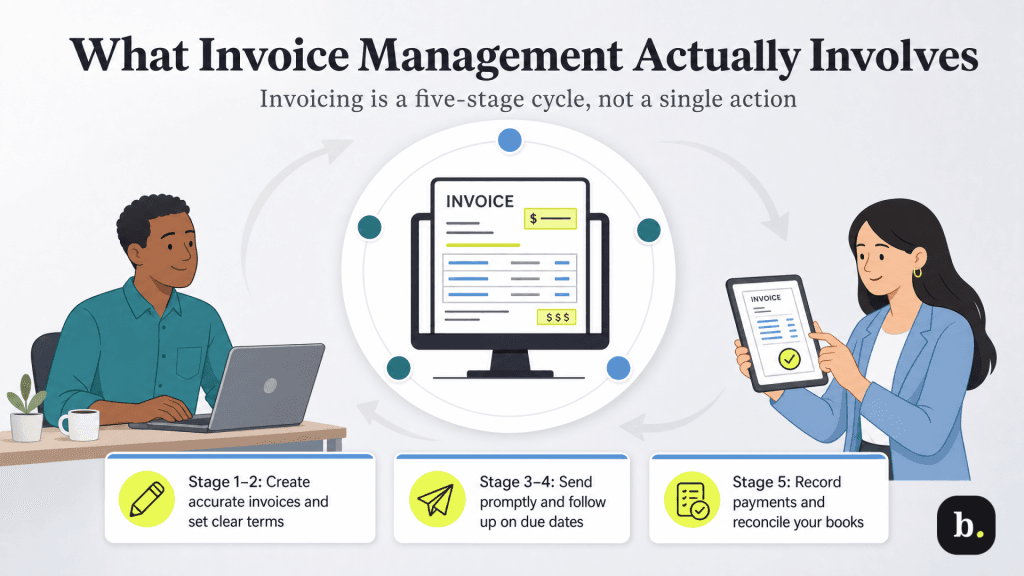
Invoice management is the full set of steps that move an invoice from creation to paid and recorded. It’s easy to think of sending an invoice as a single action, but the work that determines whether you get paid on time happens across the entire cycle. A complete process covers five stages:
A breakdown at any one of these stages slows down the whole cycle. An invoice with a vague due date invites a late payment. An invoice that’s never followed up on can sit unpaid for months. The goal of good invoice management is to make each stage reliable and, wherever possible, automatic.
When cash is tied up in unpaid invoices, the effects ripple well beyond a single overdue account. The QuickBooks research found that businesses more affected by late payments leaned more heavily on outside financing, reporting higher use of loans and lines of credit or business credit cards than businesses that were paid on time. In other words, slow invoicing quietly pushes owners toward borrowing to cover gaps that shouldn’t exist.
The strain shows up operationally, too. The same research linked significant payment delays to a greater likelihood of difficulty hiring skilled workers, and separate reporting has connected chronic late payments to postponed expansion plans and delayed owner pay. For a small team, a few slow-paying customers can be the difference between reinvesting in the business and simply keeping the lights on.
There’s an upside worth emphasizing: much of this is controllable. Payment delays are driven partly by process, unclear terms, invoices sent late or follow-ups that never happen. This process is exactly what a small business can tighten up without waiting on anyone else.
[Looking to shore up your cash position while you wait on customers? Check out our guide to managing small business cash flow.]
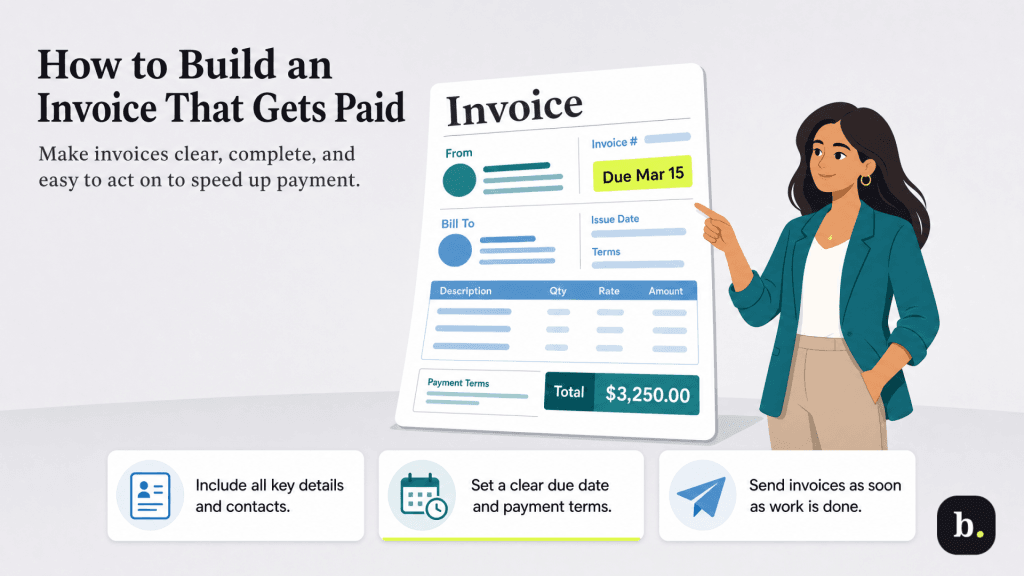
Before worrying about systems and automation, it’s worth getting the invoice itself right. A clear, complete invoice removes the small points of friction, confusion over what’s owed, when and how to pay, that give customers a reason to set it aside. Every invoice you send should include the essentials below:
Payment terms shape behavior. Shorter terms tend to get you paid sooner, and a specific due date (“due March 15”) outperforms an ambiguous one. Some businesses offer a small early-payment discount, such as 2 percent off for payment within 10 days, to nudge customers to pay ahead of schedule. Whatever you choose, state it plainly on every invoice so there’s no ambiguity about the deadline.
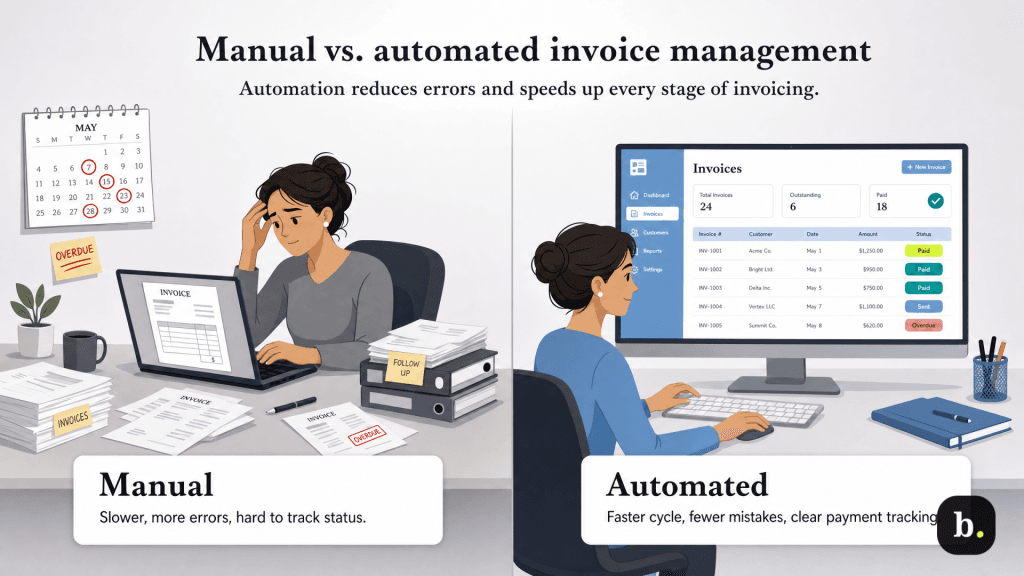
Plenty of small businesses start out invoicing manually, with a word processor or spreadsheet template, a calendar reminder to follow up and a bank statement to reconcile against. That approach can work at very low volume, but it scales poorly. Manual invoicing is slow, easy to forget and prone to the kind of small errors (a wrong total or a missed follow-up, for example) that delay payment.
Automated invoice management, typically handled through accounting software, takes over the repetitive stages of the cycle. The contrast between the two approaches is clearest when you look at them stage by stage:
Task | Manual approach | Automated approach |
|---|---|---|
Creating invoices | Rebuild each invoice from a blank template or spreadsheet | Generate from saved templates, estimates or recurring schedules |
Sending reminders | Track due dates yourself and email each customer individually | Schedule reminders to send automatically before or after the due date |
Recording payments | Match deposits to invoices by hand | Sync payments and mark invoices paid automatically |
Tracking status | Check a spreadsheet or your inbox for what’s outstanding | See real-time status (sent, viewed, overdue, paid) in one dashboard |
Automation saves time and removes the human forgetfulness that causes invoices to slip. Reminders go out whether or not you remember to send them, and payment status is visible at a glance rather than reconstructed from your inbox.
Once your invoice basics are solid, software is what lets you run the whole cycle consistently without it eating your week. To see how the stages come together in practice, let’s take a look at an example using QuickBooks Online, Intuit’s cloud accounting software. QuickBooks is a common choice for small businesses because it ties invoicing directly to the rest of the books, so a payment recorded against an invoice also updates your financial reports.
Mapped onto the five-stage cycle from earlier, here’s how that looks.
Businesses with more involved billing can layer on more. Progress invoicing, available with QuickBooks on higher tiers, lets you split a single estimate into multiple invoices billed as a project hits milestones. This is useful for longer engagements where you don’t want to wait until the end to bill. Mapping your invoicing stages onto a tool you already use for accounting keeps the whole cycle in one place.
Invoice management rewards consistency more than complexity. A clear invoice, sent promptly, on standardized terms, with reliable follow-up and clean recordkeeping, will keep cash moving through your business far more effectively than any single clever tactic. Whether you run that process by hand or lean on software to automate the repetitive parts, the businesses that get paid on time are the ones that treat invoicing as a system worth maintaining, not an afterthought.
