Business.com aims to help business owners make informed decisions to support and grow their companies. We research and recommend products and services suitable for various business types, investing thousands of hours each year in this process.
As a business, we need to generate revenue to sustain our content. We have financial relationships with some companies we cover, earning commissions when readers purchase from our partners or share information about their needs. These relationships do not dictate our advice and recommendations. Our editorial team independently evaluates and recommends products and services based on their research and expertise. Learn more about our process and partners here.
Use one of these programs to gauge the cost of your next construction project.


Accurate estimates are essential to a construction firm’s success. Overprice a bid and you’ll likely lose the project. Underprice it and you risk losing money and damaging relationships with partners and clients. The way you manage project costs can make the difference between a profitable year and one filled with financial headaches. The right construction estimating tool can help you avoid these lose-lose situations and keep your projects — and profits — on track.
Searching for GPS fleet management systems and not sure where to start? Tell us a little more about your business and get customized quotes from qualified providers.
Construction estimating tools are software programs that help contractors calculate the projected cost of a construction project, including labor, materials, equipment and other job-related expenses. They automate the estimating process to improve accuracy, speed and consistency, allowing builders to create reliable bids and budget plans.
A construction estimator’s primary responsibility is to plan an entire construction project, including how long it will take and how much it will cost. While some professionals still rely on manual estimating methods, they leave too much room for error. Construction projects involve multiple variables that create unpredictability, making accuracy essential.
Modern construction estimating software leverages artificial intelligence and machine learning to improve precision and streamline planning. As a result, more firms are turning to digital tools. In fact, according to Autodesk and Deloitte’s 2025 State of Digital Adoption in the Construction Industry, construction companies now use an average of 6.2 digital technologies, up 20 percent from the previous year.
With the right estimating tools in place, you can reduce guesswork, simplify budgeting and set your projects up for success from the start.
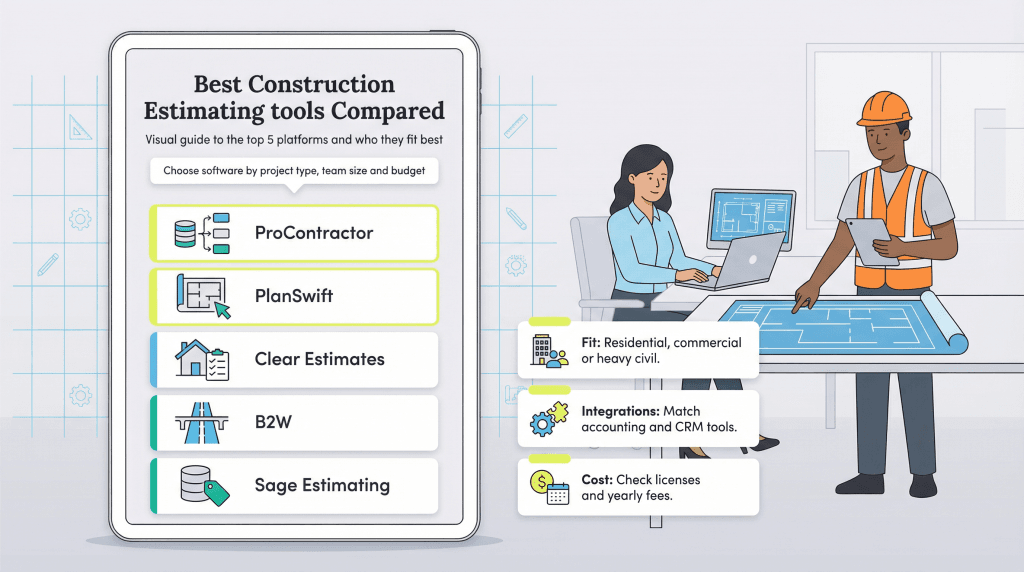
The best construction estimating software gives construction professionals more control over project data and workflow. Here are five tools worth considering.
ProContractor by Trimble (formerly Viewpoint) gives construction teams the tools to estimate costs, create bids and track spending all in one place. The software helps you break down the costs of materials, equipment and labor from the ground up, whether you’re working on underground excavation, plumbing and electric, or above-ground construction.
The platform supports CAD designs, making it easy to work directly with blueprints for faster, more accurate estimates. It also integrates with popular business tools, including the best accounting software and many of the best CRM software tools, so you can manage clients and keep your financials and project data in sync.
Here are some of ProContractor’s top features:
You’ll need to contact the company for pricing, as it depends on team size and the features you need. As a general guide, many businesses spend between $5,000 and $15,000 per year.
Looking for an easier way to generate estimates? PlanSwift takes much of the legwork out of construction estimating. Designed to save time, the software lets you build an estimate in just three steps:
You can also customize PlanSwift for your specific trade or specialty, whether you’re a general contractor or you focus on flooring, electrical, drywall, HVAC, concrete, plumbing or landscaping.
Here are some of PlanSwift’s top features:
PlanSwift charges $2,000 for an annual subscription that includes training, updates and software. There’s also a free trial available.
Clear Estimates helps you quickly determine project costs and turn estimates into proposals. As a cloud-based solution with mobile capabilities, you can build estimates in the office, on job sites or anywhere with an internet connection.
Clear Estimates is especially popular among residential contractors and remodelers because it includes built-in templates tailored for common home improvement projects. The software also provides a parts library with up-to-date pricing, a customer database and tools to create a wide range of reports. Clear Estimates integrates with business software you may already use, including CRM, CAD and accounting platforms.
Here are a few of Clear Estimates’ top features:
Pricing ranges from $79 to $249 per month, with a 30-day free trial available and discounts for paying annually. The Pro plan at $119 per month is the most popular option for small to midsize contractors.
If you have a heavy construction business, B2W helps make estimating and bidding more efficient and profitable so you can get large projects moving quickly. The platform is built for civil construction and infrastructure work, making it a strong fit for companies involved in highways, bridges and large earthmoving projects. B2W also includes tools for scheduling and dispatching, business intelligence, equipment maintenance, fleet tracking and field data collection.
B2W supports a wide range of sectors, including specialty civil contracting, land and site development, energy and resources, transportation and utilities.
Here are some of B2W’s top features:
Custom pricing is available upon request. Enterprise implementations typically range from $25,000 to $100,000 per year, depending on company size and selected modules.
Sage Estimating offers one of the best pricing tools available to construction firms. The software has a database packed with thousands of materials, vendors, suppliers and subcontractors, allowing you to gather up-to-date pricing information quickly. This saves time and minimizes pricing errors to give you a better chance of winning bids.
As part of the Sage Construction Management suite, Sage Estimating works seamlessly with Sage 100 Contractor and Sage 300 Construction and Real Estate, so you can manage estimating, job costing and project workflows all in one place.
These are a few of Sage Estimating’s top features:
You can request a custom quote from the vendor. Most companies spend between $7,500 and $20,000 for initial setup, with annual maintenance fees that typically run about 20 percent of the license cost.
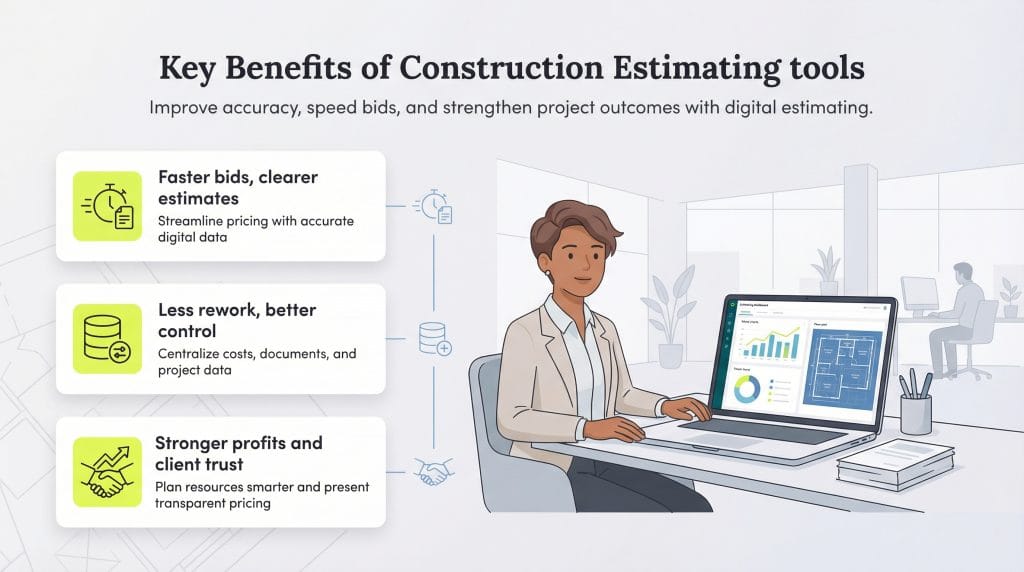
Construction estimating tools can play a significant role in growing your construction firm by improving accuracy, streamlining bids and supporting stronger project outcomes. Consider the following key benefits.
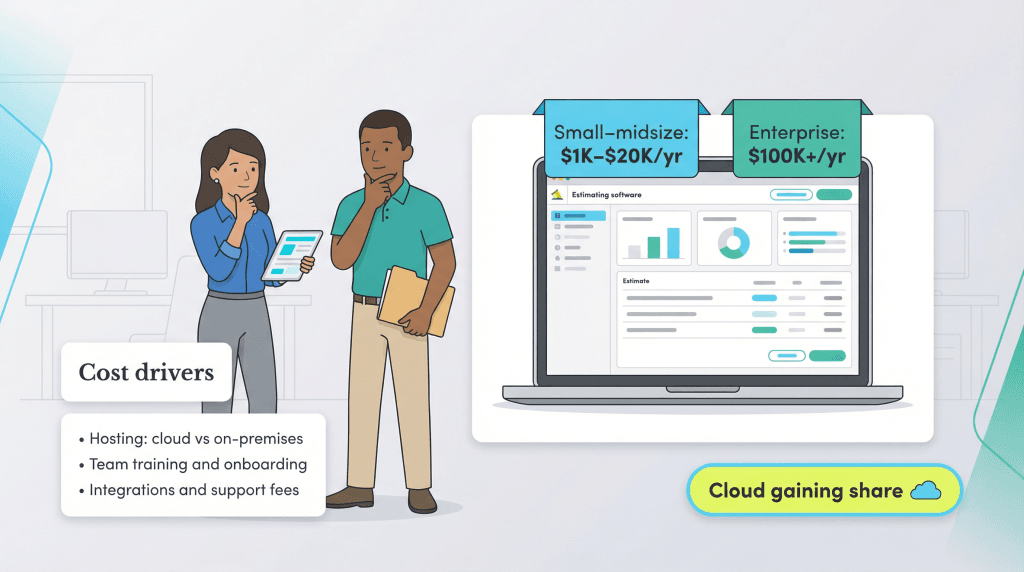
The cost of construction estimating tools varies widely based on your business size, feature needs and deployment method. Prices generally range from about $1,000 to $20,000 per year for small to midsize businesses, while enterprise-level solutions with advanced features and custom integrations can exceed $100,000 annually. Some providers charge per user, while others offer unlimited seats for a flat rate.
How the software is hosted also affects pricing. Estimating tools are available as either cloud-based or on-premises solutions.
Cloud-based options have become increasingly popular because they’re easier to update, maintain and access from anywhere. In fact, according to Grand View Research, cloud deployments now make up more than half of the estimating software market, with the broader construction software industry projected to reach $23.9 billion by 2030 as cloud adoption continues to accelerate.
On-premises software typically involves a larger upfront cost, while cloud tools are more likely to charge a monthly or annual subscription.
When evaluating costs, consider these additional factors: