Business.com aims to help business owners make informed decisions to support and grow their companies. We research and recommend products and services suitable for various business types, investing thousands of hours each year in this process.
As a business, we need to generate revenue to sustain our content. We have financial relationships with some companies we cover, earning commissions when readers purchase from our partners or share information about their needs. These relationships do not dictate our advice and recommendations. Our editorial team independently evaluates and recommends products and services based on their research and expertise. Learn more about our process and partners here.
Modern ERP systems offer far more than basic accounting—here are the must-have features for growing businesses today.


This article is sponsored by Intuit.
Enterprise resource planning software has come a long way from the monolithic, on-premise systems that dominated the early 2000s. Today’s ERP platforms are cloud-native, AI-powered and designed to consolidate everything from financial management and payroll to inventory tracking and customer relationships into a single connected platform.
But not every ERP system delivers the same value. Legacy platforms that served businesses well a decade ago may now lack the automation, mobility, and integration capabilities that modern operations demand. According to Gartner, more than 70% of ERP implementations will fail to meet their original business case goals by 2027, and a major contributing factor is the mismatch between the features a business actually needs and what its platform provides.
Whether you’re replacing a legacy system or selecting your first enterprise platform, understanding what to look for and what to avoid can save you significant time, money and operational disruption. This guide breaks down the essential ERP features that businesses should prioritize in 2026, from advanced financial management and supply chain tools to automation, integration and mobile access.
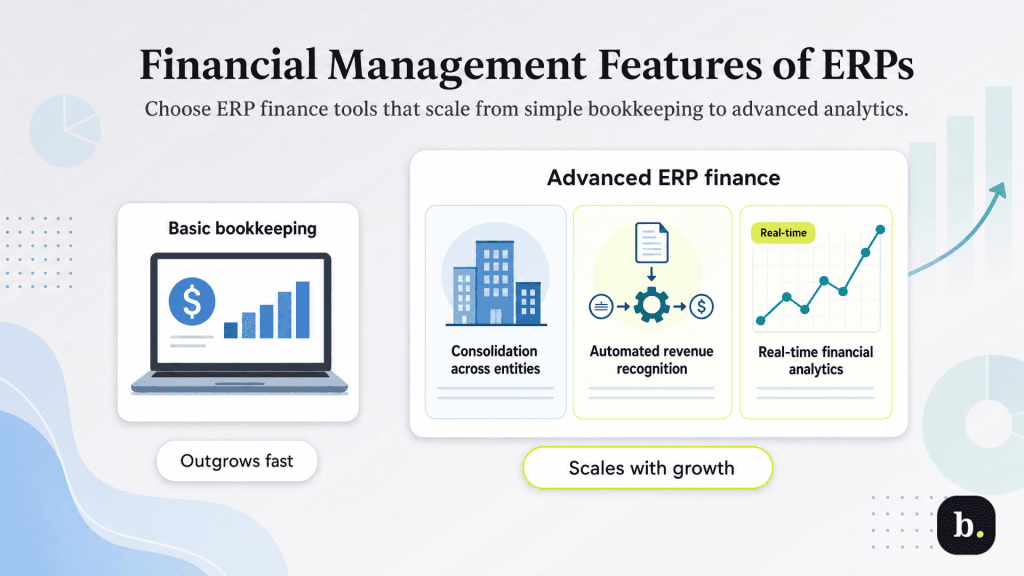
Financial management is the core of any ERP system, but the range of sophistication varies dramatically between platforms. A system that handles basic bookkeeping is fundamentally different from one that supports multi-entity consolidation, automated revenue recognition and real-time financial analytics. For growing businesses, these advanced capabilities aren’t optional; they’re what separate platforms you’ll outgrow in two years from platforms that scale with you.
Businesses that operate across multiple legal entities – whether through subsidiaries, regional offices or acquisitions – need ERP systems that can maintain separate books for each entity while producing consolidated financial statements on demand. Key capabilities to look for include intercompany transaction automation, which eliminates the manual journal entries that typically consume hours during month-end close, consolidated reporting that rolls up financials across all entities into a single view, and multi-currency support with automatic translation for businesses operating internationally.
Intuit Enterprise Suite, for example, was built with multi-entity management as a core architectural feature rather than an add-on module. The platform provides a unified multi-entity hub where finance teams can monitor KPIs across all subsidiaries, execute intercompany journal entries and generate consolidated reports, all from a single login. For businesses scaling through acquisition or geographic expansion, this kind of native multi-entity support eliminates the need to manage separate instances of accounting software and the reconciliation headaches that come with them.
The days of waiting until month-end to understand your financial position should be over. Modern ERP systems provide live dashboards that display key financial metrics in real time, with the ability to drill down from summary-level views to individual transaction detail. Look for platforms that offer customizable reports without requiring IT involvement, financial KPI tracking with configurable alerts and mobile access to dashboards so executives can review performance from anywhere.
For businesses with subscription models, multi-element arrangements or long-term contracts, ASC 606 compliance is a significant operational burden when handled manually. Automated revenue recognition features should identify performance obligations within contracts, allocate revenue correctly across those obligations and manage deferred revenue schedules without manual spreadsheet work. For finance teams currently managing revenue recognition in spreadsheets, that’s the equivalent of recovering more than a full work week every month.
A complete audit trail is both a compliance necessity and an operational safeguard. Your ERP should log every transaction, every user action and every approval workflow step in a way that is searchable and exportable for auditors.
This includes user activity logging that tracks who made what changes and when, approval workflow documentation that shows the full chain of custody for financial decisions, and compliance reporting capabilities for SOX, GAAP and other regulatory frameworks. Without a robust audit trail, you’re building your compliance posture on a foundation of manual documentation, which is both slower and more error-prone.
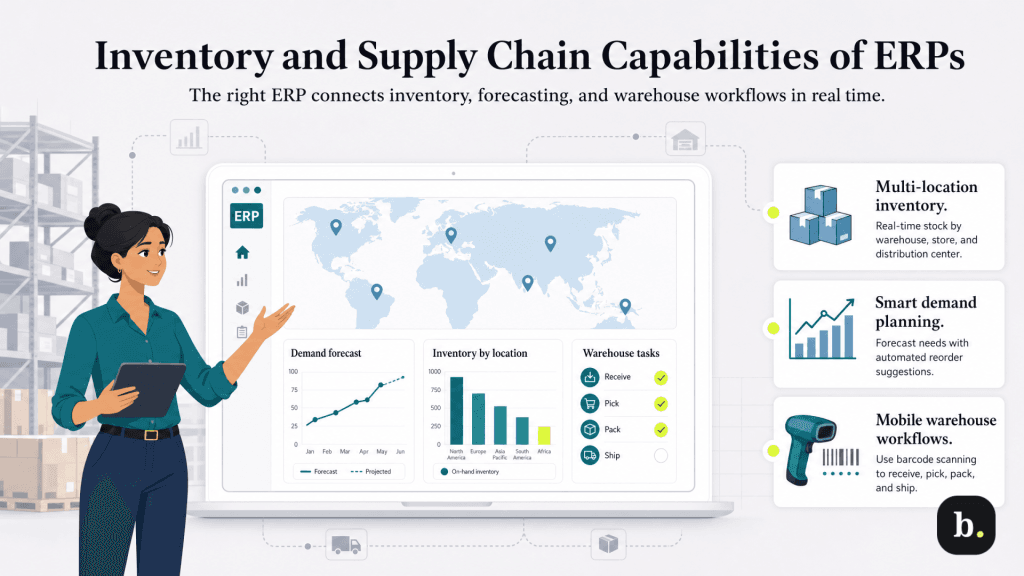
For product-based businesses, inventory and supply chain features can be the difference between an ERP that transforms operations and one that simply digitizes existing inefficiencies. The best platforms go beyond basic stock counts to offer real-time visibility, intelligent forecasting and integrated warehouse management.
Businesses operating across multiple warehouses, retail locations or distribution centers need real-time inventory tracking that reflects stock levels at each location. Essential capabilities include inventory transfer management between locations, location-specific costing and replenishment rules, and consolidated views that show total available inventory across the organization. Without multi-location visibility, you risk overselling at one location while sitting on excess stock at another.
Different industries require different costing methodologies. Your ERP should support FIFO, LIFO, and weighted average costing methods, along with lot and serial number tracking for traceability, expiration date management for perishable goods, and landed cost calculations that factor in freight, duties, and other costs beyond the unit price. Manufacturers and distributors, in particular, need these capabilities to maintain accurate cost of goods sold and margin reporting.
Intelligent demand planning uses historical sales data, seasonal trends, and market signals to predict future inventory needs. Look for ERP systems that provide automated reorder point calculations, purchase order suggestions based on demand forecasts, and the ability to model different scenarios to prepare for demand volatility. The goal is to reduce both stock-outs (which cost you revenue) and overstock (which ties up working capital).
Modern warehouse operations rely on barcode scanning for receiving, picking, packing and shipping workflows. Your ERP should support mobile apps that allow warehouse staff to perform cycle counts, process receipts and manage shipments from handheld devices. Integration with major shipping carriers like FedEx and UPS streamlines the fulfillment process and reduces manual data entry at every touchpoint.
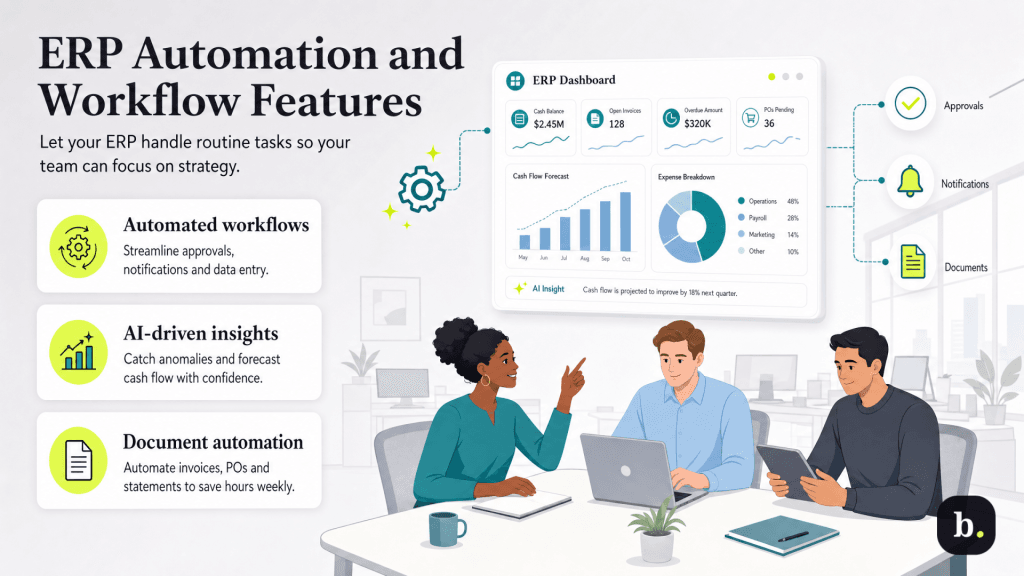
Automation is where modern ERP systems deliver the most tangible return on investment. Every manual process that can be automated – like approvals, data entry, notifications and categorization – frees your team to focus on analysis, strategy and decision-making rather than repetitive tasks.
Look for ERP platforms that support automated approval workflows with configurable rules, such as auto-approving purchase orders under a certain dollar threshold while routing larger purchases through multi-level review. Exception-based management, where the system alerts you only when something falls outside normal parameters, is far more efficient than reviewing every transaction manually. Intuit Enterprise Suite implements this through AI-powered automation that learns from your business patterns and proactively surfaces the items that need human attention.
AI is no longer a buzzword in ERP — it’s a practical tool that delivers measurable value. The most impactful AI capabilities in modern ERP systems include anomaly detection that flags unusual transactions or patterns in financial data, predictive analytics for cash flow and demand forecasting, automated transaction categorization and coding, and intelligent invoice matching that identifies discrepancies without manual review. These features reduce errors, accelerate close cycles and give finance teams more confidence in the accuracy of their data.
Administrative communication consumes a surprising amount of time in finance and operations teams. Your ERP should automate routine document workflows like invoice delivery, purchase order distribution, statement generation and document attachment to transactions. These aren’t glamorous features, but in aggregate they eliminate hours of manual work each week.
No ERP system exists in isolation. Your platform needs to connect seamlessly with the other tools your business relies on, from payment processors and e-commerce platforms to CRM systems and payroll providers. Integration capabilities are often the differentiator between an ERP that becomes your operational hub and one that becomes another silo.
The most valuable integrations are the ones that work out of the box. Evaluate ERP platforms based on their pre-built connections to the tools you already use: e-commerce platforms like Shopify and WooCommerce, payment processors like Stripe and PayPal, shipping carriers like FedEx and UPS, and CRM systems like Salesforce and HubSpot.
Intuit Enterprise Suite connects to an extensive partner ecosystem, and its native integration with Intuit’s own payroll, payments and marketing tools (including Mailchimp) means businesses already in the Intuit ecosystem can consolidate without third-party middleware.
Pre-built integrations cover common use cases, but every business has unique workflows that may require custom connections. A modern ERP should offer RESTful APIs with thorough developer documentation, webhook support for real-time event-driven updates and a developer community or marketplace that extends the platform’s capabilities. Open API architecture is what allows you to connect industry-specific tools that the ERP vendor may not have anticipated.
Practical data portability is essential both for initial migration from a legacy system and for ongoing operations. Your ERP should support bulk data imports, scheduled data exports and standard format compatibility (CSV, Excel and other common formats). The ease of migration should also be a factor in your evaluation; some platforms require months of implementation work, while others, like Intuit Enterprise Suite, report that 95% of customers go live in less than 30 days.
The shift to hybrid and remote work has made mobile access to business systems a baseline expectation rather than a perk. If your ERP doesn’t support mobile access, you’re forcing your team to be tethered to a desk or worse, working around the system entirely.
The best mobile ERP experiences come from native applications built for iOS and Android, not just responsive web interfaces crammed onto smaller screens. Look for platforms that offer full functionality in their mobile apps (not just read-only dashboards), offline capabilities for situations where connectivity is unreliable and push notifications for time-sensitive approvals and alerts.
Different roles need different mobile capabilities. Executives need dashboards and approval workflows on the go. Sales teams need quote generation and CRM access. Warehouse staff need receiving and shipping tools. Field service teams need time tracking and job management. The best ERP platforms tailor the mobile experience to the user’s role rather than offering a one-size-fits-all mobile view.
As ERP systems become the central repository for a business’s most sensitive financial and operational data, security and compliance features are non-negotiable. A platform that’s powerful but insecure is a liability, not an asset.
Granular access controls protect your data from both external threats and internal errors. Essential capabilities include role-based permissions that restrict users to only the functions and data they need, multi-factor authentication, single sign-on (SSO) integration with your identity provider and session management tools including IP address restrictions. These controls should be configurable by administrators without requiring vendor support tickets.
Depending on your industry, your ERP may need to support SOX compliance tools, GDPR data management capabilities, industry-specific regulatory requirements (such as HIPAA for healthcare-adjacent businesses) and comprehensive audit reporting. Evaluate how your ERP vendor maintains its own compliance certifications and how frequently they update the platform to reflect regulatory changes.
Cloud-based ERP platforms should provide automated backup schedules, point-in-time recovery and geographic redundancy so your data is protected even in the event of a regional outage. Clarify the division of responsibilities between your organization and the vendor. Understand what they back up automatically, how quickly they can restore data and whether disaster recovery testing is included or available.
Data without insight is just noise. Your ERP’s reporting and business intelligence capabilities determine whether your organization makes decisions based on real-time evidence or month-old guesswork.
Different stakeholders need different views of the same data. A CEO needs a high-level performance snapshot; a CFO needs detailed financial metrics; a department manager needs operational KPIs specific to their team. Look for ERP platforms that offer drag-and-drop dashboard builders, role-based default views and real-time data visualization without requiring IT involvement to configure.
Beyond standard reporting, modern ERP systems should support ad-hoc report creation that lets users answer new questions without predefined templates, multi-dimensional analysis across different business attributes (entity, department, region, project) and integration with dedicated BI platforms like Tableau or Power BI for organizations that need deeper analytical capabilities.
Generic reports rarely capture the metrics that matter most to your specific industry. Evaluate whether your ERP offers standard report templates tailored to your sector, regulatory reporting capabilities relevant to your compliance requirements, and benchmark comparisons that help you contextualize your performance.
Intuit Enterprise Suite, for instance, has invested in industry-specific customizations, particularly for construction and professional services. These customizations include tailored KPIs, project profitability reports and workflows that reflect how those industries actually operate.
ERP systems are shared workspaces, and the best ones facilitate collaboration directly within the platform rather than forcing teams to communicate through separate channels about transactions they’re all looking at in the same system.
Transaction-level comments, @mentions, and notification capabilities keep discussions attached to the relevant data rather than scattered across email threads and Slack channels. Multi-level approval workflows with parallel and sequential routing, mobile approval capabilities and escalation rules for delayed approvals ensure that decisions don’t bottleneck waiting for a single reviewer. These features maintain a clear audit trail of who approved what, when and why.
Self-service portals that allow customers to look up invoices, make payments and track order status; allow vendors to submit invoices and check payment status; and reduce the volume of routine inquiries your team handles. Online payment options integrated into the portal accelerate collections and improve cash flow. Every inquiry your portal handles is one your team doesn’t have to.
The most expensive ERP decision you can make is choosing a platform you’ll need to replace in three years. Scalability and future-proofing features ensure your investment continues to deliver value as your business grows and evolves.
The best ERP platforms let you start with the core modules you need today and add functionality as your requirements grow—without requiring a reimplementation. This means paying only for what you use now while having confidence that inventory management, advanced analytics, or industry-specific tools will be available when you need them. Intuit Enterprise Suite structures its platform with this modular philosophy, and its native integration with Intuit’s broader product ecosystem (payroll, payments, workforce management, marketing) means businesses can expand capabilities without adding disconnected third-party tools.
Cloud-native ERP platforms deliver continuous feature updates automatically, without the disruptive major version upgrades that characterized legacy systems. This means you’re always running the latest version with the newest capabilities, security patches and performance improvements, without scheduling downtime or managing migration projects. When evaluating platforms, ask how frequently new features are released and whether updates are automatic or require manual intervention.
