Business.com aims to help business owners make informed decisions to support and grow their companies. We research and recommend products and services suitable for various business types, investing thousands of hours each year in this process.
As a business, we need to generate revenue to sustain our content. We have financial relationships with some companies we cover, earning commissions when readers purchase from our partners or share information about their needs. These relationships do not dictate our advice and recommendations. Our editorial team independently evaluates and recommends products and services based on their research and expertise. Learn more about our process and partners here.
The total cost of a POS system can vary depending on what components you require.
Pricing a POS system is rarely as simple as looking at a single number. The total cost is spread across multiple categories — hardware, software subscriptions, payment processing fees, installation and add-ons. Different providers might provide each component, with all of these priced separately. A business owner reviewing options can end up comparing a hardware price from one vendor against a monthly software subscription from another without accounting for the full picture.
This guide breaks down each cost of a POS system so you can estimate your total investment and avoid surprises. Whether you’re setting up your first POS cash register or evaluating whether to upgrade your current system, understanding the full expense will help you make a better decision.
Generally, POS costs fall into five categories: hardware, software, payment processing, installation and setup, and add-ons or integrations. For a basic single-terminal setup at a small retail shop or cafe, total costs can start under $100 per month when using a free or low-cost software plan with a tablet and mobile card reader. A more robust multi-terminal setup for a full-service restaurant or multi-location retailer can run several hundred dollars per month or more, plus a larger upfront hardware investment. [Read related: Best restaurant POS systems]
The following table provides an overview of what to expect:
Category | Typical cost range | Frequency |
|---|---|---|
Hardware | $0-$1,800+ | One-time purchase or monthly financing |
Software | $0-$300+/month | Monthly subscription per terminal (device/user) or location |
Payment processing | 1.5 percent to 3.5 percent + $0.10–$0.30 | Per transaction |
Installation/setup | $0-$500+ | One-time purchase |
Add-ons/integrations | $10-$75+ | Monthly subscription |
The sections below explore each category in detail. [Learn more about the best POS systems]
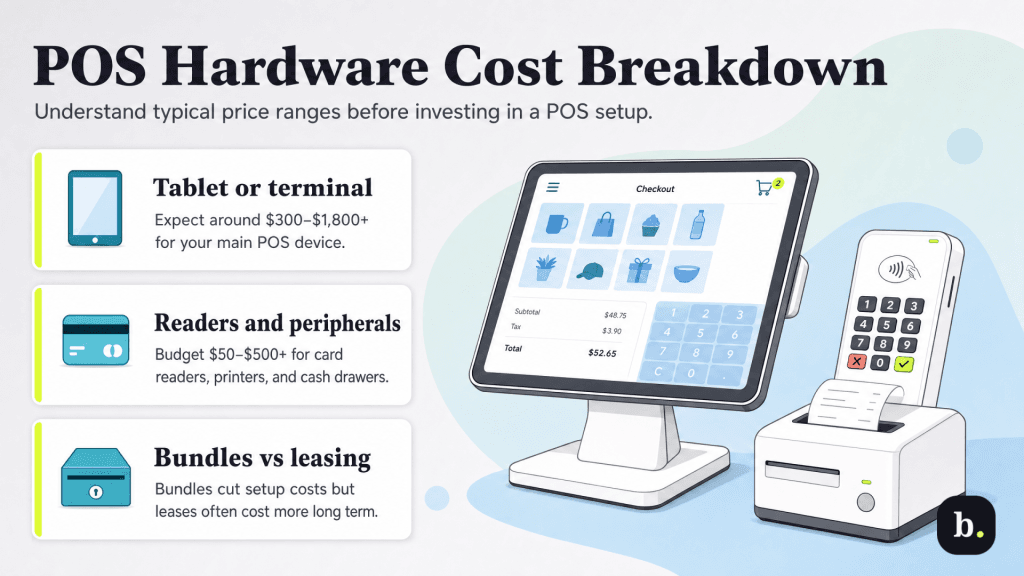
Hardware is typically the largest upfront expense. The specific equipment you need depends on your business type, transaction volume and how your customers interact with you at the point of sale.
Many modern POS systems are built around an iPad or Android tablet, which doubles as the main register. A tablet typically costs between $300-$800, and you’ll often pair it with a stand or commercial enclosure ($30-$400 depending on the model and quality). Tablet-based systems are popular because they’re affordable, intuitive and easy to replace if damaged.
Alternatively, several POS providers offer proprietary all-in-one terminals that combine a touchscreen, card reader and sometimes a receipt printer into a single unit. Examples include the Square Register, Clover Station Duo and Toast Flex terminal. These purpose-built devices range from roughly $300-$1,800 or more. They offer a clean countertop look and minimal compatibility concerns, but they lock you into using that provider — if you switch POS platforms, the hardware typically won’t integrate with other systems.
Basic mobile card readers that accept chip and tap payments are often provided free or for under $50 by the POS provider. These small, portable readers connect via Bluetooth and are ideal for mobile sellers, markets and pop-up shops. Countertop chip and tap readers designed for fixed checkout locations typically run between $50-$300. These are customer-facing devices that sit on the counter and accept chip insertion, NFC contactless payments (including Apple Pay and Google Pay), and in many cases PIN debit. [Read related Samsung Pay vs. Google Pay vs. Apple Pay]
Beyond the main terminal and card reader, most businesses need at least a few additional peripherals. Receipt printers are the most common, typically costing between $200-$500 for a thermal printer. Cash drawers run $50-$150 and usually connect through the receipt printer rather than directly to the POS terminal. Barcode scanners ($100-$300) are essential for retail businesses with barcoded inventory. Restaurants may also need kitchen printers or kitchen display systems ($150-$1000+ per unit) to route orders from the register to the kitchen, and customer-facing displays ($100-$400) for showing order totals and tip prompts.
Most POS providers offer hardware bundles that package a terminal, card reader and basic peripherals at a discount compared to purchasing each component separately. Bundles simplify the buying process and ensure compatibility, but they limit your flexibility to mix and match hardware from different vendors.
Some providers also offer hardware leasing programs that lower the upfront cost by spreading payments over a contract term. Be cautious with leasing — while the monthly payments may appear manageable, the total cost over the life of the lease is often higher than buying outright. Leases also lock you into contract with the provider, making it costly to switch if you’re dissatisfied.
POS software is almost universally sold as a monthly subscription, priced per terminal or per location. The cost varies widely depending on the POS features and the provider.
Free and entry-level plans ($0-$30 per month) offer basic checkout functionality, simple reporting and limited inventory management. These plans are often supported by the provider’s payment processing revenue, which is why the software itself can be offered at no cost. However, free plans often come with trade-offs: fewer features, limited customer support and, in some cases, higher payment processing rates that offset the software savings.
Mid-tier plans ($30-$100 per month) add features that most established small businesses need: more inventory management, employee management with role-based permissions, customer profiles and purchase history, more detailed reporting and analytics, and integrations with accounting software and other business tools.
Advanced and enterprise plans ($100-$300+ per month) are designed for multi-location businesses or operations with complex requirements. These plans typically include advanced analytics, multi-location management from a single dashboard, built-in loyalty programs, custom integrations and dedicated customer support.
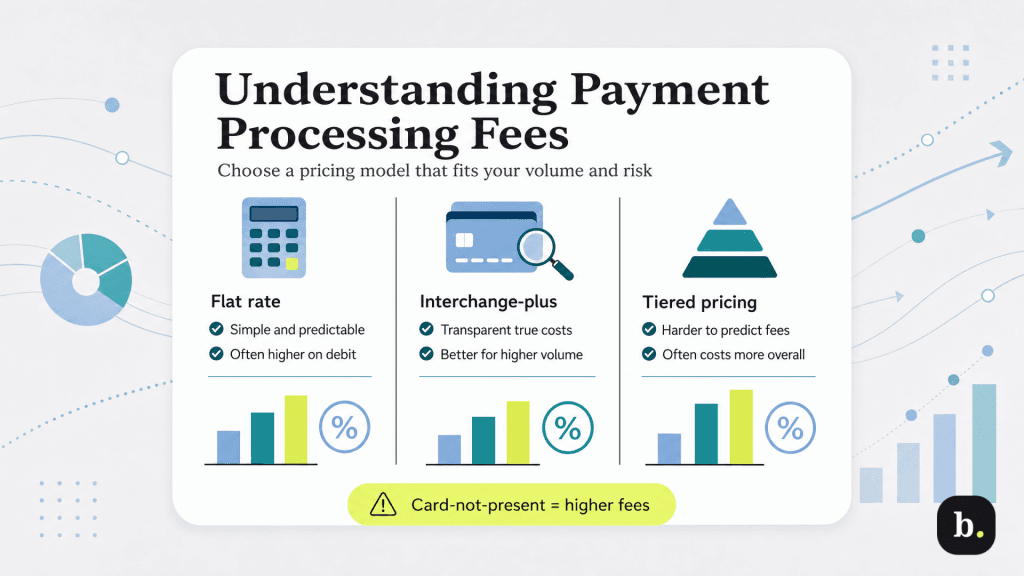
Payment processing fees are a significant ongoing cost for most businesses using a POS system. Every time a customer pays with a card, you pay a processing fee. Over time, these fees add up to more than your hardware or software costs, which is why understanding the pricing model matters.
There are three common pricing models for payment processing.
Flat-rate pricing charges the same percentage and per-transaction fee on every transaction regardless of the card type or how it’s processed. A typical flat rate might be 2.6 percent + $0.10 for in-person transactions. This model is simple and predictable, which makes it popular with small businesses and providers like Square and Stripe. The trade-off is that you pay the same rate on a standard debit card as you do on a premium rewards credit card, which means you’re overpaying on lower-cost transactions in exchange for simplicity. [Read related: Stripe vs. Square credit card processing]
Interchange-plus pricing separates the interchange fee (the base fee set by the card networks and issuing banks) from the processor’s markup. You pay the actual interchange rate on each transaction plus a fixed markup from your processor (for example, interchange + 0.20 percent + $0.10). This model is more transparent and often cheaper at higher volumes because you benefit from lower interchange rates on debit cards and standard credit cards. The downside is that your effective rate varies from transaction to transaction, which makes statements harder to read.
Tiered pricing groups transactions into categories — qualified, mid-qualified and non-qualified — each with a different rate. This model is the least transparent because the criteria for each tier are set by the processor and are often unclear. In practice, many transactions end up in the mid-qualified or non-qualified tiers at higher rates. Tiered pricing is generally not recommended for most small businesses because it’s difficult to predict costs and easy for processors to manipulate tier assignments.
Regardless of the pricing model, card-not-present transactions (online, phone, keyed-in) carry higher fees than card-present transactions (swiped, dipped, tapped) because of the increased fraud risk associated with remote payments.
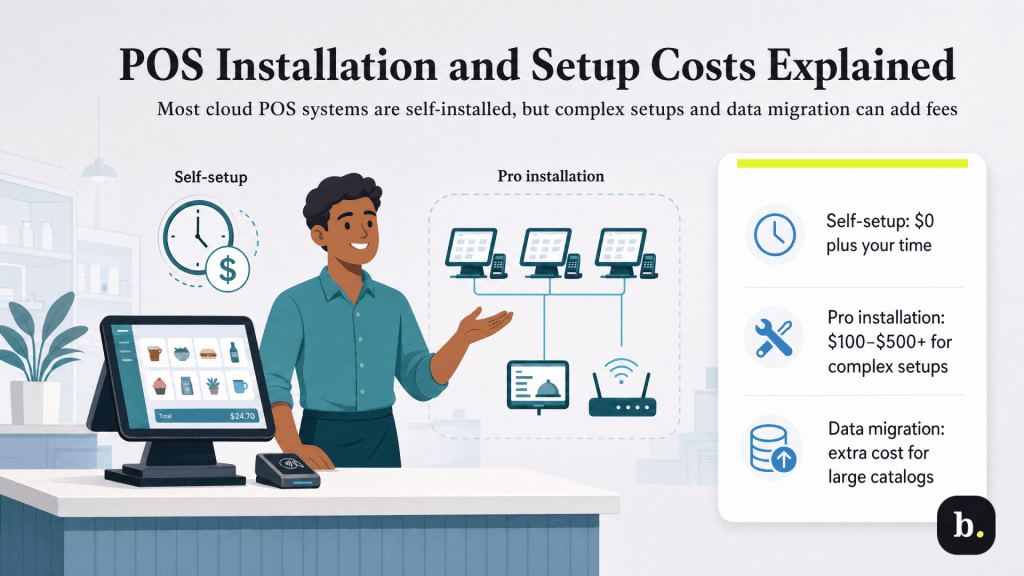
Most cloud-based POS systems are designed for self-installation, and many businesses can get up and running without professional help. The provider’s setup wizard walks you through account creation, hardware connection, product catalog entry and basic configuration. For a simple single-terminal setup, the process typically takes a few hours and costs nothing beyond your time.
For more complex situations — multi-terminal setups, network configuration, kitchen display system installation or integration with existing infrastructure — some providers offer professional installation services. These typically run between $100 and $500 or more depending on the scope. Some providers require professional installation for certain hardware packages.
Data migration is another potential cost. If you’re switching from an existing POS system, moving your product catalog, customer database and transaction data to the new platform may involve fees from the new provider or require significant manual work. For businesses with large inventories or complex menus, budget additional time for catalog programming and configuration even if the software itself makes the process straightforward.
POS software subscriptions cover core functionality, but many features that growing businesses need are sold as paid add-ons. Common add-ons include advanced inventory management, loyalty programs, online ordering, gift card management, email marketing integrations, and advanced reporting or analytics packages. These typically cost between $10-$100+ per month each.
Third-party integrations also carry their own costs. Connecting your POS to accounting software like QuickBooks or Xero, an e-commerce platform like Shopify, or a delivery service like DoorDash may involve subscription fees for the integration itself or for the third-party service. These costs are outside your POS subscription but should be factored into your total technology budget.
To get a realistic picture of what a POS system will cost your business, add up each component: hardware (either as a one-time purchase or amortized monthly if financed), monthly software subscription, estimated monthly payment processing fees based on your transaction volume and average ticket size, and any add-ons or integrations you need.
Here’s a simplified example. Imagine a small coffee shop processing $15,000 per month in card sales with an average ticket size of $8. The shop uses a tablet-based POS with a single terminal.
Cost | Estimated Monthly Cost |
|---|---|
Hardware (tablet + stand + card reader, amortized over 24 months) | $25 |
Software subscription (mid-tier plan) | $70 |
Payment processing (2.6 percent + $0.10 on $15,000, about 1,875 transactions) | $577 |
Receipt paper and supplies | $25 |
Estimated Total | $697/month |
As this example illustrates, payment processing fees are by far the largest ongoing expense. The hardware and software costs, while important, are modest by comparison. This is why the choice of processing pricing model and rate matters as much as — or more than — the choice of hardware or software plan.
When comparing providers, always run this kind of total cost estimate using your own numbers. A provider with higher software fees but lower processing rates may save you more over the course of a year than the cheapest software option paired with an expensive processing arrangement.
POS system costs are variable, but they’re predictable once you understand the components. For most small businesses, expect to budget somewhere between $50 and $300 per month in combined software and add-on fees, plus an upfront hardware investment that ranges from under $100 for a basic mobile POS system to over $1,000 for a full countertop system with peripherals. On top of that, payment processing fees will be your largest ongoing cost and should be the focus of your comparison shopping.
The best approach is to start by defining the features you actually need for your operation, then compare two or three providers on total cost — not just the hardware price tag or the software subscription. Ask about every fee, read the contract terms and pay attention to processing rates, contract length and cancellation policies. The cheapest option on paper isn’t always the best value, and the most expensive option isn’t always the most capable. The right POS system is the one that fits your workflow, scales with your business and offers a total cost you can afford.
