Business.com aims to help business owners make informed decisions to support and grow their companies. We research and recommend products and services suitable for various business types, investing thousands of hours each year in this process.
As a business, we need to generate revenue to sustain our content. We have financial relationships with some companies we cover, earning commissions when readers purchase from our partners or share information about their needs. These relationships do not dictate our advice and recommendations. Our editorial team independently evaluates and recommends products and services based on their research and expertise. Learn more about our process and partners here.
Step-by-step instructions on creating and using modules.


PowerShell modules help IT professionals and business owners organize multiple scripts into a single, reusable package, making code easier to manage, share and maintain. While individual scripts work well for one-off tasks, they can become harder to track as your library grows. Modules bring related functions together in a structured way, helping teams standardize workflows and keep automation projects organized. Over time, this approach can improve security, simplify updates and make collaboration across your organization more consistent.
We’ll explain PowerShell modules in detail, including when and how to create them.
A PowerShell module is a grouping of functions and code around a central theme. Modules are created for enterprise configurations such as Microsoft Exchange, Active Directory and VMware. You can even manage IIS application pools using PowerShell.
Beyond applications, modules can be used for print management, network adapter configurations and more. Modules are typically created to manage a central theme or object.
There are four different PowerShell modules:
While all module types serve distinct roles in IT infrastructure, business owners and system administrators primarily rely on script modules. Script modules don’t require knowledge of C# or the compilation process. They’re the most common module type, especially among IT pros.
William Mabotja, an Azure-certified software developer, emphasized the importance of PowerShell modules for automation and script management. “They offer numerous benefits that enhance coders’ productivity,” Mabotja said. “At their core, modules bundle related functions, cmdlets and scripts together so they’re more efficiently organized and allow for better management of PowerShell code.”
Mabotja noted that this modularity simplifies the development process while improving code reliability and enhancing workplace collaboration.
You can easily decide whether to create a module by answering the following questions while writing a script:
If you answered yes to at least three of these questions, you should probably write a module instead of a PS1 script.
PowerShell modules help standardize how teams manage automation as scripts grow more complex. Instead of maintaining multiple one-off scripts, building a module allows you to reuse functions, apply consistent naming conventions and make updates in one place. For many IT teams, this approach reduces long-term maintenance and keeps automation projects easier to scale and share across environments.
Mabotja stressed that specialized functionality is one of PowerShell’s primary advantages. “Whether you need to manage email, handle cloud storage or oversee identity management, there will almost certainly be a module available already to meet your needs,” he said. “This extensive library acts like a massive toolbox for developers to handle various different coding challenges, particularly around automation.”
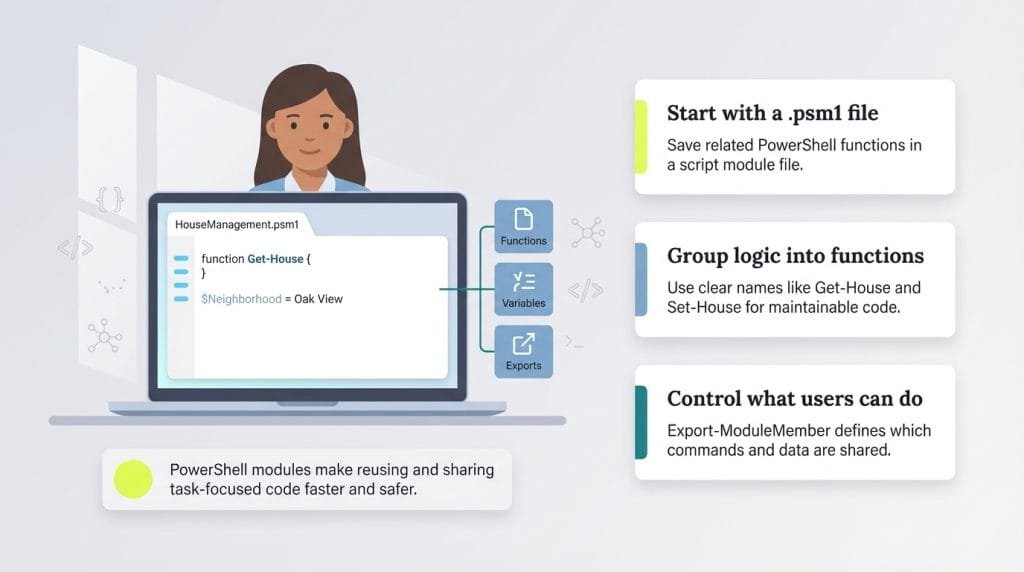
Open a code editor, such as Visual Studio Code (VS Code). Create a new file and save it with a .psm1 extension. Done.
No, really, that’s it. That’s all it takes to create a script module. Granted, it won’t be a very functional module, but, technically, it’s a script module. Let’s concentrate on something more useful, though.
Examples are always a great way to demonstrate a concept, so let’s create a module to manage houses in a subdivision. This isn’t a practical example (at least not until the PowerShell team figures out how to integrate PowerShell into the physical world), but it will demonstrate a little of what a module is capable of. (In more practical situations, you could use PowerShell to create a web scraping tool, for example.)
Every function is there, including the ability to:
The houses managed with this module happen to be in the fancy subdivision neighborhood, so it’s good practice to set that as a module variable at the top. That way, you can reference that variable in any of the PowerShell functions, making it easier to improve your code’s readability and maintenance.
If you want to share the module with your contractors but don’t want them to build any new houses or remove any houses without your permission, you should allow them only the Get-* functions and Set-* functions. Similarly, you can use PowerShell to manage user profiles and control users’ permissions.
You can control which functions users can access by using the Export-ModuleMember cmdlet at the end of your .psm1 file. This lets you explicitly define which commands are exposed while keeping the rest of your module private. But because you want your contractors to be able to tell what neighborhood they’re working in, you allow them to see the value of $Neighborhood in their PowerShell console.
When creating modules, Mabotja recommends coders follow best practices for naming conventions, documentation and structuring their code to ensure others can easily understand and maintain existing modules.
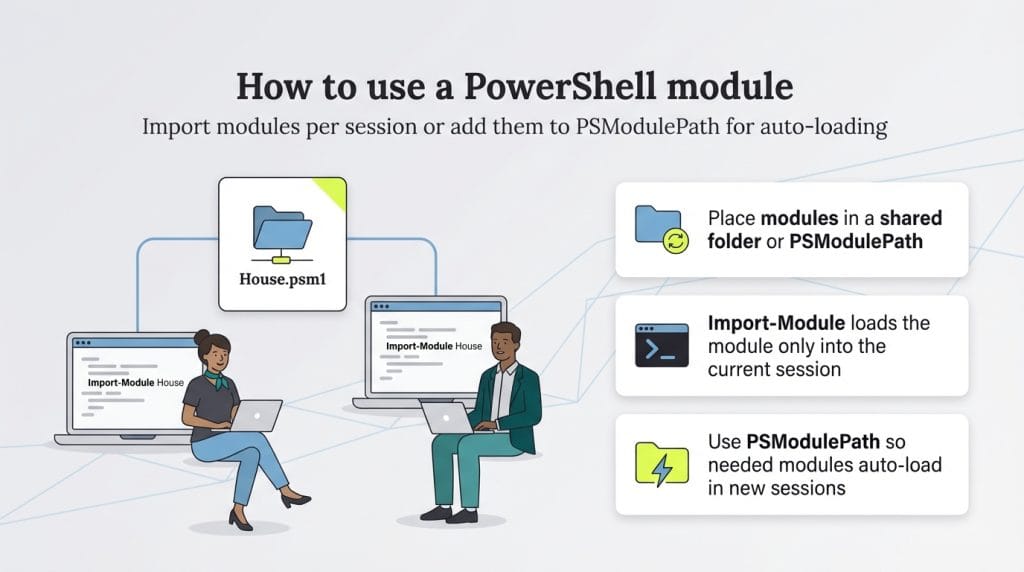
Now you have the house module created; let’s call it House.psm1. If you want your contractors to use it, place it in a shared folder called \\HOMESERVER\Fileshare on your network (try syncing folders with PowerShell so all contractors have the latest module version).
Next, tell each contractor to open their PowerShell console and import it.
Importing the module brings all the functions and variables into each contractor’s PowerShell session.
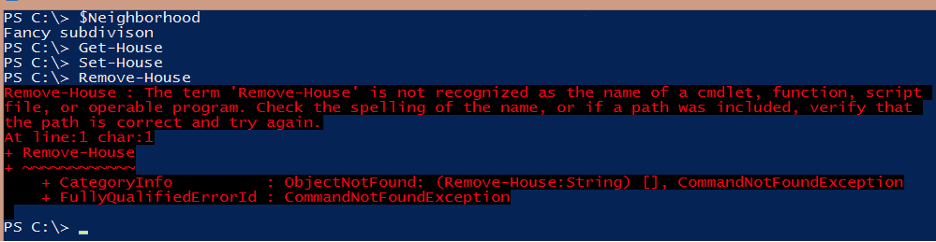
You can see that they can run Get-House and Set-House, but the moment they try to run Remove-House, PowerShell throws an error. That’s because PowerShell doesn’t recognize the function. You didn’t allow it to load into the current session.
At this point, they can still use the module without a problem. If they close the console and open it again, however, the Remove-House function will not be available.
Whenever you run Import-Module (or use PowerShell’s auto-loading feature), it loads only the module in the current session. It will not load it again. The contractor must either load the module again or, preferably, place the module into the PSModulePath so it auto-loads the next time a House function is needed.
That should get you started using modules.
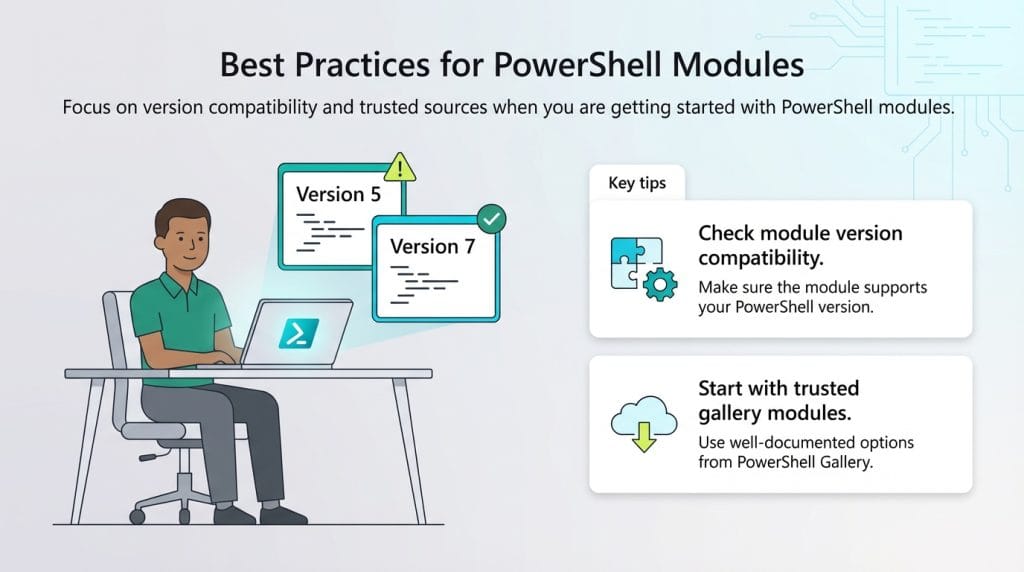
Mabotja offered the following advice to people who are new to creating and using PowerShell modules.
Mark Fairlie contributed to this article. Source interviews were conducted for a previous version of this article.