Business.com aims to help business owners make informed decisions to support and grow their companies. We research and recommend products and services suitable for various business types, investing thousands of hours each year in this process.
As a business, we need to generate revenue to sustain our content. We have financial relationships with some companies we cover, earning commissions when readers purchase from our partners or share information about their needs. These relationships do not dictate our advice and recommendations. Our editorial team independently evaluates and recommends products and services based on their research and expertise. Learn more about our process and partners here.


Growing businesses need flexible solutions as they scale. With a highly customizable set of tools for tracking time and attendance, building employee schedules, preparing hours for payroll and more, TimeClock Plus by TCP Software helps businesses manage increasingly complex workforce needs as they grow. The vendor stands out in a competitive field thanks to its numerous clock-in options that work with web browsers, mobile apps, contactless badges, biometric devices and thermal sensors. Because the product is highly customizable, businesses can build a time and attendance solution that evolves alongside their workforce. Thanks to these advantages, TimeClock Plus is our pick for the best time and attendance solution for scaling businesses.
Growing businesses need workforce management software that can adapt as their operations become more complex. We chose TimeClock Plus as the best time and attendance solution for scaling businesses because it combines extensive customization with a broad set of workforce management tools that organizations can tailor to their needs. We especially like that businesses can choose from features such as employee scheduling, job costing, leave and overtime management, detailed reporting, advanced time clocks and hundreds of payroll and HR system integrations instead of relying on a one-size-fits-all solution.
As your organization hires employees, opens new business locations or faces more complex pay rules, TimeClock Plus can scale alongside you. Rather than forcing companies to replace their time and attendance software as they grow, the platform’s configurable workflows, flexible deployment options and wide range of hardware and software integrations make it easier to adapt the system to changing business needs.
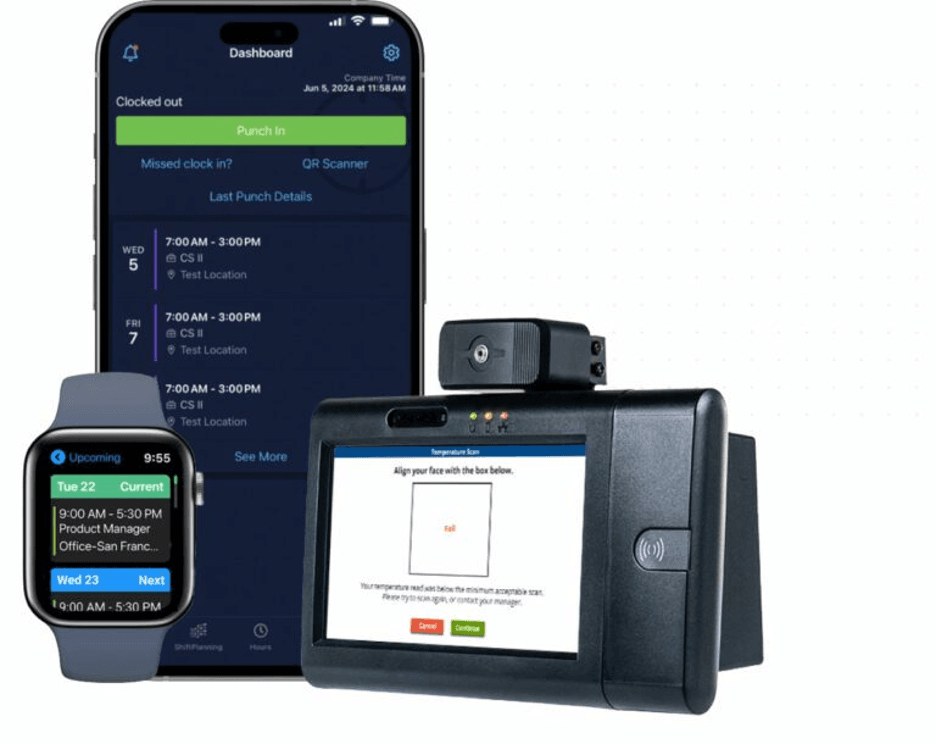
TimeClock Plus is designed to make complex workforce management easier through a clean, intuitive interface. During testing, we found the web platform and mobile apps easy to navigate, with dashboards that help managers and employees quickly access the tools and information they need. We also like that features such as automated scheduling, job tracking and costing, overtime and leave management, and real-time tracking help streamline day-to-day workforce management while reducing administrative work. Additionally, TimeClock Plus integrates with hundreds of the best online payroll services and HR management systems, making it easier to transfer timekeeping data without manual entry.
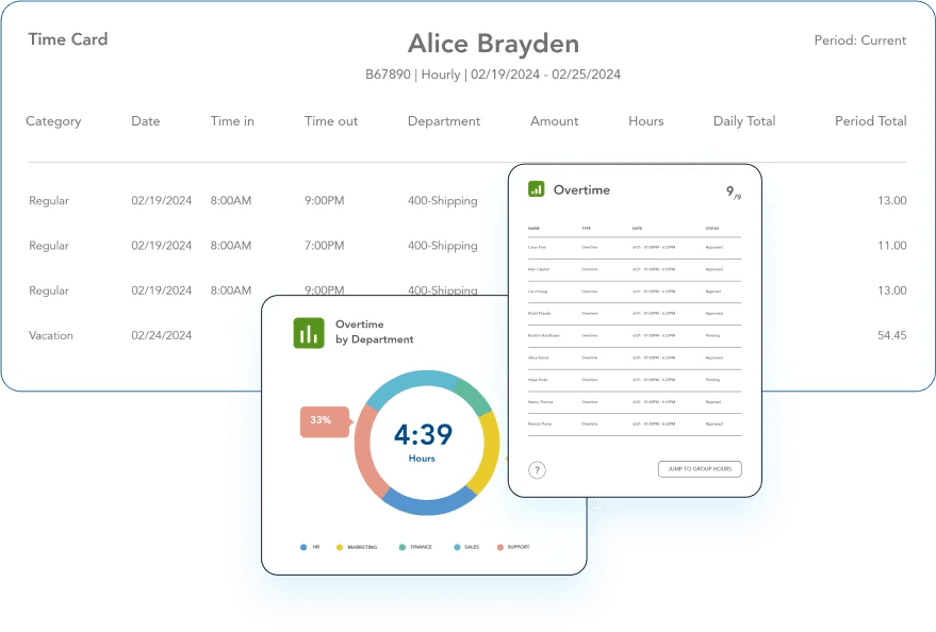
TimeClock Plus offers a great assortment of standard features to support businesses’ time and attendance needs, alongside scheduling and payroll preparation. We were especially impressed by several advanced features that set the platform apart from competing solutions.
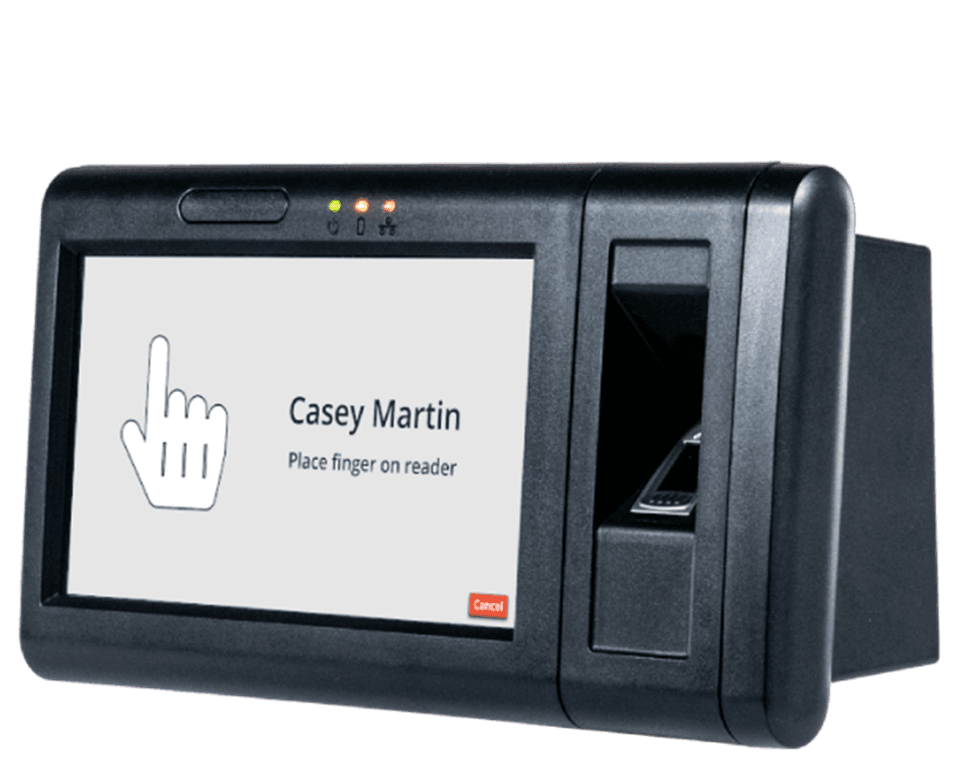
The variety of available time clocks is one feature that sets TimeClock Plus apart. Employees can clock in and out using a web browser, the TimeClock Plus Clock mobile app, physical time clocks or compatible wearable devices. Businesses can also implement advanced security features, including PIN access, contactless badges, barcode and RFID badge readers, and biometric fingerprint authentication to help ensure employees clock in at the correct time and location.
TimeClock Plus also offers specialized hardware, including biometric fingerprint readers and health-screening terminals with temperature sensing for organizations that require additional workplace safeguards. Few of the other time and attendance providers we reviewed offer such a broad selection of hardware options. Having multiple time collection methods makes it easier for scaling businesses to expand their timekeeping system as their workforce, locations and operational needs evolve.
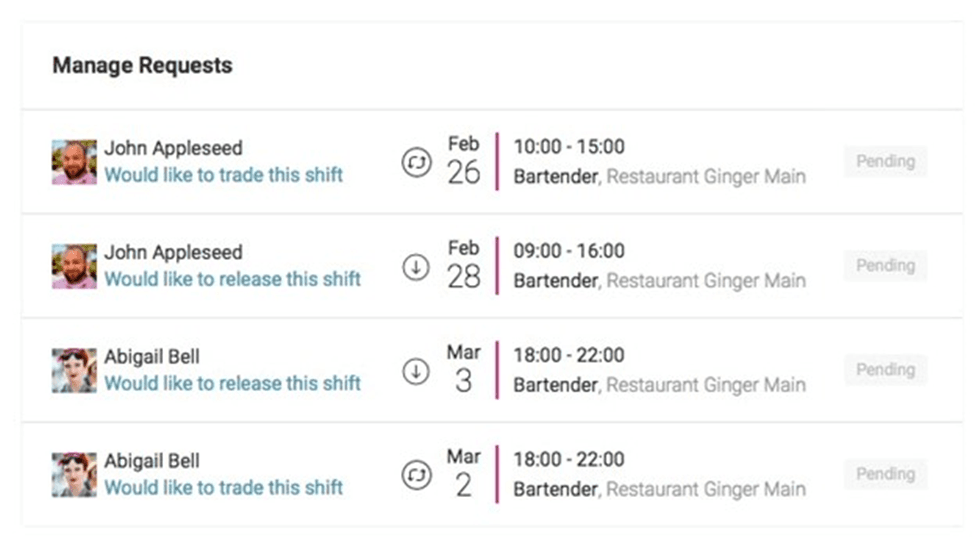
Employee scheduling often goes hand in hand with time and attendance management. During our evaluation, we liked that employees can conveniently manage their schedules, request time off, pick up open shifts and update their availability through the optional mobile app. Managers can use demand-driven scheduling and flexible staffing rules to better align coverage with business needs, helping control labor costs during both busy and slower periods.
We also like that the platform’s auto-scheduling feature lets managers optimize schedules using custom variables such as employee availability, seniority and scheduling preferences. Flex scheduling makes it easier to respond to real-time changes and fill open shifts, helping growing businesses stay productive as their workforce expands.
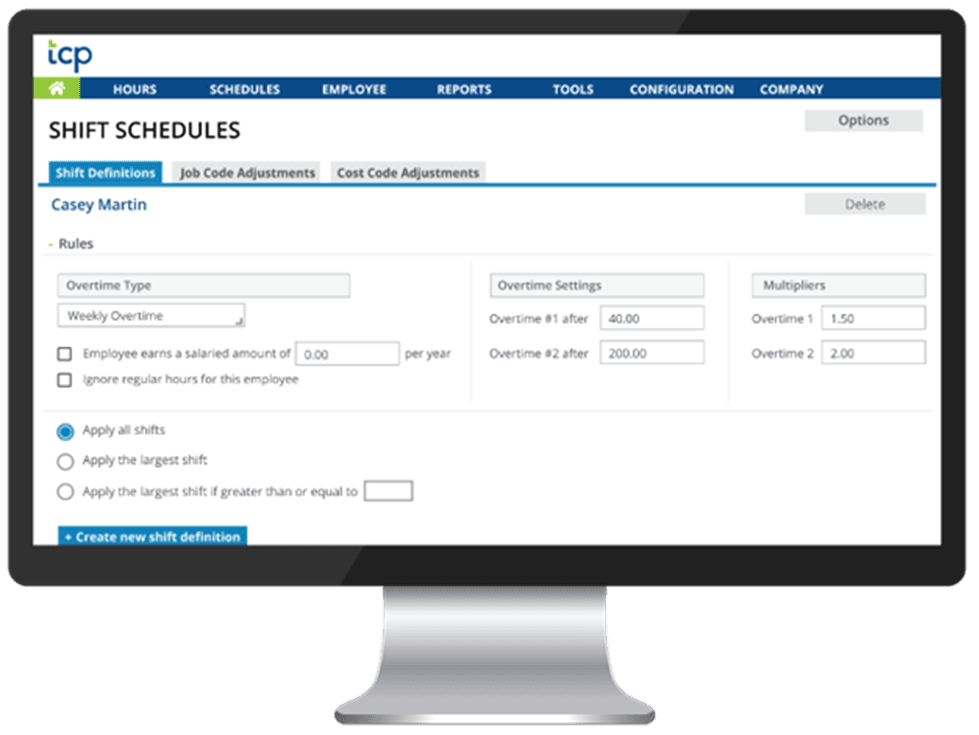
TimeClock Plus helps businesses automate time tracking, reporting and payroll preparation with a wide range of configurable tools. We were impressed by features such as advanced overtime management, missed punch and break tracking, dynamic labor calculations for premium pay rates, floating pay periods and comp time configuration. Few time and attendance providers we reviewed offer this level of customization.
We also like that TimeClock Plus includes custom workflows, audit logs and document repositories that can help businesses comply with regulations such as the Affordable Care Act (ACA), Family and Medical Leave Act (FMLA) and Fair Labor Standards Act (FLSA). These HR compliance tools become increasingly valuable as businesses grow and workforce management requirements become more complex.
TimeClock Plus doesn’t publish pricing on its website. Instead, businesses schedule a personalized demo and consultation, during which TCP recommends a solution and provides a customized quote based on factors such as workforce size, deployment preferences and the features your organization needs. We like that this approach allows businesses to build a workforce management solution tailored to their requirements, whether they choose a cloud-based or on-premises deployment. However, the lack of transparent pricing makes it difficult to compare costs with competing providers before contacting the sales team.
Additionally, unlike many competitors, TimeClock Plus doesn’t offer a free trial. Instead, prospective customers can schedule a personalized demo to see the platform in action, discuss their workforce management needs and receive a customized quote.
How long it takes to get started with TimeClock Plus depends on how much you customize the platform. Businesses using the core time and attendance system can expect a fairly straightforward setup. However, organizations implementing custom pay rules, leave policies, payroll integrations or physical time clock hardware should expect a more involved onboarding process.
We like that TCP takes a guided implementation approach, helping customers configure the platform to match their organization’s workforce policies, scheduling rules and payroll requirements. Depending on your deployment, onboarding may also include data migration, hardware installation, payroll and HR system integrations, and administrator training before the system goes live. While this process requires a greater time investment than many plug-and-play solutions, it helps ensure the software is configured correctly from the start. Businesses also have access to weekday customer support throughout implementation and beyond.
TimeClock Plus offers multiple ways to get help, whether you’re implementing the software for the first time or troubleshooting an issue later. We appreciate that customer support is available by phone Monday through Friday from 7 a.m. to 7 p.m. CT, while chat support is available 24/7. TCP also says customers can typically reach a live support agent by phone or chat in less than one minute.
Beyond direct support, we were impressed by TCP’s extensive customer resources. In addition to a searchable resource library, the company maintains a customer community, knowledge articles, blogs, customer success stories, videos and webinars to help businesses get more from the platform. These resources are especially valuable for organizations implementing more customized workforce management systems or training new administrators.
TimeClock Plus is a highly customizable workforce management platform, but it won’t be the right fit for every business. Here are a few tradeoffs to consider before choosing the software.
To find the best time and attendance software, we researched and analyzed dozens of time tracking providers. This process included watching product videos, conducting demos and participating in free trials whenever possible. We evaluated each product’s ease of use, integrations, pricing, mobile accessibility, hardware options and customer support. Features we considered included time-off tracking, employee scheduling, GPS tracking, geofencing, job tracking and costing, reporting, payroll integrations and notifications and alerts.
To determine the top time and attendance solution for scaling businesses in particular, we sought vendors that offered a wide range of time tracking features and the ability to customize your service to ensure you don’t pay for features you don’t need while keeping the option to add tools later as your company evolves.
We recommend TimeClock Plus for …
We don’t recommend TimeClock Plus for …