Business.com aims to help business owners make informed decisions to support and grow their companies. We research and recommend products and services suitable for various business types, investing thousands of hours each year in this process.
As a business, we need to generate revenue to sustain our content. We have financial relationships with some companies we cover, earning commissions when readers purchase from our partners or share information about their needs. These relationships do not dictate our advice and recommendations. Our editorial team independently evaluates and recommends products and services based on their research and expertise. Learn more about our process and partners here.
Clover and Square are highly regarded credit card processors with integrated POS systems. We'll compare their features and costs to help you determine the best vendor for your needs.

There’s no such thing as making it “too easy” to accept credit cards and other customer payments. That’s why choosing the best credit card processor is crucial to running a business. Clover and Square are top-notch payment processors with competitive rates and a range of features that will appeal to various businesses’ needs. Both companies provide essential functions, like merchant cash advances and customer management functionality. However, each company has specific advantages that cater to some businesses better than others. We’ll compare the offerings from Clover and Square to help you choose the best credit card processor for your organization.

Here’s an at-a-glance comparison of Clover and Square:
Criteria | Clover | Square |
|---|---|---|
Costs | Clover allows you to pay monthly or in full.
Processing fees vary slightly by business category. For retail shops:
Hardware costs:
| Monthly costs:
Processing fees:
Hardware costs:
|
Online store | No | Yes |
Invoicing | Yes | Yes |
Marketing services | No | Yes |
Customer support |
|
|
Clover is an excellent credit card processor for new businesses and any small business that wants a one-stop shop for payment processing and point-of-sale (POS) system functionality. The company provides hardware that’s compliant with industry security standards and software designed to help businesses with payment processing.
We appreciate that Clover delivers fast payment processing speeds, an intuitive user interface and easy implementation. You can accept credit cards and digital payments, handle product returns, manage inventory, facilitate tipping, create customer loyalty programs and generate insightful reports.
Clover offers six industry-specific solutions, each with Starter, Standard and Advanced tiers:
Clover provides the functionality and scalability to help businesses succeed and grow. Read our detailed review of Clover for additional information.
Square is an ideal choice for new and small businesses that need a versatile payment processing system to accept credit cards and NFC contactless payments. Its straightforward setup and user-friendly system make it easy for businesses to start accepting payments.
Square’s Free plan has no monthly subscription fee and supports online and in-person selling. Businesses that need more advanced features can upgrade to Plus or Premium. Square also offers industry-specific features for restaurants, retailers and appointment-based businesses.
Square offers a range of business tools, including sales data, real-time analytics and marketing features. Whether you need to build an online store, manage an email marketing campaign or run a seasonal sale, Square has tools to help.
Clover’s costs vary by business specialty, each of which offers three plan levels: Starter, Standard and Advanced. Most plans include POS hardware (such as handheld terminals, touchscreens and dual-screen POS systems).
The prices below reflect the monthly charges you’ll pay for 36 months; you can also pay in full upfront for many plans:
In this category, you’ll pay 2.3% plus 10 cents for card-present transactions and 3.5% plus 10 cents for card-not-present transactions for all plans.
In this category, you’ll pay 2.3% plus 10 cents for card-present transactions and 3.5% plus 10 cents for card-not-present transactions for all plans.
In this category, you’ll pay 2.6% plus 10 cents for card-present transactions and 3.5% plus 10 cents for card-not-present transactions for the Starter tier. For the Standard and Advanced tiers, you’ll pay 2.3% plus 10 cents for card-present transactions and 3.5% plus 10 cents for card-not-present transactions.
You’ll pay 3.5% plus 10 cents for card-not-present transactions at all levels. (All Starter transactions are card-not-present.) Card-present transactions are 2.6% plus 10 cents on the Standard plan and 2.3% plus 10 cents on the Advanced plan.
You’ll pay 3.5% plus 10 cents for card-not-present transactions at all levels. (All Starter transactions are card-not-present.) Standard and Advanced costs 2.6% plus 10 cents for card-present transactions.
Despite the varied options, Clover’s pricing is relatively straightforward. Your industry will narrow down your options, and your business’s needs will drive the package you want.
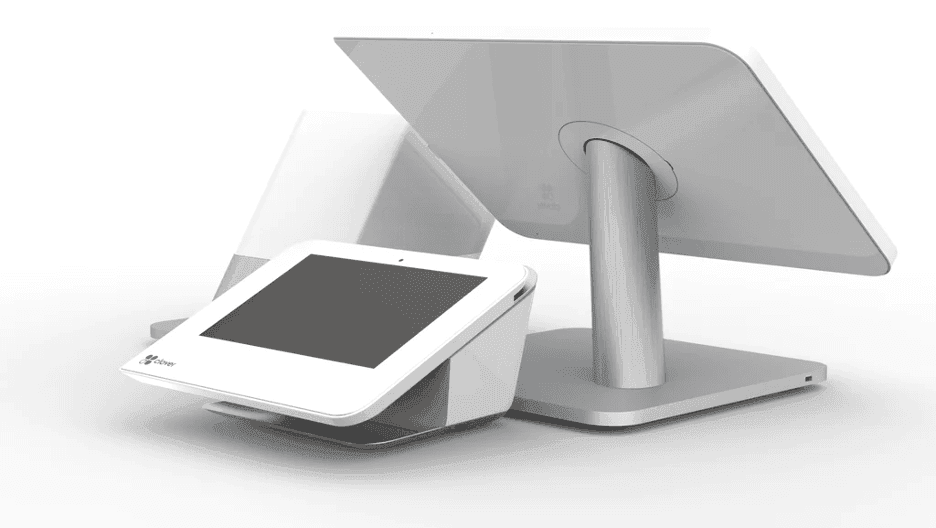
Square offers three subscription plans. The Free plan has no monthly subscription fee and includes payment processing, POS software, online selling, invoicing and other business tools. Plus costs $49 per location per month and adds more advanced features, while Premium costs $149 per location per month and includes additional tools and Square’s lowest standard in-person processing rate.
With Square, you’ll incur these processing fees and hardware costs:
Although Clover offers a website service called Clover Online Ordering, it currently only offers the ability to build a custom page to be hosted on an existing website. Here’s the good news: Many leading website-builder services, like Squarespace and Wix, support Clover POS integrations, so you can quickly enable sales on your website.
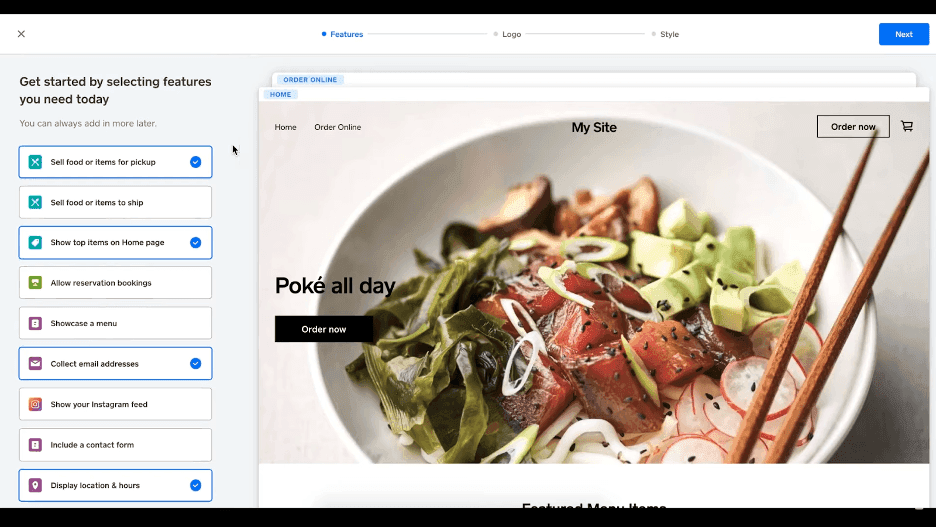
We love how easy Square makes it to create an online store, even from scratch. By offering pre-built website themes, anyone can quickly create a website with just a few clicks.
Square sets up users for success by providing thoughtful tools that go beyond the obvious tasks involved with running a storefront. Square users are equipped with staff-management tools and customer management systems and can even create limited-time offers.
Square lets users select the features they need to create a customized e-commerce portal.
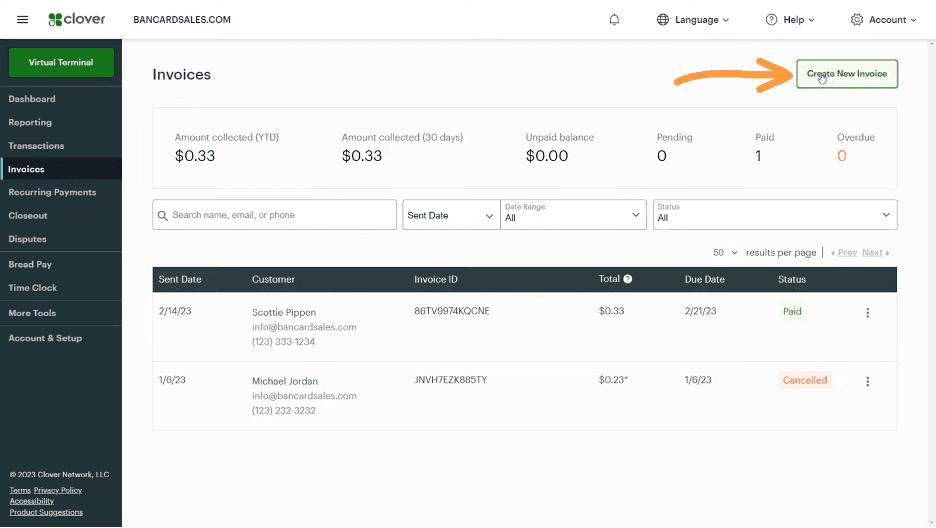
Creating invoices with Clover is straightforward. With every service plan, you can generate invoices independently of any POS hardware and send them via email. We like that Clover’s invoicing system offers preloaded templates in its dashboard and that you can integrate the system with some of the best accounting software.
Notably, Clover’s invoicing and payment-collection process is part of Clover’s secure payment processing ecosystem. You can rest assured that your customers’ financial information is safe and that your system complies with PTS guidelines.
Square makes it easy to generate invoices and reconcile payments quickly. You can access online invoicing with payment links and even schedule recurring payments. We also like that you can use Square’s virtual terminal to send invoices to customers via text. Customers can select a link to pay via SMS right away.
Clover doesn’t offer specific marketing services. Instead, it provides your marketing team with the tools and functionality it needs to track and gather crucial data and marketing analytics tied to their sales pipeline.
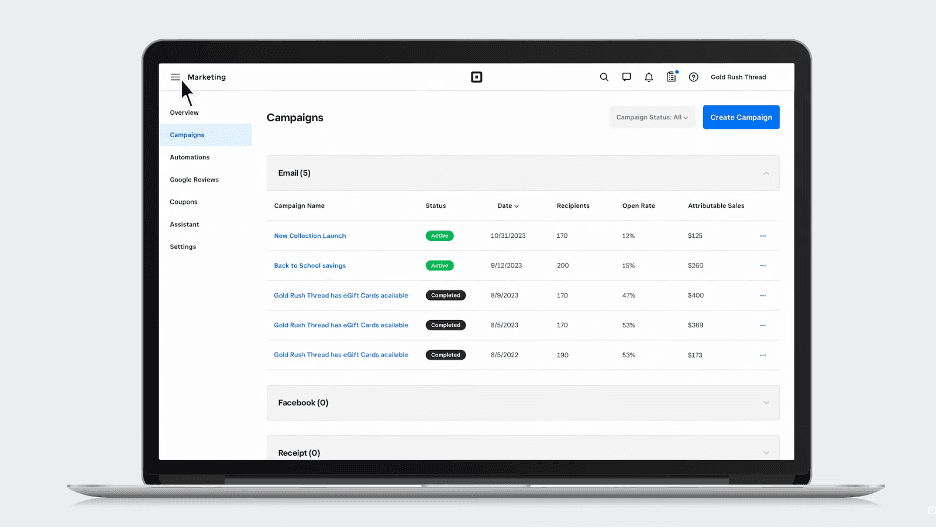
Square includes email and text marketing with its Plus and Premium plans, giving businesses tools to create one-time and automated campaigns. Plus includes unlimited email campaigns and 500 text messages per month, while Premium includes unlimited email campaigns and 2,500 text messages per month. Additional texts cost 3 cents each with Plus and 1.5 cents each with Premium.
Square’s marketing tools work with its Customer Directory, allowing businesses to segment customers and target campaigns. Businesses can also track campaign results, including attributable sales and coupon redemptions, from the Square Dashboard.
Square also supports automated email and text message marketing campaigns for things like welcoming new customers, birthday offers, abandoned-cart reminders and reengaging lapsed customers.
We were impressed by Clover’s customer support. Its service team is responsive and knowledgeable; when we tested the company’s live chat services, responses typically took less than 20 minutes. Phone support had short wait times, and representatives quickly directed us to the information we needed.
Because Clover is highly customizable, representatives can’t always provide an immediate answer. However, they can guide users to the Clover learning center for helpful resources. This self-help database contains a vast library of user guides that cover implementation, specific device features, virtual terminal tutorials, custom APIs and more.
When evaluating user reviews, we found mixed feedback about Square’s customer service. Some customers report difficulty getting timely help with account or payment issues, while others have had positive experiences with Square’s support team. Businesses that prioritize around-the-clock phone support should also note that 24/7 phone assistance is limited to Premium customers.
Choose Clover if:
Choose Square if:
