Business.com aims to help business owners make informed decisions to support and grow their companies. We research and recommend products and services suitable for various business types, investing thousands of hours each year in this process.
As a business, we need to generate revenue to sustain our content. We have financial relationships with some companies we cover, earning commissions when readers purchase from our partners or share information about their needs. These relationships do not dictate our advice and recommendations. Our editorial team independently evaluates and recommends products and services based on their research and expertise. Learn more about our process and partners here.


Accepting online payments is no longer just for dedicated e-commerce businesses. Service providers collect deposits and retainer payments through digital invoices. Restaurants take orders and payments through their websites. Consultants send payment links via email. Subscription businesses bill customers automatically online each month. Whether you’re launching a full online store or simply need a way to collect payment from a customer who isn’t standing in front of you, online payment acceptance is an essential capability for virtually every modern small business.
This guide covers everything you need to know to start accepting payments online: the types of online payments available, how to choose an online payment provider, how to set up payments on your website and elsewhere, how to optimize your online checkout process for conversions, and how to manage the fees, security and ongoing administration that come with online transactions.
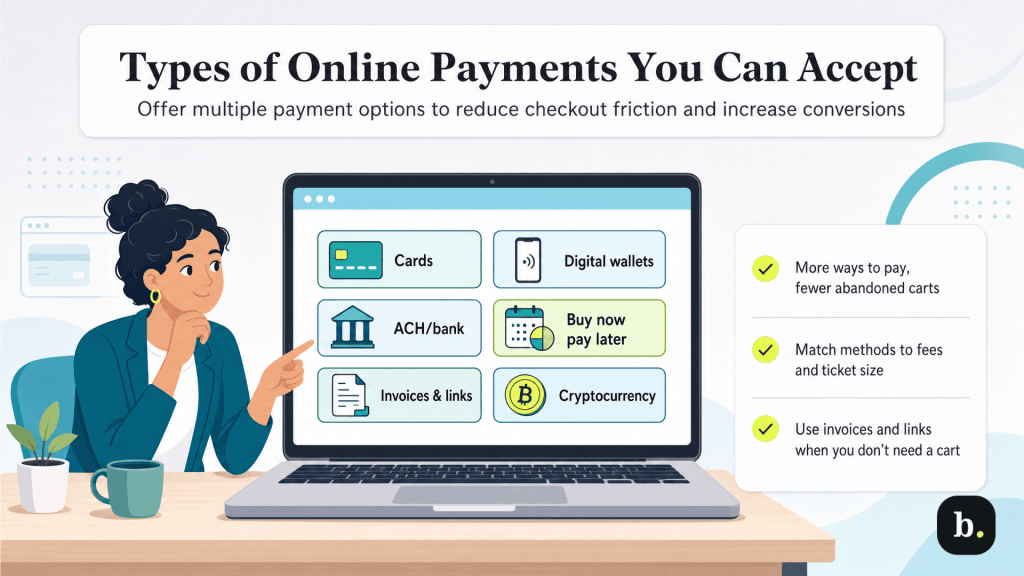
Online payment methods aren’t much different from in-person — with one obvious exception: You can’t take cash. You can, however, accept the following types of online payments.
Card payments remain the foundation of online commerce. Most customers expect to be able to pay with a Visa, Mastercard, American Express or Discover card when purchasing online. Accepting all four major networks is important because limiting payment options at checkout is one of the most reliable ways to lose sales. Online card payments require a payment gateway and processor (or an all-in-one provider that handles both), which captures and routes the transaction through the card networks to the customer’s issuing bank for authorization and settlement.
Digital wallets like Apple Pay, Google Pay, PayPal, Shop Pay and Amazon Pay allow customers to pay using credentials stored in their wallet app rather than manually entering their card details. The advantage for customers is speed and convenience — they authenticate with a fingerprint, face scan, or password, and the payment is submitted in one or two taps. The advantage for merchants is reduced checkout friction, particularly on mobile devices, where typing card numbers is cumbersome. Digital wallet transactions generally process at the same fee rates as standard card transactions.
ACH payments allow customers to pay directly from their bank accounts. Transaction fees are significantly lower than card payments — typically a flat fee of $0.20 to $1.50 per transaction for standard ACH bank transfers. Some modern “pay by bank” or fintech payment platforms may also charge a small percentage fee (around 0.5% to 1.5%), depending on the provider and settlement speed.
The trade-off is speed: ACH transfers take one to three business days to settle, compared to the near-instant authorization of card payments. ACH is particularly cost-effective for high-value transactions where card processing fees would be substantial, as well as for recurring payments such as subscriptions and membership dues. It’s also common in B2B transactions where both parties are accustomed to bank-to-bank payment flows.
Buy now, pay later (BNPL) services like Klarna, Afterpay and Affirm allow customers to split their purchase into installments, typically four interest-free payments over six to eight weeks. The merchant receives the full payment upfront (minus the BNPL provider’s fee), while the BNPL provider assumes the risk of collecting the installments from the customer.
BNPL can increase average order value and improve conversion rates, particularly for higher-ticket items where the full upfront price might cause hesitation. Buy now, pay later options are typically more expensive for merchants than standard card processing, with fees generally ranging from 2% to 8% of the transaction value, depending on the provider, risk level and repayment structure. Some plans or higher-risk merchants may see fees exceeding this range. Whether the math works for your business depends on your margins and whether the conversion lift justifies the higher fees.
Not every online payment happens through an online shopping cart. Many businesses collect payments by sending customers a digital invoice or a direct payment link via email, text message or social media. The customer clicks the link, enters their payment information (or pays via a stored method), and the transaction is complete. No website, shopping cart or e-commerce platform is required.
This approach is ideal for service businesses, freelancers, custom orders, deposits and B2B transactions where the sale doesn’t follow a standard add-to-cart workflow. Most payment processors, accounting platforms (QuickBooks, FreshBooks, Xero), and invoicing tools include invoicing and payment link functionality as a built-in feature.
>> See our picks for the best accounting software with modern payment tools.
Some businesses accept Bitcoin or other cryptocurrencies through services like BitPay or Coinbase Commerce. These services convert cryptocurrency payments into local currency for the merchant, reducing exposure to price volatility. Cryptocurrency acceptance remains niche for most small businesses — customer demand is limited, the tax reporting implications add complexity and the processing infrastructure is less mature than traditional card payments. It’s worth noting as an option, but for most small businesses, it’s not a priority.
The following table summarizes the key differences between the major online payment methods discussed here.
Payment Method | Typical Fees | Settlement Speed | Best For |
|---|---|---|---|
Credit/Debit Cards | 2.9% + $0.30 per transaction | 1-3 business days | General e-commerce, most customer-facing transactions |
Digital Wallets | Same as card rates | 1-3 business days | Mobile checkout, reducing friction for returning customers |
ACH/Bank Transfers | $0.20-$1.50/ 0.5-1.5% | 1-3 business days | High-value transactions, recurring billing, B2B |
Buy Now, Pay Later | 2%-8% per transaction | 1-3 business days | Higher-ticket items, increasing average order value |
Invoicing/Payment Links | Varies (typically card rates) | 1-3 business days | Service businesses, custom orders, deposits, B2B |
Cryptocurrency | 0.5%-2% | Minutes-1 hour | Global customers, privacy-focused transactions |
The specific components you need to accept online payments depend on your approach, but the core infrastructure for online payment acceptance includes:
The good news is that many modern payment providers bundle all of these components into a single service. For example, when you sign up with Stripe, Square, PayPal or a similar all-in-one provider, the gateway, processor and merchant account are all included. You don’t need to assemble these pieces separately unless you have specific requirements that justify a multi-provider setup.
Your choice of payment provider is one of the most consequential decisions in your online payment setup. The key factors to evaluate when deciding between vendors include:
If you’re using an e-commerce platform like Shopify, WooCommerce, BigCommerce or Squarespace, start with the platform’s recommended or built-in payment solution. These native integrations are pre-configured, well-supported and typically the fastest path to a working checkout. Shopify Payments, for example, is built on Stripe’s infrastructure but is fully integrated into the Shopify dashboard, eliminating the need for separate gateway configuration.
If you already accept in-person payments through a high-quality POS system, check whether your current processor supports online payments. Keeping in-person and online payments with one provider simplifies your reporting, reconciliation and cash flow management.
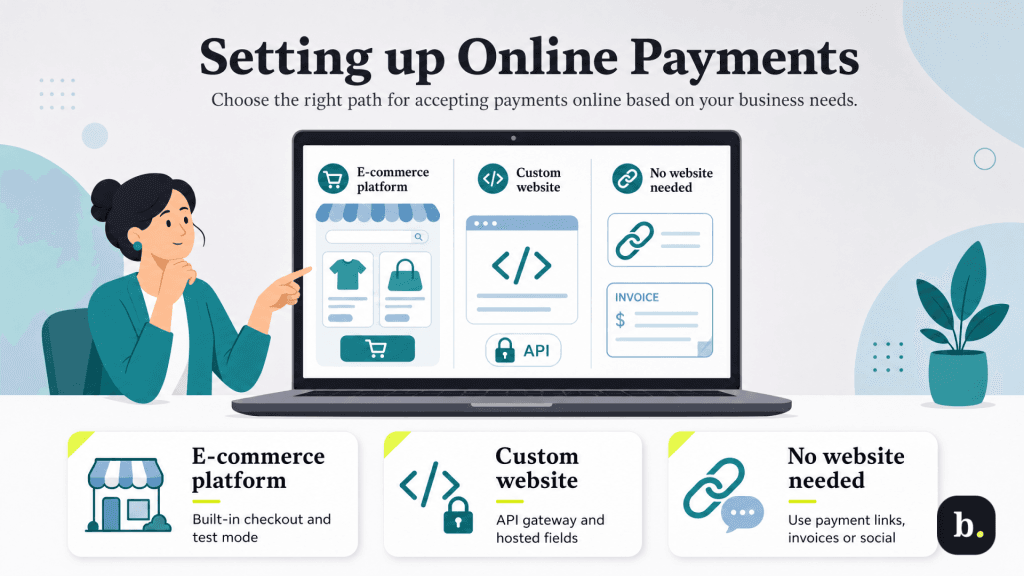
When you set up online payments, you can use an e-commerce platform, build a custom website or use alternative options for accepting payments, like selling on social media sites or invoice billing.
If you’re using a dedicated e-commerce platform, payment setup is built into the platform’s workflow. The general process involves enabling your chosen payment provider in your platform’s settings, connecting your bank account for deposits, selecting the payment methods you want to accept (cards, digital wallets, BNPL, etc.), and configuring your checkout page settings (shipping options, tax calculation, receipt preferences, etc.).
Most platforms offer a test or sandbox mode that lets you process simulated transactions before going live. Always use this to verify the complete checkout flow. Add items to a cart, proceed through checkout, submit a test payment, and confirm that the order confirmation page displays correctly, the confirmation email sends, and the transaction appears in your payment dashboard.
If you’ve built a custom website, you’ll integrate a payment gateway via API. Stripe, Braintree, and Authorize.net all provide well-documented APIs and client libraries for this purpose. The integration involves embedding a payment form on your checkout page, connecting it to the gateway’s API for transaction processing and handling authorization responses (approval, decline, error) in your user interface.
Use hosted payment fields or tokenization to minimize your PCI compliance scope. With this approach, the gateway provider renders the payment form fields in an iframe on your page. The card data is captured by the provider’s servers, not yours, so you never handle raw card data even though the form appears seamlessly within your checkout design.
If you don’t have developer resources for a full API integration, many gateways offer a middle ground: embeddable payment forms or hosted checkout pages that you can link to from your website. These require minimal technical setup while still providing a functional and professional checkout experience.
You don’t need a website to accept online payments. Several straightforward alternatives exist.
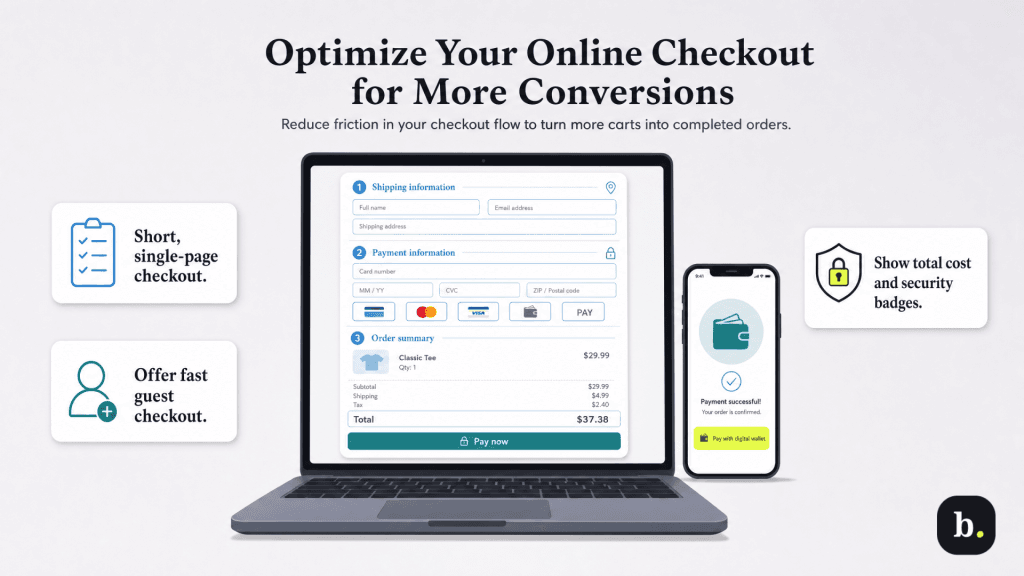
Getting an online payment system operational is only half the equation. The design and flow of your checkout process directly impact how many customers who intend to buy actually complete their purchase. Shopping cart abandonment — when a customer adds items to their cart but leaves your site without checking out — is one of the biggest revenue leaks in online commerce, and much of it is caused by checkout friction that is entirely within your control.
When setting up your online payments, follow these tips to optimize the process and increase conversions.
Online transactions carry higher processing fees than in-person transactions due to the increased fraud risk associated with card-not-present payments. This is an industry-wide standard, not a penalty imposed by any individual payment processing provider.
The standard benchmark for online card processing is approximately 2.9% + $0.30 per transaction, though this varies by provider, volume and the specific card type used. Digital wallet transactions generally process at the same rate as card transactions since the wallet is linked to an underlying card. ACH bank transfers are substantially cheaper, typically costing a flat fee of $0.20 to $1.50 or a small percentage. BNPL services charge the highest merchant fees, typically as much as 8% per transaction.
Beyond per-transaction fees, watch for monthly platform or subscription fees from your payment provider (if applicable), PCI compliance fees, chargeback fees ($20-$100 per dispute), and currency conversion fees if you sell internationally. Some providers also charge for features such as advanced fraud screening, recurring billing and detailed reporting.
When budgeting for online payments, card processing fees are typically the largest expense. On $10,000 in monthly online card sales, you would pay about $290 in percentage-based fees (at a 2.9% rate), plus additional fixed per-transaction fees that vary based on order volume — often adding $30 to $150 or more depending on how many transactions you process. This cost should be factored into your pricing and margin calculations.
Accepting payments online requires taking security seriously. Your obligations include both protecting customer data and preventing fraudulent transactions that would result in chargebacks and losses for your business.
An SSL/TLS certificate is mandatory for any page that handles payment data. This encrypts the connection between the customer’s browser and your server, protecting data in transit. To ensure e-commerce security, most platforms automatically include SSL, and hosting providers offer it for free or at minimal cost through services like Let’s Encrypt.
PCI compliance is your responsibility as a merchant who handles card transactions. The scope of your compliance obligations depends on how your payment infrastructure is set up. Using a hosted payment page or tokenized payment fields from your gateway provider keeps your PCI scope minimal because card data never touches your servers. If you handle card data more directly, your obligations are more extensive.
Fraud prevention tools available through most modern payment providers include Address Verification Service (AVS), CVV matching, 3D Secure authentication, velocity checks and machine-learning-based risk scoring. Enable the tools your provider offers and configure them to match your risk tolerance — too aggressive and you’ll block legitimate customers; too permissive and you’ll absorb more fraud losses. Monitor transaction patterns regularly and watch for red flags like mismatched billing and shipping addresses, unusually large orders from new customers and multiple failed payment attempts.
Online transaction funds typically settle within one to three business days, consistent with the standard card settlement timeline. Most payment providers allow you to set up automatic daily payouts to your bank account, which is the simplest approach for ongoing cash flow management.
Reconciliation — matching the payments in your provider’s dashboard with the deposits in your bank account — is an important operational habit. Your payment provider’s dashboard will show gross transactions, while your bank deposits will reflect the net amount after processing fees are deducted. Most providers offer downloadable transaction reports for reconciliation, and many integrate directly with accounting software such as QuickBooks or Xero to automate the process.
Track refunds, chargebacks and fees separately from your regular sales data. These line items affect your net revenue and cash flow differently, and lumping them together makes it harder to understand your true financial performance from online sales. If your accounting software supports automatic transaction categorization from your payment provider, take the time to configure it correctly at the outset — it will save significant time throughout the year.
Accepting online payments is possible for virtually any small business, regardless of whether you operate a full e-commerce store, a service practice or a brick-and-mortar shop. You don’t need a website to get started — payment links and digital invoicing put online payment acceptance within reach of any business with an email address or a phone number. Still, for most businesses, an all-in-one payment provider paired with your existing website or e-commerce platform is the fastest and most cost-effective path.
Focus on offering the payment methods your customers expect, keep your checkout process as frictionless as possible and maintain strong security fundamentals. From there, monitor your fees, reconcile your payouts and refine your checkout flow based on real customer behavior. Online payment acceptance isn’t a one-time setup — it’s an ongoing part of your business that rewards attention and optimization.
