Business.com aims to help business owners make informed decisions to support and grow their companies. We research and recommend products and services suitable for various business types, investing thousands of hours each year in this process.
As a business, we need to generate revenue to sustain our content. We have financial relationships with some companies we cover, earning commissions when readers purchase from our partners or share information about their needs. These relationships do not dictate our advice and recommendations. Our editorial team independently evaluates and recommends products and services based on their research and expertise. Learn more about our process and partners here.
Managing payroll doesn’t have to take up hours of your time. With the right tools, you can prepare and run payroll in less than five minutes.


This article is sponsored by Patriot Software.
Payroll is one of the most time-consuming and highest-stakes responsibilities for small business owners. According to a survey conducted by Kelton Global, small business owners spend an average of nearly five hours per pay period calculating, filing and paying payroll taxes. For a business that pays employees on a biweekly basis, that adds up to more than 16 work days each year.
The cost of getting it wrong is equally significant. The IRS penalizes millions of small and mid-size businesses each year for late deposits, incorrect withholding amounts or filing errors. Depending on the severity, failure-to-deposit penalties range from 2 percent to 15 percent of the unpaid tax, and failure-to-file penalties can escalate to 25 percent of the amount owed.
The good news is that online payroll software has made it possible to compress the entire payroll cycle – from reviewing employee hours to submitting direct deposits and tax filings – into just a few minutes. This article explains how that works, what features make it possible and what to look for when evaluating a payroll solution that can genuinely save your business hours every pay period.
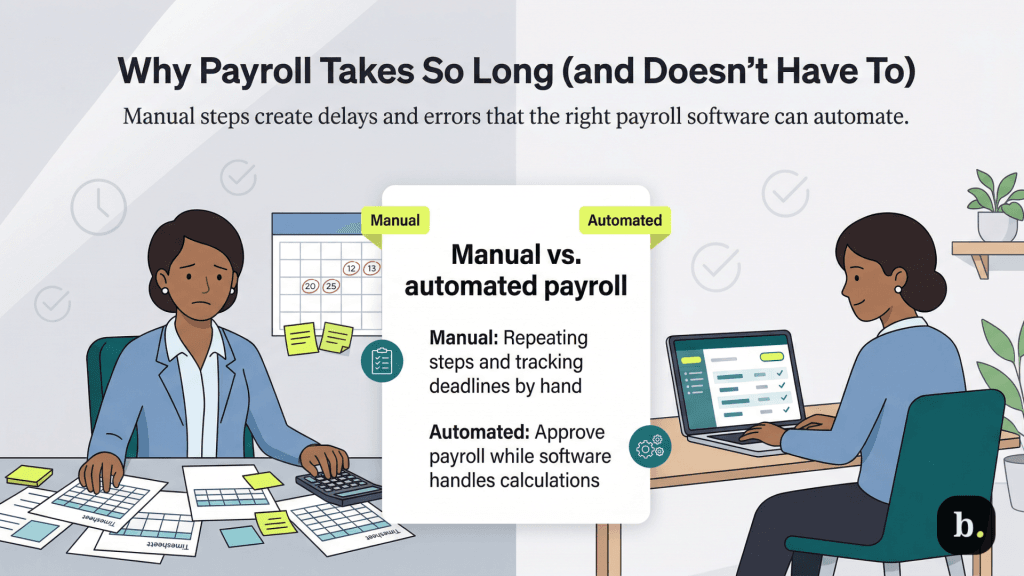
For many small business owners, payroll is a chain of tasks that each introduce opportunities for error. A typical manual or semi-manual payroll process involves:
Each of these steps requires precision. An incorrect withholding calculation or a missed deposit deadline can trigger penalties from the IRS or state agencies. According to the National Small Business Association’s 2025 Small Business Taxation Survey, 50 percent of small businesses spend more than three hours per month on payroll tax administration alone, and that figure doesn’t account for the broader payroll process.
The underlying issue isn’t that payroll is inherently complicated. It’s that manual processes force business owners to redo calculations, cross-reference tax tables and track deadlines that software can handle automatically. The right payroll platform absorbs that complexity so the business owner’s role shifts from performing payroll to simply approving it.
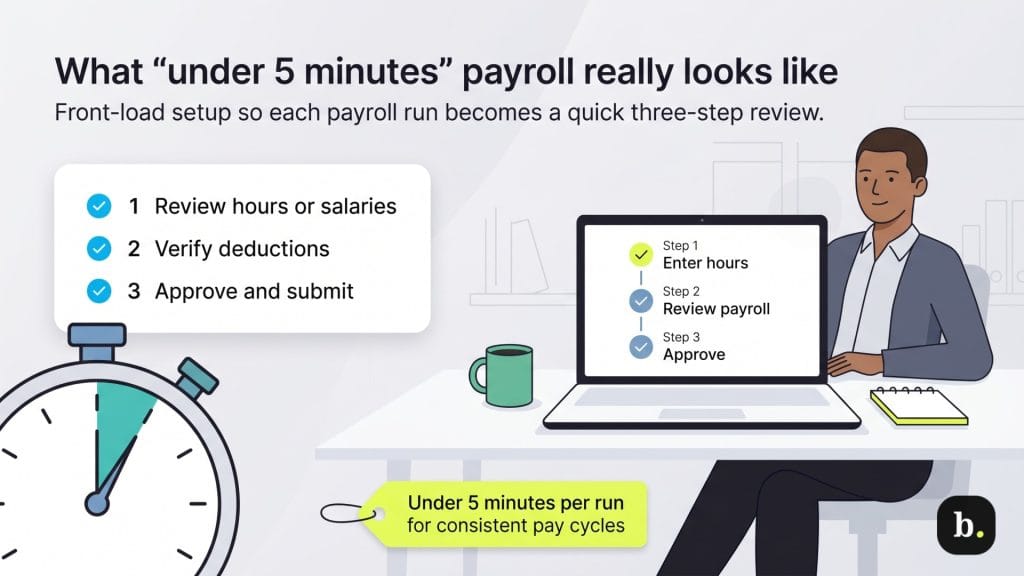
A five-minute payroll run isn’t a marketing abstraction, it’s the result of front-loading the complex work into initial setup and letting software handle the recurring calculations. Here’s what a streamlined payroll cycle typically involves:
Patriot Software, for example, structures its payroll around a three-step process: enter hours, review payroll and approve. Because tax calculations, deduction amounts and filing schedules are pre-configured during setup, the per-run workload is minimal. For businesses with consistent pay cycles and salaried employees, the process can take well under five minutes.
For businesses with predictable payrolls where the same employees earn the same amount each pay period, some platforms now offer fully automated payroll that runs without any manual intervention at all.
The key safeguard is that employers receive an advance notification before each automated run is processed, providing a window to review and cancel the run if anything needs to change. For example, if an employee’s hours varied that period or a new hire needs to be added, you’ll have the opportunity to do so prior to the auto run. Auto Payroll supports both salaried and hourly employees, with or without direct deposit.
This kind of automation is particularly valuable for very small businesses where the owner is also the payroll administrator. It eliminates the risk of missed payroll deadlines due to travel, illness or simply being too busy; payroll runs itself on schedule and the owner only needs to step in when something actually changes.
That said, Auto Payroll isn’t ideal for every business. Companies with highly variable hours, frequent staffing changes or commission-based pay structures will still benefit from a manual review each cycle. The feature is best suited for operations where the payroll looks essentially the same from one period to the next.
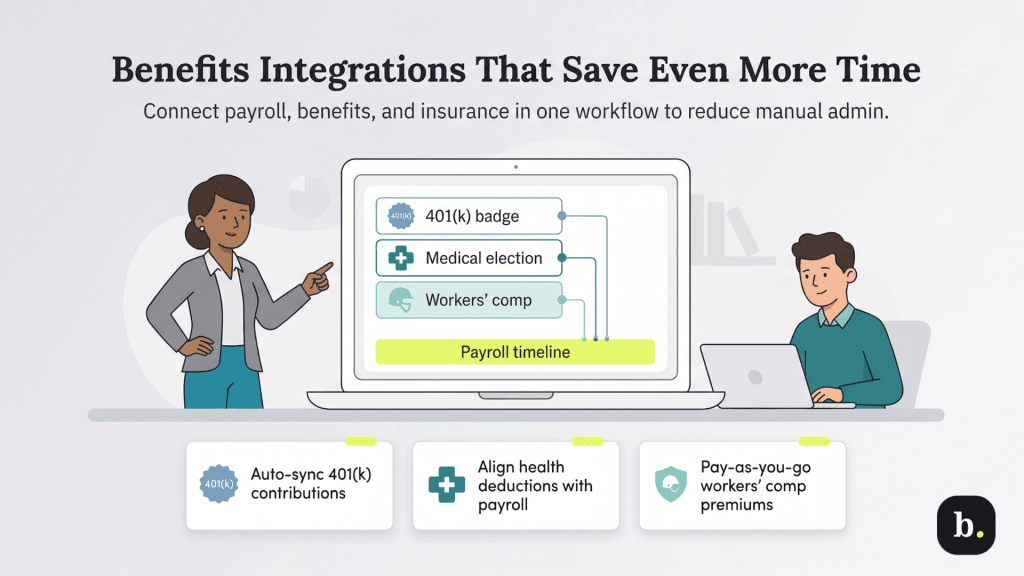
Speed in payroll isn’t just about the payroll run itself. A significant portion of the administrative burden comes from managing the benefits and deductions that feed into each paycheck. When those systems don’t communicate with your payroll platform, you’re left manually tracking contributions, reconciling deduction amounts and double-entering data across systems. The best payroll solutions eliminate that friction by integrating benefits administration directly into the payroll workflow.
Administering a 401(k) plan alongside payroll can be a significant time sink when the two systems operate independently. Business owners need to track employee contribution elections, ensure deductions are applied correctly each pay period, monitor annual contribution limits set by the IRS and coordinate with the plan provider on reporting.
Patriot Software offers a free 401(k) integration through its partner Vestwell, a retirement plan provider. When an employee enrolls in the plan, the corresponding payroll deductions and employer contributions are set up automatically within Patriot’s system. Contribution amounts are updated in real time, and the integration automatically stops deductions when the IRS-defined annual contribution limit is reached. Patriot has also negotiated exclusive discount pricing with Vestwell for its customers, which can reduce the overall cost of offering a retirement benefit.
For small businesses that want to offer a competitive retirement benefit without adding hours of administrative overhead, this kind of seamless integration is essential. The deductions flow through payroll automatically, and year-end reporting is handled without requiring the business owner to reconcile between two separate systems.
Health insurance is often the most valuable benefit a small business can offer, but administering it can be complicated. Employer and employee premium contributions need to be reflected as payroll deductions, and any changes (new enrollments, plan changes during open enrollment or qualifying life events) need to be updated in the payroll system promptly to ensure accurate paychecks and tax withholdings.
Patriot integrates with SimplyInsured, a health benefits marketplace, to streamline this process. Through the integration, businesses can shop for medical, dental and vision plans and manage employee enrollments directly through the Patriot platform. Deductions are applied to payroll automatically, removing the need for manual updates when employees enroll in or change their coverage. The integration is free for Patriot payroll customers.
Traditional workers’ compensation insurance involves estimating your annual payroll at the start of the policy period, paying a premium based on that estimate and then reconciling the actual payroll at year-end. The result is often a large, unexpected additional payment or a refund. For small businesses with fluctuating headcounts or seasonal employees, this creates both a cash flow burden and an administrative headache.
Patriot offers a free pay-as-you-go workers’ comp integration with its partner, ERGO NEXT Insurance. Instead of paying a lump-sum estimated premium, the integration uses your actual payroll data each period to calculate the exact premium owed. ERGO NEXT Insurance handles the premium payments and paperwork automatically, so you’re never overpaying based on estimates, and there’s no surprise year-end audit bill.
This model aligns your workers’ comp costs directly with your actual payroll, which is particularly beneficial for businesses with variable workforces. It also eliminates one more item from the payroll administrator’s to-do list: the integration handles itself once it’s set up.
While the features above illustrate how the right platform can dramatically reduce payroll time, they’re not the only factors worth evaluating. Here are several additional capabilities that contribute to a genuinely efficient payroll experience.
Tax filing automation is arguably the most important differentiator. Basic payroll plans typically calculate your tax obligations but leave the actual filing and depositing to you. Full-service plans handle everything — calculating, filing, and depositing federal, state, and local payroll taxes on your behalf. For business owners who aren’t payroll specialists, full-service plans remove one of the most error-prone and penalty-heavy aspects of the process.
An employee self-service portal reduces the volume of routine questions that land on the business owner’s desk. When employees can access their own pay stubs, W-2s, and tax documents through a secure online portal, it eliminates back-and-forth that adds up over time — especially around tax season.
Unlimited payroll runs provide flexibility for businesses that occasionally need to process off-cycle payments, such as bonuses, commissions, or corrections. Some payroll providers charge per run or cap the number of runs per month, which can penalize businesses that need to pay employees outside their standard schedule.
U.S.-based customer support matters more than it might seem. Payroll questions are often time-sensitive — a tax filing deadline is approaching, or an employee’s direct deposit didn’t go through — and having access to knowledgeable support staff who can resolve issues quickly is a meaningful advantage.
Transparent pricing and the ability to try before you commit are signs of a provider that’s confident in its product. Look for month-to-month subscriptions with no long-term contracts, clear per-employee pricing, and a free trial period.
