Business.com aims to help business owners make informed decisions to support and grow their companies. We research and recommend products and services suitable for various business types, investing thousands of hours each year in this process.
As a business, we need to generate revenue to sustain our content. We have financial relationships with some companies we cover, earning commissions when readers purchase from our partners or share information about their needs. These relationships do not dictate our advice and recommendations. Our editorial team independently evaluates and recommends products and services based on their research and expertise. Learn more about our process and partners here.
Photoshop is widely considered the industry standard in photo and graphic editing software. Explore why Photoshop remains so widely used and how you can apply it in your business.


Since its public launch in 1990, Photoshop has grown from a Mac-only application into the industry standard for graphic editing. Part of Adobe’s Creative Cloud platform, Photoshop is used by novice and professional artists alike to create images, graphics and (in some cases) 3D artwork, and its name has even become part of everyday language (for example, “photoshopping a picture”).
So why has Adobe’s graphic design software remained such a dominant force? Below, we explore the benefits of Photoshop, why the product is so popular, how to use it for your business and alternative software options.
Photoshop is a powerful graphic design and photo editing tool that includes a wide range of drawing, editing and production features, such as:
As Clinton Gorham, founder of The Gorham Agency, pointed out, Photoshop was — and still is — a pioneer of the graphic design industry. “For a lot of us, [Photoshop] was the design world,” explained Gorham. “When I started school back in 2007, it was the only software the instructors even mentioned.”
This, he said, led to an entire generation of creatives with a deep knowledge of the platform. “Whether I am freelancing, collaborating with a team or jumping into a contract role, I never have to worry about compatibility. Everyone is speaking the same creative language,” Gorham added.
Adobe generated $23.77 billion in revenue in fiscal year 2025, underscoring just how popular its products are. Photoshop plans start at $22.99 per month for individuals; you can buy it on its own or as part of a broader Creative Cloud bundle. Business plans with per-user pricing are also available for teams. Some subscriptions (such as Adobe’s Photography plan or multi-app packages) also include Lightroom and cloud storage.
“Adobe’s subscription model ensures users always have access to the latest features, updates and even beta tools, making it easier to stay at the forefront of innovation,” noted Brittany Chase, marketing manager at Nationwide Sports Construction.
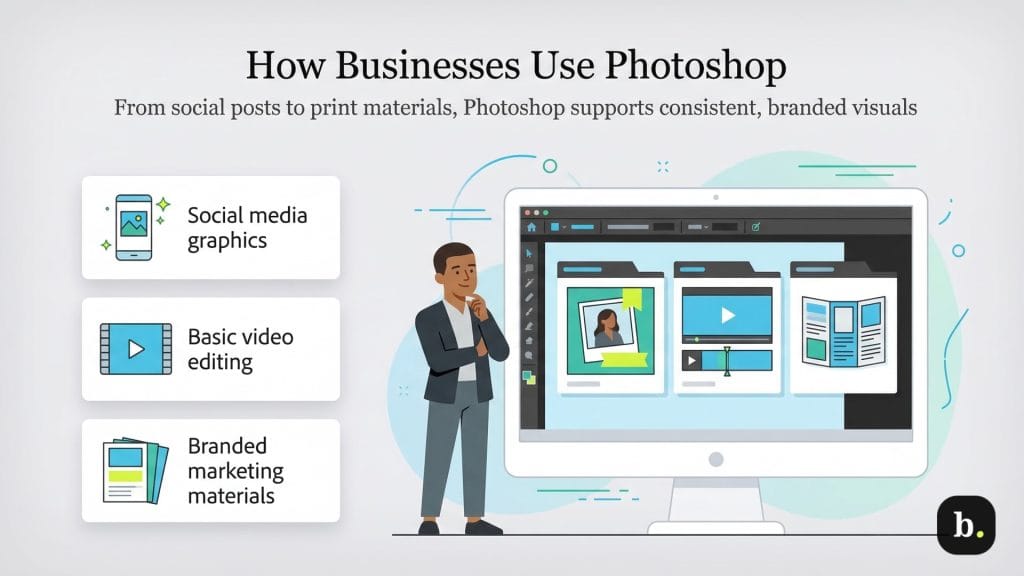
There are many ways to use Photoshop in your business, even if you don’t have a professional designer on your team. The only limitation is your imagination. “[Photoshop’s] roots lie in retouching, editing and comprehensive image management, but the program has grown to enable creating art from scratch as well,” said Jeroen Bours, founder and CEO of darling advertising and design.
Below are some of the most common business use cases for Photoshop.
Businesses often use Photoshop to create eye-catching graphics and GIFs for social media marketing campaigns and posts. The tool’s customizable canvas sizes and export options make it easy to prepare visuals for different platforms, including the ability to compress JPEG images for faster loading on social media. Photoshop also enables users to create social graphics from photos or draw on a blank canvas with shapes, brushes and pens.
Video marketing should be a key part of your web content strategy, and Photoshop makes it easy for even novices to get started with brand videos. While not a full-featured video editor like Adobe Premiere Pro, it’s a useful tool for basic tasks, including:
Users can export their edited videos in common formats such as H.264 (MP4) and QuickTime (MOV).
Unified visuals across social media, direct mail marketing and in-store signage are essential for maintaining a consistent brand image. Photoshop makes it easy to ensure that posters, web graphics, images, email marketing campaigns and printed materials all follow the same style guidelines. With a set color palette and fonts, designers can apply a consistent look across different projects.
Newer users can employ basic Photoshop skills or leverage templates and presets to create flyers, postcards, brochures, web graphics, signage and business cards.
No matter your industry, your business can likely benefit from using Photoshop. Here are just a few advantages:
Reilly Newman, brand strategist and founder of Motif Brands, advised anyone planning to use Photoshop for their business to take the time to learn the ins and outs of it and keep up with the latest updates. “It’s like playing guitar: You never ‘finish’ learning; you just continue to refine how you use it and learn new ways to play it,” Newman said. “Especially as technology continues to advance rapidly, you’ll be able to integrate many benefits into your workflow and creativity, thanks to a powerhouse like Photoshop.”
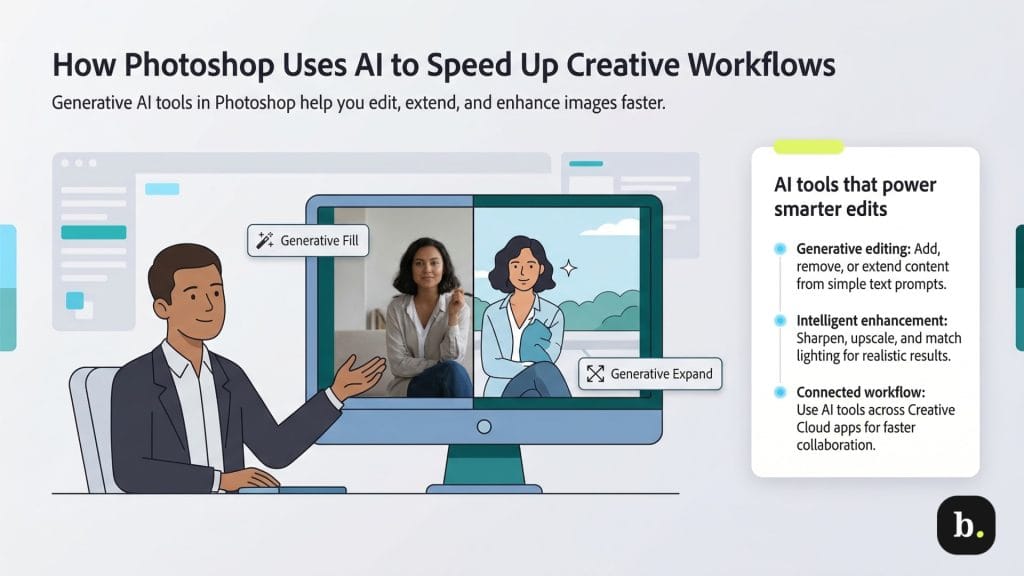
As Adobe continues to evolve Photoshop, one of the biggest shifts has been the integration of artificial intelligence into everyday workflows.
Powered by Adobe Firefly, Photoshop includes generative AI tools that allow users to create and customize content more efficiently. These tools make it easier for designers to add, remove or modify elements — including extending backgrounds or generating new visual content — to produce more realistic, high-quality results in less time.
“Adobe has consistently embraced new technology — not as a replacement for creatives, but as a way to empower them,” Chase explained. “Rather than handing over control to AI, Photoshop keeps the artist at the center, offering tools that refine and enhance the creative process.”
Key features include:
Adobe continues to expand Photoshop’s capabilities with AI-driven features and improvements to existing tools. Newer tools can analyze images, suggest edits and support natural language prompts, helping automate parts of the editing process and streamline workflows.
Adobe is also expanding support for multiple AI models within Firefly, giving users more flexibility when generating content.
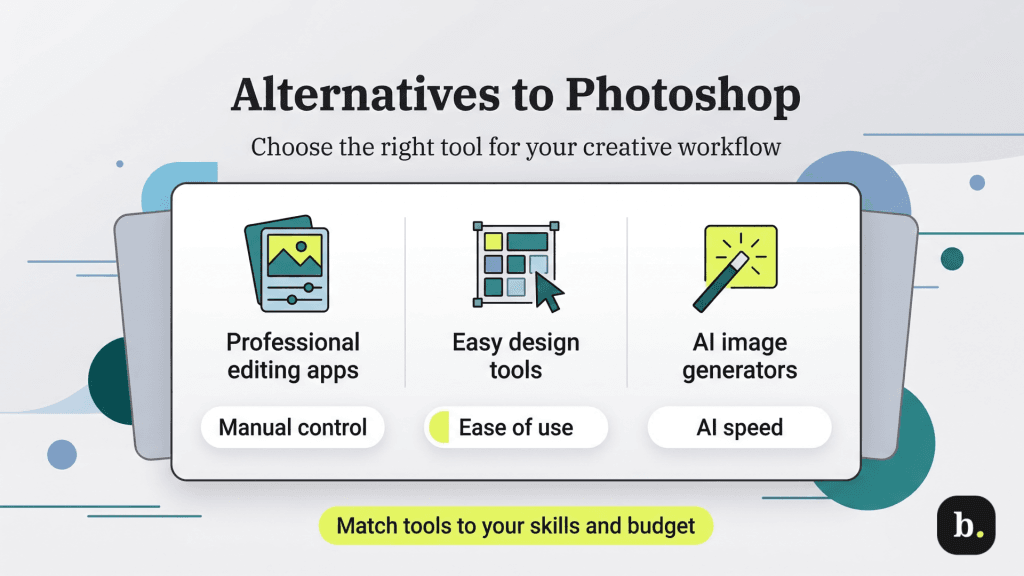
Despite Photoshop’s dominance in the market, other design and image creation tools are available, including:
Affinity is one of the closest alternatives to Photoshop for professional designers and photographers, with many of the same editing and retouching tools. The platform has also shifted in recent years; after Canva acquired the Affinity suite, it was relaunched as a broader, all-in-one creative platform.
Now positioned as Affinity by Canva, the software has shifted from a set of standalone creative apps to a unified, all-in-one application that combines photo editing, vector design and page layout tools in a single interface. The software is currently available on macOS and Windows, with iPad support coming soon.
Unlike Adobe Photoshop’s subscription model, Affinity is free to use with a Canva account. However, some advanced features — especially Canva’s AI-powered tools — require a paid Canva plan.
While Affinity can handle advanced editing tasks like RAW processing, compositing and layered design, Photoshop still offers a deeper generative AI toolset. For businesses that want more mature AI-assisted workflows and automation, that can be an important advantage.
With a drag-and-drop interface, predesigned templates and AI-powered tools, Canva is an accessible and robust online design platform built with non-design professionals in mind. Katria Farmer, co-founder and creative director at Little Dipper Interactive, noted that Photoshop’s steep learning curve and complexity can be a barrier to entry for non-design professionals.
“Being a small business owner means you have to wear an infinite number of hats,” Farmer said. “[Photoshop can be] overwhelming, especially for those who [aren’t] tech savvy. For them, I recommend Canva. It’s an easy, visual point-and-click service that’s cheaper and also gives them easy-to-use templates.”
Canva also includes built-in collaboration tools, brand kits and AI features that help users quickly generate designs and create content across formats, from social media graphics to presentations and marketing materials. A free plan is available, with paid tiers that unlock additional features and higher usage limits.
ChatGPT is a fast way to create visuals without needing design experience. You can generate images from text prompts — everything from realistic scenes to more stylized illustrations — or make edits to existing images using simple instructions.
For businesses, it’s a useful tool for brainstorming concepts, mocking up marketing ideas or quickly producing visuals without having to bring in a designer. Basic image generation is available on free plans, while paid subscriptions offer higher usage limits and more advanced capabilities.
The tradeoff is control. Since everything is driven by text prompts, it can be harder to fine-tune details compared to a tool like Photoshop. The final output depends on how the model interprets your request, which may require multiple revisions to get the desired result.
GIMP is a free, open-source alternative to Photoshop available on Linux, Windows and macOS. It includes many of the same core features, such as painting tools, color correction and retouching, advanced selection functions and support for a wide range of file formats.
GIMP is open-source, so it’s constantly being updated and can be customized to fit different workflows. That said, some users run into performance issues or find the learning curve steeper than with more polished, commercial tools.
Midjourney is a subscription-based generative AI tool that creates images from text prompts. Instead of editing existing photos, it’s designed to generate entirely new visuals — from realistic scenes to highly stylized artwork — in just seconds.
The platform is cloud-based and typically accessed through its web interface or Discord, so users don’t need specialized hardware to get started. Midjourney offers several subscription tiers based on GPU processing time (starting at around $10 per month), which determines how many images you can generate each month.
Because Midjourney is built for rapid image creation, it’s especially useful for brainstorming visual concepts, marketing ideas or creative assets. However, like other prompt-based tools, it offers less control over fine details compared to traditional editing software like Photoshop.
Often considered one of the best Photoshop alternatives for iPad users, Procreate is a one-time purchase app (currently $12.99) with an intuitive interface, making it especially appealing for designers and creatives who want to sketch, paint or illustrate on the go.
Built specifically for iPad and optimized for Apple Pencil, Procreate offers a highly responsive drawing experience along with hundreds of customizable brushes, layering tools and advanced effects. It’s particularly well-suited for digital illustration, concept art and quick creative mockups.
However, Procreate is limited to Apple’s ecosystem, as it runs on iPadOS (with a separate version for iPhone). It also doesn’t offer the same depth in photo editing, automation or collaboration features you’d get with Photoshop. For most businesses, it works better as a complementary tool than a full replacement.
Sketch is a vector graphics application built primarily for user interface (UI) and user experience (UX) design. It’s widely used by product teams to create app layouts, website designs and interactive prototypes.
While Sketch remains a macOS-based design tool, it has expanded beyond desktop use with a web app that allows teams to view, share and collaborate on designs in real time. Features like reusable components, shared libraries and version control make it especially useful for collaborative design workflows.
Sketch operates on a subscription model (starting at around $12 per user per month, billed annually) and includes both design and collaboration tools. However, because the full design experience is still limited to Mac devices, it may not be the best fit for teams working across multiple operating systems.
Sean Peek contributed to this article. Source interviews were conducted for a previous version of this article.