
Business.com aims to help business owners make informed decisions to support and grow their companies. We research and recommend products and services suitable for various business types, investing thousands of hours each year in this process.
As a business, we need to generate revenue to sustain our content. We have financial relationships with some companies we cover, earning commissions when readers purchase from our partners or share information about their needs. These relationships do not dictate our advice and recommendations. Our editorial team independently evaluates and recommends products and services based on their research and expertise. Learn more about our process and partners here.


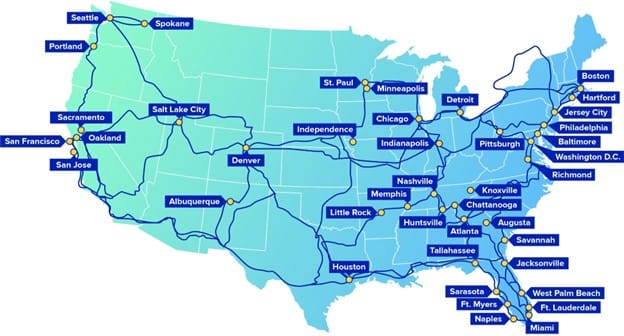
Comcast Business is one of the largest business internet providers in the United States, offering internet, networking and communications services for organizations of all sizes. Its portfolio includes several types of internet services, including Ethernet Dedicated Internet, managed networking services, wireless backup, VoIP calling and mobile service. Businesses with multiple locations or complex networking requirements will find a particularly broad range of connectivity and network management options. In this review, we’ll examine Comcast Business’s features, pricing, implementation process, customer support and limitations to help you decide whether it’s the right fit for your organization.
We chose Comcast Business as the best business internet service provider for enterprises because it offers far more than standard business internet plans. In addition to cable and fiber-optic internet services, Comcast provides Ethernet Dedicated Internet, managed networking, security solutions and wireless backup options that can support organizations with complex connectivity requirements across multiple locations.
We were particularly impressed by Comcast’s enterprise connectivity offerings. For businesses that need dedicated bandwidth and higher performance guarantees, Comcast offers SLA-backed Dedicated Internet service with static IP addresses and symmetric speeds ranging from 100 Mbps to 400 Gbps in select areas. The provider also offers managed networking and security services, including SD-WAN, managed security, DDoS mitigation and managed router and firewall solutions.
Comcast’s consultative sales approach is another advantage for larger organizations. Rather than steering businesses toward a standard package, Comcast works with prospective customers to evaluate factors such as workforce size, internet usage patterns, cloud application requirements and network demands before recommending a solution.
Business internet plans can look very similar at first glance, with providers often advertising comparable speeds and uptime commitments. The bigger differences tend to show up in the networking, security and connectivity features that come with the service. Below are several ISP features that stood out during our evaluation of Comcast Business.
According to an outage analysis report by IT service management company Uptime Institute, over half of businesses said their most recent major internet outage cost more than $100,000, while one in five reported losses exceeding $1 million.
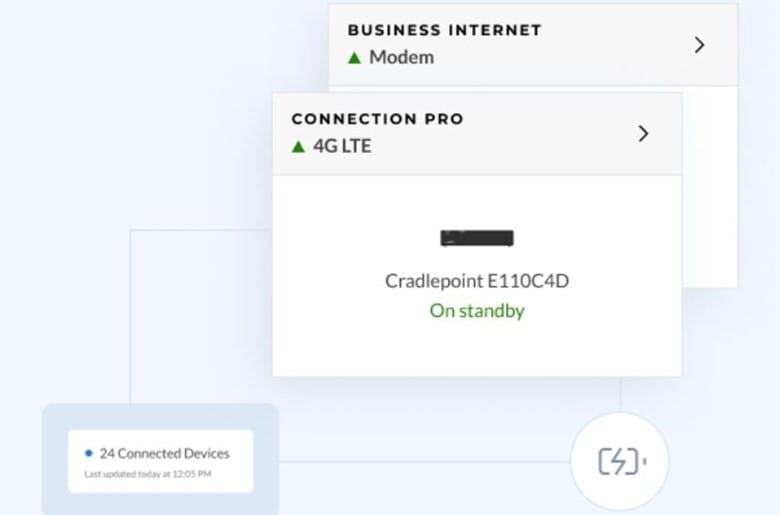
Comcast’s Wireless Connect service helps reduce the risk of costly downtime by providing an automatic wireless backup connection. If a business loses internet service, the system automatically switches to a wireless connection so employees can stay connected and continue working.
We especially like that the failover process happens automatically, without requiring employees or IT staff to manually reconnect devices. Comcast says businesses can maintain connectivity for up to 16 hours with the optional battery backup, although actual backup time varies. For organizations that rely on internet-connected systems such as cloud applications, payment processing or point-of-sale terminals, this feature can provide valuable peace of mind.
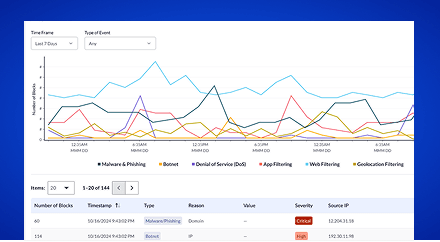
Most Comcast Business Internet plans include SecurityEdge, a built-in cybersecurity solution that helps protect connected devices from malware, phishing attempts, botnets and other online cyberattack threats. The cloud-based platform uses global threat intelligence to identify and block malicious activity while providing a dashboard with real-time visibility into network security events.
According to Comcast’s 2025 Business Cybersecurity Threat Report, the company blocked nearly 9.8 billion drive-by compromise events in a single year, highlighting the scale of web-based threats businesses face. We especially like that SecurityEdge is integrated directly with Comcast’s internet service, so businesses don’t need to purchase or manage separate security hardware to get basic network protection.

Businesses that host servers, support secure remote access or run applications that require a consistent network connection may benefit from a static IP address. Unlike a dynamic IP address, which can change over time, a static IP remains the same, making it easier to manage services such as VPNs, security cameras, web servers and remote desktop tools.
Comcast offers static IP addresses with its business internet service. Customers can purchase blocks of one, five or, in select areas, 13 IPv4 addresses, and Comcast also supports IPv6 static addressing. Businesses that need multiple servers, remote-access tools or other internet-facing applications can purchase additional addresses as needed.
Comcast offers four business broadband plans ranging from 300 Mbps to 2 Gbps. Customers can either take advantage of lower introductory pricing or pay a bit more upfront for Comcast’s five-year price lock option.
Plan | Maximum Download Speed | 1-Year Pricing* | 5-Year Price Lock* |
|---|---|---|---|
Standard | Up to 300 Mbps | Starting at $70/month | $110/month |
Performance | Up to 500 Mbps | Starting at $100/month | $140/month |
Gigabit Extra | Up to 1.25 Gbps | Starting at $150/month | $190/month |
2 Gigabit | Up to 2 Gbps | Starting at $180/month | $220/month |
*Comcast’s pricing and available speed tiers vary by location. The prices above reflect publicly advertised rates at the time of our review and assume paperless billing and automatic payments. Taxes, fees and service availability may differ in your area.
Additional pricing considerations include the following:
Comcast uses professional installation for its business internet service. Depending on your location and setup, the provider may first conduct a site survey to review wiring, signal levels and equipment placement before installation day.
Once a technician arrives onsite, the installation process typically takes 1.5 to 4 hours, although more complex deployments may require additional time. Comcast recommends having an authorized representative available during the appointment, along with at least two 110V AC outlets near the equipment. Businesses with more advanced networking needs may also want an IT administrator or contractor available to assist with any custom network integration.
Comcast offers 24/7 customer support for business internet customers through phone, chat and online support channels. During our review process, we found Comcast’s representatives knowledgeable and helpful when answering questions about plans, features and service options.
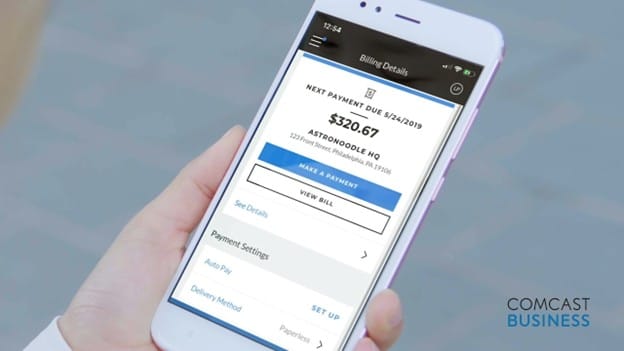
For businesses that prefer self-service support, Comcast provides a robust online help center with tools to check service interruptions, troubleshoot internet issues, manage account settings and access billing support. We also liked that the portal includes dedicated resources for internet, Wi-Fi, cybersecurity, voice and account management services, making it easy to find product-specific guidance. Customers can also use the Comcast Business app to manage services remotely, view account information, make payments and handle common account tasks from their phone. We think this feature will be especially useful for owners who aren’t always onsite.
Comcast Business offers competitive speeds, strong security features and flexible pricing options, but there are a few factors to consider before signing up.
We independently researched major national business internet providers, identifying the products, services and capabilities that differentiate each company. We also reviewed provider documentation, compared plan features and pricing, and spoke directly with vendor representatives to better understand each provider’s strengths and limitations. Our evaluation focused on factors such as download and upload speeds, security features, pricing, implementation, customer support and service availability.
We selected Comcast Business as the best business ISP for enterprises because it’s well-equipped to support organizations operating in multiple locations. Beyond internet access, Comcast offers dedicated internet, managed networking, cybersecurity and other business services that can be bundled under one provider. That combination makes it easier for large organizations to scale connectivity and support as their needs evolve.
We recommend Comcast’s business internet for …
We don’t recommend Comcast Business Internet for …