
Business.com aims to help business owners make informed decisions to support and grow their companies. We research and recommend products and services suitable for various business types, investing thousands of hours each year in this process.
As a business, we need to generate revenue to sustain our content. We have financial relationships with some companies we cover, earning commissions when readers purchase from our partners or share information about their needs. These relationships do not dictate our advice and recommendations. Our editorial team independently evaluates and recommends products and services based on their research and expertise. Learn more about our process and partners here.


Wix makes building a website impressively easy with its AI website builder and Aria AI assistant, drag-and-drop editor and a library of thousands of pre-built, fully customizable templates. Used in conjunction, these features allow users to create a functional website within minutes, including more complex elements like a shopping cart and product pages. Beyond website building, Wix also features a full suite of online tools to maximize the effectiveness of a website, including CRM dashboards, built-in marketing tools, SEO tools and more. This wide range of capabilities, linked to the ease with which users can build a website, makes Wix one of the best website builders and design services around.
The value of a professional website cannot be overstated. Websites function as everything from a potential customer’s first impression of a business to a knowledge base to an online store and more. Having a website that appears professional and works as expected is of critical importance to small businesses, especially when there is no shortage of competition online. However, not every business owner has the know-how to design a functional website. And not everyone has the budget to hire a professional web designer, especially when it comes to more advanced features like responsive web design.
Wix solves this issue by offering all customers a free website builder already populated with over 2,000 website templates, helpfully sorted by industry and function. Every template is fully customizable with an extensive set of intuitive tools. This includes Wix’s AI website builder and drag-and-drop editor, which we loved for how effortlessly they make building effective and visually appealing websites.
The AI website builder also has a Create with AI chat function. We were happily surprised by how effective it was at taking our simple language prompts and using them to mock up a website. Wix made it impressively straightforward for us to design the website we had in mind without any technical challenges. With just a few clicks, it was also a breeze to keep our website up to date. And with just a few clicks, we were able to set up more advanced features, like enabling secure online payments or running customer loyalty programs.
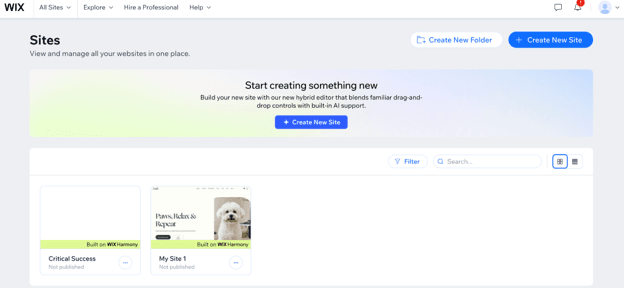
During our testing of Wix’s website builder, we found the process extremely straightforward and easy to navigate. Immediately upon creating an account, the first choice we had to make was whether we wanted to begin crafting our website by chatting with Wix’s AI assistant, Aria. Beginning the process with Aria felt comfortable and smooth, as Aria guided us through discussing what our website was about and helping us settle on a design — in this test case, a small business store selling accessories for the game Dungeons and Dragons.
The process felt like chatting with an interested friend or business partner and led to Aria creating a recommended first pass at the website with proper integrations (in our case, an Instagram and Checkout integration). Altogether, this first leg of creating the website took less than 10 minutes from us creating an account to Aria generating a first pass at the website. What we loved about working with Aria was the AI agent’s explanation of every item it was creating and the rationale behind it. It made the process feel human and approachable for someone with no web development or technical expertise.
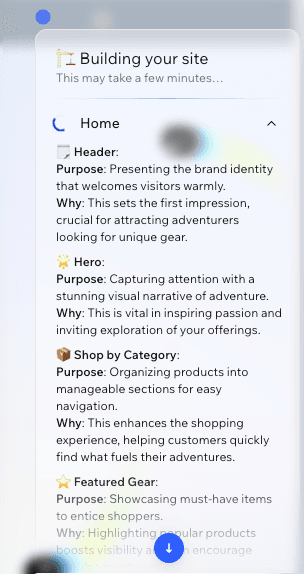
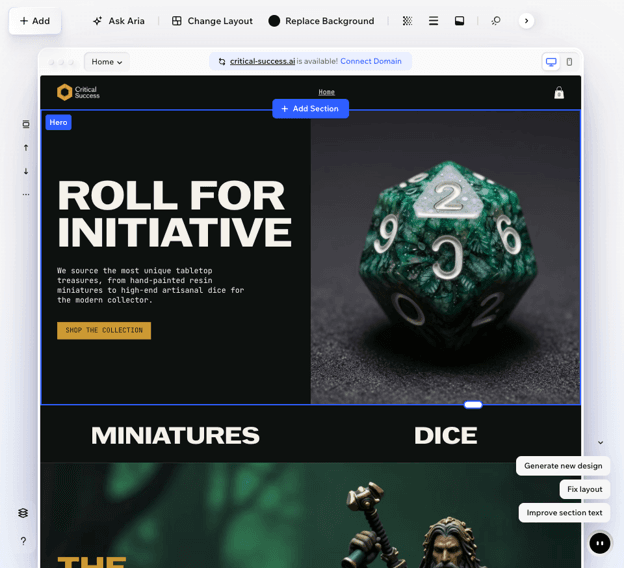
Aria’s initial website generation created a homepage, a product page with sample inventory, a category page, a cart page, a thank you page and a side cart. Each page was thoughtfully put together, cohesive in design and tone, and — most helpfully — reproducible. Navigating to the product page, Wix prompted us to “Manage Products” to accurately list what we had available. Normally, we would have found this part of web creation daunting on other builders; here, however, product listing was incredibly straightforward and easy.
While Aria was undeniably powerful, we also really liked how easy it was to close out of the agent and design by ourselves. Every element could be dragged and dropped or manually clicked into for greater creative control. Individual web elements, like the product listings, could also be easily switched up for other templated offerings, allowing us to further fine-tune what Aria designed. But Aria could also regenerate the webpages based on natural language.
What we liked best about Wix, though, was its seamless ability to handle any workstyle. Complete web design beginners could rely fully on Aria for a fully developed and functional website. Those who want more control, but are overwhelmed by creation from scratch, can use Aria as a starting point and then use Wix’s smart builder to iterate on the design. Web designers or business owners with a strong vision, however, can sidestep Aria altogether and start crafting based on Wix’s large template library and element catalog.
We were impressed with Wix’s wide range of website building features, including its AI website builder and Aria AI assistant, its built-in SEO functionality, its large template library, its built-in CRM features, its powerful AI agents and the ease of reverting mistakes. These website building functions make Wix especially useful for small businesses trying to create a professional webpage without the support of a dedicated web designer.
We were initially skeptical of Wix’s claims regarding Aria, which said the assistant could produce an entire website based on human language prompting. However, we were quickly amazed by how powerful Aria is and how well the tool works. In under 10 minutes, and with the barest minimum of prompting, Aria designed an impressive first pass for an online store.
Aria at first creates a template based solely on your prompts. However, over time as you add your own assets and styles, Aria takes these additional items into consideration. This means that Aria learns and grows with you, creating additional assets, styles and pages based on what you’ve kept from your original prompting or own design work. This makes Aria feel less like an isolated assistant and more like an in-house designer or co-worker.
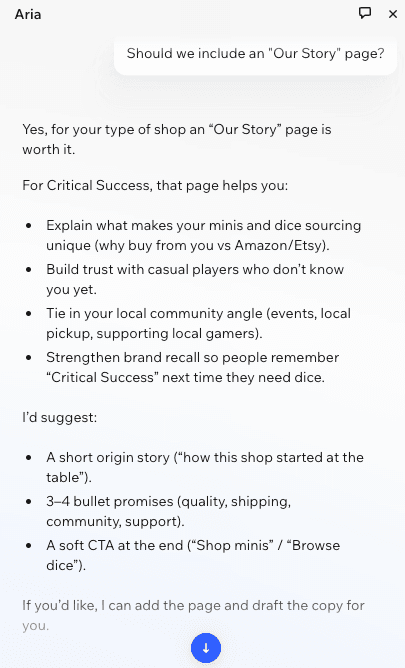
We also liked how useful Aria was when discussing additional pages to include on the site. For instance, for our mock-up website, we asked Aria if it would be worth adding an “Our Story” page. After discussing the idea, we decided to move forward, and Aria drafted an accompanying page complete with an origin story, brand promises and a CTA to shop.
While Aria is undeniably helpful and powerful, we did find a few small areas where the results were problematic. For instance, when writing running text — text that would fit in a single line — Aria routinely wrote messages too long that wound up running off the screen. Even with prompting, Aria wouldn’t be able to fix this problem, requiring manual rewrites to the text to keep it within the display area. This is a small issue, but it does mean that every business owner should be sure to check Aria’s output thoroughly to ensure that the website loads properly and is readable on user devices.
Wix features a built-in SEO builder, which we found to be intuitive and likely very helpful to small businesses. While SEO would probably be of minimal help to our sample store due to the extremely popular and broad category it’s in, for businesses in more niche fields, SEO will likely be a huge differentiator. Increasing the odds of a business page turning up in organic search results is a huge boon for businesses, and Wix makes it a key focus.
We were also impressed by the granularity Wix offers, as it goes beyond what we’ve seen in other offerings. Wix guides users through SEO steps for each relevant page, as well as the webpage as a whole.
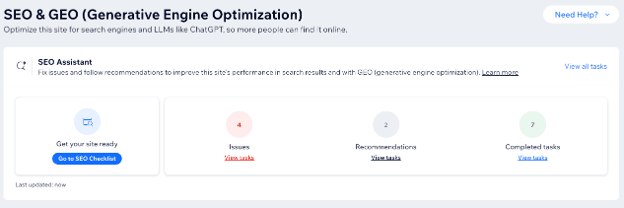
The SEO Checklist features the basic step-by-step processes for enriching your site. For businesses that need more advanced technical SEO capabilities, Wix also features a full SEO and GEO (Generative Engine Optimization) dashboard, which includes multiple tools and settings for boosting your site, including a site inspection, a URL redirect manager, a robots.txt editor, an llms.txt editor and more.
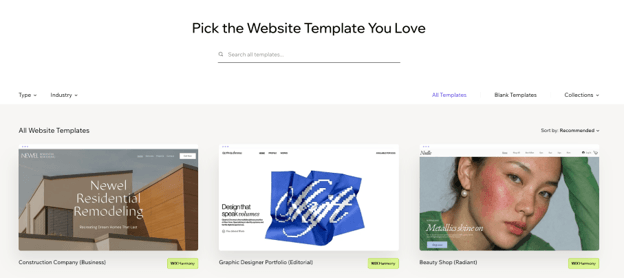
Right off the bat, Wix offers over 2,000 professionally built website templates as a starting point for future customization. These templates are more than just a single static page; instead, they feature fully built-out websites consisting of multiple pages. One template, for instance, included four main pages (Home, Profile, Accessibility Statement and Privacy Policy), in addition to three different types of portfolio page collections (Works, Collection Page, Project Page).
With this many templates available, we appreciated how well curated and searchable Wix made them. Templates can be filtered by Type (One Page, E-commerce, Portfolio & CV and Blog) as well as by Industry (Business, Industrial, Health & Wellness, Education, etc.). This made it a pleasant experience to navigate through the template library, a welcome change to being overwhelmed by the sheer volume of templates in other services.
Where templates truly shine, though, is in the process of using them. Once you open a template, you can begin the process of editing it by hand. Or, you can leverage Aria to help completely reshape the content of the template to your needs. For instance, we tested changing a template for the cosmetics industry to one for pet grooming, and Aria generated content to fit the template shockingly well (though, again, not perfectly).
Blank templates also exist, further reinforcing Wix’s functionality for users across the entire use case spectrum.
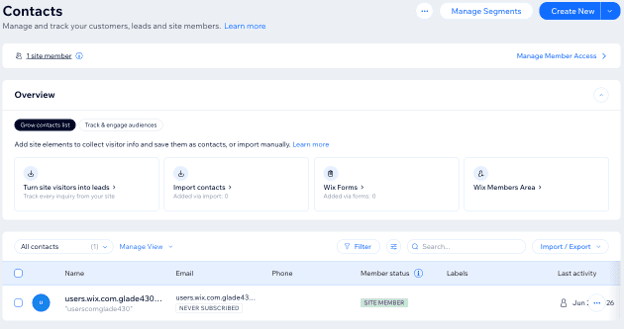
While we primarily tested Wix’s website builder portion, we were also impressed by the service’s built-in CRM functionality. After creating a website, Wix creates an overall business dashboard. This features a Customers & Leads section, allowing for contact list capture, lead generation and more. We were particularly impressed by how well these services are folded into the webpage offering.
For instance, Wix includes an option to add inquiry services. For our website, Wix automatically recommended inquiry services such as custom content creation and accessory bundling; however, we could also add new services to those suggested. Adding these services then creates a lead generation pipeline, which is added to the site as a form. Whenever a visitor fills out the form, that information is automatically added to Wix’s own CRM dashboard.
Wix also offers functionality for adding other forms to the webpage beyond inquiry services, the creation of additional pipelines and the management of loyalty programs. The way these are all natively integrated into the website is impressive, and we could see how it could greatly lighten the load on business owners by consolidating everything into one site.
Beyond Aria, Wix also offers six AI agents that help with different parts of running a website. They include:
While we were unable to test these specific agents, we were impressed by how Wix continues to expand what a website builder can offer. These features help make it easier to set up and run an online store and reduce much of the busy work associated with online interactions and operations.
After first generating our website, we were hesitant to experiment too much with the design — even for testing purposes. However, Wix includes an undo button. While this functionality isn’t uncommon in web builders, we were nevertheless happy to see it. It gave us the peace of mind to dive in and start experimenting with rearranging the website, knowing we could always revert changes we didn’t like.
This isn’t a revolutionary feature, but its presence front and center in the web builder gives Wix a playful, sandbox feel. Nothing feels too permanent or like a major decision. Coupled with the templates, Wix’s drag-and-drop functionality and Aria, Wix feels like a joy to use, and we could easily see ourselves playing around with its design tools for hours.
Once your site is set up, Wix offers a wide range of Quick Actions, which are additional features businesses can add to their websites.
For instance, Quick Actions include:
Many of these actions require integration with outside services, like Google, or the installation of Wix apps on your website. However, Wix walks users through everything in the dashboard, making the process smooth and powerful.
We found Wix’s pricing to be competitive for the breadth of website-building and business management tools included. The free plan is one of the strongest we’ve seen, giving users access to Wix’s drag-and-drop editor, AI website builder and hosting without requiring a paid subscription. As businesses grow, paid plans add more storage, e-commerce functionality, marketing tools and collaboration features.
Here’s how Wix’s plans compare.
Plan | Pricing | Highlights |
|---|---|---|
Free | $0 |
|
Light | $17 per month | Everything in Free, plus:
|
Core | $29 per month | Everything in Light, plus:
|
Business | $39 per month | Everything in Core, plus:
|
Business Elite | $159 per month | Everything in Business, plus:
|
Additional pricing considerations include the following:
Getting started with Wix is simple. Users can create a free account — without a credit card — and begin building a website within minutes. For basic needs, a free account can be more than enough to create a beautiful and functional website.
Additional functionality and more advanced features require a paid plan. We found the process of selecting a plan to be straightforward and easy to complete directly through the website builder. Wix also offers substantial discounts for paying in advance, with multi-year contracts costing significantly less per month than monthly billing.
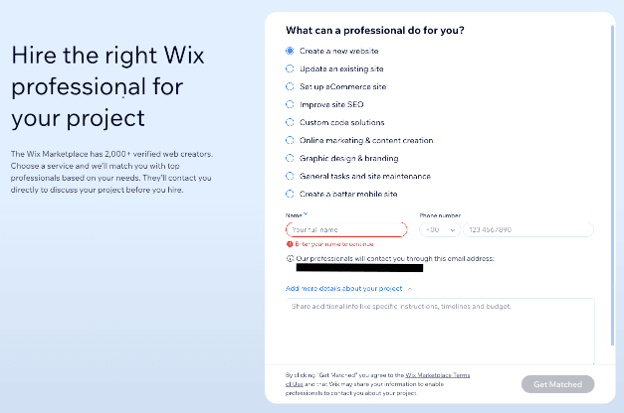
Based on our testing, we were impressed with how comprehensive Wix’s online support resources are. Wix features a rich library of help articles and step-by-step instructions that can answer many common questions without requiring users to contact customer support.
Should you need additional help, Wix offers several ways to connect with a support representative:
While Wix offers multiple support options, some third-party reviewers note that response times can occasionally be slow during busy periods.
Wix is a fantastic option for businesses and individuals looking for a powerful website builder. However, some of the additional features and options can be somewhat limited compared to other options.
We researched and analyzed dozens of the best website builders and design services to identify the most valuable solutions for small businesses. Through hands-on testing, we evaluated each website builder on pricing, features, ease of use, customer support and customization options. We also watched product videos and demos, built websites using the platforms and referred to third-party review sites.
When deciding on the best website builder for templates, we prioritized the size and quality of each platform’s template library, customization options, industry-specific designs and how easy it was to customize templates with AI and drag-and-drop editing.
We recommend Wix for …
We don’t recommend Wix for …
