Business.com aims to help business owners make informed decisions to support and grow their companies. We research and recommend products and services suitable for various business types, investing thousands of hours each year in this process.
As a business, we need to generate revenue to sustain our content. We have financial relationships with some companies we cover, earning commissions when readers purchase from our partners or share information about their needs. These relationships do not dictate our advice and recommendations. Our editorial team independently evaluates and recommends products and services based on their research and expertise. Learn more about our process and partners here.
Learn the ins and outs of the industry and how to choose a processor.

Accepting credit card payments starts with choosing a payment processor, setting up a merchant account or payment service provider, and equipping your business with the right hardware or software. The process can take as little as a day for simple setups or a few days for businesses with more complex needs. This guide walks you through everything — from understanding how credit card processing works and assessing your needs, to comparing providers, setting up your system and staying compliant.
According to the Federal Reserve’s 2026 Diary of Consumer Payment Choice, credit and debit cards are used in two-thirds of consumer payments, demonstrating a widespread consumer preference for card-based payments over cash. Digital wallet usage continues to expand rapidly as well. Digital wallets accounted for 56 percent of e-commerce payments and 33 percent of point-of-sale payments worldwide in 2025, according to Worldpay’s 2026 Global Payments Report.
Businesses that don’t accept payments with credit cards and digital wallets are already missing out on revenue. But before comparing processors or ordering hardware, it helps to understand your own business requirements. Work through these questions to clarify what kind of setup will serve you best.
Understanding the basic lifecycle of a credit card transaction helps you evaluate processors more confidently and anticipate where fees originate.
Every step in this process carries a cost. The interchange fee goes to the issuing bank, an assessment fee goes to the card network and the processor markup is what your payment processor earns. Together, these make up the effective rate you pay per transaction.
There are two primary ways to start accepting credit cards. The right path depends on your transaction volume, growth stage and how much setup complexity you’re willing to manage.
Payment service providers like Square, Stripe and PayPal aggregate merchants under a shared merchant account, which means you don’t need to apply for your own. Setup is fast — often the same day — and pricing is simple. These providers are best for newer businesses, low-volume sellers and those who want to get up and running quickly without lengthy contracts.
A traditional merchant account is a dedicated account set up directly with an acquiring bank or merchant services provider. The application process is more thorough, but you gain access to more customizable pricing (typically interchange-plus) and potentially lower rates at higher volumes. Providers like Clover and Stax operate in this space.
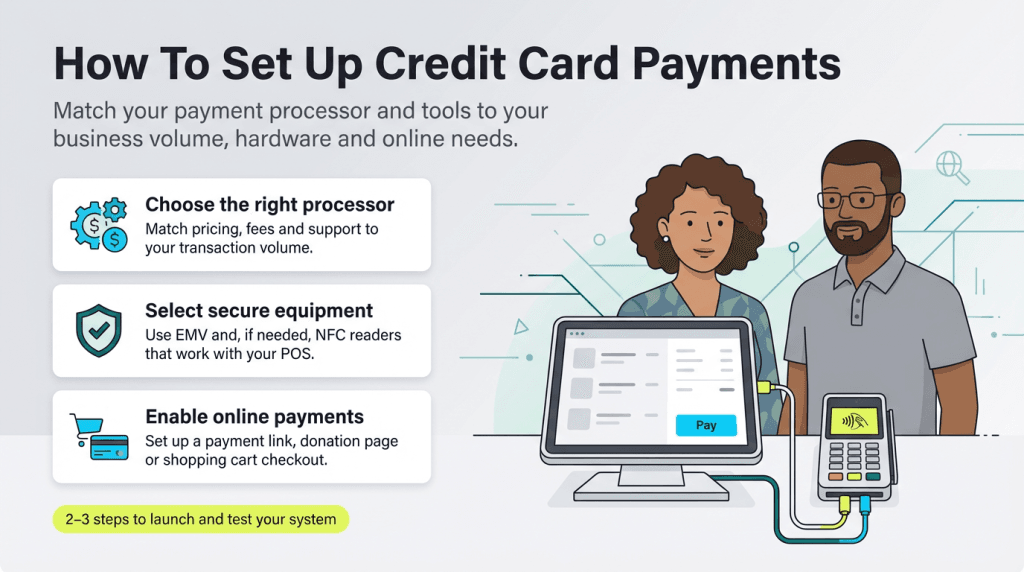
Before choosing a credit card processor and setting up your system, you must evaluate your business’s unique needs. “Factors like business size, transaction volume, fee structures and security requirements should guide the decision,” said Todd Weiss, general manager of payments and procurement at ModMed.
For example, our Square review shows how these processors work well for new businesses with low transaction volumes because they don’t charge many of the fees you’d incur with other processors. However, their credit card processing rates are higher than many competitors, so they’re not always a cost-effective choice for high-volume businesses.
High-volume businesses should choose a processor with lower transaction fees, as it can reduce total costs, according to Weiss.
When evaluating payment processors, consider whether their rates, service and technology align with your business’s specific requirements:
Once you understand your needs, compare providers side by side. Look beyond the headline transaction rate and evaluate contract terms, hardware costs, integration options and customer support quality. See the processor comparison section below for a breakdown of leading options including Square, Stripe, PayPal and Clover.
Once you decide on the right payment processor for your business, you’ll need to apply. Generally, applications can be submitted online. PSP approvals are often instant or within 24 hours, while traditional merchant accounts may take two to five business days and require business documentation such as bank statements and a voided check.
Once approved, the processor should help you set up your account and walk you through the process of selecting hardware, if necessary. When the hardware arrives, the processor should help you set it up.
Branden Korf, marketing associate at EBizCharge, a payment processing company, provided an example of what a small business, such as a local coffee shop, should expect when setting up their credit card processing system.
“A local coffee shop looking to accept credit card payments would start by choosing a payment processor like Square, which offers simple pricing and integrates easily with a tablet-based POS system,” he said. “The shop would set up a business bank account, ensure their system is PCI-compliant and get a card reader for in-person payments. After training the staff on how to use the system, the coffee shop would be ready to process payments securely and offer customers the convenience of paying by card.”
Before accepting your first real customer payment, run test transactions to confirm everything works as expected. Verify that receipts generate correctly, that funds route to the right bank account, and that your staff knows how to handle declined cards or refunds. Most processors offer a sandbox or test mode specifically for this purpose.
Once your account is set up, there are several ways to collect payments from customers, depending on your business model.
When you have a brick-and-mortar business location, a hardwired credit card reader or a POS system allows cashiers to take payments from customers at a fixed location. Hardwired systems tend to be more reliable than mobile systems, which require a strong network signal.
“Businesses will want to make sure the credit terminal supports their needs and is capable of supporting all payment types — tap, swipe, insert,” Weiss said.
Businesses should also consider how their staff will use the system. Hardware should be selected based on the actual needs of staff and customers on-site. “Will they need just one terminal or multiple?” Weiss asked. “Consider the volume of transactions and durability required for in-person, high-traffic use. With in-person transactions, reliability is key.”
To take credit card payments online, businesses need a payment gateway integrated with their e-commerce platform. Most PSPs — including Stripe, Square and PayPal — offer plug-and-play integrations with popular platforms like Shopify, WooCommerce and Wix. Customers enter their card details at checkout, and the gateway securely transmits the data for processing.
“They can also provide customers with a direct payment link for quick and easy payments,” Korf said. “Simply check [to make sure] everything is secure and PCI-compliant.”
Mobile payment acceptance has become a standard feature for businesses on the go — from food trucks to freelancers. A mobile card reader plugs into or connects wirelessly to your smartphone or tablet, turning it into a fully functional payment terminal. Square, PayPal Zettle and Clover Go all offer compact readers that accept chip, swipe and tap transactions.
“Mobile credit card processing technology helps businesses to accept payments at the customer’s location, improving ease and professionalism,” Korf said. “For example, a mobile hairstylist may utilize a Bluetooth card reader to receive payments right after a haircut.”
Many processors now also support Tap to Pay on iPhone and Android, which allows you to accept contactless payments directly on your phone — no card reader hardware required. This is a convenient and low-cost option for service businesses and solopreneurs looking to minimize equipment costs while maintaining a professional checkout experience.
If your business accepts credit cards over the phone — such as a restaurant that offers delivery or takeout — choose a virtual terminal or payment gateway. Virtual terminals and payment gateways allow businesses to take down the payment information from a caller in a secure way, rather than writing it down where it could easily be stolen. Similarly, service-based businesses, such as law firms and marketing agencies, can use virtual terminals to generate invoices and process payments.
When selecting a payment processor and the types of hardware you’ll use, consider how your customers use their cards. If the vast majority come into your store and swipe or tap their cards, you may just need a standard credit card reader. However, you might also want to accept credit cards online, over the phone or on a mobile device. These methods may require additional hardware or software.
Accepting credit card payments online requires a payment gateway, which you can set up through your credit card processor. Typically, a credit card processor charges you an additional monthly fee for this service; we recommend only setting up a payment gateway if you sell online regularly, or if your occasional online sales are large enough to cover the monthly cost.
Most POS systems can do more than just process credit card transactions, including tracking sales, managing inventory and integrating with other systems like accounting software. You can also use a POS system to build a customer loyalty program.
However, feature-rich POS systems come at a significant cost. If you’re on a budget or don’t need a complete POS system, standalone card reader terminals are a good option. Most modern fixed credit card readers accept swipe, chip (EMV) and tap-to-pay (NFC) transactions.
To accept credit card payments on your phone or tablet, you’ll need a mobile credit card reader or app. You can connect readers by plugging them into a mobile device’s headphone jack or wirelessly via Bluetooth.
Mobile card readers can accept:
A mobile credit card reader doesn’t limit you to accepting payments on your mobile device; these readers can be used as part of a larger system with additional hardware.
A merchant account temporarily holds funds from your credit card sales before transferring them to your bank account. Businesses need merchant account services before they can accept credit card payments with a traditional POS system and credit card processor. However, if you use a payment service provider — such as PayPal, Square, Shopify or Stripe — you can skip this step.
Choosing the right processor often comes down to matching your business type and volume to the provider’s strengths. Here’s how some of the most widely used processors compare.
Merchant One
| Clover | Worldpay | Stax | Square | Stripe | |
|---|---|---|---|---|---|---|
Best for | POS integration | Retail businesses | Flexible pricing | Startups and small businesses | Startups | E-Commerce businesses |
Pricing model | Subscription + flat rate | Interchange-plus | Subscription + flat rate | Free and paid plans + flat-rate processing | Flat rate | Flat rate |
Payout | 1 to 3 days | Next business day | Next business day | Next business day | Next business day | 2+ business days |
Contract term | Month-to- | Variable | 3 years | Month-to- | Month-to- | Month-to- |
Full review | Square Review |
Most processors charge 1.5 to 4 percent of the transaction value, plus a small per-transaction fee. This rate is usually based on your monthly processing volume, average ticket size, industry and processing history. In addition, processors may charge several other fees, such as chargebacks and PCI compliance fees.
In addition to the rates you pay for each transaction, credit card processors that use the interchange-plus and tiered pricing models charge account maintenance fees including monthly fees, monthly minimums, payment gateway fees, PCI compliance fees and various network fees. Some processors also charge a setup fee, a payment gateway setup fee and others.
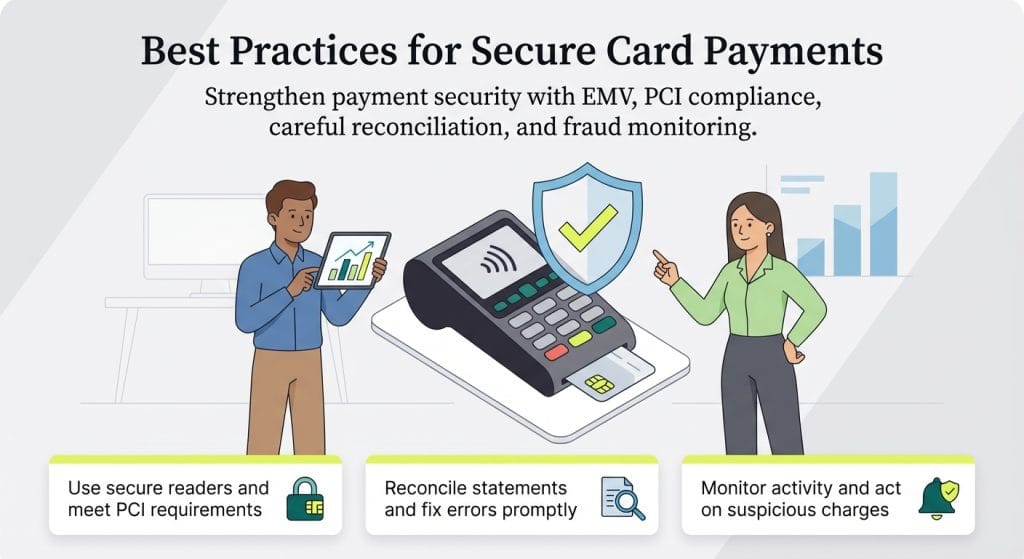
If your business still uses a swipe-only card reader that doesn’t support EMV chip cards, you may be taking on more financial risk than you realize. Since the EMV liability shift took effect in 2015, if a fraudulent transaction occurs on a chip card that was processed via swipe rather than chip, the liability for that chargeback falls on the merchant — not the card issuer. In plain terms, using outdated hardware could cost you money every time a bad actor exploits it.
Upgrading to an EMV-compliant terminal — ideally one that also supports NFC contactless payments — is one of the most straightforward ways to protect your business from chargeback exposure. Most modern card readers support chip and tap payments out of the box.
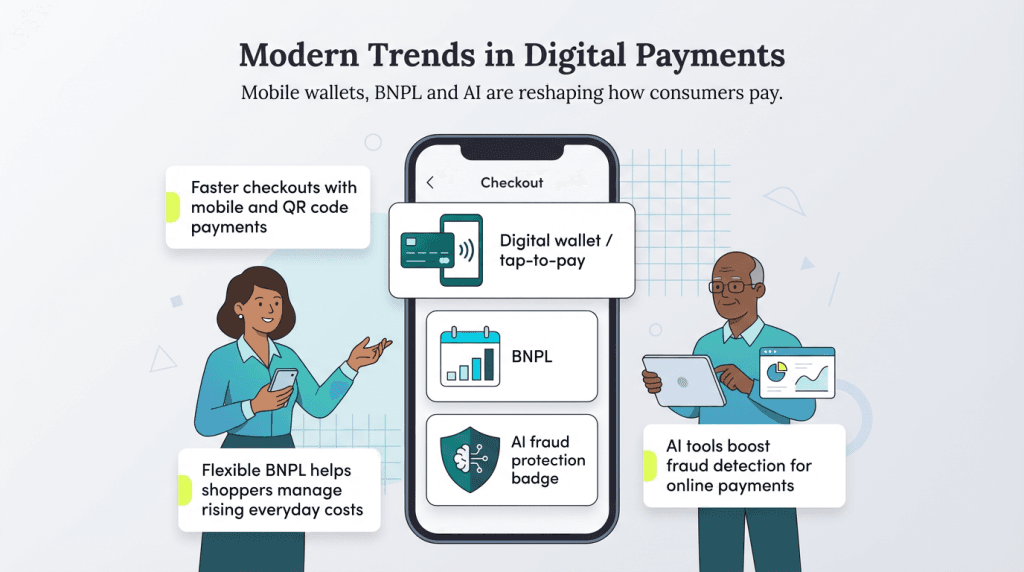
Digital wallets continue to gain momentum thanks to the expansion of near-field communication (NFC) technology, which facilitates contactless payment methods. NFC mobile payments make checkout faster, are easy to implement and can help deepen consumer engagement.
According to Capital One research, 4.5 billion consumers used digital wallets for payment in 2025, and that number is expected to surge to 5.2 billion in 2026.
BNPL options allow customers to split purchases into installments. Many payment processors make these options available on online checkout screens.
As the cost of housing, utilities and groceries rises, BNPL usage has grown significantly. For example, a survey conducted by Experian found 43 percent of consumers say BNPL services play a role in their holiday spending.
Leading processors now use machine learning to flag suspicious transactions in real time, reducing false declines and protecting merchants from fraud losses. According to PYMNTS, an estimated 94 percent of payment industry professionals believe AI is best used for fraud detection or preventing fraud. This trend aligns with the growing need for sophisticated fraud prevention as digital payments expand.
Approximately two-thirds of online merchants, Statista reported, said they were currently using or planning to use generative AI in e-commerce fraud management within the next 12 months.
Source interviews were conducted for a previous version of this article.