Business.com aims to help business owners make informed decisions to support and grow their companies. We research and recommend products and services suitable for various business types, investing thousands of hours each year in this process.
As a business, we need to generate revenue to sustain our content. We have financial relationships with some companies we cover, earning commissions when readers purchase from our partners or share information about their needs. These relationships do not dictate our advice and recommendations. Our editorial team independently evaluates and recommends products and services based on their research and expertise. Learn more about our process and partners here.
Migrating your accounting software is a sensitive process — here’s how to do it without losing your business’s financial data.


This article is sponsored by Intuit.
Switching accounting systems ranks near the top of the list of things small business owners put off. The fear makes sense, since these systems deal with a company’s most sensitive financial data, and a rushed migration could end up wrecking the books. Fortunately, that fate is entirely avoidable. A data migration that follows a deliberate sequence gives you multiple chances to catch a problem before it becomes permanent. This guide covers best practices for accounting software data migration, so you can preserve your books while upgrading to the accounting platform that best serves your business’s needs.
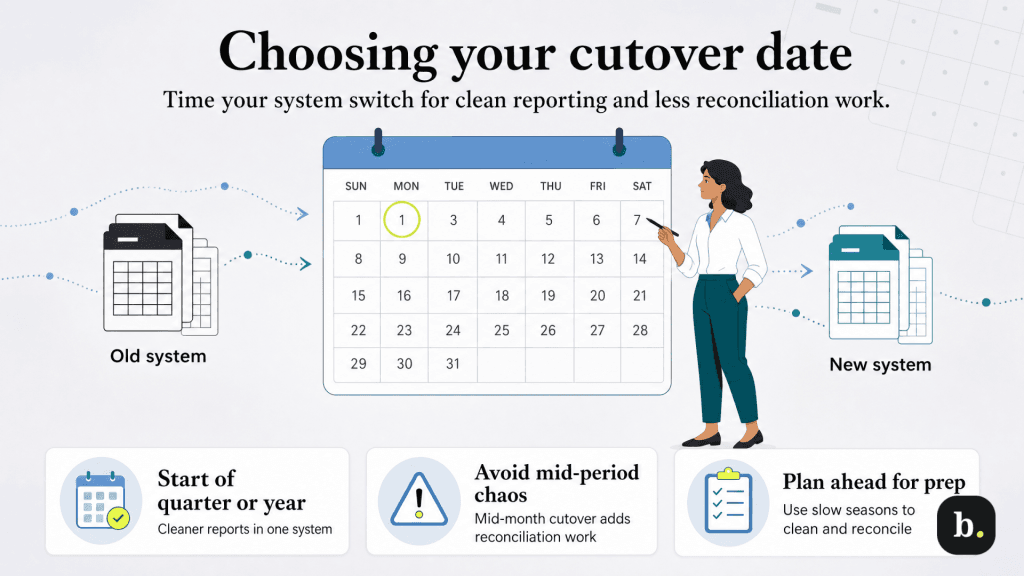
Your cutover date is the final step in leaving an old system and launching a new one. Most businesses do best cutting over at the start of a fiscal year or the start of a fiscal quarter. Planning your cutover date this way provides for cleaner reporting. Everything before the cutover lives in the old system, and everything after lives in the new one, without a partial period split across two platforms.
Cutting over mid-month or mid-quarter isn’t impossible, but it multiplies the amount of bank reconciliation work involved, since you’ll eventually need reports that combine data from both systems to get a complete picture of that period. If your business has a slow season, that’s often a better time to migrate than your busiest month, regardless of where it falls on the calendar. When things are slow, you’ll have more attention to give the process while transactions are lighter.
Whatever date you choose, build in lead time before it. Most of the work in a good migration happens in the weeks leading up to cutover, not on the day itself. This includes cleaning up your chart of accounts, reconciling the old system one final time and confirming what will and won’t carry over automatically.
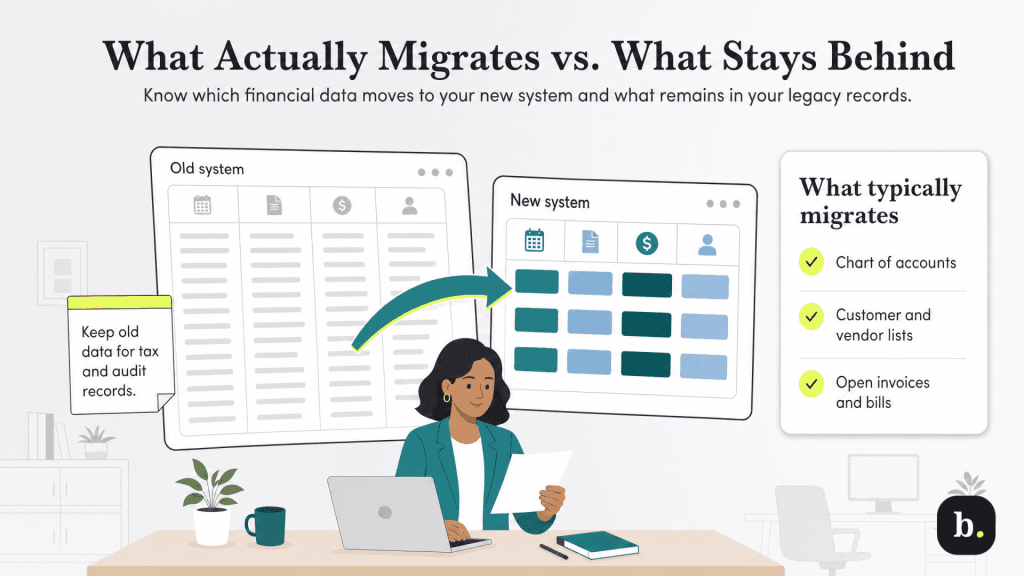
One of the most common surprises in a system switch is discovering that “migrating your data” doesn’t mean everything comes along automatically. Most migration tools are built to bring over the data you need to keep operating. This includes your chart of accounts, customer and vendor lists and open transactions like unpaid invoices and unpaid bills. Deep transaction history, such as years of old invoices, old bank reconciliations and detailed job-costing data, often only migrates as summary totals rather than line-item detail.
This is done deliberately because bringing over a decade of granular historical detail would bloat the new system for no real operational benefit. The historical detail still exists, though, and needs a home. For most businesses, that means keeping the old system accessible in some form, usually an exported set of reports or a full data backup.
Before you commit to a cutover date, get a specific answer from whatever system you’re moving to about which data types migrate automatically, which require manual re-entry and which won’t transfer at all. If you’re moving off a legacy desktop product or a spreadsheet-based setup, expect more manual re-entry than you would moving between two cloud-based platforms. For more on evaluating a new platform before you commit to it, see our related guide on how to choose scalable accounting software.
Run a test migration if your new system offers one and compare a sample of migrated records against the source system line by line before you commit to a full cutover.
Once you know what’s migrating automatically, you still need to get the new system to an accurate starting point on day one. That starts with the cash balance in each bank account, your total assets and liabilities, and your equity accounts, all as of the morning of your cutover date.
Open accounts receivable and accounts payable need more care than a single opening balance line. Rather than entering one lump sum for “money customers owe you” and another for “money you owe vendors,” enter each open invoice and each open bill individually, with its original date, amount and customer or vendor name intact. This matters because the new system needs to track each of those items to its own resolution.
This step is also where a second set of eyes helps most. A bookkeeper or accountant who didn’t build the migration can catch a mistyped balance or a missing invoice that the person doing the data entry might not notice. If you hire an outside accountant, this is worth scheduling as a specific review step to discuss.
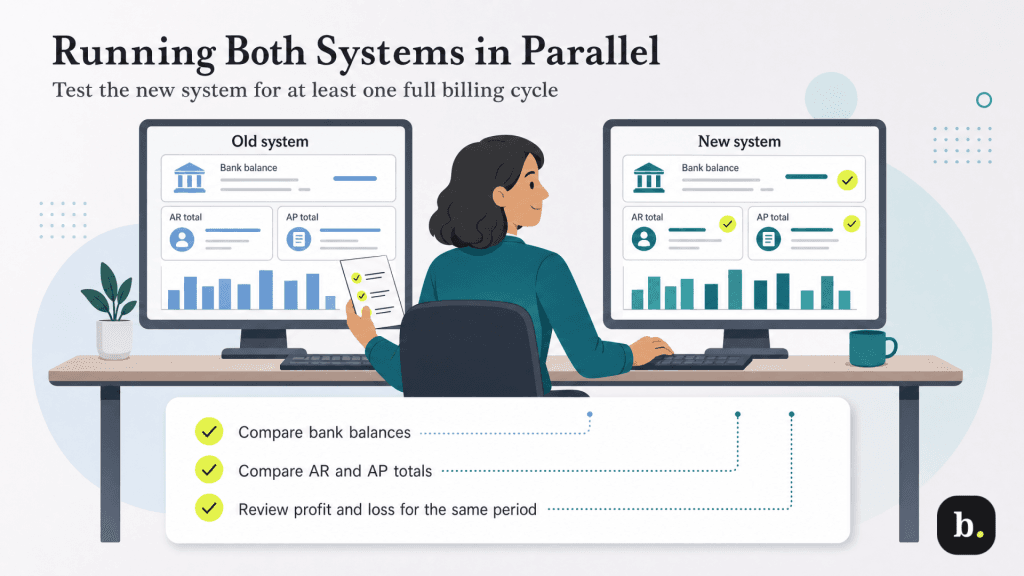
Resist the urge to shut down the old system the moment the new one is live. Running both in parallel, ideally for a full billing cycle, gives you a real-world comparison. Enter your normal transactions in the new system during this period, but keep the old system open and unchanged so you have something to check against. For tips on keeping this process on schedule, see our guide on how to close your books each month.
At the end of the parallel period, compare the two systems on bank balances, accounts receivable and accounts payable totals, and at least one full financial statement, like a profit and loss report, covering the same date range in both. Small discrepancies are common and usually traceable to a timing difference or a transaction entered in one system but not the other. Large or unexplained discrepancies are a sign that something in the setup needs another look before you rely on the new system alone.
How long is long enough varies by business, but a full month is a reasonable default for most small businesses, longer if you have complex billing cycles, inventory or multiple business bank accounts to reconcile.
The parallel run isn’t complete until you’ve actually reconciled a full month in both systems and confirmed the results match. Don’t retire the old system until this reconciliation is done and any discrepancies are resolved.
This is also where the right migration tool earns its keep. QuickBooks Online, for example, offers migration tools built specifically for moving data over from spreadsheets and many legacy desktop accounting products, along with accountant-assisted setup for businesses that want a professional involved in verifying the opening balances and first reconciliation. Whatever platform you’re moving to, look for the same combination of structured tools for the data transfer itself, plus a way to get a second set of expert eyes on the result before you commit.
Once the first month reconciles cleanly in both systems, you have real evidence the migration worked. That’s the point at which it’s finally safe to set the old system aside.
A few mistakes account for most of the migration problems businesses run into.
Switching accounting systems doesn’t have to put your financial data at risk. With a clear cutover date, a realistic view of what will and won’t migrate automatically, and a genuine parallel run before you retire your old system, you’ll catch problems while they’re still easy to fix. The extra weeks this process takes are far cheaper than untangling a books discrepancy months after the fact.
