Business.com aims to help business owners make informed decisions to support and grow their companies. We research and recommend products and services suitable for various business types, investing thousands of hours each year in this process.
As a business, we need to generate revenue to sustain our content. We have financial relationships with some companies we cover, earning commissions when readers purchase from our partners or share information about their needs. These relationships do not dictate our advice and recommendations. Our editorial team independently evaluates and recommends products and services based on their research and expertise. Learn more about our process and partners here.
Learn whether a PBX phone system is right for your business.


You’ve successfully launched your business with just a basic phone setup, but as your company grows, you need a more sophisticated business phone system to handle increasing communication demands. A private branch exchange (PBX) — a customizable phone system equipped with powerful communication tools — could be exactly what you need to enhance client interactions and streamline operations.
We’ll explore how PBX systems function, compare the different types available, and help you determine whether implementing one makes sense for your business.
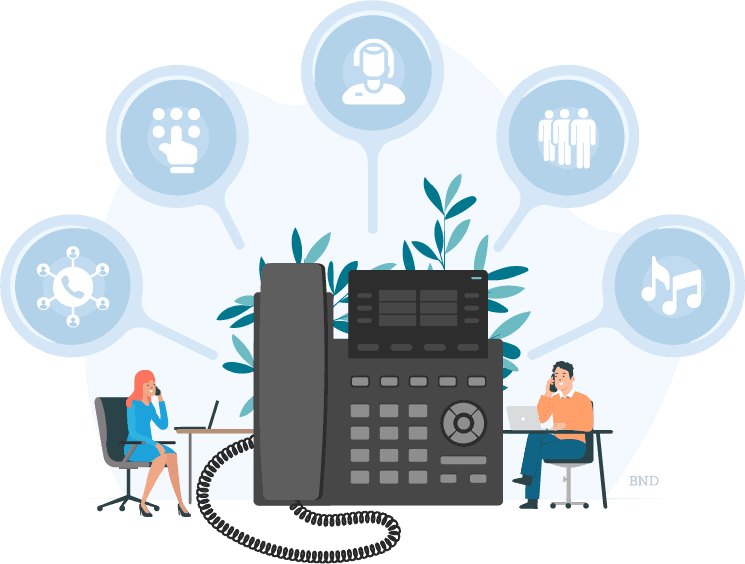
A PBX, or private branch exchange, is a multiline business phone system that lets companies make, receive and route calls across their organization. Instead of relying on the phone company to manage every connection, a PBX directs internal calls, handles external calls and supports features such as extensions, call routing and voicemail.
Modern PBX systems deliver features such as auto-attendants, voicemail management, recorded messages and automation tools that boost productivity and improve customer experience.
PBX systems give businesses more control over their communications, help teams manage higher call volumes and often reduce calling costs.
There are three main types of PBX systems: traditional, cloud-based and hybrid configurations using SIP trunking.
A traditional PBX is a hardware-based phone system installed on-site at your business. It uses copper landlines to transmit voice data and connects to the public switched telephone network for external calls. Internal calls are handled entirely by the on-site equipment without involving the phone company.
Traditional PBX systems were once popular for lowering internal calling costs, but they are now considered legacy technology. They require dedicated hardware, installation and ongoing maintenance, and often need a specialist technician for configuration or upgrades.
This option may still appeal to businesses with strict security requirements or those that need complete control over their infrastructure.
A cloud PBX moves all PBX hardware and functionality off-site to a VoIP service provider. Calls are routed over the internet, and all system management — such as adding users, updating call routing schedules or configuring auto-attendants — is handled through a web browser.
Cloud PBX systems don’t require expensive hardware or installation, making them especially attractive to growing businesses. Team members can make and receive calls from anywhere they have a reliable business broadband internet connection using their business numbers or extensions. Cloud-based PBX platforms also offer broader features and simpler setup than traditional systems.
The main drawback is that call quality depends on the stability of your internet connection.
Setup costs are minimal, since these systems use devices you already own — including PCs, tablets and mobile phones — and monthly operating costs are often lower as well.
SIP trunking blends an existing on-premises PBX with VoIP technology. Instead of replacing your hardware, SIP trunking uses digital “trunks” to connect your PBX to the internet for multichannel voice services.
This hybrid approach is ideal for businesses that want modern VoIP capabilities without discarding a PBX they already invested in. It can reduce calling costs, expand system flexibility and support features that aren’t available on fully legacy systems.
PBX systems evolved from the old-fashioned switchboard operator who manually routed calls. While today’s versions use different technologies, they all serve the same purpose: managing internal and external communications efficiently.
In a traditional PBX, calls move through copper landlines between an on-site server and the local phone company’s network. Internal calls never touch the public network, which historically reduced costs.
In a cloud PBX, the hardware is hosted off-site by your VoIP provider. Calls are routed over the internet, and businesses manage the entire system online without needing an on-site technician.
Employees gain the flexibility to place and receive calls from various internet-connected devices, and companies can even set up local business phone numbers in different geographic areas to establish a wider presence.
Many companies switch from on-premises PBX systems to cloud-based platforms for flexibility, improved collaboration, advanced features and, in some cases, reliability. While some organizations still prefer on-premises systems, their popularity and market share have been declining for years.
To illustrate the difference, consider a company that needs phones for 20 employees:
Because cloud PBX systems are subscription-based, providers offer multiple service tiers. Entry-level plans start around $10 to $15 per user per month, such as Zoom’s basic option. Higher-tier cloud plans may cost amounts similar to the most feature-rich on-premises systems.
Here’s an at-a-glance comparison:
Factors | Cloud PBX | On-premises PBX |
|---|---|---|
Setup time and costs | Typically no setup fees or waiting period required. | Equipment purchase and installation can cost up to $1,000 per user and take time to schedule. |
Hardware maintenance | No long-term maintenance requirements. | You’re responsible for purchasing and maintaining on-site hardware, which can cost $75 or more per user annually. |
Recurring costs | Fees start at around $10 per user, per month. | PBX software fees can reach $5,000 per year, in addition to phone line costs and other expenses. |
Reliability | Robust systems with multiple redundancies and global data centers ensure high signal quality and reliability. | Uninterrupted power backups offer high reliability, and there’s no dependence on internet connectivity. |
Devices | Use many internet-connected devices and make calls from any location. | Limited to traditional desk phones in a fixed location. |
Features | Includes unlimited local and long-distance calling, localized and toll-free numbers, 24/7 support, integrations with business software and softphone apps. | Includes call management by programmable schedule, call transfer, routing rules, custom greetings and hold music. |
PBX systems allow businesses of all sizes to connect multiple office locations through one unified communications system, manage incoming calls based on schedules and transfer calls reliably. Here are some pros and cons of PBX systems.
You should switch to PBX if …
You should not switch to PBX if …
The best business phone systems are easy to use, offer affordable pricing and provide a range of features you can customize to suit your business. Below, you’ll find our picks for the top cloud PBX system providers and links to in-depth reviews of their services.
Vonage’s cloud-based PBX solution comes packed with features, including multilevel auto-attendants, call groups, voicemail management, call monitoring and call recording. Plans start at $19.99 per user per month. Users appreciate the platform’s straightforward setup, intuitive interface and seamless connectivity with many of the best CRM software systems and other applications. The HD voice feature delivers excellent call quality, and you can port your existing numbers easily.
Learn more about Vonage’s strengths and limitations in our full Vonage review.
GoTo Connect PBX makes it easy for businesses to configure useful features such as voicemail, hold music, recorded greetings, unlimited extensions, conferencing, time-based routing and visual dial-plan flows. The level of control and customization is excellent. Contact the company for a custom quote, as pricing isn’t listed publicly.
For a closer look at features, performance and integrations, read our comprehensive GoTo Connect review.
Priced from $15 per user per month, Zoom is scalable, flexible and easy to use. The user-friendly interface makes it simple to configure the system for office-based, mobile and remote workers. Zoom offers a full range of call management tools — including call transfer, parking and forwarding — as well as native integrations with apps such as Gmail, Google Calendar, Microsoft Outlook and Slack.
For details on plans, features and usability, read our latest Zoom review.
This omnichannel PBX offers unlimited calling in the United States and Canada, on-platform SMS texting, HD video conferencing, real-time voice analytics, extensive third-party integrations and more. It excels at managing call traffic with advanced features such as auto-attendants, voicemail management and intelligent routing. The AI-driven analytics on this enterprise-ready platform deliver valuable insights for teams of all sizes. Prices start at $15 per user per month (paid annually).
For a full breakdown of features, performance and pricing, read our up-to-date NextivaONE review.
RingEX (previously known as RingCentral MVP) is a scalable virtual PBX service that’s flexible and highly adaptable. Your in-office staff and remote workers can quickly connect to your company network through the platform’s intuitive, high-performance softphone app, which is available on desktop, laptop, tablet or smartphone. RingEX also supports integrated and third-party tools for texting, faxing, video conferencing and other communication channels. Pricing starts at $20 per user per month with annual billing.
For insights on features, usability and plan options, read our in-depth RingEX review.
The enterprise-grade 8×8 cloud PBX is feature-rich and designed for scalability across growing teams. The platform offers a wide range of switchboard functionality, including auto-attendants, voicemail management, call recording, hot desking, secure HD voice and intelligent call routing. Because 8×8 no longer publishes public pricing, you’ll need to contact the company directly for a customized quote.
For a full look at features, integrations and performance, read our comprehensive 8×8 review.
Ooma Office’s business VoIP service can be set up in 15 to 20 minutes, and plans start at $19.95 per user per month. Users benefit from features such as call forwarding, virtual faxing, call transfer and voicemail transcription. The platform’s analytics tools also provide actionable insights to help teams improve customer interactions.
For details on features, pricing and real-world performance, read our latest review of Ooma Office.
Dialpad offers useful omnichannel switchboard features such as call routing, MMS, social media messaging and call forwarding. The system’s analytics tools stand out for monitoring individual, team and company-wide performance during customer interactions. Prices start at $15 per user per month and include unlimited calling to the U.S. and Canada.
For a closer look at features, pricing and performance, read our up-to-date review of Dialpad.
Jeff Hale contributed to this article.