Business.com aims to help business owners make informed decisions to support and grow their companies. We research and recommend products and services suitable for various business types, investing thousands of hours each year in this process.
As a business, we need to generate revenue to sustain our content. We have financial relationships with some companies we cover, earning commissions when readers purchase from our partners or share information about their needs. These relationships do not dictate our advice and recommendations. Our editorial team independently evaluates and recommends products and services based on their research and expertise. Learn more about our process and partners here.


Processing payroll and managing employee benefits is challenging for enterprises of all sizes, but especially large ones. Paychex helps by providing top-notch payroll specialists and human resources (HR) services. Organizations can focus on improving staff experiences, not fiddling with tax filing, questions about paycheck stubs or time-tracking mistakes. We especially like its customizable plans with self-service options for employees and contractors. Indeed, Paychex Flex is an excellent payroll platform for larger businesses.
Although Paychex’s Paychex Flex program works equally well for small and midsize businesses (SMBs), it’s rare to find payroll solutions that support up to 1,000 employees. Other payroll and HR services like Patriot Software serve small companies with less than 100 workers. Paychex is a full-service payroll platform that automates your payroll processing and tax filing systems even if you have hundreds of workers on staff.
While competitors integrate with popular accounting software geared toward small businesses, such as QuickBooks Online, Paychex connects to hundreds of programs, from Sage to Xero. Paychex provides a complete HR platform with several unique productivity features too. These Paychex Flex tools and capabilities make Paychex the best payroll software for large companies.
Subscriptions include employee onboarding tools like online payroll forms and health insurance enrollment. Paychex can handle your new hire reporting for employees and contractors as well. In addition, we appreciate the many HR features that come with the higher plans, such as employee screening to improve hiring processes and company handbook services for complying with state and federal policies.
You can also use Paychex for employee benefits administration and it has several types of business insurance. Notably, businesses can consolidate vendors by choosing Paychex not only for their payroll and HR needs but also for cyber liability insurance or to process unemployment claims.
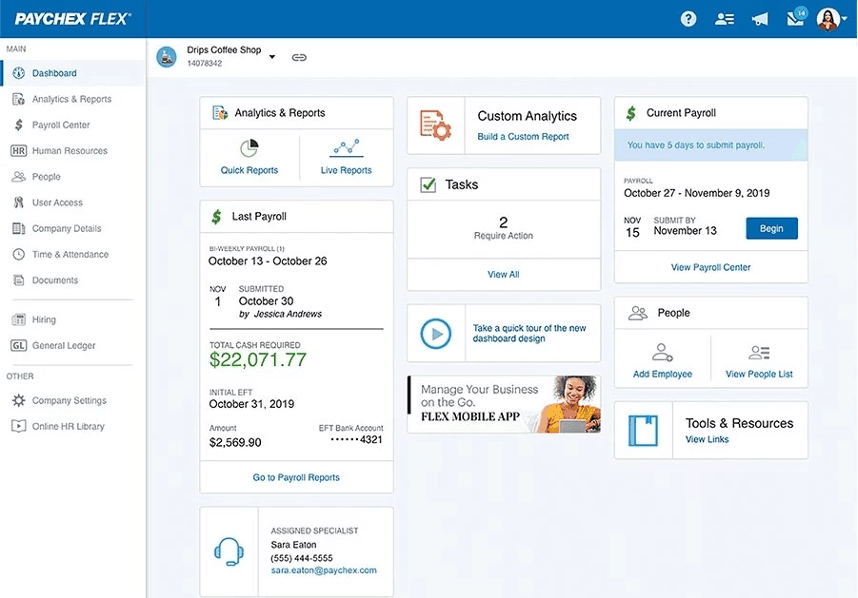
Employers and employees can access Paychex Flex through a web browser or mobile app. We explored the system in both roles for our hands-on Paychex assessment. The Paychex Flex app for iOS also works on Apple watches, a unique feature only offered by Paychex and ADP. On every platform, we found the pastel-blue color palette soothing and easy to read.
We found the platform’s backend interface relatively user-friendly, though the sheer amount of information displayed on-screen initially felt daunting. The dashboard displays key payroll data, including total cash required for the last payroll run and information on the next payroll cycle. Similar to other top-rated payroll solutions, the main screen lists your payroll specialist and tasks. It also shows your labor costs and has a button to add an employee to the system quickly.
Also, we like that we could reorder and manage tiles on the dashboard, an option rival vendor Gusto does not offer. This aids customization, but if other people have administrator privileges, it may mean tiles have been moved around since the last time you logged on. This could reduce the platform’s innate usability, while adding more than half a dozen tiles typically required us to scroll down before we could view and access them. Other platforms we reviewed managed to fit everything onto a single screen.
Users can adjust the payroll center’s grid, layout and filters to enter payroll data in their preferred format. We started the payroll process by entering the hours worked for each employee. The pay rates auto-populate, but we could make pay adjustments during each pay period. Alternatively, you can set up recurring amounts.
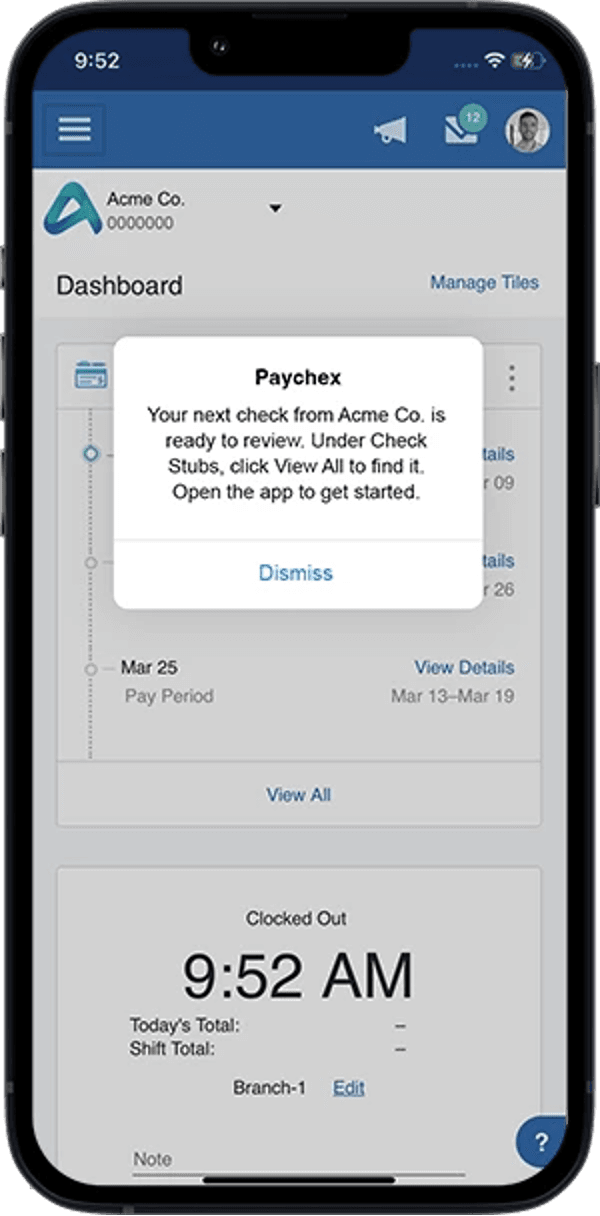
With the Paychex Flex app, we could run payroll from an iOS or Android phone, which you can’t do with competitor Rippling. The mobile app felt a little busy on the employee end, but it let us manage and reorder tiles to personalize our space. We could view payroll history, including paystubs, tax documents and time tracking tools.
Paychex provides many online payroll features and HR services for larger businesses. The specific payroll and HR tools vary by subscription, so working with a vendor salesperson is vital to ensure the options you need are included with your plan. This is one platform where a call from a sales rep is genuinely helpful to prospective new customers.
While SMBs benefit from accounting software integrations, corporations may need to embed their payroll solution into legacy systems. Paychex stands apart from competitors by offering an API Developer Center and documentation, allowing information technology teams to automate and standardize integrations.Paychex features 142 integrations with accounting, attendance tracking and HR services, including connections with When I Work and QuickBooks Online. It should be noted that the number of integrations has fallen significantly in recent years, down from over 250 in 2023.
In recent years, Paychex’s roster of software has expanded to include several AI-powered tools including Recruiting Copilot, HR Analytics Premium Plus and Participant Event Notifications. In December 2025, the company unveiled a suite of AI-powered tools including a tool which can process client payrolls via voice and email channels, while combining silos of unstructured data into a single searchable network.
These plug-in AI-powered software packages sit alongside the likes of Paychex Partner Pro, a portal which provides accountants with quick access to critical client data reporting and insights. However, the more features you integrate into your platform, the more risk there is of conflicts arising or glitches occurring.
Only a few top-rated payroll solutions have mobile apps for employees and contractors, including Paychex. Paychex Flex provides self-service through an online portal and has mobile apps for employers and employees. It lets administrators access reports, view payroll taxes, run payroll and more from anywhere. Meanwhile, your staff can see their pay stubs and health insurance information or update tax forms.
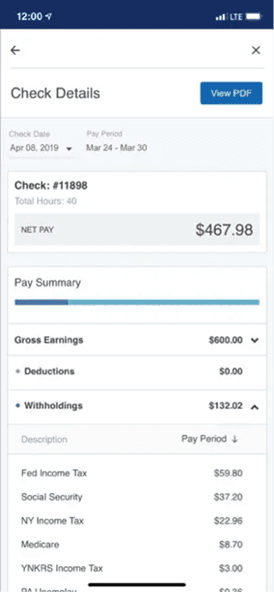
The most common employee payment methods are direct deposit and printable paper checks, while a few payroll providers offer on-demand wages or paycards. Paychex caters to enterprises with diverse workforces, so it has several direct deposit alternatives, including payroll cards, e-checks service, pay-on-demand and 24/7 real-time payments.
Through a recently unveiled collaboration with PayPal, employees of companies using Paychex can set up direct deposits to access their wages two days in advance of payment, through the Paychex Flex Perks platform.
As with most full-service payroll solutions, Paychex can manage payroll processing tasks easily. It calculates hourly, salaried and overtime wages for the hours entered automatically. Larger organizations may especially appreciate Paychex Pre-Check, which lets employees review scheduled payments for errors. This tool helps employees fix payroll discrepancies before HR runs payroll. Another unique feature is Paychex Voice Assist for a hands-free payroll process.
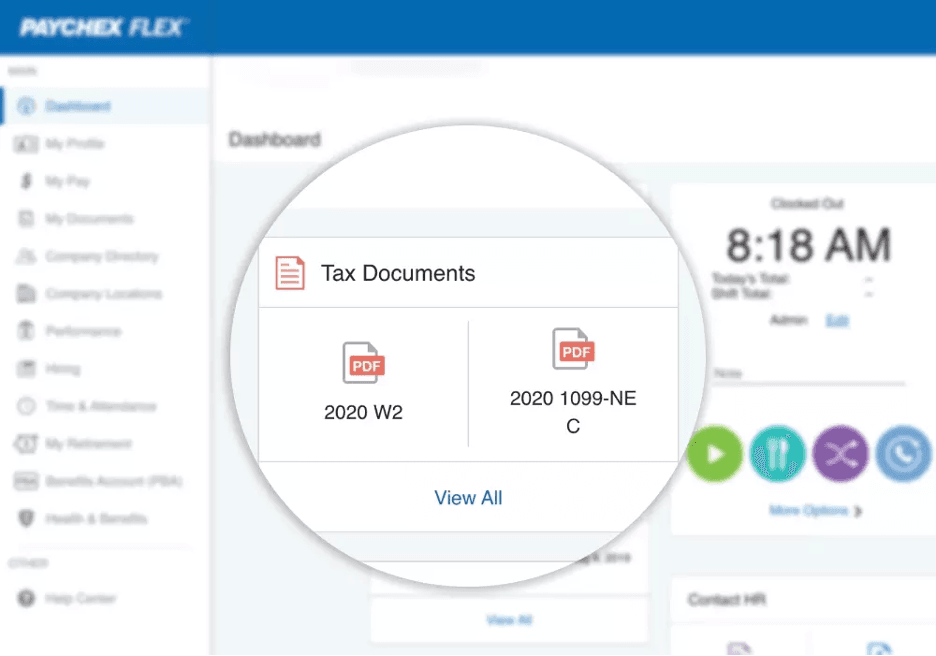
Aside from Patriot Software’s self-service option, all payroll services we reviewed, including Paychex Flex, can handle your tax filing needs. Like QuickBooks Payroll, Paychex offers a guarantee against mistakes in your payroll taxes and promises to pay any associated penalties if errors occur. The online payroll solution remits tax payments to the correct agencies and provides annual W-2 and 1099 forms.
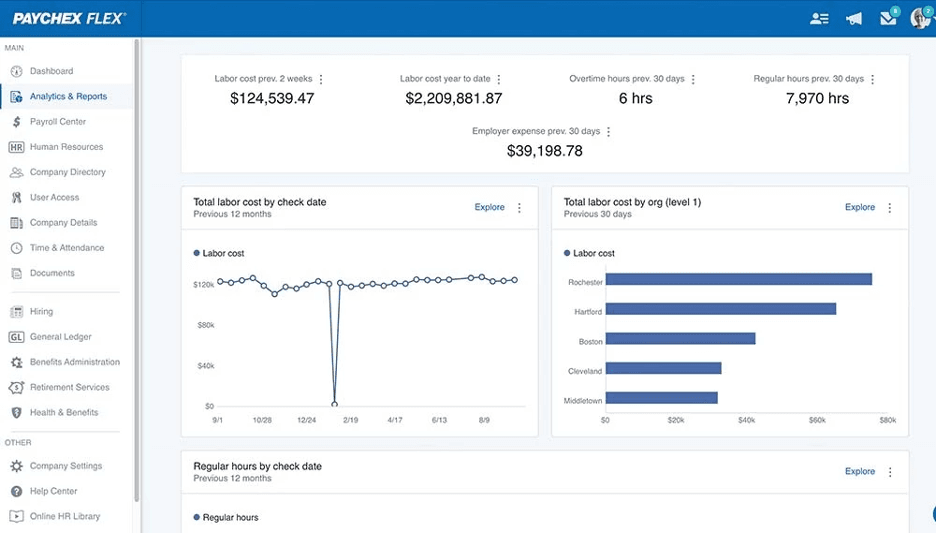
Although Paychex has fewer reports and data visualization tools than Rippling, most companies won’t find it lacking. Paychex Flex provides more than 500 reports, including workforce analytics and benchmarking tools. We like that enterprise users can develop custom reports and share them with other administrators via a web browser or mobile app.
Similar to other business solutions, Paychex offers benefits administration and employee management tools. Employers can add HR features, business insurance and several other services, including payment processing, applicant tracking, health benefits and records administration. This scalability allows enterprises to select the options that meet their unique needs.
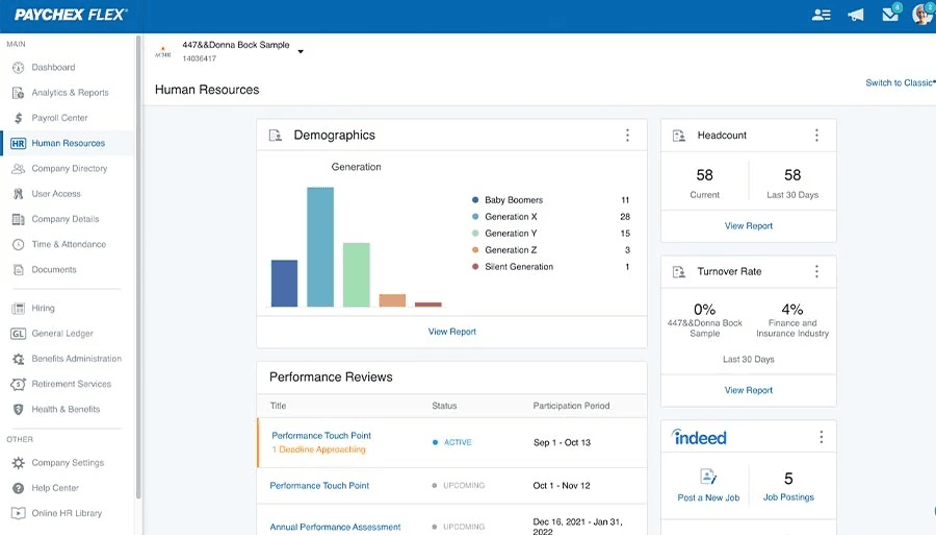
Not all payroll solutions offer employee onboarding support, so we love that Paychex Flex includes new hire reporting and digital onboarding tools with all plans. However, we were disappointed that document management costs extra as many payroll services like Zenefits and Gusto provide this feature on base packages. That said, larger organizations that want a complete HR solution will appreciate the ability to tailor a Paychex Flex subscription to suit their onboarding process. [If HR tools are especially important to you, check out our review of Gusto, which we named the best payroll provider for businesses seeking an HR integration.]
In tandem with its other services, Paychex offers three payroll software subscriptions. However, the company has followed the example of competitors in taking its prices offline and only providing custom quotes when businesses get in touch with a rep.
For reference, we have listed below the last prices publicly quoted by Paychex before they took this step. All Paychex Flex plans include payroll processing, tax filing and the option to work with a payroll specialist.
Here’s how the Paychex Flex plans compared when they were still in the public domain. The budget Essentials package has been dropped in recent years:
In addition to the above, there are two HR-oriented platforms – the confusingly named Pro and PEO – which include everything in Enterprise alongside dedicated HR tools like 401(k), OSHA services and compensation/risk management solutions. Alternatively, businesses can bolt on services like employee assistance programs, health savings accounts and cyber liability coverage as add-ons to the Enterprise package. For smaller companies, this may be more appealing than signing up to one of the more costly combined payroll and HR plans.
Every Paychex Flex plan has several add-on options. Consequently, the starting price can increase significantly if, for example, you want to integrate your accounting software or store documents online. We found that Paychex is less forthcoming about plan features than competitors. Certain details on the Paychex website could be more explicit, such as the cost of paying contractors or international employees.
The Paychex website offers an online quiz which claims to determine which of the platforms listed above would best meet a new customer’s requirements. However, when we tested it, it continually recommended the more expensive Enterprise package, even when we stated that we had limited payroll requirements with no need for HR support.
For large organizations, the payroll software implementation process can be lengthy. Fortunately, Paychex sales representatives will help your team gather the necessary payroll data and prepare to switch to an automated HR system. They will set up your account and determine if transferring information from your previous payroll solution is possible. If so, this process can take two days or up to two weeks.
Paychex implementation specialists audit your payroll at the beginning of the year and run the first few payrolls on your behalf. We have yet to come across another payroll provider offering this service. Once your company completes onboarding, Paychex appoints dedicated payroll specialists to your team. Since support options vary by package, SMBs using Paychex Flex Select or Essentials may have different choices than Pro and Enterprise users.
Like with other payroll services, you can send employees an email invite to download the Paychex mobile app. This lets them set up direct deposit information, view health insurance options and use time-tracking tools.
Paychex used to provide access to certified payroll professionals 24 hours a day, seven days a week, via phone, chat and email. This 24/7 access distinguished Paychex from competitors, but as of February 2026, their customer support hours are quoted as 8 am to 8 pm EST, with round-the-clock support only available in select areas. Small business owners can also request a dedicated account representative, whereas upper-tier plans include one. Paychex says all agents are based in the United States.
However, we have to note that Paychex has more Better Business Bureau complaints and poor user reviews than rivals. Users suggest agents are unfamiliar with payroll processing and tax filing methods, resulting in numerous errors and unresolved issues. High turnover rates mean your dedicated rep may change frequently.
Some users have reported sluggish response times from customer service personnel, but when we reached out to Paychex in February 2026, our enquiry was responded to within one hour, and our questions were answered within the provided timescale. That’s a reassuringly prompt level of service that suggests any software issues we encountered as clients would also be quickly resolved.
Although Paychex also receives many positive reviews, we found these customer service trends concerning. We recommend speaking with your legal department and working closely with Paychex to ensure your contract and service reflect your expectations.
Paychex indeed enables large organizations to realize the benefits of paperless payroll, but it lacks the pricing transparency offered by peers like OnPay. As noted in our OnPay review, that vendor lists all features and functions clearly, so you’re not confused about what you’re getting or at what cost.
Paychex’s customer service issues and fewer automation features than rivals also gave us pause. Although its customer support isn’t available 24/7, our review of Rippling found that it provides more integrations and workflow automation than Paychex. Notably, ADP offers the best of both worlds, with round-the-clock customer care, scalable service plans and automation with ADP Workforce Now plans. Explore pricing and features in our ADP payroll review.
We assessed dozens of payroll software systems to identify top-rated service providers. Our analysis involved researching user reviews, speaking with vendor representatives and support agents and testing payroll tools. We considered factors like ease of use, integrations and HR features. When determining the best solution for larger businesses, we evaluated whether the services are able to assist HR professionals with complex payroll tasks while handling sizable workforces.
>> Read next: How to Choose a Payroll Software Provider
We recommend Paychex for …
We don’t recommend Paychex for …