Business.com aims to help business owners make informed decisions to support and grow their companies. We research and recommend products and services suitable for various business types, investing thousands of hours each year in this process.
As a business, we need to generate revenue to sustain our content. We have financial relationships with some companies we cover, earning commissions when readers purchase from our partners or share information about their needs. These relationships do not dictate our advice and recommendations. Our editorial team independently evaluates and recommends products and services based on their research and expertise. Learn more about our process and partners here.
Call center software has become increasingly sophisticated with AI-powered features and advanced integrations, so it pays to do your research before investing in a call center platform.


Why outsource customer service, tech support and outbound telemarketing to a call center when you don’t have to? Bring it all in-house instead. You can invest in user-friendly, state-of-the-art call center software for your business from as little as $15 per user per month for basic call capabilities and $50 to $150 per user per month for full call center features.
Searching for an answering service and not sure where to start? Tell us a little more about your business and get customized quotes from qualified providers.
With it, you can create great customer experiences because inbound calls and messages go to the right staff member quickly. Your business will become more efficient, too, because the cost of dealing with inquiries and making outbound cold calls is lower. Below, we highlight the key things to consider when choosing software for your company, the top features you need and how to find the best call center software solution for your business.
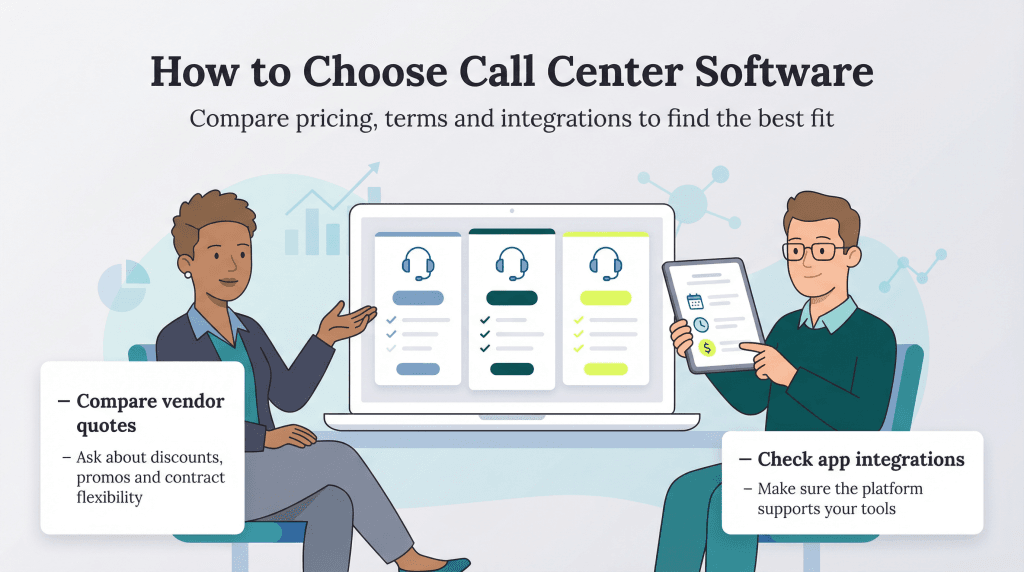
Follow these four steps to make sure you get the best software for your company at the most competitive price.
With annual costs ranging from $3,600 for small teams to $150,000 or more for enterprise operations, call center software is a significant investment in your future, so it’s crucial to identify the call center system features that would help your business most and ensure any solution you decide on can deliver them.
Before comparing platforms, think about the features you actually need to support your day-to-day operations. Start with the basics that help your team respond quickly and deliver a better customer experience. From there, you can look at more advanced tools, including AI-powered features, that enhance service and speed. Salesforce’s 2025 State of the AI Connected Customer found that 50 percent of customers value AI that improves service quality, and 49 percent appreciate it when it helps resolve their issues faster. This shows that the right technology can directly support customer expectations.
If you run outbound telemarketing as well, call center software may improve results dramatically with features like automated dialing, call scripting tools and productivity tracking for agents.
In short, choose features that support your biggest goals first and avoid paying for capabilities you won’t use.
When speaking with vendors, make sure you tell them exactly what you want your system to do. Share details such as your average call volume, peak hours, integration requirements with existing systems, and whether you need omnichannel support for email, chat or social media. That way, they’ll be able to confirm if their system has the features you actually require.
Ask for a free demo and have the rep take you through the software to show how it works. This is the ideal opportunity for them to show how easy it is to use the features you want.
Many call center software providers offer a free trial that gives you access to their platform for a limited number of users. Most trials last between 14 and 30 days and typically include core features like call routing, basic reporting and CRM integration capabilities. Trials are generally limited to making and receiving calls from a handful of numbers, but they still give you a chance to familiarize yourself with the main dashboards.
Make sure to involve your supervisors and agents in the free trial, too. This lets them try the system and assess how intuitive it is.
Take some time to compare the products. You’ll want to look at the price quotes provided to see which product best fits your budget. Pay attention to contract terms, as some vendors require annual commitments while others offer month-to-month flexibility. Be sure to factor in hidden costs like setup fees, employee training and additional integrations. Review the features as well to ensure the product you choose meets your call center needs.
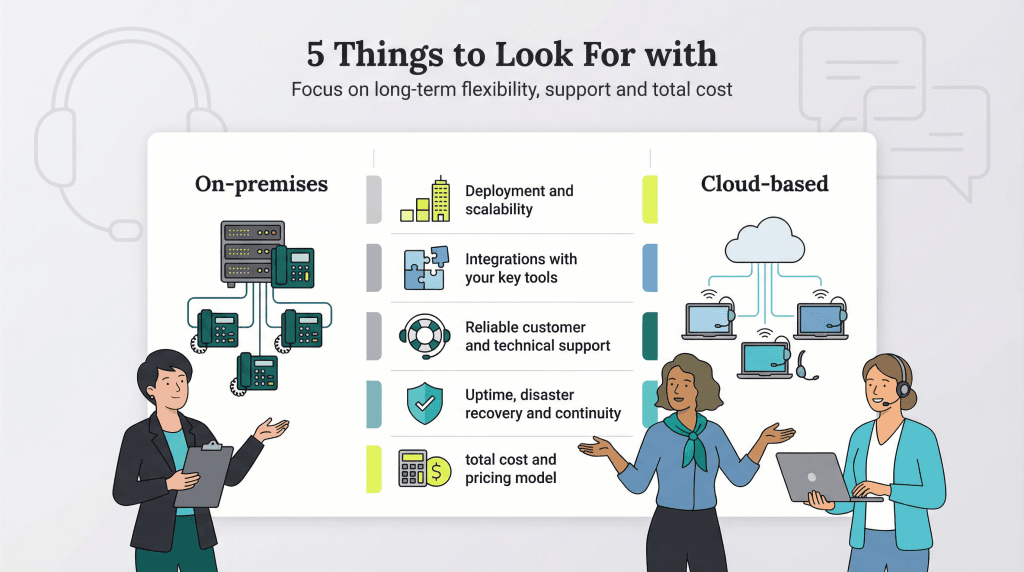
There are dozens of call center software providers serving a rapidly growing number of American businesses. Keep an eye out for the following five features and factors when choosing call center software.
There are two types of call center infrastructure: on-premises and cloud-based. The type of infrastructure determines the type of call center software you’ll have.
For an on-premises solution, you’ll need to install a private branch exchange (PBX) connected by cable to compatible equipment in your office. Your telecommunications company will also need to route the appropriate number of lines to your office from the local telephone exchange.
In most cases, you’ll need to estimate how many lines you’ll need for the coming three to five years and commit to them. If you underestimate, you might have to buy or rent a brand-new PBX if the initial one lacks the necessary capacity. If you overestimate how many lines you need, you’ll be contractually obliged to keep making payments on all of them.
Your technology company or installer generally will provide you with software specific to your PBX.
Cloud-based call center infrastructure uses the internet and Voice over Internet Protocol (VoIP). It’s now the more common option. According to Global Growth Insights, about 69 percent of all call center deployments worldwide (and 72 percent in the U.S.) are cloud-based. In most cases, your VoIP phone system provider also supplies the cloud-based call center software, so you can manage everything in one place.
Cloud-based call centers don’t require an upfront investment in hardware or for your telecommunications company to run extra circuits from the exchange. All you need is fast enough internet speeds — industry guidelines recommend a minimum of 100 kilobits per second per concurrent call for optimal VoIP quality, which most business broadband options can easily handle. You may need to purchase headsets with microphones to plug into desktops, laptops and other devices to make calls. Alternatively, you can buy specialist VoIP phones for your new system.
As these setups are internet-based, setup is quick and straightforward; you can often be up and running within a day. You can add or remove lines at any time via your vendor’s online dashboard, which gives you flexibility as your call volume changes. VoIP-based call center providers charge per user or line per month, and if you do need to reduce capacity, many will only charge you for that surplus until the end of the billing month. Be sure to review each provider’s terms so you understand how adjustments are handled.
When evaluating call center software, consider how well it integrates with the tools your team relies on every day. Strong integrations help streamline workflows, reduce manual data entry and give agents fast access to customer information during calls.
On-premises call center software has limited flexibility when it comes to integration. Connecting on-prem systems with other business-critical applications often requires custom development, extra hardware or third-party support, which can make integrations more time-consuming and expensive. This can create headaches when trying to sync with tools such as:
Cloud-based call center software offers a much easier path. Many cloud providers build integrations directly into their platforms or partner closely with other software companies to keep them updated. Leading call center platforms commonly integrate with tools like Salesforce, HubSpot, Microsoft Teams, Slack and Zendesk. And if a built-in integration isn’t available, most cloud solutions support APIs and software development kits (SDKs) to connect your apps.
Strong customer and technical support can make a big difference in how quickly your team gets comfortable with a new system and how fast issues get resolved when something goes wrong.
On-premises call center software is more complex and usually requires more training because it’s installed on your own servers and often customized to your setup. Cloud-based call center platforms are generally easier to learn because they’re designed to be user-friendly and updated regularly, though both options come with a learning curve.
When comparing vendors, choose a provider that offers the level of support your team will need to stay productive. Look for 24/7 support if your call center operates outside standard business hours. Many leading vendors also assign dedicated customer success managers to larger accounts, which can speed up troubleshooting and onboarding.
Before committing, check each provider’s support hours and contact options. Some offer live phone support, while others rely on ticketing systems or chat, which may not be ideal if you need immediate help.
When evaluating call center software, consider how each system handles outages and how quickly you can get back up and running. Downtime affects customer service, agent productivity and revenue, so you need a solution that keeps your operations stable.
On-premises call center systems are more vulnerable to local issues that can interrupt service. Problems such as hardware failures, software errors, telephone exchange outages or improper shutdowns can take your system offline. Depending on the issue, getting an on-premises system running again can take anywhere from a couple of hours to a few days.
Cloud-based systems can experience downtime too — usually due to internet or service provider issues — but many leading cloud providers guarantee at least 99.95 percent uptime, and some even commit to 99.99 percent, in their service level agreements, which translates to very minimal monthly downtime. Because the software is hosted and managed off-site, fixes are typically handled faster by the provider.
Cost is always a key consideration when choosing call center software, so make sure you understand the full pricing model of each option, not just the monthly rate.
On-premises call center systems come with higher upfront and ongoing costs. Expenses may include:
Cloud-based call center software typically uses a subscription model. Most providers charge between $50 and $150 per user monthly for comprehensive call center features. You’ll also need equipment such as headsets with microphones or VoIP phones that connect to your network, desktops or laptops.
While price matters, try not to make your decision based on cost alone. Paying a little more per user each month may be worth it if the features help your company deliver better service, improve efficiency and achieve the outcomes you want.
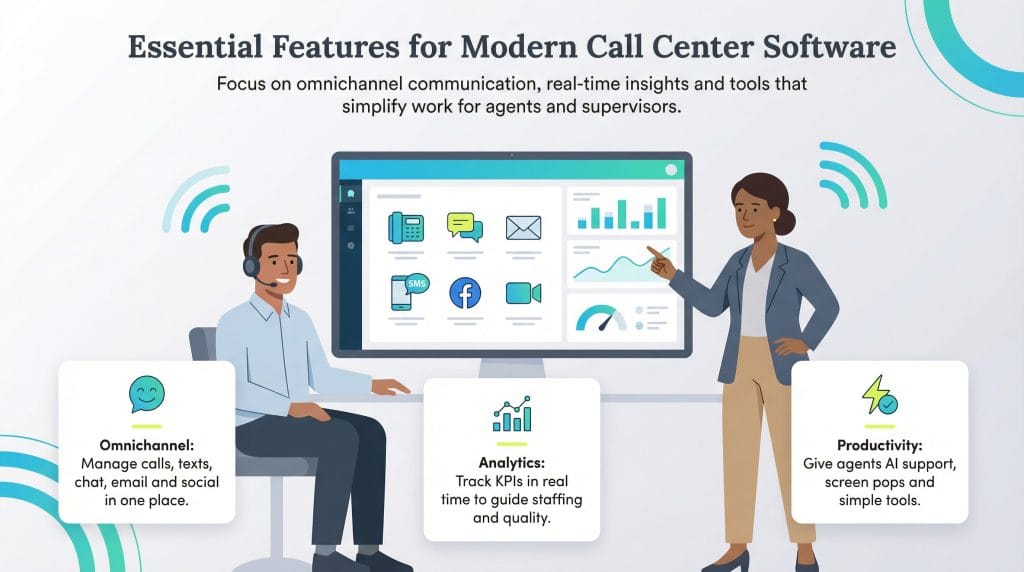
Most businesses today choose cloud-based call center software because it’s easier to use, more flexible and integrates with the tools teams rely on. With that in mind, here are the key features to look for when evaluating cloud-based platforms.
Customers now expect to reach your business on the channel that’s most convenient for them, not just by phone. The best call center software brings all your communication channels into one dashboard so agents can respond quickly via phone and consistently across:
With omnichannel support, your agents can communicate with customers and prospects on the platforms they already use, all without leaving your call center software.
To keep your call center running efficiently, you need visibility into performance. Strong reporting and analytics help you monitor service levels, identify trends and make improvements that boost customer satisfaction.
Modern call center software tracks key performance indicators (KPIs) in real time, such as queue length, agent availability, customer satisfaction scores, first-call resolution rates, IVR (interactive voice response) menu performance, average handle time and overall agent productivity. Customizable dashboards make it easy for supervisors to see what’s happening at a glance and adjust staffing or workflows as needed.
You can also access historical reporting to evaluate team and individual performance, recognize top performers and spot coaching or training opportunities early.
Supervisors and managers are the people in your business who drive the use of your call center software. They should be able to configure the system as easily as possible in order to hit the targets you set for them.
Many software platforms feature extra tools, such as workforce management apps, to help supervisors and managers improve their overall performance. Forrester found that AI-enhanced workforce management and automation helped organizations avoid $1.7 million in agent hiring and staffing-related costs over three years, thanks to better forecasting and more efficient scheduling. Workforce management apps also anticipate expected demand for sales, customer service and technical support based on historical and wider data. This helps supervisors ensure they’re staffing their business with the right number of agents with the right mix of skills.
Supervisors can also choose how calls are routed. Many call center software packages now offer, for example, skills-based routing. On each agent’s system profile, a supervisor can add the tasks they’re best at helping customers with. When a call or message comes in, the software sends the customer to the person most likely to resolve their issue within one call.
Call center software packages also allow you to listen in on or connect directly into live calls to help agents if they’re struggling or in training. They also record all interactions (phone, SMS, email and so on) for later inspection so that supervisors can include that in reviews and agent training sessions.
Your agents will be using the system every day, so it needs to be easy to navigate and help them serve customers quickly and confidently. Look for features that support productivity, reduce friction and make agents’ jobs easier, such as:
Choosing the right call center software doesn’t have to be complicated. Start by requesting quotes from the vendors on your shortlist and be transparent that you’re comparing multiple options; this often encourages more competitive pricing. Don’t hesitate to use one vendor’s quote to negotiate with another.
When discussing pricing, ask about volume discounts for larger teams, promotional rates for new customers and whether bundled services can help reduce your overall costs. Many providers offer 10 to 20 percent off for annual prepayment compared to monthly billing. Contract terms are negotiable, too. If one vendor requires a 12-month commitment but another offers a 30-day term, use that flexibility to your advantage.
Integrating your call center software with other business apps can unlock major efficiencies and support growth. With a bit of due diligence upfront, you’ll be in a strong position to choose a system that delivers the features, support and value your business needs at a price that works.