
Business.com aims to help business owners make informed decisions to support and grow their companies. We research and recommend products and services suitable for various business types, investing thousands of hours each year in this process.
As a business, we need to generate revenue to sustain our content. We have financial relationships with some companies we cover, earning commissions when readers purchase from our partners or share information about their needs. These relationships do not dictate our advice and recommendations. Our editorial team independently evaluates and recommends products and services based on their research and expertise. Learn more about our process and partners here.
Square and PayPal are popular credit card processing options. See how they compare.


Accepting credit cards, debit cards and digital payments can help you grow your business, and it’s easy to get started. Square and PayPal are among the best credit card processors for small businesses. In this guide, we’ve compared their pricing, processing services, software, hardware, integrations and security to help you find the right payment partner for your business.

Searching for a credit card processor and not sure where to start? Tell us a little more about your business and get customized quotes from qualified providers.
Feature | Square | PayPal |
|---|---|---|
Best for | Brick-and-mortar businesses and restaurants | New businesses and e-commerce |
Plans and pricing | Base monthly price + transaction fee. Free plan available. | |
Payment processing | Online, in-person and virtual terminal; accept payments via credit and debit cards, invoicing, Apple Pay, Google Pay, Cash App, ACH, Afterpay, Square Pay | Online, in-person and virtual terminal; accept payments via credit and debit cards, invoicing, Venmo, PayPal payments, Apple Pay, Google Pay |
Third-party integrations | Over 400, including QuickBooks Online, Wix and DoorDash | BigCommerce, QuickBooks, Shopify, SalesVu, WooCommerce and more |
Hardware | Square Reader for contactless and chip, Square Reader for magstripe, Square Terminal, Square POS Register, Square Kiosk | Square Reader for contactless and chip, Square Reader for magstripe, Square Stand, Square Kiosk, Square Terminal, Square Handheld and Square Register |
Software | Integrate Square into your website via development tools; use Square Checkout to redirect customers to a Square-hosted payment page | Integrate Square into your website with developer tools or use Square’s online selling tools to build a Square-powered website |
Security | End-to-end encryption, PCI compliance, EMV-compliant card readers | Encrypted customer data, end-to-end encryption, seller protection |
Customer service | Phone and chat support Monday-Friday, 6 a.m. to 6 p.m., PST; 24/7 phone support for Premium subscriptions or questions on Register or Terminal | Chat and email support; phone support 6 a.m.-6 p.m. PT Monday through Friday for the first 90 days on Free and ongoing with Plus; 24/7 phone support with Premium; Support Center and Seller Community |
Approval and setup | Easy application and approval process; implementation may require a web developer | Easy application and approval process; turnkey implementation |
Square is best for:
Square’s robust, industry-specific features simplify many business functions. For example, restaurant features include menu management, a kiosk function and kitchen displays for the back of the house. Appointment features include customizable online booking and automatic appointment reminders. As an added bonus, Square’s hardware is sleek and attractive for customer-facing environments.
Square is also ideal for businesses who use recurring billing, such as subscription services. E-commerce businesses with in-house web developers can benefit from Square’s free online store, integrated email marketing and social selling.
Check out our in-depth Square review for more details about this payment processor.
PayPal is best suited as a payment processor for low-volume or seasonal businesses because it has no monthly fee — you’ll only pay transaction fees.
Getting approved is easy, and the quick and straightforward setup makes PayPal ideal for startups, new business owners and merchants who haven’t previously accepted credit cards. PayPal is also a great option for setting up an online store because it automatically integrates with top e-commerce platforms and marketplaces.
To get started with PayPal credit card processing, businesses simply set up a PayPal business account, select PayPal from their e-commerce interface, and enter the required information.
Here’s a closer look at each provider’s services and how they stack up against each other.
Square
Square offers three subscription plans. The Free plan has no monthly subscription fee, while Plus and Premium include additional business tools and lower in-person processing rates.
Plan | Features | Monthly Fee | In-Person Rate | Online Rate |
|---|---|---|---|---|
Free | Payment processing, POS app, online selling, invoicing, booking, basic inventory tools and Square Banking | $0 | 2.6 percent + $0.15 | 3.3 percent + $0.30 |
Plus | Everything in Free, plus advanced POS features, staff management, loyalty tools, email and text marketing and lower processing rates | $49 per location | 2.5 percent + $0.15 | 2.9 percent + $0.30 |
Premium | Everything in Plus, plus advanced reporting, 24/7 phone support and Square’s lowest standard in-person processing rate | $149 per location | 2.4 percent + $0.15 | 2.9 percent + $0.30 |
Manually entered and card-on-file transactions cost 3.5 percent + $0.15 on all three plans. Businesses processing more than $250,000 annually can contact Square about custom pricing.
Square also offers optional services and add-ons, including payroll, advanced restaurant tools and additional marketing features. Some features are included with Plus or Premium, while others carry separate monthly or usage-based fees.
PayPal
If you want to accept payments with PayPal, the platform offers several checkout options you can mix and match according to your needs. Here’s a breakdown, along with PayPal’s credit card fees:
Payment program | Used for | Rates |
|---|---|---|
PayPal Checkout | Integrated solution for accepting payments online (through your website, e-commerce platform and apps) | 3.49% + $0.49 |
PayPal (regular) | Accepting payments on the PayPal app, online or via social media; customers are sent to PayPal from the checkout screen | 2.99% + $0.49 |
PayPal Virtual Terminal | Payments by phone or mail; manually entered in-person payments | 3.09% + $0.49 |
PayPal Invoicing and Subscriptions | Sending customers invoices for one-time or recurring billing | 3.49% + $0.49 (when customer pays by PayPal, Venmo and Pay Later),2.99% + $0.49 (when customer pays with a credit or debit card or Apple Pay) |
PayPal Zettle | Brick-and-mortar and mobile POS sales | 2.29% +$0.09 (card present); 3.49% + $0.09 (keyed-in card numbers); 2.29% + $0.09 (QR code) |
There’s no monthly fee for any of PayPal’s programs. The modular nature of PayPal’s offerings makes it easy to choose only what your business needs. In addition to PayPal payments, you can accept all major credit cards, Venmo, PayPal Credit (buy now, pay later), 10 different international bank redirects, ACH, Apple Pay, Google Pay, Samsung Pay and more.
Square
We appreciate that Square provides multiple ways for merchants to accept payments, including online and via invoicing, hosted checkout payment pages, POS systems, and virtual terminals. In addition to major credit cards, Square allows you to accept Apple Pay, Google Pay, Samsung Pay, Cash App Pay, Afterpay and ACH payments (through Square Invoices).
Square offers standard transfers to a linked bank account as soon as the next business day at no additional cost. Businesses that need their funds sooner can use instant transfers for a 1.95 percent fee. Square also offers Square Checking, which gives businesses immediate access to funds from Square sales.
PayPal
We like that PayPal helps you accept numerous payment methods, including popular digital options like Venmo. All business payments go to your PayPal Business account, and you can see transaction data in your dashboard.
Transferring money from your PayPal account to your business bank account is free with a standard transfer, which takes one to three business days. You can also do an instant transfer for a fee or access the money through your PayPal debit Mastercard.
One of the major complaints PayPal merchants make is that PayPal has frozen their accounts or held their money because of suspected fraud. While we like that PayPal is sensitive to potential credit card fraud, holding money can cause cash flow problems for merchants who aren’t able to access their revenue. PayPal also has a high chargeback fee of $20 for transactions not covered under Seller Protection.
Square
Square offers hundreds of integrations to extend its functionality. Businesses can connect Square with apps for e-commerce, accounting, scheduling, restaurants and other business needs. Popular integrations include Wix, WooCommerce, Acuity Scheduling, Jotform and Shippo. The Square App Marketplace makes it easy to browse integrations by business need and industry.
Industry | Integrations |
|---|---|
Retail |
|
Beauty and personal care |
|
Restaurants |
|
Square also integrates with platforms for more general use across industries, including:
PayPal
Since PayPal was an early leader in this type of online payment technology, it is already integrated with many of the best e-commerce platforms and shopping cart software, including the following:
PayPal’s Zettle system integrates with BigCommerce, QuickBooks Online, Shopify, SalesVu and WooCommerce. Zettle card readers can interface with most third-party POS systems.
Square
Square designs and sells its own payment hardware, with options for mobile, countertop and self-service use:

The Square Reader for Contactless and Chip accepts contactless (NFC) payments and chip cards. Source: Square
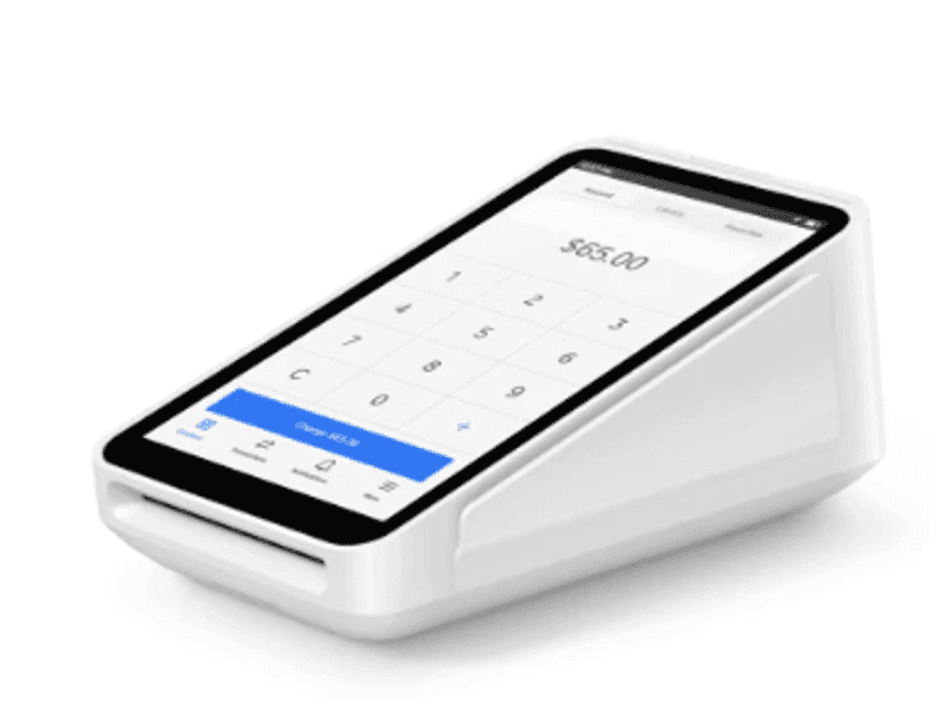
The Square Terminal accepts cards via swipe, tap and insertion. Source: Square
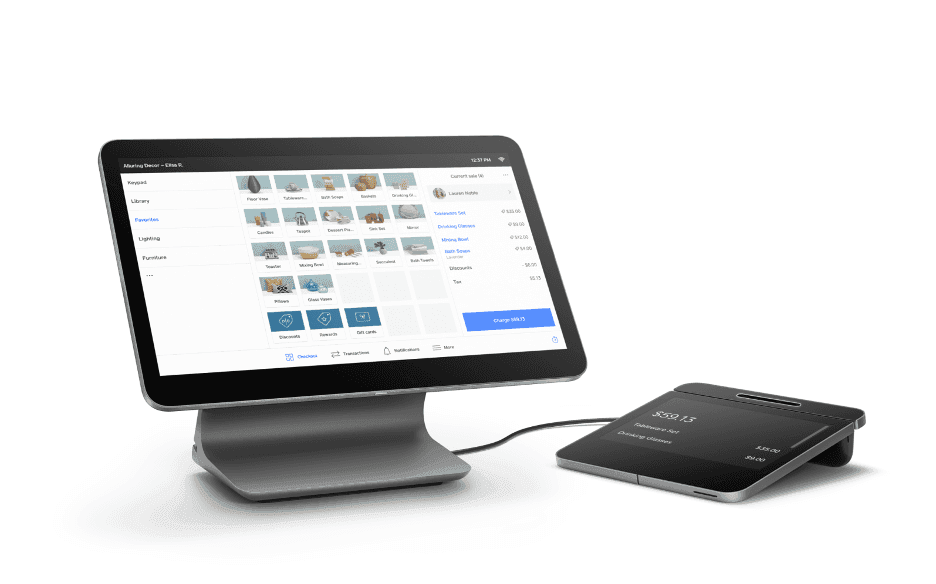
The Square POS register is a fully integrated POS system with a second customer-facing display. Source: Square
PayPal
PayPal provides the following options for accepting payments:
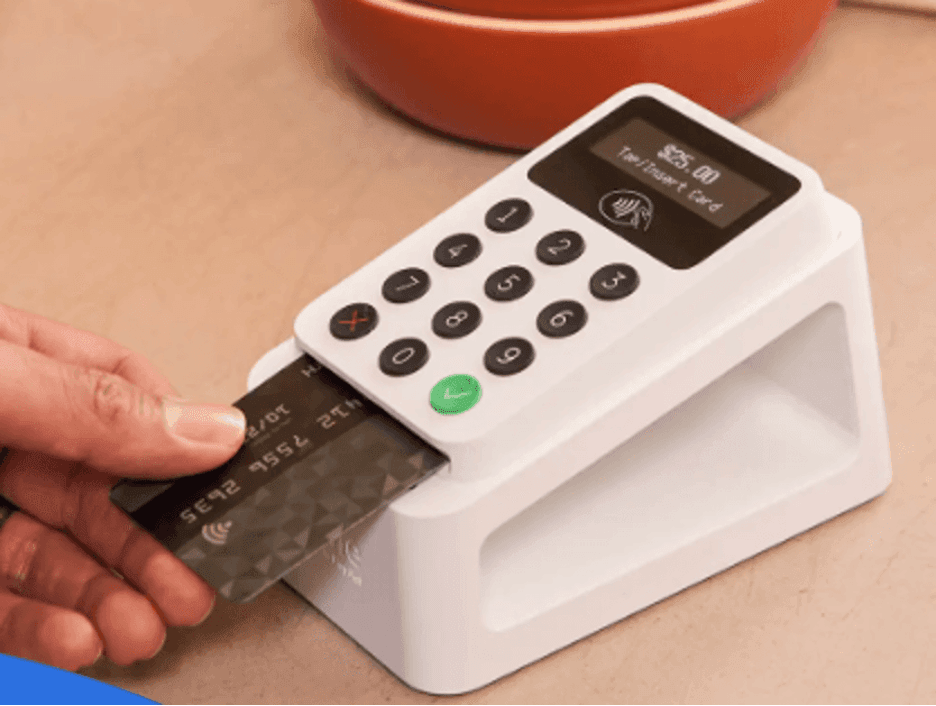
PayPal’s wireless Zettle card reader and stand pairs with its POS app on a smartphone or tablet. Source: PayPal
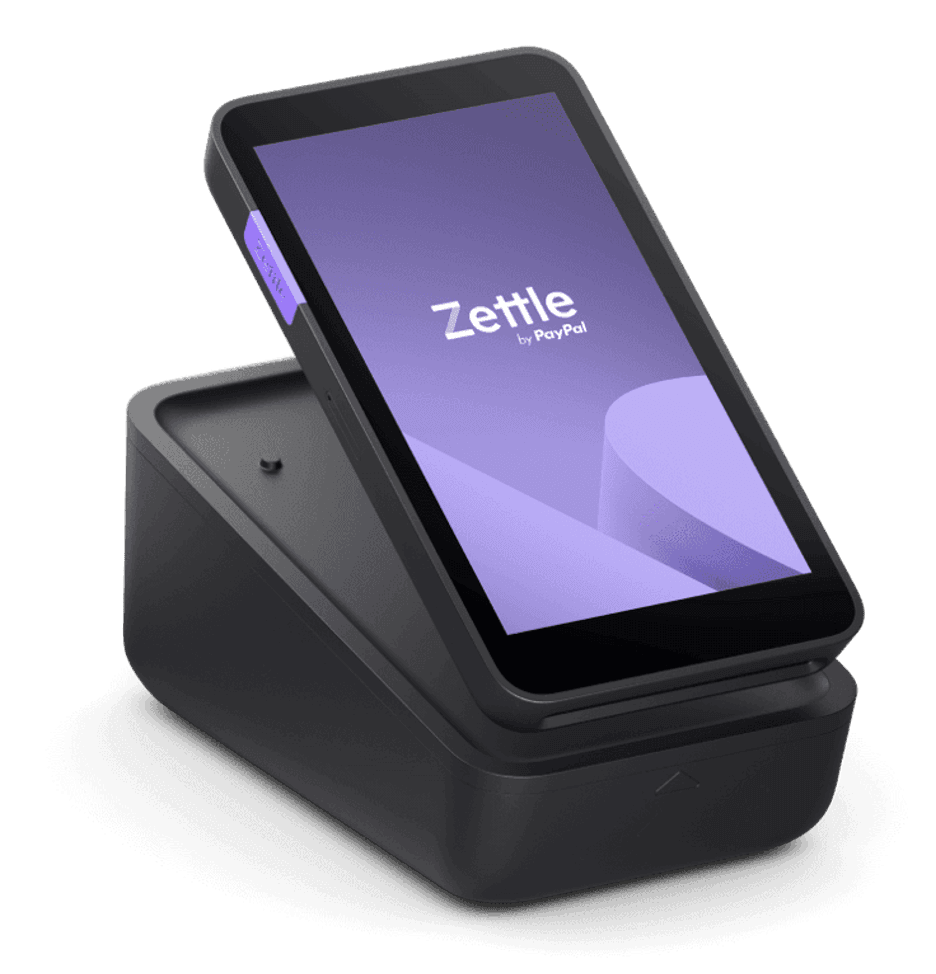
The PayPal Zettle app is built into the all-in-one terminal. It can also include integrated features like a barcode scanner and a receipt printer. Source: PayPal
Additional hardware options include the following:
Hardware type | Cost |
|---|---|
Charging dock | $49 |
Zettle Stand 360 (cashier station iPad stand) | $159 |
Portable receipt printer | $269 |
Wired receipt printer | $299 |
Cash drawer | $119 |
Wireless handheld barcode scanner | $229 |
Square
If your business sells through multiple channels, Square makes it easy to see and manage your sales in one place.
For online transactions, Square offers online selling tools, invoicing and recurring billing. Businesses can also use Square’s developer tools to integrate payments into an existing website or build a Square-powered online store.
The Square POS app lets businesses accept payments and manage sales on the go. It can be used with Square’s mobile card readers or compatible devices that support Tap to Pay.
PayPal
Many platforms offer built-in integrations that require no coding to integrate PayPal with an online shop. This allows the entire transaction to take place on your website instead of temporarily redirecting to the PayPal site, as with the simplified no-code method.
PayPal’s standalone Zettle is ideal for in-person POS sales and integrates seamlessly with PayPal for multichannel operations (but you’ll still rely on PayPal’s other services for online transactions). This cloud-based POS software offers a front-end experience for cashiers to select products or services for checkout and a robust back end with transaction and reporting data, invoicing and digital receipt capabilities, inventory management features and more.
If you don’t accept in-person POS sales, you can use the PayPal Business mobile or desktop app to view transaction information. It offers transaction data and sales reports, as well as the ability to transfer money, issue invoices and estimates, and keep track of customers.
Square
We like that Square encrypts customers’ payment information end-to-end, helping it maintain PCI compliance. Its card readers are EMV compliant, which means they accept chips, decreasing fraud opportunities. In addition, Square uses machine learning models to identify and isolate suspicious transactions. Square has no chargeback fees and, in a dispute, represents you with the issuing bank.
PayPal
We appreciate that security is already embedded for customers who pay with their PayPal account, since they only need their login and password. No card information or bank details are transmitted; PayPal keeps that data encrypted on its servers. It uses end-to-end encryption and machine learning to reduce fraud.
Like Square’s hardware, PayPal’s standard Zettle card readers are PCI compliant and accept chip cards. The Zettle card readers come equipped with a PIN entry pad for debit transactions for additional security.
We were also impressed that PayPal includes seller protection at no additional cost. This feature protects your PayPal balance while disputes are being investigated.
Square
Square offers chat and email support on all plans. Free customers have phone support from 6 a.m. to 6 p.m. PT Monday through Friday for the first 90 days, while Plus customers receive ongoing phone support during those hours. Premium customers receive 24/7 phone support. Square also offers a Support Center, Seller Community and video resources.
Customer feedback on Square’s support is mixed. Some users report positive experiences with the platform’s ease of use, while others cite frustrations with customer service and account restrictions.
PayPal
PayPal provides customer service via its Message Center. You log into your business account, access the Message Center, and try to solve your problem via the PayPal Assistant. If it can’t help you, depending on the issue, you’ll be directed to call or message an agent.
If you’re not logged into your account, you can call a number as a guest. Hours are 6 a.m. to 6 p.m., Monday through Sunday. Additionally, there’s a Resolution Center where you can address account and transaction issues.
We found that customers complain the service isn’t great; the biggest issues seem to be long holds on accounts and the inability to quickly release funds.
Square
Square’s application is online and only takes a few minutes to complete. Once approved, you should find setting up your Square account relatively easy.
The time it takes depends on the functionality your business needs. If your primary revenue stream is online sales, you may need a web developer to help you set it up. Square also offers Square Checkout, which does not require coding, as well as prebuilt third-party solutions that make it quick and seamless to set up.
PayPal
If you already have a personal PayPal account, adding a business account takes only a minute. Setup time depends on whether you have an e-commerce operation or a brick-and-mortar location. Since PayPal is pre-integrated with many online shopping carts, setting up shop with PayPal for e-commerce is quick and easy.
Square is a great choice for brick-and-mortar retailers and restaurants thanks to its integrated POS software, hardware and industry-specific features. Its attractive, sleek hardware works well for customer-facing locations, while its POS features support businesses that issue invoices and set appointments, such as medical practices, marketing agencies and other service businesses. Square also offers a Free plan with no monthly subscription fee, making it accessible to smaller businesses.
PayPal is the best choice for startups and newer businesses because of its fast, easy application process and high approval rate. Less technical e-commerce businesses can easily set up and manage payments on their website without hiring a developer. PayPal allows businesses to accept multiple digital payment methods, including Venmo, which will appeal to younger consumers.