Business.com aims to help business owners make informed decisions to support and grow their companies. We research and recommend products and services suitable for various business types, investing thousands of hours each year in this process.
As a business, we need to generate revenue to sustain our content. We have financial relationships with some companies we cover, earning commissions when readers purchase from our partners or share information about their needs. These relationships do not dictate our advice and recommendations. Our editorial team independently evaluates and recommends products and services based on their research and expertise. Learn more about our process and partners here.
Cloud phone systems use the internet and a VoIP service to transmit audio and data between callers. Learn the pros and cons of cloud phone systems.


Major telecommunications carriers are phasing out “POTS” — the copper-wire, analog “plain old telephone system” many businesses still use. Simultaneously, businesses are rapidly adopting cloud phone systems because they offer more flexibility, better call quality and support for multiple communication channels. We’ll explain what cloud-based phone systems for small business are, how they work and what you can expect to pay if you want to switch from a traditional setup.
Searching for a business phone system and not sure where to start? Tell us a little more about your business and get customized quotes from qualified providers.
A cloud-based phone system is a VoIP-powered business phone service that delivers calls and other communications over the internet instead of traditional phone lines. These systems work on any internet-connected device and typically offer more features than analog phone setups. By contrast, legacy phone systems often require costly on-premises PBX equipment and physical phone lines to operate reliably.
Cloud phone systems for small businesses often support inbound and outbound calling, auto attendants, voicemail, chat, SMS messaging and business faxing. Most providers integrate with many of the best CRM software and email applications, so teams can manage every interaction through one easy-to-use system of record. This makes cloud-based systems a strong fit for established and growing businesses that need flexible, scalable communication tools.
Features business might need in a cloud-based phone system include:
Cloud phone systems also integrate seamlessly with modern business applications through APIs and webhooks. Your unified communications platform can log customer touchpoints, sync contact information across tools and trigger automated workflows based on call outcomes, giving your team clear visibility into customer journeys and day-to-day productivity.
A cloud phone system — often called a cloud PBX — routes calls and messages over the internet using a VoIP service provider instead of traditional phone lines. All you need is an internet-connected device with a microphone and speaker. This is very different from an on-premises PBX system, which requires costly hardware, ongoing maintenance and a trained technician to make even simple changes.
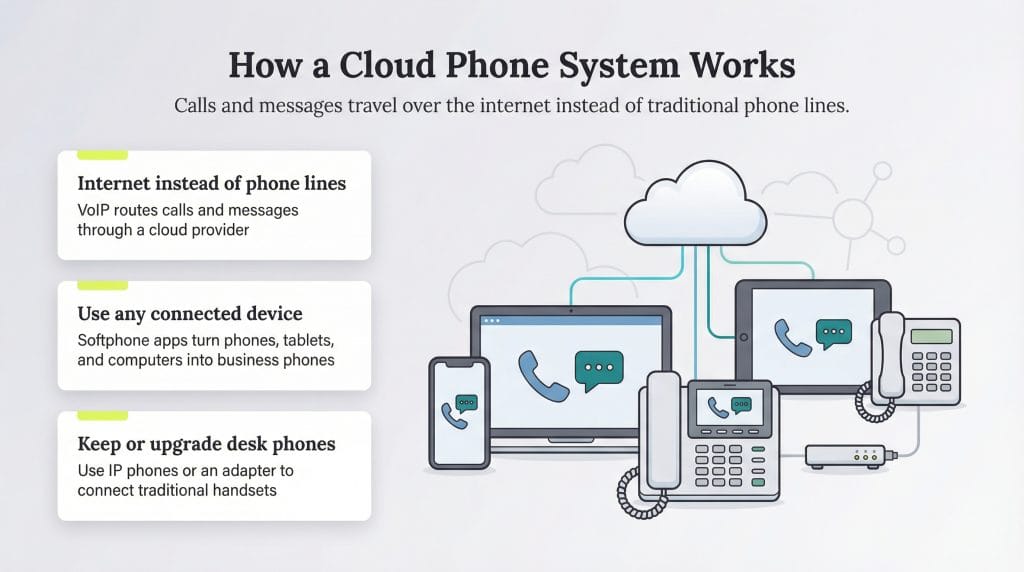
Most VoIP subscribers use softphone apps rather than traditional desk phones. A softphone app is installed on a mobile phone, tablet or computer and turns the device into a fully functional business phone. For users who prefer a physical handset, many manufacturers offer IP phones that look and feel like traditional desk phones but connect over the internet instead of a landline.
You can also use a VoIP adapter to convert certain traditional desk phones so they work with a cloud-based system.
For most businesses, the advantages of VoIP over traditional phone systems for business outweigh the drawbacks. The only major requirement is a fast, reliable business broadband connection, which ensures strong call quality and access to advanced features.
At first glance, it can be hard to distinguish between the offers from different VoIP providers. The right choice comes down to how well each platform supports your workflow, your users and your long-term communication goals.
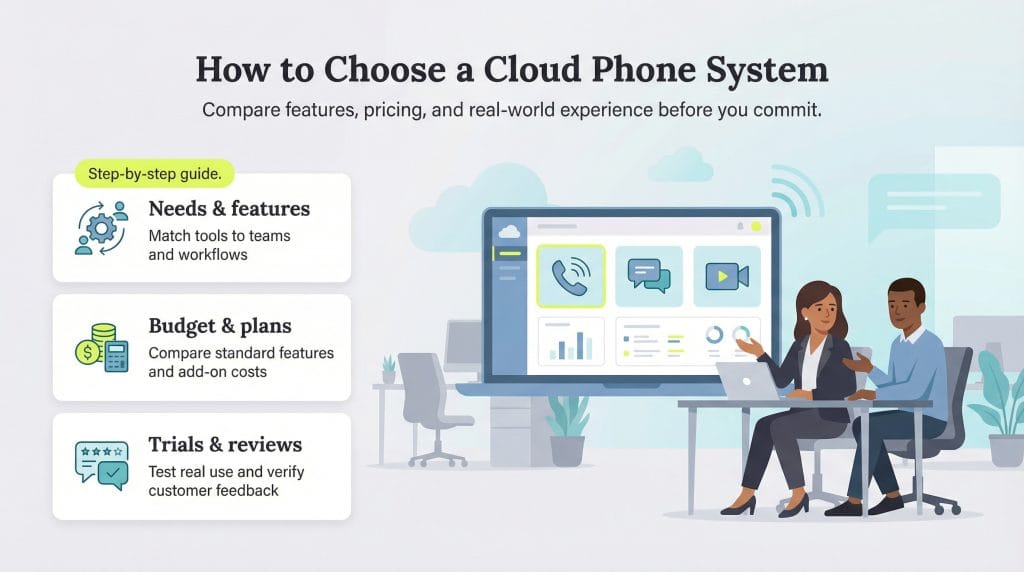
To choose the best cloud phone system for your business, take the following steps:
Cloud phone system pricing depends on the features you need and how many people will be using the system, but most businesses end up in a similar range. In general, providers charge anywhere from $15 to $60 per user per month, with many small and midsize companies falling closer to $25 to $35.
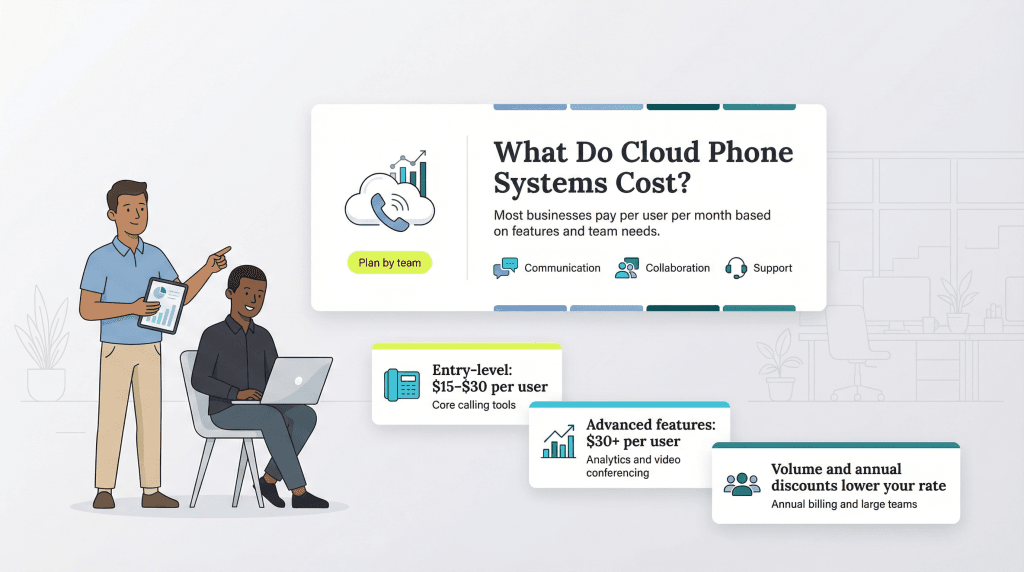
A few factors influence where you’ll land:
Here’s a quick look at some of the providers we reviewed when selecting our picks for best business phone systems. Check out our best page for a more in-depth comparison of each.
| Vendor | Starting Price | Key Cloud Phone Features |
|---|---|---|
| Ooma Office | $19.95/user/mo | Cloud-hosted PBX, virtual receptionist, ring groups, call park, mobile/desktop softphone apps, video conferencing, voicemail transcription |
| Aircall | $30/user/mo | Cloud-based calling, power dialer, shared call inbox, warm transfer, IVR, call recording, 250+ third-party integrations |
| GoTo Connect | Custom pricing | Cloud PBX with unlimited auto attendants, ring groups, call queues, drag-and-drop dial plan editor, paging, video meetings (up to 250) |
| Vonage | $19.99/line/mo | Cloud-hosted calling, SMS/MMS, virtual receptionist, desktop/mobile softphone apps, video conferencing (up to 200), API access |
| Zoom Phone | $10/user/mo | Cloud calling with metered or unlimited plans, voicemail prioritization, IVR, call recording, AI call summaries, team chat, video meetings |
| Nextiva | $15/user/mo | Cloud-based unified communications, auto attendant, voicemail transcription, smart call routing, team messaging, video meetings |
| Dialpad | $23/user/mo | Cloud-native platform, AI-powered voice transcription, visual voicemail, ring groups, call recording, SMS/MMS, team messaging |
| Quo | $15/user/mo | Cloud-based business phone with shared numbers, unified inbox, call recording, SMS/MMS, internal threads, voicemail transcription |
| Verizon Business | Custom pricing | Cloud-hosted phone and internet bundles, auto attendants, visual voicemail, video meetings (up to 3,000), international calling, mobile app |
| RingEX | $30/user/mo | Cloud-based unified communications, multilevel auto attendant, call recording, AI meeting summaries, team messaging, video (up to 200), 500+ integrations |