A point-of-sale (POS) system is the hardware and software that allows businesses to accept customer payments. As consumers become more mobile-centric, the POS industry has followed suit, offering mobile POS (mPOS) systems that facilitate fast, on-the-spot checkout for restaurants, retailers and service providers.
Searching for a mobile POS system and not sure where to start? Tell us a little more about your business and get customized quotes from qualified providers.
If you want to take your sales process to the next level, a mobile POS system could be the answer. We’ll explain how mPOS systems work and highlight their features, benefits and risks to help you choose an mPOS system that will enhance your customers’ experience and support your long-term growth.
What is an mPOS system?
An mPOS system is a mobile point-of-sale app that runs on a smartphone or tablet to let businesses accept credit card payments and digital payment methods anywhere. While traditional POS software typically connects to a stationary terminal, an mPOS gives you the same core checkout capabilities in a portable format you can use tableside, curbside or at pop-up locations. Although early versions were limited, modern mPOS systems now offer robust, full-featured functionality.
mPOS systems are portable, relatively inexpensive and convenient for merchants. According to a 2025 digital payment methods, 55 percent of retailers already use both stationary POS terminals and mobile POS devices — a sign that mPOS adoption is now standard practice in many stores.
Device growth also continues to climb. The 2025 Connected POS Terminals report projects the worldwide installed base of mPOS terminals to reach 152 million units by 2028. Intel Market Research likewise estimates that the global mobile POS systems market will grow from roughly $482 million in 2024 to just over $2 billion by 2032, with a compound annual growth rate in the low 20 percent range driven by cashless payments, omnichannel retail and small business adoption.
An mPOS that runs on an
in-store tablet improves the customer experience by maximizing space, improving checkout times and providing real-time inventory insights.
How to choose an mPOS system
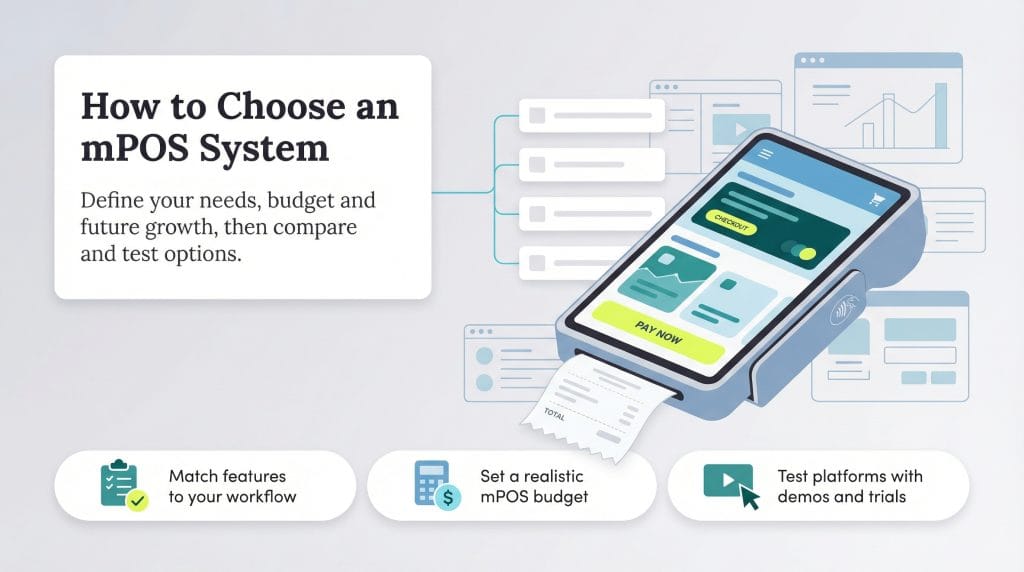
Various business types can benefit from switching to mPOS systems or adding one to their existing POS setup. However, your unique needs and industry demands will impact the precise system you choose. Work through the following steps to identify an mPOS system that fits your workflow, supports your customers and stays within your budget:
- Assess your business’s specific mPOS requirements: Your industry and business model are the primary factors to consider when choosing an mPOS system. Numerous mPOS platforms exist, with some catering to specific industries and setups. For example, if you run a small retail store, a countertop POS system with a single terminal and mPOS add-ons may suffice. However, if you run a restaurant, you’ll likely need more advanced order management and tableside functionality.
- Examine your current system’s limitations: If you already have an mPOS or want to transition from a traditional POS system, take stock of your current setup. What do you like about it, and what functions does it lack? What are your biggest pain points, and what key features are missing? Listing your current system’s shortcomings will give you clarity as you research other providers.
- Set your mPOS budget: Your mPOS system must fit your budget. POS costs can vary widely; when budget planning, consider your must-have features and how much you’re willing to spend to support them.
- Consider scalability: You must find an mPOS solution that meets your business’s current needs and provides the flexibility to address your future needs. Where do you want your business to be a few years down the road? Look for a solution that can grow alongside it.
- Research mPOS platforms on the market: After identifying your needs, start comparing different mPOS providers. Ask other business owners for recommendations and research various solutions. Visit vendors’ websites, read online reviews and explore customer review sites to get a feel for each platform. Note their POS charges and fees, and determine whether they’re a cost-effective option for you.
- Look for free trials and demos: Once you’ve narrowed your list of providers, ask about free trials and demos. Hands-on experience will help you see how the software works and determine if it’s a good fit for your business.
How do mPOS systems work?
mPOS systems are straightforward and operate similarly to the traditional POS systems you’re likely familiar with. Here’s how they work:
- The merchant installs a POS app on their smartphone or tablet. Some systems may also require a mobile card reader to accept magstripe swipes, EMV chip cards, NFC mobile payments and digital wallets like Samsung Wallet, Google Pay and Apple Pay.
- A shopper brings items to an associate to purchase them. In restaurants, a server may bring their mPOS device to the table when customers are ready to pay.
- Using the smartphone or tablet, the associate scans items (for retail purchases) or rings up the charges, and the mPOS totals the transaction.
- The customer pays with a credit or debit card or another accepted payment method. The mPOS processes the sale and adjusts inventory totals systemwide.
- The customer selects a printed receipt (if available), a digital receipt or no receipt.
mPOS systems also support additional payment options, including virtual terminals and QR code-based contactless payments.
You can pair your mPOS system with additional hardware, such as a cash drawer, barcode scanner or receipt printer, for a more robust but less portable setup. Many systems also include data analytics tools that provide real-time sales and inventory insights.
The benefits of mPOS solutions
Here are some of the biggest advantages of using an mPOS solution:
- They shorten wait times: Mobile POS systems can speed up checkout lines. Customers don’t like waiting, and faster service improves the overall experience.
- They can increase sales: Simplifying and speeding up the transaction process can help you complete more orders during busy periods. More completed transactions can translate into increased sales and higher revenue.
- They improve efficiency and accuracy: Meeting customers where they are — whether on the sales floor or at the table — helps streamline the checkout process and reduce errors.
- They support mobile wallets: Mobile wallet payments are becoming ubiquitous, and accepting them is easy with an mPOS system. Most mobile card readers are NFC-enabled, allowing you to accept Apple Pay and Google Pay without expensive hardware upgrades.
- They make digital receipts simple: Many customers prefer digital receipts for accounting and bookkeeping, and the ability to email receipts directly from your mPOS is convenient for both sides.
- They enhance the customer experience: Convenient, quick mPOS transactions make checkout feel seamless. Satisfied customers are more likely to return, and returning customers typically spend more.
- They increase the sense of security: mPOS systems allow you to process cards in front of the customer rather than taking them to a back room. This transparency helps consumers feel more secure during payment.
If you're deciding whether you need a
cash register, POS system or mPOS, consider the features your business needs, including inventory management, payment flexibility and scalability.
The risks of mPOS systems
Although there are many benefits to using mPOS devices, there are also risks. Keep the following considerations in mind before implementing an mPOS system.
mPOS systems have the potential for unauthorized access.
There is always a risk that someone could gain unauthorized access to a POS application or the mobile device running it. However, you can mitigate this risk by taking the following steps:
- Allow only authorized employees to use the devices connected to your POS system.
- Secure all mPOS devices and apps with strong passcodes. Look for systems that let you assign each employee a unique user ID and permissions level.
- Enforce strong multifactor authentication practices and provide ongoing training to help employees avoid behaviors that increase the risk of unauthorized access or data breaches.
mPOS systems rely on your internet connection.
Businesses that use mPOS systems risk disruption from a poor internet connection, which can make POS applications slow or temporarily unavailable.
This situation can be especially challenging for fast-paced businesses that need constant access to their POS systems. Before implementing an mPOS setup, make sure you have a stable, secure internet connection and adequate coverage throughout your location.
Some POS systems offer an offline mode that lets you continue accepting payments even if your
business Wi-Fi stops working. Look for a system with this capability if downtime is a concern.
There’s a chance of a cyberattack with mPOS systems.
While unlikely, there is a chance of a cyberattack against your POS app’s back-end system or malware targeting the mobile device running your POS app. Security is critical, so choose a POS software provider that uses strong encryption, regular security updates and clear data-protection practices.
Because security vulnerabilities can affect magstripe, chip and PIN and contactless payments, it’s important to use an EMV-compliant, NFC-enabled card reader instead of a basic swiper. This helps reduce the risk of compromised transactions and protects sensitive card data.
Features to look for in an mPOS system
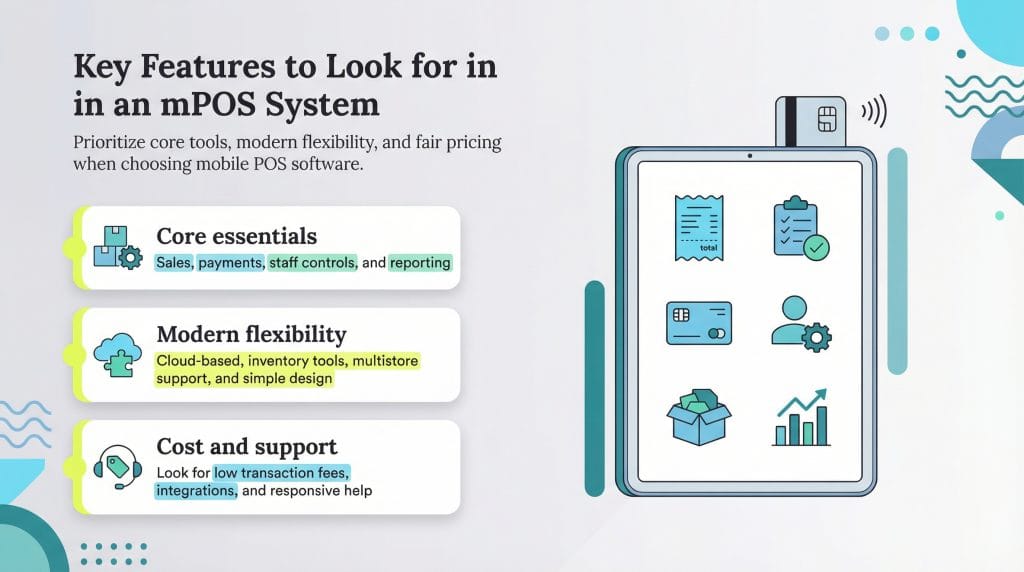
mPOS system features can vary widely and cater to different business models and industry needs. However, any solution you choose should include the following standard POS system features and abilities:
- Ringing up sales
- Taking orders and, for restaurants, sending them directly to the kitchen
- Processing payments
- Managing employee roles, permissions and data access
- Tracking inventory
- Generating POS reports
Additional features to look for in an mPOS system include:
- Inventory management
- Cloud-based POS software and data
- Multistore functionality
- User-friendly interface
- Flexible payment options
- Security
You should also look for an mPOS system that offers transparent, low transaction fees, integrates with your existing business tools and provides reliable customer support.
The best mPOS system for your business
The best POS systems often provide mPOS functionality, durable hardware and reasonable fees. Here are a few highly rated platforms to consider:
Square
Square’s mPOS system allows you to accept payments online, in person and over the phone. You’ll receive all the basic features you need to run your business, including payment processing, inventory, e-commerce tools and analytics.
- Payment acceptance: Square allows you to accept all major credit cards, and its mobile card reader supports Apple Pay, Google Pay and tap-to-pay cards. After customers check out, you can email or text their receipts.
- Fees: Square does not charge hidden fees, and its processing rates are competitive with those of other vendors in this space. However, fees vary by plan. For example, with Square Plus ($49 per month per location), you’ll pay 2.5 percent plus 15 cents per in-person transaction and 2.9 percent plus 30 cents per keyed-in transaction.
- Hardware: Square’s free magstripe reader connects via Bluetooth or a device’s headphone jack, allowing you to take credit card payments easily. It also offers the Square Reader for contactless and chip payments ($59), Square Terminal ($299) and Square Register ($799).
Our review of Square explains more about this vendor’s features and options.
PayPal
PayPal is primarily known as an online payment system, but it also provides excellent mPOS functionality through its PayPal Point of Sale app (formerly PayPal Zettle).
- Payment acceptance: With the PayPal Point of Sale app and card reader, you can accept credit and debit cards as well as mobile payment apps like Venmo, Apple Pay and Google Pay. You can also generate basic sales reports, monitor inventory and manage product catalogs.
- Fees: PayPal charges 2.29 percent plus 9 cents per card-present transaction, while keyed-in transactions cost 3.49 percent plus 9 cents. There are no subscription fees or hidden fees.
- Hardware: PayPal’s Card Reader is $29. It also offers the PayPal Terminal ($199) for businesses needing a standalone device; you can add an optional barcode scanner for inventory management.
Shopify
Shopify is one of the best POS systems for retailers that sell online and in person. Its iOS and Android mobile apps offer robust POS tools to help you accept payments on the go.
- Payment acceptance: The Shopify POS app allows you to accept credit and debit cards, including contactless cards and mobile wallets.
- Fees: Shopify offers several plans depending on your needs. For casual, in-person selling, you’ll pay $5 per month for the Starter plan. Its $89-per-month Retail plan includes POS Pro features such as staff permissions, advanced inventory tools and analytics. If you need to sell both online and in person, plans range from $39 to $399 per month. Rates vary by plan, but on the Retail plan, you’ll pay 2.6 percent plus 10 cents for in-person charges and 2.9 percent plus 30 cents for online transactions.
- Hardware: Shopify offers the Tap & Chip Reader ($49, or $89 with dock) that supports chip cards, contactless cards and mobile payments. Countertop POS hardware ranges from $219 to $999, depending on the model and bundle.
Our review of Shopify explains more about its security focus, pricing terms and additional functionality.
Toast
Toast is among the best POS systems for restaurants, where mPOS functionality is crucial. It provides a wealth of restaurant-focused add-ons that can streamline your eatery’s operations and improve customer satisfaction:
- Payment acceptance: Toast supports credit and debit cards, digital payments, gift cards, mobile wallets and other common payment types.
- Fees: Toast offers a Starter Kit plan at $0 per month with pay-as-you-go pricing, plus higher tiers with more features starting at $69 per month. Toast handles payment processing in-house and tailors your rate to your restaurant’s setup, sales volume and transaction mix. While pricing varies, card-present rates often start around 2.49 percent plus 15 cents per transaction.
- Hardware: Toast offers proprietary restaurant-specific hardware, including the Handheld Starter Kit and Flex countertop terminal bundles. You may qualify for $0 upfront costs on select bundles with Toast’s pay-as-you-go model. As a reference point, one Flex bundle (Flex Terminal + Tap + Mounted Guest Display) is listed at $944.10 plus $50 per month. Pricing will vary depending on the hardware you select, the bundle configuration and your payment plan.
Our in-depth Toast review delves into this vendor’s online ordering features and other restaurant-specific functions.