Business.com aims to help business owners make informed decisions to support and grow their companies. We research and recommend products and services suitable for various business types, investing thousands of hours each year in this process.
As a business, we need to generate revenue to sustain our content. We have financial relationships with some companies we cover, earning commissions when readers purchase from our partners or share information about their needs. These relationships do not dictate our advice and recommendations. Our editorial team independently evaluates and recommends products and services based on their research and expertise. Learn more about our process and partners here.
10 QuickBooks Alternatives to Consider
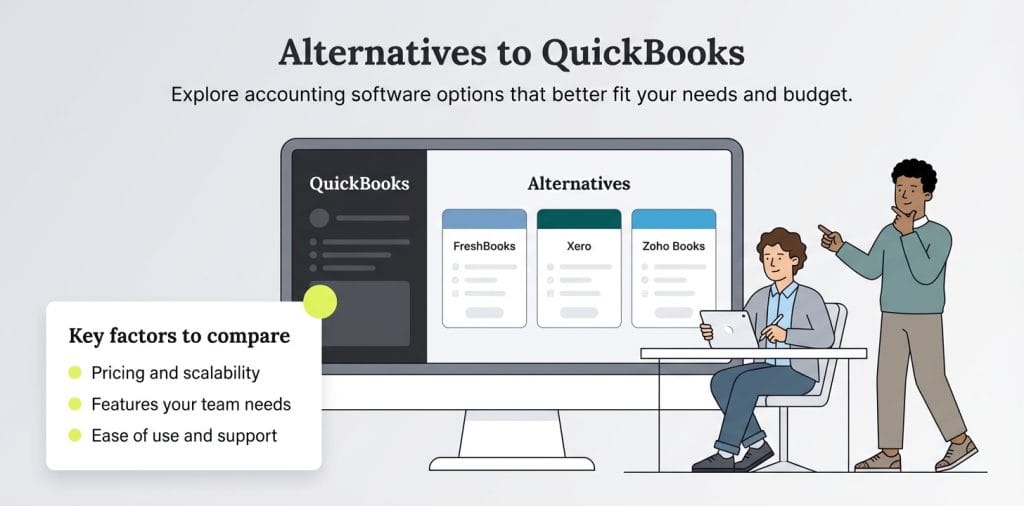
FreshBooks, Xero and Zoho Books are some of the most popular options if QuickBooks isn't the right fit for your business.
Business.com earns commissions from some listed providers. Editorial Guidelines.
Table of Contents
Intuit QuickBooks is one of the most widely used accounting software platforms for small businesses, thanks to its broad feature set, strong reporting tools and extensive integrations. That said, its pricing, plan limitations and customer support experience don’t work for every business.
When QuickBooks isn’t the right fit, it’s worth exploring alternatives that better match your budget, workflow and accounting needs. Below, we’ll break down 10 of the best QuickBooks alternatives to help you find the right platform for your business.
What is QuickBooks?
QuickBooks is one of the best accounting software solutions for freelancers, small businesses and growing companies. It helps users manage income, expenses, invoicing, payments, tax deductions and other day-to-day financial tasks. Many businesses choose QuickBooks for its broad feature set, multiple pricing tiers, extensive integrations and the option of either a 30-day free trial or introductory discounts for new users.
“It’s the go-to name in accounting software for a reason,” said Danish Soomro, founder and CEO of Devi AI. “It’s familiar, widely used and built with deep functionality that suits traditional accountants and firms. It has solid integrations and lots of support.”
Stephanie Smith, owner of New Light Financial Solutions, noted that part of QuickBooks’ appeal is its continual improvement and innovation. “Because of their size and market share, they are able to invest in their software,” Smith explained. “They are constantly making improvements and updates, as well as incorporating innovative ideas into the technology.”
FYI
If you've heard of both QuickBooks Online and QuickBooks Desktop, keep in mind that QuickBooks Desktop 2024 is Intuit's final standalone desktop release. Intuit's focus is now firmly on QuickBooks Online, so businesses still using desktop versions should already be planning their next steps.
10 alternatives to QuickBooks
Despite its popularity, QuickBooks may not be the best solution for your business. Here are 10 top alternatives to consider.
1. FreshBooks
FreshBooks is a well-regarded QuickBooks rival and an excellent choice for small business owners who want cloud-based accounting software with a broad range of essential financial tools.
FreshBooks includes specialized tools such as software integrations, time tracking, contract management and double-entry accounting. Your team can access the software from anywhere with an internet connection.
As we noted in our FreshBooks review, it’s a strong all-in-one alternative to QuickBooks, especially for businesses that want straightforward pricing, strong invoicing tools and an easy-to-use mobile app.
Key features of FreshBooks
Excellent customer service
Over 100 integrations with third-party apps
Good mobile app interface
Double-entry accounting on most plans
Time tracking, client management and report management tools
Excellent invoicing options and flexibility
Comprehensive selection of accounting tools
FreshBooks pricing
Lite: $23 per month
Plus: $43 per month
Premium: $70 per month
Select: Custom pricing
Note that introductory discounts are often offered, and discounted annual pricing is available.
2. Wave Accounting
Wave Accounting offers a free starter plan, making it a great budget-friendly choice for freelancers, solopreneurs and small businesses. However, you’ll need to pay for the platform’s credit card payment processing and payroll features. There’s also a low-cost Pro plan with additional capabilities.
Wave is easy to use and provides essential accounting features, invoicing tools, e-commerce checkout capabilities and a dedicated Etsy integration. However, this platform isn’t the best choice if you need project management solutions, time tracking or third-party integrations. If these functions are important to you, you’ll likely need to explore Wave accounting software alternatives.
Key features of Wave Accounting
E-commerce checkout tools
Accounting toolkit
Etsy integration
Intuitive and streamlined user interface
Accounting support materials and tutorials
Optional credit card payment processing upgrade
Optional payroll software upgrade
Wave Accounting pricing
Starter: Free
Pro: $19 per month (or $190 per year)
3. Xero
Xero is a New Zealand-based accounting software company with over 4.6 million subscribers worldwide. Its accounting solution is built for small businesses but comes packed with comprehensive features that make it a genuinely versatile platform.
As we note in our detailed Xero review, all Xero controls and tools — including inventory management, invoicing, billing tools and payroll integrations in supported markets — are accessible from an intuitive dashboard, making the platform especially easy to navigate.
Xero offers mobile apps for iOS and Android, and new customers get a 30-day free trial.
Key features of Xero
Mobile and desktop apps
Many accounting and invoicing features
International invoicing
Payroll integrations in supported markets
Intuitive dashboard to control all your tools
Tax calculation software
Xero pricing
Early: $25 per month
Growing: $55 per month
Established: $90 per month
Check Xero’s website to learn about current introductory discounts.
Patriot Accounting is an affordable accounting platform with plans that start as low as $20 per month. It also offers a 30-day free trial. This platform’s features include 1099 preparation, CPA firm special pricing, business bank account reconciliation, billing and invoicing tools and invoice management. You can customize your professional invoices and handle invoicing entirely online.
Patriot Accounting is an excellent choice for freelancers, solopreneurs and small businesses that need affordable accounting software without a steep learning curve.
Check the Patriot Accounting website for current introductory discounts.
5. Zoho Books
Zoho Books is the accounting software offering in the broader Zoho ecosystem. It integrates seamlessly with Zoho CRM (considered among the best CRM software platforms), though each product requires a separate subscription. Top features include invoicing, accounts payable, time tracking, bank reconciliation and estimate tools.
Smith said Zoho Books is a great alternative to QuickBooks and noted that users appreciate its tie-in to the larger Zoho suite. “They want the seamless integration [of] all of their tools into one platform,” Smith explained. “This includes things like their CRM, inventory management and expense management. We have also found that Zoho can be very accommodating if you need new features or functionality.”
As we highlight in our Zoho Books review, it offers many of the same features as QuickBooks at a lower entry price. Businesses on a tight accounting budget may find everything they need with this software.
Key features of Zoho Books
Tax support and bank reconciliation tools
Contact management, accounts payable and estimate tools
Report and invoice production
Time tracking tools
Good customer support through live chat, email and more
Chart of accounts management
Zoho Books pricing
Free: $0
Standard: $20 per month ($15 per month when paid annually)
Professional: $50 per month ($40 per month when paid annually)
Premium: $70 per month ($60 per month when paid annually)
Elite: $150 per month ($120 per month when paid annually)
Ultimate: $275 per month ($240 per month when paid annually)
Did You Know?
Zoho Assist is another element of Zoho's suite of tools. This remote PC access solution integrates easily with other Zoho platforms. Read our Zoho Assist review to learn more.
6. Oracle NetSuite
Oracle NetSuite is cloud-based accounting software that also functions as a full enterprise resource planning (ERP) solution, making it a great option for larger businesses and enterprises. It offers robust planning tools, reporting features and customizable workflows that extend beyond accounting to support inventory, order management, HR and other core business functions.
“NetSuite is a robust ERP solution for mid-market and larger enterprises that provides a full suite of CRM, ERP, financial management and operations features for a range of service-based and product-based businesses,” explained Eric Jozwiak, former owner of Keystone Business Services.
As we explain in our comprehensive review of Oracle NetSuite, these features are available on NetSuite’s intuitive dashboard. Multiple users can access the software simultaneously, and businesses can scale user access and permissions far beyond what QuickBooks typically supports. Because pricing is quote-based and implementation can be more involved, Oracle NetSuite is best suited for companies with larger accounting budgets and more complex operational needs.
Custom: Oracle NetSuite does not publicly publish its pricing; costs are quote-based and vary by business size and modules selected
Additional per-user cost: Varies by configuration; contact Oracle NetSuite directly for a current quote
7. Plooto
Plooto isn’t a full accounting platform, but it’s an excellent option for businesses that need a better way to accept, send and manage payments. It’s a payment automation platform designed to streamline your business’s accounts receivable and accounts payable workflows.
Our detailed Plooto review explains that you can set up automated workflows that meet your business’s needs and help you get paid faster, as well as make vendor payments via online checks or pre-authorized debits. Plooto syncs with popular accounting software, including QuickBooks, making it a valuable tool in your financial management system.
Key features of Plooto
Send and receive international payments
Vendor payments via online check or pre-authorized debit
Invoice management and cash flow tracking
Federal payroll deductions and corporate tax payments
Integration with accounting software, including QuickBooks, Xero and NetSuite
Plooto pricing
Go (for accountants and their clients): $9 per month
Grow: Starts at $32 per month
Pro: Starts at $99 per month
8. Sage 50
Sage 50 is subscription-based accounting software that’s well-suited to midsize businesses. Its features include automated fee calculation, fraud prevention and discrepancy detection tools, project management software and invoice tracking.
However, as we explain in our detailed Sage 50 review, this platform is one of the more expensive accounting options. The cost depends on the number of users you add to your account, so the price can escalate quickly for large companies.
Key features of Sage 50
Cloud-based accounting software with desktop flexibility
Tax assistance and management tools
Automated calculations for invoices, taxes and expenses
Discrepancy detection tools for accounting accuracy
Project management, team assignment and report generation tools
Invoice tracking and exemptions
Sage 50 pricing
Pro Accounting: $124.42 per month (or $1,362 per year)
Premium Accounting: Starts at $169.33 per month for one user ($1,807 per year)
Quantum Accounting: Starts at $253.42 per month for one user ($2,654 per year)
Note that Premium and Quantum tiers are priced by user. Premium allows one to five users, while Quantum accommodates one to 40 users.
9. ZarMoney
ZarMoney is a cloud-based accounting platform you can test for free before committing. It’s also a very affordable platform with an impressive suite of features, including account tracking tools, bank reconciliation, account management and tax assistance. ZarMoney also supports ACH payment processing, so you can accept payments and instantly sync them with your records.
ZarMoney may be a good fit for small businesses, bookkeepers or teams that want guided onboarding and built-in accounting resources. It comes with a variety of tutorials and webinars with accounting tips that can help you understand smart accounting practices.
Key features of ZarMoney
CPA and accountant support tools
Tax assistance
Bank reconciliation tools
Check processing and writing, plus ACH payment processing
Billing and invoicing
Cash management tools
Contact database management
ZarMoney pricing
Small Business: $20 per month (includes two users; add $10 for each additional user)
Enterprise: Starts at $350 per month (can accommodate 30-plus users)
10. Kashoo
If you’re a sole proprietor, Kashoo can be a strong fit if you want straightforward accounting software. It’s easy to set up, allows you to add tax details quickly, and the interface is simple to navigate.
You can manage and process transactions, send invoices, set up bills to pay and organize your contacts and accounts, all from a single dashboard. Kashoo can also provide tax assistance and generate reports to help you understand your business’s financial situation.
Key features of Kashoo
Tax management and assistance
Invoicing
Bill management
Report generation
Account and contact tracking
Kashoo pricing
$30 per month or $324 per year
Bottom Line
Choosing the right accounting software for your business requires knowing your priorities — whether that's invoicing, reporting or ease of use — so you can find the best fit for your needs and budget.
QuickBooks alternatives compared
Switching away from QuickBooks — or simply evaluating your options — is more common than you might think. The good news is there’s no shortage of capable alternatives, each with its own strengths depending on your business size, budget and feature needs. Here’s how top options compare:
Software
Feature highlights
Pricing
FreshBooks
Excellent customer service
Over 100 integrations with third-party apps
Double-entry accounting
Time tracking tools
Starts at $23 per month
Wave Accounting
E-commerce checkout tools
Etsy integration
Intuitive and streamlined user interface
Free; Pro plan is $19 per month
Xero
Mobile apps for iOS and Android
Comprehensive accounting and invoicing features
International invoicing
Starts at $25 per month
Patriot Accounting
Some tax assistance
Accounts receivable
Aging tracking
Bank reconciliation
Billing and invoicing
Starts at $20 per month
Zoho Books
Tax support
Bank reconciliation tools
Contact management
Accounts payable tools
Estimate tools
Free to $275 per month
Oracle NetSuite
Cloud-based platform
CRM features
Enterprise resource planning
Customizable workflows
Project management tools
Custom pricing
Plooto
Send and receive international payments
Vendor payments via online check or pre-authorized debit
Invoice management
Cash flow tracking
Starts at $9 per month
Sage 50
Cloud-based platform
Tax assistance and management tools
Fee calculation and posting
Audit trails and discrepancy detection
Starts at $124.42 per month
ZarMoney
CPA collaboration and filing tools
Tax assistance
Bank reconciliation tools
Check processing and writing
ACH payment processing
$20 to $350 per month
Kashoo
Tax management and assistance
Invoicing
Bill management
Report generation
Account and contact tracking
$30 per month
What are the pros and cons of QuickBooks?
If you’re considering a move away from QuickBooks, it helps to understand where the platform shines in terms of accounting software features and other aspects — and where competing accounting software may offer a better fit.
QuickBooks pros
QuickBooks is widely recognized as high-quality accounting software. “They are a leader in the space, and you know that you will get access to a quality product for the price,” Smith noted.
Some of the advantages of using QuickBooks include:
It’s very easy to learn and navigate QuickBooks, making it a great choice for small business owners without accounting expertise.
QuickBooks integrates with many other systems and third-party applications.
It offers new users a choice between a 30-day free trial or introductory discounts on the first few months, along with entry-level plans designed for freelancers and small businesses.
You can create a variety of accounting reports.
QuickBooks is accessible through web browsers, desktop access and mobile apps.
It’s easy to review customer records, payment history and past invoices.
QuickBooks cons
Even with its strengths, QuickBooks has some drawbacks that may lead growing businesses to question whether it’s still the right fit.
Some potential downsides include:
QuickBooks can become pricey if you need to use all its features.
It doesn’t have many industry-specific features, like barcode scanning and lot tracking.
Support quality and response times can vary depending on your plan and the type of help you need.
The number of users you can add depends on your plan, which may become limiting as your team grows.
Some users report occasional performance slowdowns, syncing issues or unexpected outages.
Invoice customization options are limited.
Some users prefer having more direct control over data exports, backups and historical file storage.
Soomro also noted that QuickBooks can feel outdated and cumbersome, particularly for growing businesses with more complex needs. “The interface is clunky, hard for business owners to navigate, and even pros spend too much time clicking around,” Soomro said.
Smith feels that QuickBooks pricing may be one of the biggest catalysts causing businesses to look elsewhere. “I am finding more and more companies are moving away from QuickBooks due to the price.” Additionally, other platforms are part of bigger ecosystems with integrated tools. “One of the main reasons that our clients are using Zoho Books instead of QuickBooks is because of all the other software and technology that can be integrated with Zoho Books,” Smith added.
Tip
If you're unsure whether QuickBooks still meets your needs, check out our comprehensive QuickBooks Online review to explore its pricing, features, usability and limitations.
When should you look for new accounting software?
QuickBooks likely meets the needs of many new, growing and even established businesses. After all, it provides invoicing and basic accounting functions that let you track your expenses and income while helping you prepare for tax season.
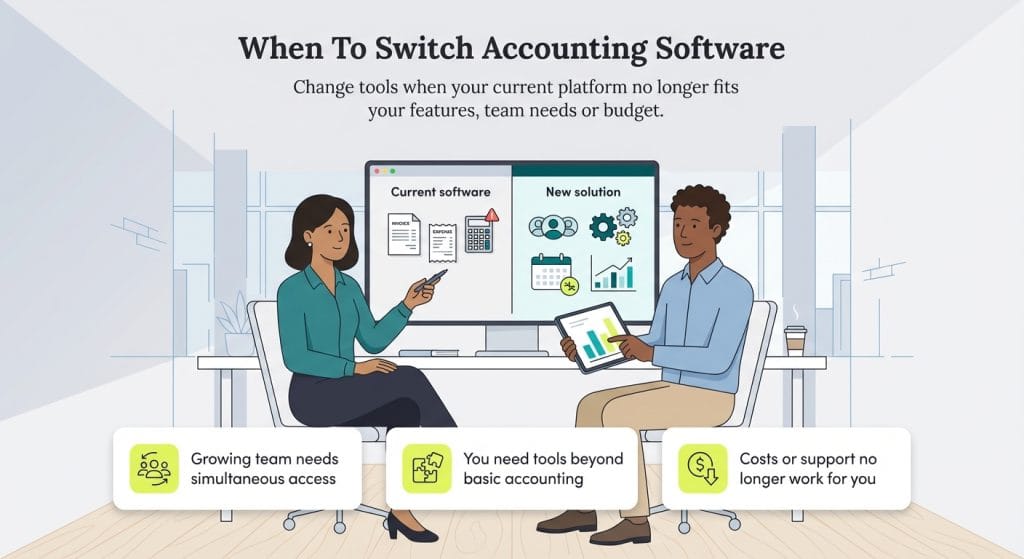
However, it may eventually lack the specialization or advanced features your business needs. Smith advises seeking new accounting software when your current platform — whether QuickBooks or another solution — no longer suits your needs or budget.
“While most software does the same things, there are some differences that make each one unique,” Smith explained. “In addition to that, if cost is a problem, then a company may want to find a solution that better fits within their budget.”
You might consider switching platforms if any of the following apply to your business:
Your team is growing, and you need more user access, permissions or collaboration tools.
You require additional tools beyond accounting, such as project management, inventory tracking or workflow automation.
You’ve outgrown basic features and need more advanced reporting or accounting capabilities.
You’re looking for better customer support from your accounting provider.
Find the best accounting software for your business
If you’re new to accounting software, QuickBooks is a great starting point. It’s accessible for beginners and handles the day-to-day accounting tasks most business owners need. But as your business grows, you may find yourself needing more robust features, better integrations or a more budget-friendly solution.
All the software packages we’ve highlighted are strong QuickBooks alternatives. Start by identifying the features that matter most to your business, then compare your options carefully and choose the solution that best aligns with your goals and workflow.
Amanda Hoffman contributed to this article. Source interviews were conducted for a previous version of this article.
Jamie Johnson has spent more than five years providing invaluable financial guidance to business owners, leading them through the financial intricacies of entrepreneurship. From offering investment lessons to recommending funding options, business loans and insurance, Johnson distills complex financial matters into easily understandable and actionable advice, empowering entrepreneurs to make informed decisions for their companies. As a business owner herself, she continually tests and refines her business strategies and services.
At business.com, Johnson covers accounting practices, budgeting, loan forgiveness and more.
Johnson's expertise is also evident in her contributions to various finance publications, including Rocket Mortgage, InvestorPlace, Insurify and Credit Karma. Moreover, she has showcased her command of other B2B topics, ranging from sales and payroll to marketing and social media, with insights featured in esteemed outlets such as the U.S. Chamber of Commerce, CNN, USA Today, U.S. News & World Report and Business Insider.